1. 서론
Thank you for choosing the ZEBRONICS Pods 2 Wireless TWS Earbuds. These earbuds are designed to provide a high-quality audio experience with advanced features such as Bluetooth 5.3 connectivity, touch controls, and voice assistant support. This manual provides detailed instructions for setup, operation, and maintenance to ensure optimal performance and longevity of your device.
2. 패키지 내용
패키지에 모든 품목이 들어 있는지 확인하세요.
- Earbuds - 2 Units (Left and Right)
- Charging Case - 1 Unit
- Charging Cable (Type-C) - 1 Unit
- Extra Eartips - Multiple Sizes
- QR Code Guide - 1 Unit

Image: ZEBRONICS Pods 2 Earbuds and their transparent charging case.
3. 제품 오버view
The ZEBRONICS Pods 2 feature a compact design with a transparent charging case that includes an LED display for battery percentage indication. The earbuds are equipped with 6mm dynamic drivers for clear audio output.
3.1 이어 버드
- 터치 컨트롤 영역: For media playback, call management, and voice assistant activation.
- 마이크로폰: Built-in for call function and voice assistant.
- LED 표시등: Displays connection status and charging status.
3.2 충전 케이스
- 이어버드 충전 슬롯: 이어버드를 안전하게 고정하고 충전합니다.
- LED 디스플레이: Shows the charging case battery level and earbud charging status.
- Type-C 충전 포트: 케이스를 충전하려면.

Image: The transparent charging case with its digital battery display.
4. 설정
4.1 이어버드와 케이스 충전
처음 사용하기 전에 이어버드와 충전 케이스를 완전히 충전하세요.
- 두 이어버드를 충전 케이스에 넣으세요. 이어버드가 제대로 끼워졌는지 확인하세요.
- Type-C 충전 케이블을 케이스의 충전 포트에 연결하고 다른 한쪽 끝을 USB 전원(예: 벽면 어댑터, 컴퓨터 USB 포트)에 연결하십시오.
- The LED display on the case will indicate the charging status. A full charge is indicated when the display shows 100%.
- 완전히 충전되면 충전 케이블을 분리하세요.
The earbuds offer up to 10 hours of playback time on a single charge, with additional charges provided by the case.
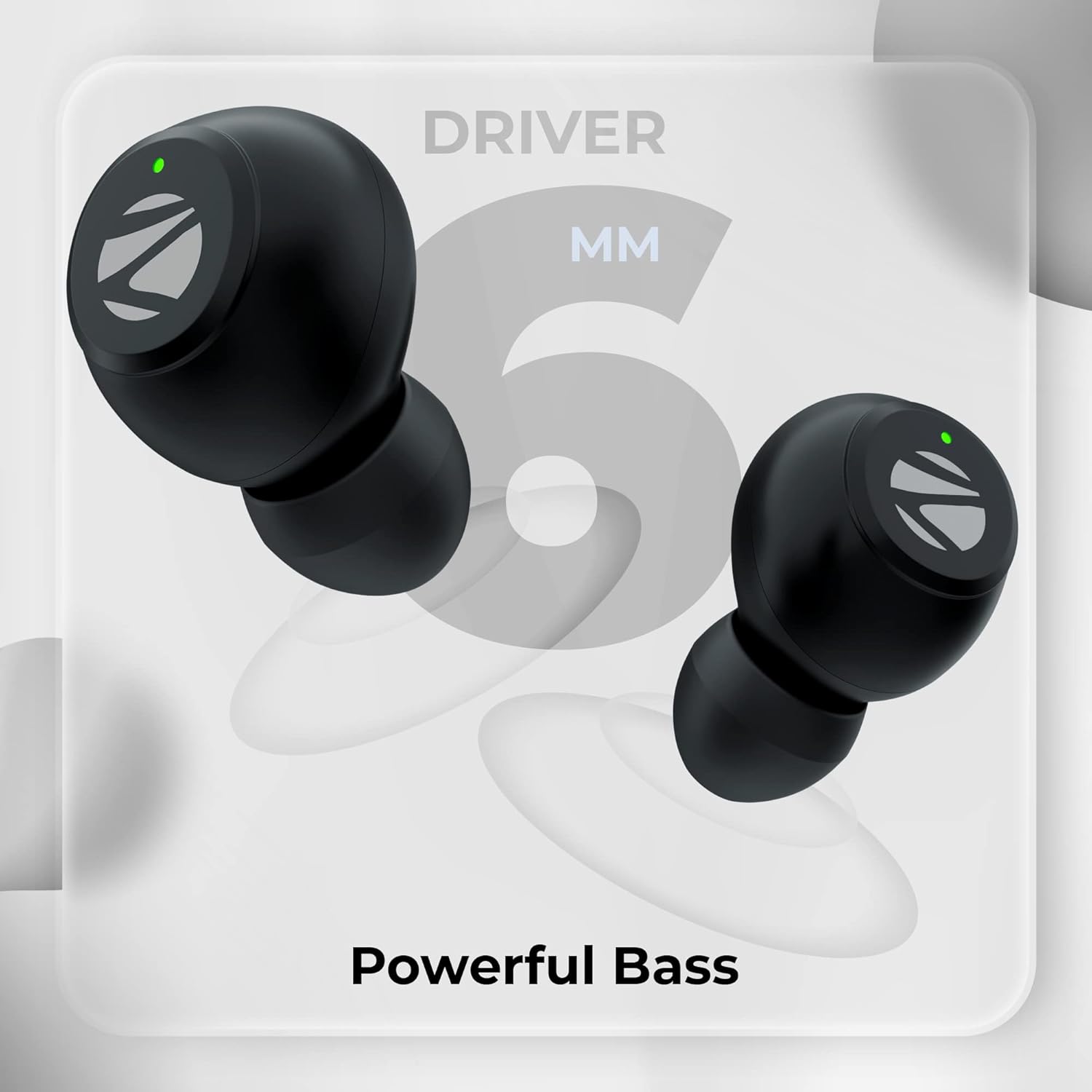
Image: Visual representation of Type-C charging, battery level indication, splash-proof design, and touch control functionality.
4.2 블루투스 페어링
Follow these steps to pair your ZEBRONICS Pods 2 with your device:
- 이어버드가 충전되어 있고 충전 케이스에 넣어져 있는지 확인하세요.
- 충전 케이스 뚜껑을 여세요. 이어버드가 자동으로 페어링 모드로 진입합니다.
- 스마트폰, 태블릿 또는 기타 Bluetooth 지원 기기에서 Bluetooth 설정으로 이동합니다.
- 검색 사용 가능한 장치를 선택하고 "제브팟 2" 목록에서.
- Once connected, you will hear an audible confirmation, and the earbud LED indicators will change.
- 기기에서 Bluetooth가 활성화되어 있는 경우, 이어버드를 케이스에서 꺼내면 마지막으로 페어링된 기기에 자동으로 다시 연결됩니다.

Image: Depiction of voice assistant integration, call function, Bluetooth 5.3 technology, and a device's Bluetooth pairing screen showing "ZEB-Pods 2".
5. 사용 설명서
5.1 터치 컨트롤
The ZEBRONICS Pods 2 feature intuitive touch controls on each earbud:
- 재생/일시 중지: 양쪽 이어버드를 한 번 탭하세요.
- 다음 트랙: 오른쪽 이어버드를 두 번 탭하세요.
- 이전 트랙 : 왼쪽 이어버드를 두 번 탭하세요.
- 전화 받기/종료: 전화가 오는 동안 양쪽 이어버드를 한 번 탭하세요.
- 전화 거부: 전화가 오는 동안 한쪽 이어버드를 2초간 길게 누르세요.
- Voice Assistant 활성화 : 양쪽 이어버드를 세 번 탭하세요.
5.2 음성 어시스턴트
The earbuds support voice assistants like Google Assistant (Android) and Siri (iOS). Triple tap either earbud to activate your device's voice assistant.
5.3 통화 기능
With the built-in microphone, you can make and receive calls directly through the earbuds. Refer to the touch controls section for call management.
6. 유지관리
이어버드의 수명과 최적의 성능을 보장하려면 다음 유지 관리 지침을 따르세요.
- 청소: 부드럽고 마른 천으로 이어버드와 충전 케이스를 정기적으로 닦으세요. 강한 화학 물질이나 연마재는 사용하지 마세요.
- 저장: 사용하지 않을 때는 이어버드를 충전 케이스에 보관하여 보호하고 충전 상태를 유지하세요.
- 방수 기능: The earbuds are splash-proof. Avoid submerging them in water or exposing them to heavy rain. Dry them thoroughly if they get wet.
- 온도: 이어버드를 극한의 온도(더위나 추위) 또는 직사광선에 장시간 노출시키지 마세요.
- 충전 중: 충전 시에는 제공된 Type-C 케이블이나 인증된 동등 제품만 사용하세요.
7. 문제 해결
If you encounter issues with your ZEBRONICS Pods 2, refer to the following common solutions:
| 문제 | 가능한 해결책 |
|---|---|
| 이어폰이 페어링되지 않음 |
|
| 하나의 이어폰만 작동 |
|
| 소리가 나지 않거나 볼륨이 작음 |
|
| 충전 케이스가 충전되지 않음 |
|
8. 사양
| 특징 | 세부 사항 |
|---|---|
| 모델명 | 제브팟 2 |
| 연결 기술 | 무선(블루투스) |
| 블루투스 버전 | 5.3 |
| 블루투스 범위 | 10 미터 |
| 오디오 드라이버 유형 | 다이내믹 드라이버(6mm) |
| 재생 시간 | Up to 10 Hours (Earbuds) |
| 충전 시간 | Not specified for earbuds, case charging time varies. |
| 충전 인터페이스 | C타입 |
| 제어 유형 | 터치 컨트롤, 음성 컨트롤 |
| 마이크 형식 | 내장형 |
| 방수 레벨 | 방수 (생활 방수) |
| 호환 장치 | Smartphones, Tablets, Laptops, PC, Smart TVs (Bluetooth enabled) |
| 품목 무게 | 30그램 |
| 재료 | 플라스틱 |
| 색상 | 검은색 |
9. 보증 및 지원
The ZEBRONICS Pods 2 Wireless TWS Earbuds come with a 1년 보증 from the date of purchase. For warranty claims, technical support, or service inquiries, please refer to the contact information provided in the QR code guide included in your package or visit the official ZEBRONICS web대지.
보증 목적으로 구매 증빙서류로 구매 영수증을 보관하세요.


