1. 안전 지침
본 공구를 사용하기 전에 모든 안전 경고 및 지침을 읽고 숙지하십시오. 경고 및 지침을 따르지 않을 경우 감전, 화재 및/또는 심각한 부상을 입을 수 있습니다.
- 작업 영역 안전: Keep your work area clean and well lit. Do not operate power tools in explosive atmospheres, such as in the presence of flammable liquids, gases, or dust. Keep children and bystanders away while operating a power tool.
- 전기 안전: 전동공구 플러그는 콘센트에 맞는 크기여야 합니다. 플러그를 절대로 개조하지 마십시오. 파이프, 라디에이터, 가스레인지, 냉장고 등 접지된 표면에 신체가 닿지 않도록 주의하십시오.
- 개인 안전: Always wear eye protection. Use personal protective equipment such as dust masks, non-skid safety shoes, hard hats, or hearing protection when appropriate. Prevent unintentional starting. Ensure the switch is in the off-position before connecting to battery pack, picking up or carrying the tool.
- 도구 사용 및 관리: 전동 공구를 무리하게 사용하지 마십시오. 용도에 맞는 전동 공구를 사용하십시오. 조정, 액세서리 교체 또는 보관 전에 전동 공구에서 배터리 팩을 분리하십시오. 사용하지 않는 전동 공구는 어린이의 손이 닿지 않는 곳에 보관하고, 전동 공구 또는 본 사용 설명서에 익숙하지 않은 사람이 전동 공구를 작동하지 못하도록 하십시오.
- 배터리 도구 사용 및 관리: 제조사에서 지정한 충전기로만 충전하십시오. 전동 공구는 지정된 배터리 팩과 함께만 사용하십시오. 배터리 팩을 사용하지 않을 때는 다른 금속 물체와 멀리 떨어뜨려 보관하십시오.
- 서비스: 자격을 갖춘 수리 담당자에게 동일한 교체 부품만 사용하여 전동 공구를 서비스받으세요. 이렇게 하면 전동 공구의 안전성이 유지됩니다.
2. 제품 오버view
The KIMO Electric Impact Wrench QM-3603 is a versatile cordless tool designed for various fastening and drilling tasks. It features a powerful motor, multiple operating modes, and a lightweight design for enhanced usability.
2.1 패키지 내용
- Electric Impact Wrench Body
- 4000mAh Battery (QM-3603-4.0 Battery)
- 빠른 충전기
- Bit Set (3 pieces)
- Wood Drill Bit Set (3 pieces)
- Metal Drill Bit Set (3 pieces)
- Adapter Socket for Drills
- Impact Sockets (15mm, 17mm, 19mm, 21mm)
- O-ring (1 piece)
- 보관 가방
- 사용자 설명서
2.2 주요 특징
- Long Operation & Fast Charging: Equipped with a 20V 4000mAh lithium-ion battery, providing 20-40 minutes of continuous use and a 120-minute full charge time. Features a battery level indicator.
- Intelligent Auto-Stop Function: Prevents over-tightening and damage to bolts/nuts, ideal for tire changes. Enhances safety and extends tool lifespan.
- Three-in-One Versatility: Functions as an impact wrench, electric drill, and electric driver. Includes various impact sockets and drill bits for wood, metal, and screws.
- Optimized with 3 Modes: Auto-stop mode for safety, high-efficiency mode (0-2600rpm) for tough tasks, and power-saving mode (0-1600rpm) for delicate work and extended battery life.
- Industry-Leading Power: Delivers a maximum torque of 550 N·m, capable of loosening rusted or stubborn bolts. Suitable for automotive repair, construction, and heavy-duty tasks.
- Stepless Speed & Forward/Reverse: Adjustable speed from 0-2600rpm via trigger pressure. Forward/reverse switch for easy tightening and loosening.
- Lightweight & Illuminated Work Area: Weighs only 1.1kg for comfortable one-handed operation. Integrated LED light illuminates dark work areas.
- 저소음 설계: Significantly reduces operational noise, making it suitable for use in residential areas or early morning/late night.
3. 설정
3.1 배터리 충전
처음 사용하기 전에 배터리를 완전히 충전하십시오.
- Connect the fast charger to a power outlet.
- Insert the battery pack into the charger. The indicator light on the charger will show charging status.
- Once fully charged (approximately 120 minutes), remove the battery from the charger.

Image: The KIMO 4000mAh battery being charged by the rapid charger. The battery features a 4-stage LED indicator for charge level.
3.2 배터리 부착/분리
- To attach: Align the battery pack with the base of the tool and slide it in until it clicks into place.
- To detach: Press the battery release button (usually on the side of the battery) and slide the battery out.
3.3 Installing Sockets/Bits
The impact wrench uses a 1/2" square drive.
- 도구가 꺼져 있고 배터리가 제거되어 있는지 확인하세요.
- Push the desired impact socket or bit onto the square drive until it locks securely.
- To remove, pull back the collar (if present) or simply pull the socket/bit off firmly.

Image: The KIMO Electric Impact Wrench shown with its full set of accessories, including various sockets and drill bits.
4. 사용 설명서
4.1 전원 켜기/끄기
The tool is activated by pressing the trigger. Release the trigger to turn off.
4.2 속도 제어
The tool features stepless speed control. The speed increases as you press the trigger further.
4.3 정방향/역방향 회전
A switch located near the trigger controls the direction of rotation.
- For tightening (forward rotation), push the switch to the left.
- For loosening (reverse rotation), push the switch to the right.
- For safety, set the switch to the center position to lock the trigger and prevent accidental starting.
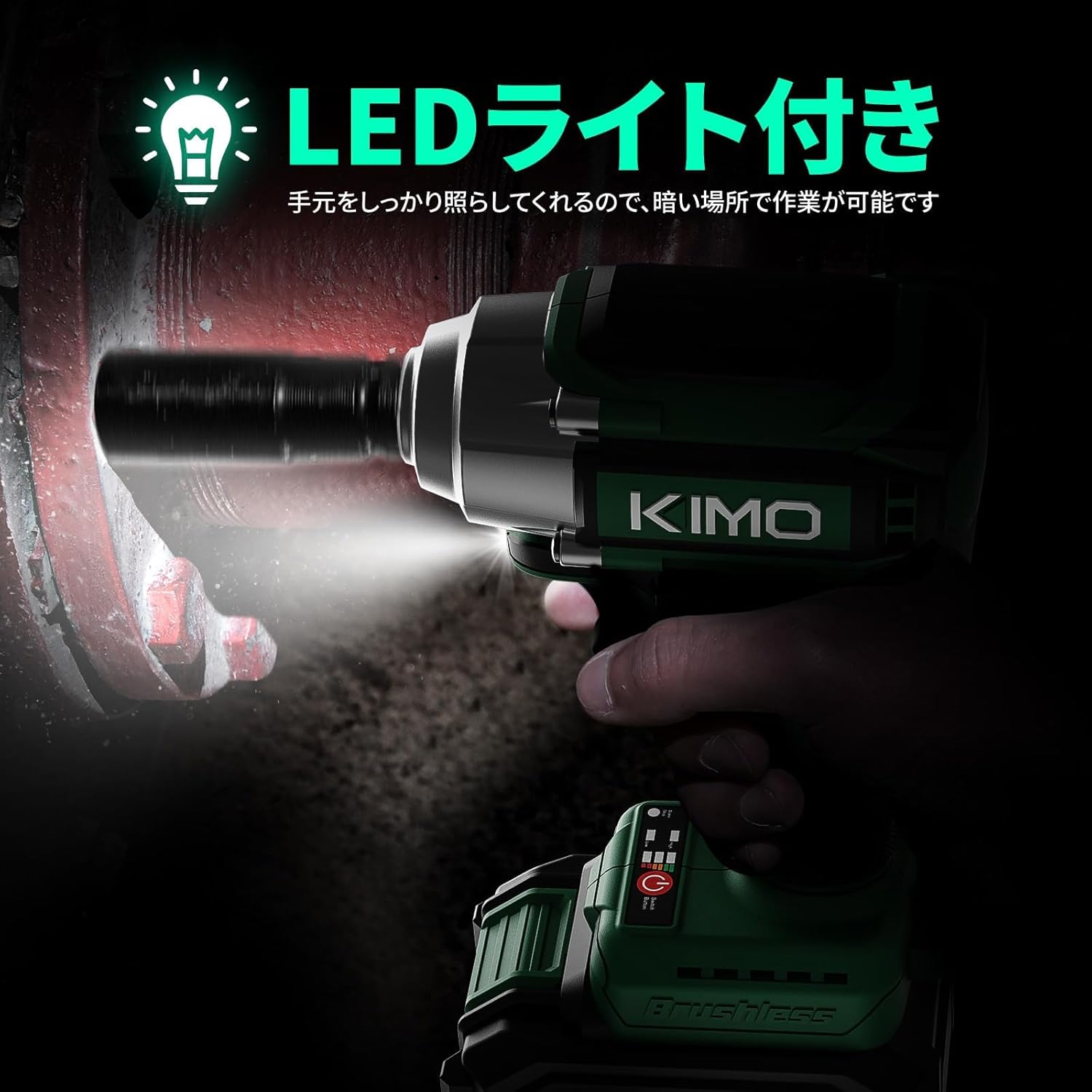
Image: Close-up of the KIMO Electric Impact Wrench showing the forward and reverse rotation switch, indicating how to select tightening or loosening modes.
4.4 모드 선택
The tool offers three operating modes:
- Automatic Stop Mode: When loosening, the tool automatically stops rotation once the nut/bolt is sufficiently loose to prevent it from falling off. This mode is only available in reverse rotation.
- High-Efficiency Mode (0-2600rpm): Provides maximum power for stubborn fasteners.
- Power-Saving Mode (0-1600rpm): Offers stable, lower speed operation, ideal for delicate tasks and extending battery life. This mode is only available in forward rotation.

Image: Diagram illustrating the three operational modes of the KIMO Electric Impact Wrench: Automatic Stop Mode, High-Efficiency Mode, and Power-Saving Mode, with their respective RPM ranges.
4.5 LED 조명 사용하기
The integrated LED light illuminates the work area when the trigger is pressed, improving visibility in dark or confined spaces.
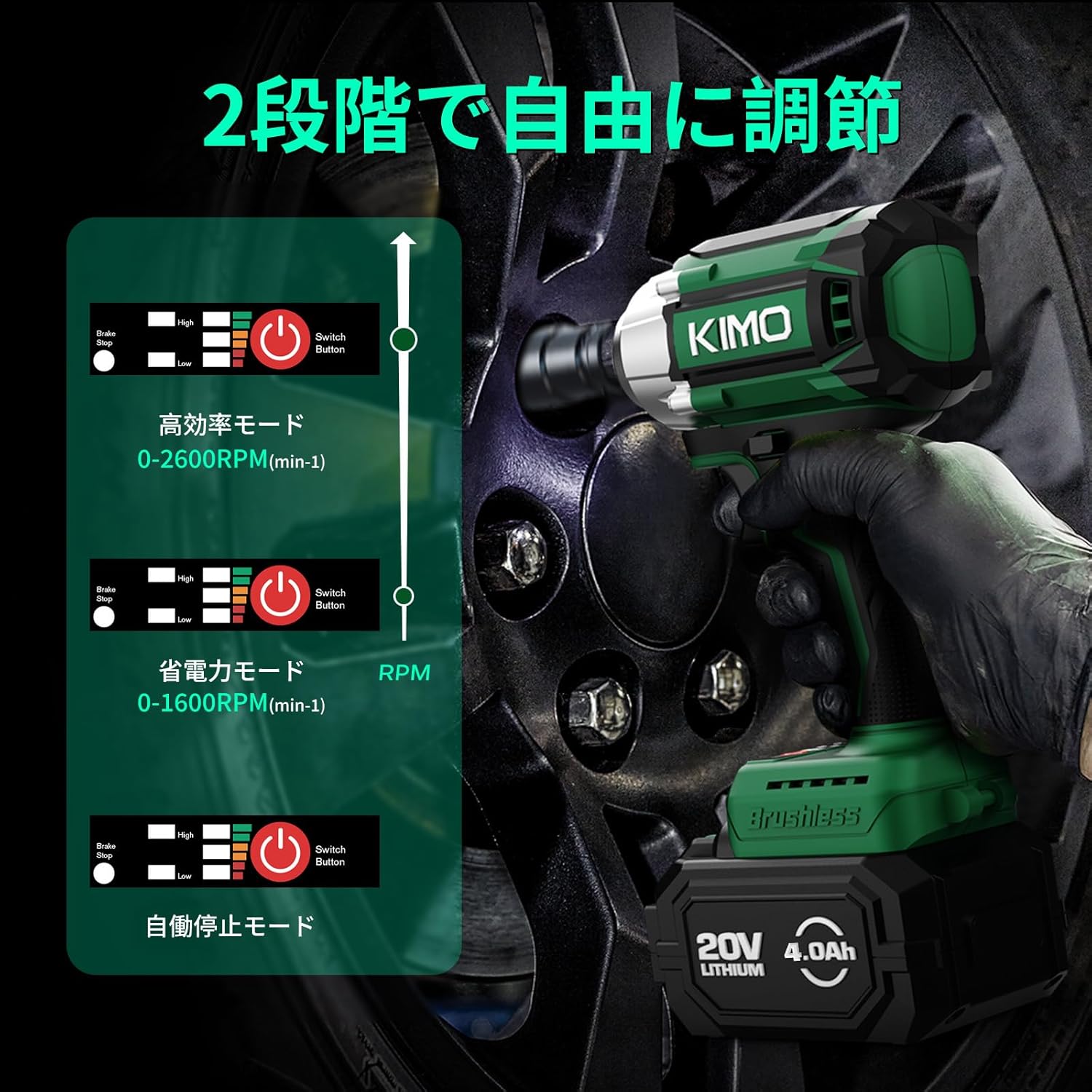
Image: The KIMO Electric Impact Wrench with its LED light activated, illuminating a dark work area, demonstrating its utility in low-light conditions.
5. 유지관리
5.1 청소
과열을 방지하려면 도구의 통풍구를 정기적으로 청소하세요. 부드러운 천을 사용하세요.amp 옷감. 강한 화학 물질이나 연마성 세제를 사용하지 마십시오.
5.2 배터리 관리
배터리는 직사광선과 극한의 온도를 피해 서늘하고 건조한 곳에 보관하십시오. 완전히 방전된 배터리를 장시간 보관하지 마십시오.
5.3 보관
When not in use, store the tool and accessories in the provided storage bag in a dry, secure location out of reach of children.
6. 문제 해결
| 문제 | 가능한 원인 | 해결책 |
|---|---|---|
| 도구가 시작되지 않음 | Battery not charged; Battery not properly inserted; Trigger lock engaged. | Charge battery; Re-insert battery securely; Disengage trigger lock. |
| 감소된 출력/토크 | Low battery charge; Incorrect mode selected; Tool overheating. | Recharge battery; Switch to High-Efficiency mode; Allow tool to cool down. |
| 과도한 진동/소음 | Loose socket/bit; Damaged internal components. | Ensure socket/bit is securely attached; Contact customer support for inspection. |
| 배터리가 충전되지 않음 | Charger not connected; Faulty battery/charger. | Check power connection; Contact customer support for replacement. |
7. 사양
| 특징 | 세부 사항 |
|---|---|
| 상표 | 키모 |
| 모델 번호 | QM-3603 |
| 권tage | 20V |
| 배터리 용량 | 4000mAh (4.0Ah) Lithium-ion |
| 최대 토크 | 550 N·m |
| 무부하 속도(고속) | 0-2600 분당 |
| No-load Speed (Low/Power-saving) | 0-1600 분당 |
| 척 사이즈 | 1/2 인치 스퀘어 드라이브 |
| 무게(공구만) | 1.1kg |
| 치수(패키지) | 28 x 18 x 18cm |
| 색상 | 녹색 |
| 재료 | 플라스틱, 금속 |
8. 보증 및 지원
KIMO ensures that each product undergoes strict quality inspection before shipment.
If you encounter any issues with the product or have questions, please contact KIMO customer support.
For support, please refer to the contact information provided in the included user manual or visit the official KIMO web대지.
Visit the KIMO Brand Store on Amazon 자세한 정보와 지원은 여기를 클릭하세요.


