1. 서론
This manual provides detailed instructions for the safe and efficient use of your Havit H2590BT PRO Wireless Bluetooth Headphones. Please read this guide thoroughly before operating the device to ensure optimal performance and longevity. Keep this manual for future reference.

이미지 1.1: 앞면 view of the Havit H2590BT PRO Wireless Bluetooth Headphones, showcasing the sleek black design and over-ear cups.
2. 제품 오버view
The Havit H2590BT PRO headphones are designed for wireless audio playback, offering comfort and convenience. Familiarize yourself with the components and controls:
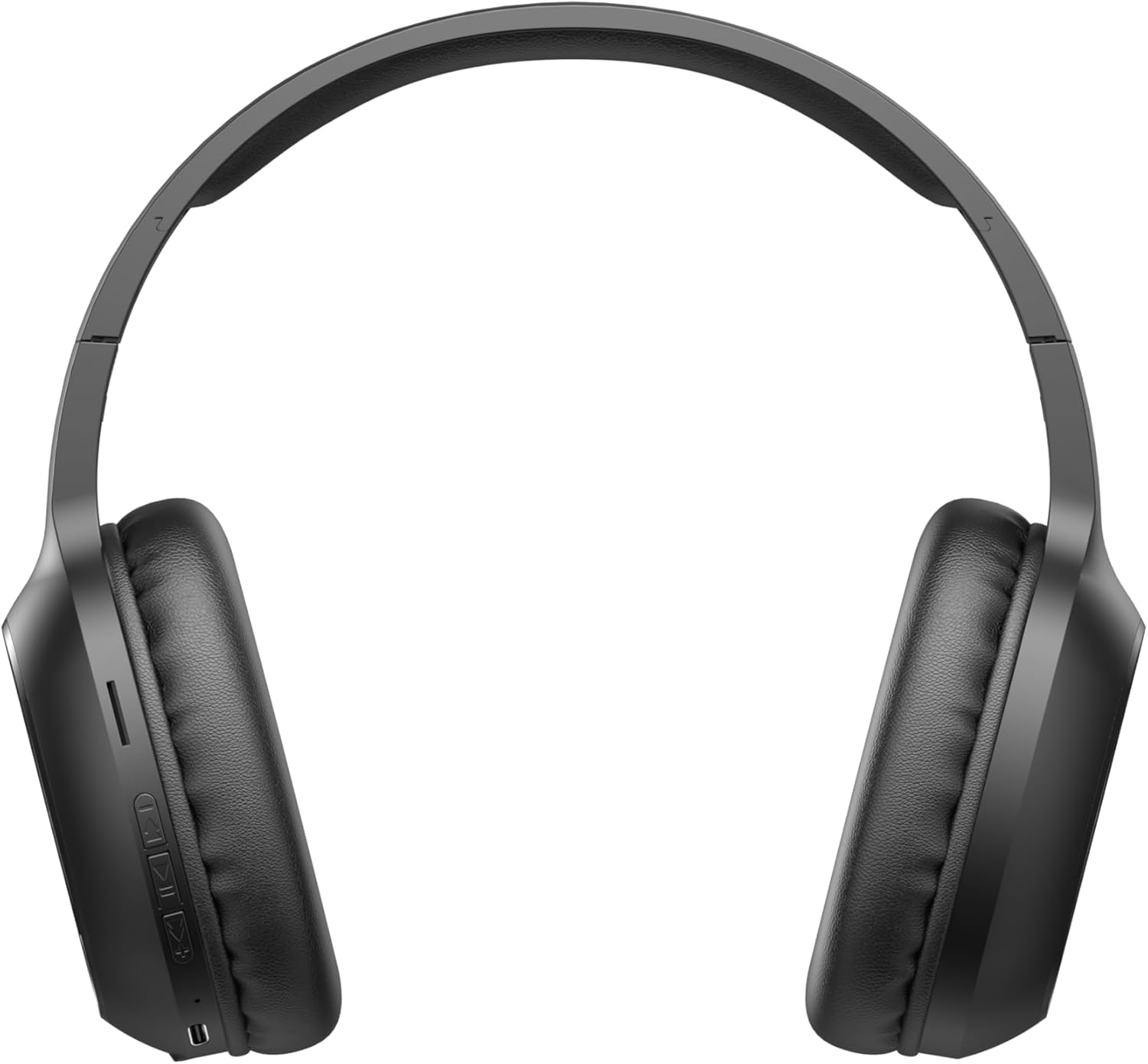
Image 2.1: Close-up of the left earcup showing the control buttons and charging port.
2.1. 컨트롤 및 표시기
- 전원/다기능 버튼: Used to power on/off, play/pause music, answer/end calls, and activate pairing mode.
- 볼륨 높이기 버튼(+): Increases audio volume. Long press for next track.
- 볼륨 낮추기 버튼(-): Decreases audio volume. Long press for previous track.
- LED 표시등: 전원 상태, 충전 상태, 블루투스 페어링 상태를 표시합니다.
- 마이크로폰: 핸즈프리 통화를 위해.
- 충전 포트: 충전 케이블을 연결합니다.
3. 설정
3.1. 헤드폰 충전
Before first use, fully charge the headphones. The headphones include a Lithium-polymer battery.
- 충전 케이블을 헤드폰의 충전 포트에 연결하세요.
- 충전 케이블의 다른 쪽 끝을 USB 전원(예: 컴퓨터 USB 포트, USB 벽면 어댑터)에 연결합니다.
- LED 표시등은 충전 상태를 보여줍니다(예: 충전 중일 때는 빨간색, 완충 시 파란색/꺼짐).
- 완전히 충전되면 충전 케이블을 분리하세요.
3.2. 블루투스 페어링
헤드폰을 Bluetooth 지원 장치에 연결하려면:
- 헤드폰이 꺼져 있는지 확인하십시오.
- Press and hold the Power/Multi-function Button until the LED indicator flashes rapidly (e.g., blue and red alternately), indicating pairing mode.
- 기기(스마트폰, 태블릿, 컴퓨터)에서 Bluetooth를 활성화하고 사용 가능한 기기를 검색하세요.
- Select "Havit H2590BT PRO" from the list of found devices.
- Once paired, the LED indicator will typically show a slow blue flash or turn off, and you will hear an audible confirmation.
- 비밀번호를 입력하라는 메시지가 나타나면 "0000"을 입력하세요.
4. 사용 설명서
4.1. 전원 켜기/끄기
- 전원 켜기: Press and hold the Power/Multi-function Button for approximately 3 seconds until the LED indicator lights up and you hear a power-on prompt.
- 전원 끄기 : Press and hold the Power/Multi-function Button for approximately 3-5 seconds until the LED indicator turns off and you hear a power-off prompt.
4.2. 음악 재생
- 재생/일시 중지: 전원/다기능 버튼을 한 번 누르세요.
- 볼륨 업: 볼륨 높이기(+) 버튼을 누르세요.
- 볼륨 작게 : 볼륨 낮추기(-) 버튼을 누르세요.
- 다음 트랙: 볼륨 높이기(+) 버튼을 길게 누릅니다.
- 이전 트랙 : 볼륨 낮추기(-) 버튼을 길게 누릅니다.
4.3. 통화 관리
- 전화 받기: Press the Power/Multi-function Button once when an incoming call rings.
- 통화 종료: Press the Power/Multi-function Button once during a call.
- 전화 거부: Press and hold the Power/Multi-function Button for approximately 2 seconds when an incoming call rings.
- 마지막 번호 재다이얼: 전원/다기능 버튼을 두 번 누르세요.
5. 유지관리
적절한 관리는 헤드폰의 수명을 연장시켜 줍니다.
- 청소: 부드럽고 마른 천으로 헤드폰을 닦으세요. 연마성 세제나 용제는 사용하지 마세요.
- 저장: 헤드폰은 직사광선과 극한의 온도를 피해 시원하고 건조한 곳에 보관하세요.
- 물을 피하세요: 이 헤드폰은 방수가 되지 않습니다. 물이나 과도한 습기에 노출되지 않도록 주의하세요.
- 충전 중: 배터리 수명 유지를 위해 사용하지 않을 때에도 정기적으로 헤드폰을 충전하십시오.
6. 문제 해결
헤드폰에 문제가 발생하면 다음의 일반적인 해결책을 참조하세요.
| 문제 | 가능한 원인 | 해결책 |
|---|---|---|
| 전원을 켤 수 없습니다 | 배터리 부족 | 헤드폰을 완전히 충전하세요. |
| 기기와 페어링할 수 없습니다 | 헤드폰이 페어링 모드가 아닙니다. 기기에서 블루투스가 꺼져 있습니다. 기기가 너무 멀리 떨어져 있습니다. | 헤드폰이 페어링 모드인지 확인하세요(LED가 깜빡임). 기기에서 블루투스를 켜세요. 기기를 헤드폰 가까이(10미터 이내) 이동하세요. |
| 소리가 나지 않습니다 | Volume too low; headphones not connected; incorrect audio output selected | 헤드폰과 기기의 볼륨을 높이세요. 헤드폰을 다시 페어링하세요. 기기의 오디오 출력 설정을 확인하세요. |
| 통화 품질이 좋지 않음 | 신호가 약함; 마이크가 가려짐 | 신호가 더 잘 잡히는 곳으로 이동하세요. 마이크가 가려지지 않도록 하세요. |
| 충전 문제 | 케이블 또는 전원에 결함이 있습니다 | Try a different charging cable and USB power source. |
7. 사양
- 모델 이름: H2590BT 프로
- 모델 번호: 6939119045722
- 상표: 하빗
- 색상: 검은색
- 배터리 유형: 1 리튬 폴리머 배터리(포함)
- 제품 크기(길이 x 너비 x 높이): 15 x 19.5 x 6.8cm
- 품목 무게: 1000그램(1kg) (Note: This weight is as provided in product data and may include packaging or be a data entry error.)
- 포함된 구성 요소: 1 package (typically headphones and charging cable)
8. 보증 및 지원
8.1. 보증 정보
The Havit H2590BT PRO Wireless Bluetooth Headphones come with a 2년 제조사 보증. 본 보증은 정상적인 사용 환경에서 발생하는 재료 및 제조상의 결함에 적용됩니다. 보증 청구를 위해 구매 증빙 서류를 보관해 주십시오.
8.2. 고객 지원
For further assistance, technical support, or warranty inquiries, please contact Havit customer service through their official website or the retailer where the product was purchased. Refer to the product packaging or Havit's official channels for specific contact details.


