소개
The Tecno Sonic 1 TWS Earbuds are designed to provide a superior audio experience with extended battery life and versatile wearing options. Featuring advanced call noise cancellation and a durable, water-resistant design, these earbuds are perfect for on-the-go use.
주요 특징:
- Up to 50 hours ultra-long battery life (with charging case)
- Free switching between in-ear and half in-ear wearing styles
- Effective call noise cancellation for clear communication
- 간편한 휴대를위한 작고 가벼운 디자인
- Dual connection and synchronous fast pairing
- IPX5 water resistance for worry-free use
설치 가이드
1. 초기 충전
Before first use, fully charge the Tecno Sonic 1 earbuds and their charging case. Place both earbuds into the charging case and connect the case to a power source using the provided USB cable. The indicator lights on the case will show charging status.
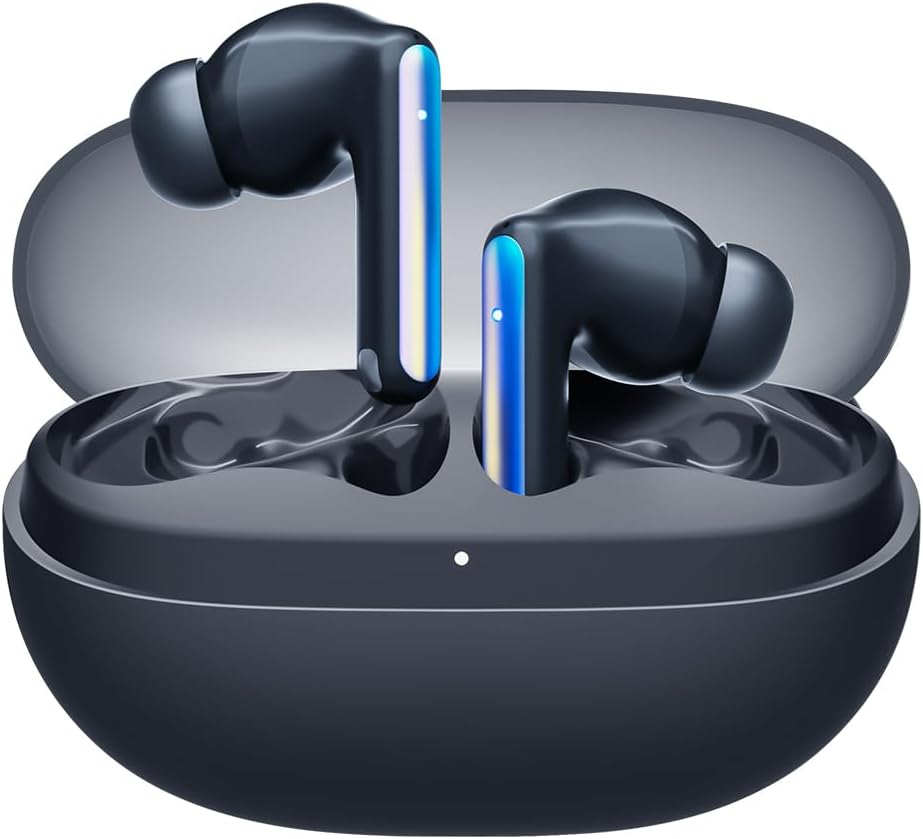
Image: Tecno Sonic 1 TWS Earbuds resting inside their charging case, indicating readiness for charging or storage.
2. 장치와 페어링
- 이어버드가 충전 케이스에 들어 있고 케이스 뚜껑이 열려 있는지 확인하세요.
- 기기(스마트폰, 태블릿 등)에서 Bluetooth를 활성화하세요.
- Select "Tecno Sonic 1" from the list of available Bluetooth devices.
- 연결되면 음성 안내로 페어링이 성공적으로 완료되었음을 확인할 수 있습니다.
Note: The earbuds support dual connection, allowing them to be paired with two devices simultaneously.
작동 지침
이어버드 착용하기
The Tecno Sonic 1 earbuds offer flexible wearing options: in-ear and half in-ear. Choose the ear tips that provide the most comfortable and secure fit for optimal sound quality and noise cancellation.
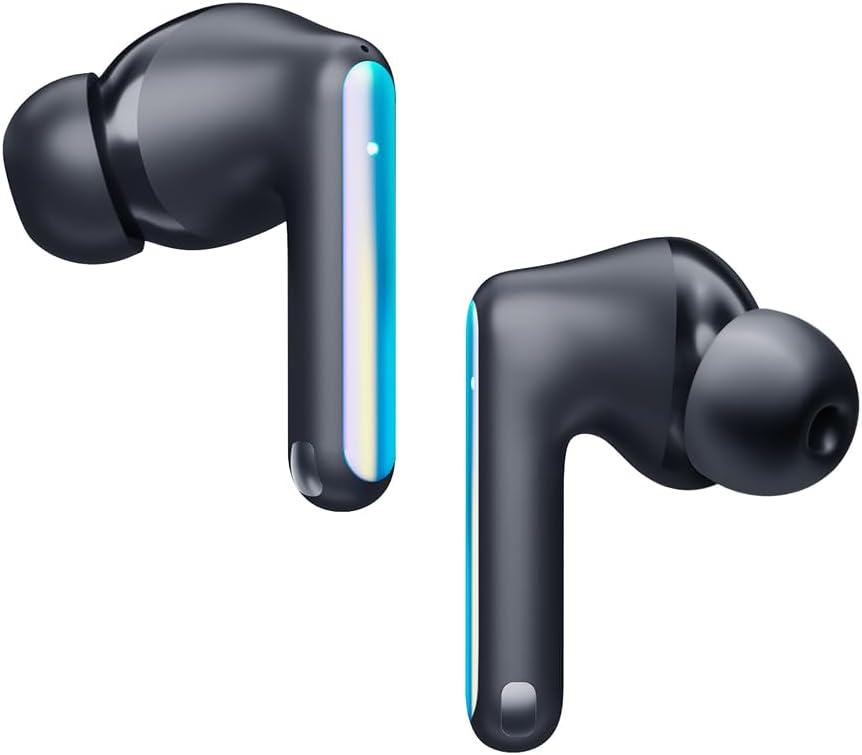
Image: Individual Tecno Sonic 1 TWS Earbuds, highlighting their sleek design and showing the different ear tip options for in-ear and half in-ear fit.
터치 컨트롤
| 행동 | 기능 |
|---|---|
| 단일 탭(왼쪽/오른쪽) | 음악 재생/일시 정지, 전화 받기/종료 |
| 더블 탭(오른쪽) | 다음 트랙 |
| 더블 탭(왼쪽) | 이전 트랙 |
| 트리플 탭(왼쪽/오른쪽) | 음성 지원 활성화 |
| Long Press (2s, Left/Right) | 전화 거부 |
유지
청소
- 부드럽고 마른 보푸라기 없는 천으로 이어버드와 충전 케이스를 정기적으로 청소하세요.
- 이어팁을 제거하고 순한 비누와 물로 세척한 후 완전히 말린 후 다시 부착하세요.
- 연마성 세척제나 용제를 사용하지 마십시오.
저장
사용하지 않을 때는 이어버드를 충전 케이스에 넣어 먼지와 손상으로부터 보호하고 충전 상태를 유지하십시오.
문제 해결
일반적인 문제 및 해결책:
- 이어버드가 페어링 또는 연결되지 않음:
- 이어폰이 충전되어 있는지 확인하세요.
- 기기의 Bluetooth를 껐다가 켜세요.
- Forget "Tecno Sonic 1" from your device's Bluetooth list and try pairing again.
- Place earbuds back in the case, close the lid for 5 seconds, then open to reset.
- 소리가 나지 않거나 볼륨이 낮음:
- 이어폰과 연결된 기기의 볼륨 레벨을 확인하세요.
- 이어폰이 귀에 제대로 꽂혀 있는지 확인하세요.
- 이어버드 그릴에서 이물질을 청소하세요.
- 충전 문제:
- 충전 케이블과 어댑터가 제대로 작동하는지 확인하세요.
- 이어버드와 케이스의 충전 접점이 깨끗하고 건조한지 확인하십시오.
명세서
| 특징 | 세부 사항 |
|---|---|
| 상표 | 테크노 |
| 모델명 | Sonic - 1 |
| 품목 모델 번호 | SC01 - Black |
| 연결 기술 | 무선(블루투스) |
| 귀 위치 | 귀에 |
| 헤드폰 폼 팩터 | 귀에 |
| 소음 제어 | Sound Isolation (Call Noise Cancellation) |
| 임피던스 | 3옴 |
| 헤드폰 잭 | 잭 없음 |
| 색상 | 검은색 |
| 제품 치수 | 7.5 x 5.2 x 2.7cm |
| 품목 무게 | 52그램 |
| 배터리 | 1개의 리튬 이온 배터리(포함) |
| 방수성 | IPX5 |
보증 및 지원
For warranty information and technical support, please refer to the documentation included with your purchase or visit the official Tecno web사이트. 보증 청구를 위해 구매 증빙 자료를 보관하세요.
방문할 수 있습니다 아마존의 테크노 스토어 자세한 제품 정보와 지원 리소스를 확인하세요.


