1. 서론
The Divoom Ditoo-Mic is an innovative Bluetooth speaker that combines high-quality audio with a unique pixel art display and a functional mechanical keyboard. It comes equipped with a mini karaoke microphone, making it perfect for entertainment. Beyond music, it offers various smart features and customization options through its dedicated mobile application.
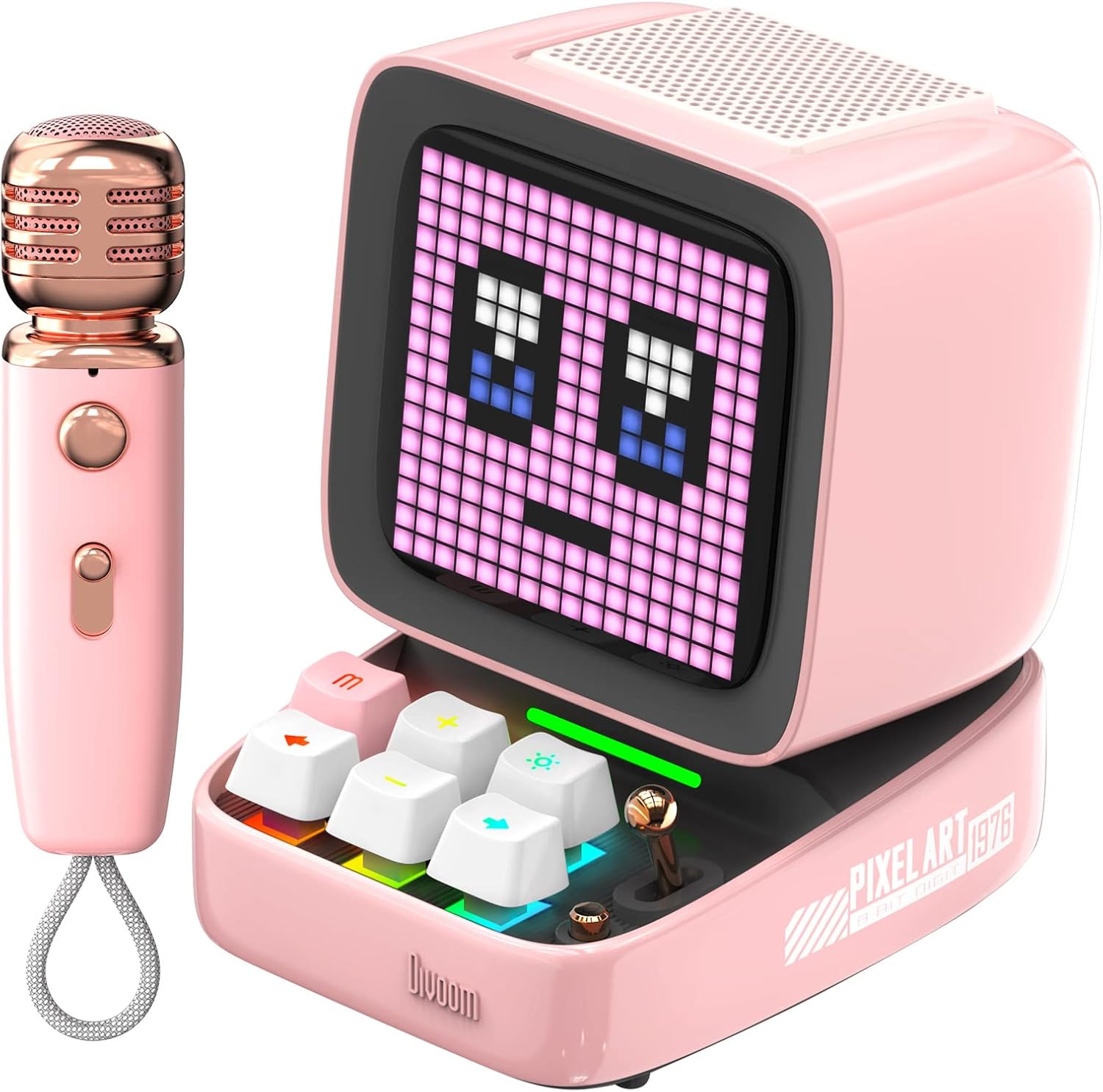
Figure 1: Divoom Ditoo-Mic Speaker and Microphone
2. 설정
2.1 언박싱 및 초기 충전
Carefully remove all components from the packaging. Before first use, fully charge the Ditoo-Mic speaker and the mini microphone using the provided USB cable. The speaker requires 4 hours of charging for 8 hours of playtime.

Figure 2: Divoom Ditoo-Mic in its packaging
2.2 전원 켜기/끄기
Locate the power switch on the back of the Ditoo-Mic speaker. Slide the switch to the 'ON' position to power on the device. The pixel display will light up. To power off, slide the switch to the 'OFF' position.
2.3 블루투스 페어링
Once powered on, the Ditoo-Mic will automatically enter Bluetooth pairing mode. On your smartphone or other Bluetooth-enabled device, search for 'Ditoo-Mic' in the Bluetooth settings and select it to connect. A confirmation sound will indicate successful pairing.
3. 사용 설명서
3.1 Divoom Mobile Application
For full functionality and customization, download the 'Divoom' app from your device's app store. The app allows you to control pixel art animations, music playback, alarm settings, and access various other features.
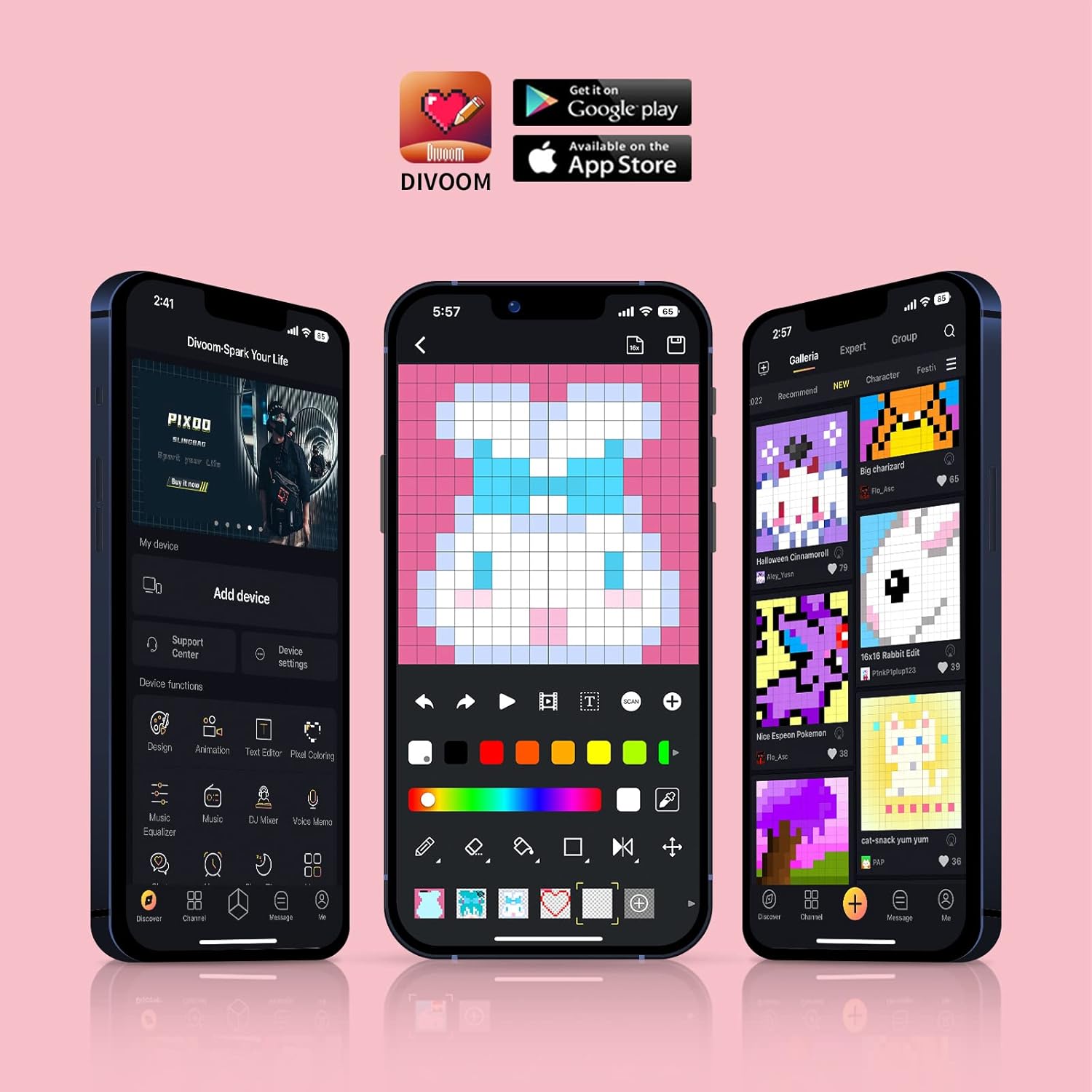
Figure 3: Divoom Mobile Application Interface
3.2 Karaoke Functionality
Connect the mini microphone to the Ditoo-Mic speaker via Bluetooth. The speaker supports various karaoke profiles, allowing for different vocal effects. Adjust volume and effects directly on the microphone or through the Divoom app.

Figure 4: Using the Karaoke Microphone
3.3 Pixel Art Display & Creation
The Ditoo-Mic features a customizable pixel art display. You can select from a vast gallery of existing pixel art designs within the Divoom app or create your own unique animations and images in real-time using your finger on the app interface. The display on the speaker will update instantly.

Figure 5: Real-time Pixel Art Creation

Figure 6: Explore the Divoom Pixel Art Community
3.4 Pixel Mini Games
The Ditoo-Mic includes several built-in pixel mini-games that can be played directly on the device using its mechanical keyboard. These games provide an interactive and nostalgic experience.
3.5 Smart Alarm and Notifications
Utilize the Divoom app to set smart alarms, manage your planner, and receive social media notifications directly on the Ditoo-Mic's pixel display. It can also show weather information and act as a noise meter.

Figure 7: Smart Alarm Features

Figure 8: Social Media Notifications
3.6 공식 제품 영상
Video 1: Ditoo Mic Speaker with microphone - This official video from Divoom showcases the various features and uses of the Ditoo-Mic speaker and its accompanying microphone, including music playback, karaoke, and pixel art display.
4. 유지관리
To ensure the longevity of your Divoom Ditoo-Mic, follow these maintenance guidelines:
- 부드럽고 마른 천으로 닦아 기기를 깨끗하게 유지하세요. 연마성 세제나 용제는 사용하지 마세요.
- 기기를 극한의 온도, 직사광선 또는 높은 습도에 노출시키지 마세요.
- 사용하지 않을 때는 장치를 서늘하고 건조한 곳에 보관하십시오.
- 장치를 떨어뜨리거나 강한 충격을 가하지 마십시오.
5. 문제 해결
If you encounter issues with your Divoom Ditoo-Mic, try the following steps:
- 전원 없음: 기기가 완전히 충전되었는지 확인하세요. 전원에 연결하고 충전 표시등을 확인하세요.
- 블루투스 연결 문제: Make sure Bluetooth is enabled on your device and the Ditoo-Mic is in pairing mode. Try unpairing and re-pairing the device. Ensure no other devices are interfering with the Bluetooth signal.
- 소리 없음: Check the volume levels on both the Ditoo-Mic and your connected device. Ensure the microphone is properly connected and powered on if using the karaoke function.
- 디스플레이 오작동: Restart the device. If the issue persists, check the Divoom app for any firmware updates.
6. 사양
| 특징 | 세부 사항 |
|---|---|
| 제품 치수 | 7.5 x 7.5 x 10.2 인치 |
| 품목 무게 | 1.18파운드 |
| 모델 번호 | Ditoo-Mic |
| 배터리 | 1개의 리튬 폴리머 배터리 필요(포함) |
| 상표 | 디붐 |
| 특징 | 내장 마이크 |
| 색상 | 분홍색 |
| 포함된 구성 요소 | 미니 마이크 |
| 추천 용도 | 집 |
7. 보증 및 지원
보증 정보 및 기술 지원에 대해서는 Divoom 공식 웹사이트를 참조하십시오. web사이트를 방문하거나 고객 서비스에 직접 문의하세요. 보증 청구에 대비해 구매 증빙 자료로 구매 영수증을 보관하세요.
방문하세요 아마존에서 Divoom 스토어를 만나보세요 자세한 제품 정보와 지원 리소스를 확인하세요.


