1. 서론
The Zgrmbo F500 Digital Wall Clock is designed for clear visibility and ease of use, featuring large 4-inch digits suitable for various environments such as living rooms, classrooms, garages, and bedrooms. This manual provides detailed instructions for setting up, operating, and maintaining your clock, ensuring optimal performance and longevity.

앞쪽 view of the Zgrmbo F500 Digital Wall Clock, showing its large, clear digital display.
2. 패키지 내용
패키지에 모든 품목이 들어 있는지 확인하세요.
- 1 x Zgrmbo F500 Digital Wall Clock
- CR2302 배터리 1개 (사전 장착 또는 별도 구매)
- 1 x USB 전원 케이블
- 1 x 사용자 설명서
- 2 x Wall Nails
- 1 x Ruler (for wall mounting assistance)
메모: The CR2302 battery is for memory backup only and does not power the clock. It retains settings during power outag또는 플러그를 뽑았을 때.
3. 설정
3.1 시계에 전원 공급
- 제공된 USB 전원 케이블을 시계의 전원 입력 포트에 연결하십시오.
- Plug the other end of the USB cable into a compatible USB power adapter (not included), a laptop, computer, or power bank.
- 전원 연결이 성공적으로 완료되면 시계 표시등에 불이 들어옵니다.
3.2 배터리 설치 (메모리 백업)
- 시계 뒷면에서 배터리 칸을 찾으세요.
- If not already installed, insert the CR2302 coin cell battery into the compartment, ensuring correct polarity (+ side up).
- Close the battery compartment securely. This battery ensures that your time and alarm settings are retained in case of a power interruption.
4. 사용 설명서

An illustration of the Zgrmbo F500 Digital Clock, detailing its dimensions and icons representing features.
4.1 시간 및 날짜 설정
The clock typically has buttons on the side or back for setting. Refer to the labels next to the buttons (e.g., SET, UP, DOWN, MODE).
- 를 누르세요 세트 or 방법 button to enter time setting mode. The hour digits will likely flash.
- 사용하세요 + (UP) 그리고 - (DOWN) buttons to adjust the hour.
- 누르다 세트 or 방법 again to move to minute setting, then adjust minutes using +/-.
- 계속 누르기 세트 or 방법 to cycle through setting the year, month, and day.
- 모든 설정이 완료되면 누르세요. 세트 or 방법 one last time, or wait a few seconds for the clock to exit setting mode automatically.
4.2 밝기 조정

Visual representation of custom brightness levels and the automatic brightness mode.
- Custom Brightness: 를 누르세요 빛 button repeatedly to cycle through different brightness levels (e.g., 100%, 80%, 60%, 20%, 0%).
- Automatic Dimming Mode: 길게 누르세요 빛 button. Then, use the + or - buttons to toggle the automatic dimming mode ON or OFF. When ON, the clock will adjust brightness automatically based on the time of day:
- 07:00 - 19:00: 밝기 100%
- 19:00 - 23:00: 밝기 60%
- 23:00 - 07:00: 밝기 25%
4.3 알람 설정
The clock supports one alarm with three operating modes.
- 를 누르세요 경보 button to enter alarm setting mode. The alarm time digits will flash.
- 사용하세요 + 그리고 - 원하는 알람 시간과 분을 설정하는 버튼입니다.
- 누르다 경보 again to select the alarm operating mode:
- 1-5 : Alarm sounds Monday to Friday only.
- 1-6 : Alarm sounds Monday to Saturday only.
- 1-7 : 알람이 매일 울립니다.
- 누르다 경보 one last time or wait for the clock to exit setting mode.
- 알람을 켜거나 끄려면 버튼을 짧게 누르세요. 경보 설정 모드 외부에서 버튼을 누릅니다. 디스플레이에 알람 아이콘이 나타나거나 사라집니다.
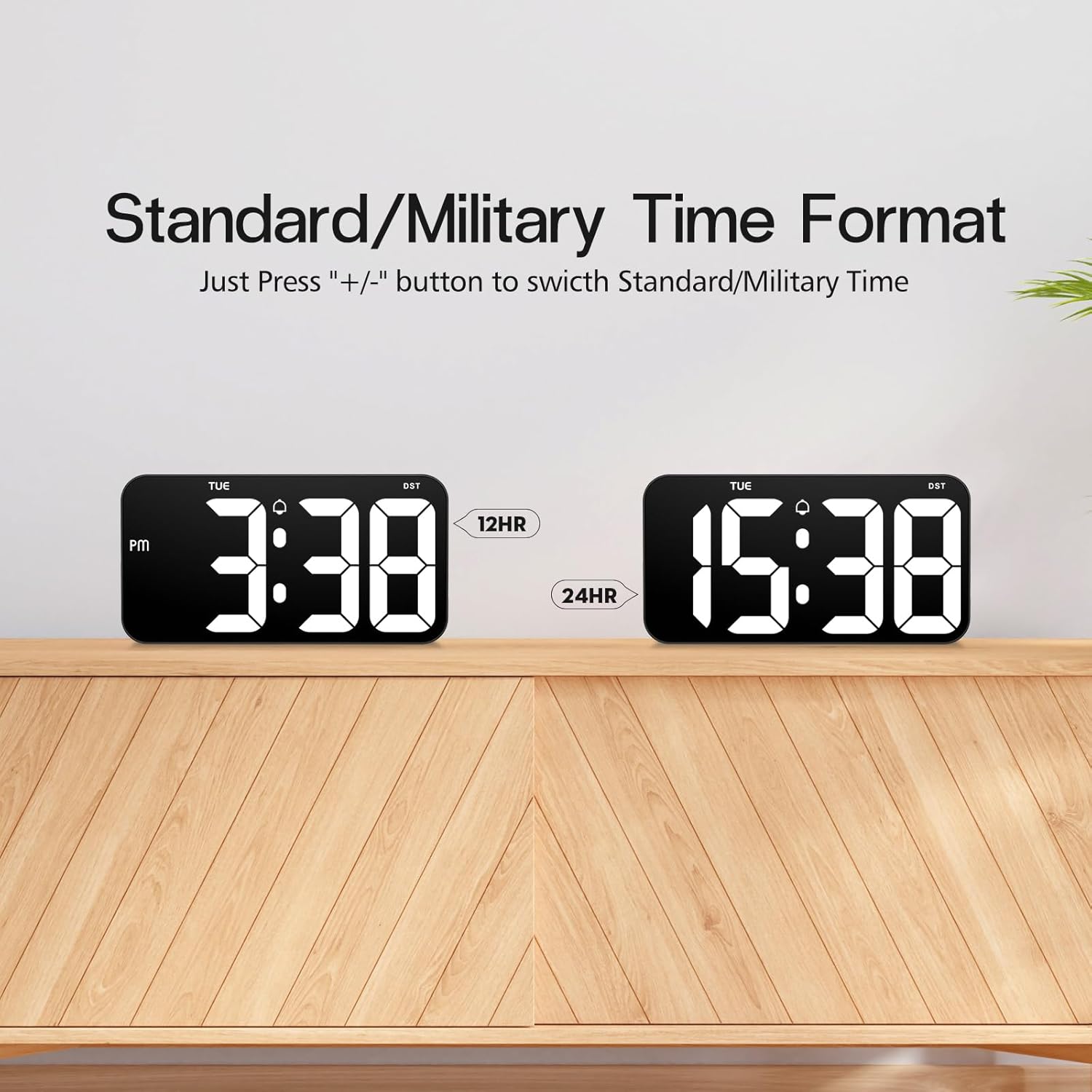
4.4 Time Format (12/24 Hour)

Comparison of the 12-hour (Standard) and 24-hour (Military) time formats.
To switch between Standard (12-hour with AM/PM indicator) and Military (24-hour) time formats, simply press the + or - button when the clock is displaying the time normally (not in setting mode).
4.5 일광 절약 시간제(DST) 기능

Illustration of the Daylight Saving Time (DST) function.
The clock supports a Daylight Saving Time (DST) function. Typically, a dedicated DST button or a combination of buttons is used to activate or deactivate this feature, which adjusts the time by one hour forward or backward. Consult the specific button labels on your clock for this function.
4.6 전원 장애 메모리

Illustration demonstrating the power failure memory feature.
Thanks to the built-in CR2302 coin cell battery, the Zgrmbo F500 clock retains all its settings (time, date, alarm, etc.) even during a power outage or when unplugged. You will not need to reset the clock once power is restored.
4.7 디스플레이 옵션
- Flashing Center Dots: 길게 누르세요 + button to turn on or off the flashing colon (:) between the hour and minute digits.
- Alternating Time/Date Display: 길게 누르세요 - button to enable or disable the alternating display of time and date. When enabled, the clock will switch between showing the current time and the current date.
5. 설치
상세한 view of the back of the Zgrmbo F500 Digital Clock, highlighting mounting and stand features.
5.1 벽면 장착
The clock features a double wall-hung hole design for secure mounting.
- Determine the desired location on your wall.
- Use the provided ruler to mark the positions for the two wall nails, ensuring they are level and spaced correctly to align with the hanging holes on the back of the clock.
- Carefully insert the two wall nails into the marked positions.
- Align the clock's hanging holes with the nails and gently slide the clock down to secure it on the wall.
- Utilize the hidden cable winder support on the back of the clock to manage any excess power cable, ensuring a neat appearance.
5.2 책상 배치
For desk or tabletop use, the clock is equipped with two hidden, stable standing brackets.
- Locate the two hidden feet on the back of the clock.
- Gently pull out and unfold these feet until they lock into position, providing a stable angle for the clock to stand on a flat surface.
- Place the clock on your desk, nightstand, or TV counter.
- The hidden cable winder can also be used to keep the power cable tidy when placed on a surface.
6. 유지관리
- 청소: 시계를 청소하려면 디스플레이와 c 부분을 부드럽게 닦아주세요.asin부드럽고 건조하거나 약간 d한 gamp cloth. Avoid using abrasive cleaners, solvents, or chemical sprays, as these may damage the surface.
- 배터리 교체: If the clock fails to retain settings during a power outage, the CR2302 memory backup battery may need replacement. Follow the instructions in Section 3.2 to replace the battery.
- 저장: If storing the clock for an extended period, disconnect it from power and consider removing the CR2302 battery to prevent potential leakage. Store in a cool, dry place.
7. 문제 해결
| 문제 | 가능한 원인 | 해결책 |
|---|---|---|
| 시계 화면이 꺼져 있거나 깜빡거립니다. | 전원이 안 들어옴, 연결 불량, 케이블/어댑터 불량. | USB 케이블이 제대로 연결되어 있는지 확인하십시오. 다른 USB 포트나 전원 어댑터를 사용해 보십시오. |
| Clock does not retain settings after power loss. | CR2302 memory battery is dead or not installed correctly. | Replace the CR2302 battery. Ensure it is inserted with correct polarity. |
| 알람이 울리지 않습니다. | Alarm is not activated, alarm volume is too low (if adjustable), incorrect alarm time/mode. | Ensure the alarm icon is displayed. Re-check alarm time and operating mode settings. |
| 화면이 너무 밝거나 너무 어둡습니다. | Brightness setting is incorrect, auto-dimming mode is active. | 를 누르세요 빛 button to adjust brightness. Long press 빛 to toggle auto-dimming mode. |
| 시간이 정확하지 않습니다. | Time was set incorrectly. | Re-set the time following instructions in Section 4.1. |
8. 사양
| 특징 | 세부 사항 |
|---|---|
| 상표 | Zgrmbo |
| 모델 번호 | F500 |
| 색상 | 블랙/화이트 |
| 치수(길이 x 너비 x 높이) | 26.04 x 3.81 x 13.46cm(10.25 x 1.5 x 5.3인치) |
| 무게 | 426그램(0.94파운드) |
| 재료 | 아크릴로니트릴 부타디엔 스티렌(ABS) |
| 디스플레이 유형 | 디지털 LED |
| 숫자 크기 | 4인치(10.2cm) |
| 전원 | USB 케이블(전기) |
| 특별 기능 | Large Display, Auto-Dimming, Custom Brightness, Alarm, Time Memory, 12/24H Format, DST Function, Wall Mountable, Desk Stand |
9. 보증 및 지원
Zgrmbo provides an 18개월 보증 for the F500 Digital Wall Clock, covering manufacturing defects and malfunctions under normal use. Additionally, a 45일 반품 정책 이는 고객님의 안심을 위해 제공되는 서비스입니다.
For any questions, technical assistance, warranty claims, or support, please do not hesitate to contact Zgrmbo customer service through the Amazon platform where you purchased the product. Please provide your order number and a detailed description of the issue to facilitate a quick resolution.


