1. 서론
The KLIM Boombox B4 is a versatile portable audio system designed to deliver powerful bass and crystal-clear sound. It supports multiple audio sources including CD, MP3, Bluetooth, AM/FM Radio, AUX, and USB, offering a comprehensive listening experience.
This manual provides detailed instructions for setting up, operating, and maintaining your KLIM Boombox B4 to ensure optimal performance and longevity.
2. 상자 안에 무엇이 들어있나요?
- KLIM 붐박스 B4 유닛
- 전원 케이블
- 원격 제어
- 사용자 설명서

Image: The KLIM Boombox B4 unit, remote control, and power cable as typically found in the box.
3. 설정
3.1 전원 켜기
The KLIM Boombox B4 can be powered using the included power cable or its internal rechargeable battery.
- Connect the power cable to the AC input port on the back of the boombox.
- 전원 케이블의 다른 쪽 끝을 표준 벽면 콘센트에 꽂습니다.
- Press the Power button on the unit or the remote control to turn on the boombox.
3.2 초기 배터리 충전
For optimal battery life, it is recommended to fully charge the boombox before its first use. The built-in rechargeable battery does not need to be removed for charging.

Image: The boombox is compact and lightweight, featuring a long-lasting rechargeable battery for portability.
4. 사용 설명서
4.1 모드 선택
Press the 'MODE' button on the unit or remote control to cycle through available audio sources: FM/AM Radio, CD, Bluetooth, USB, and AUX.
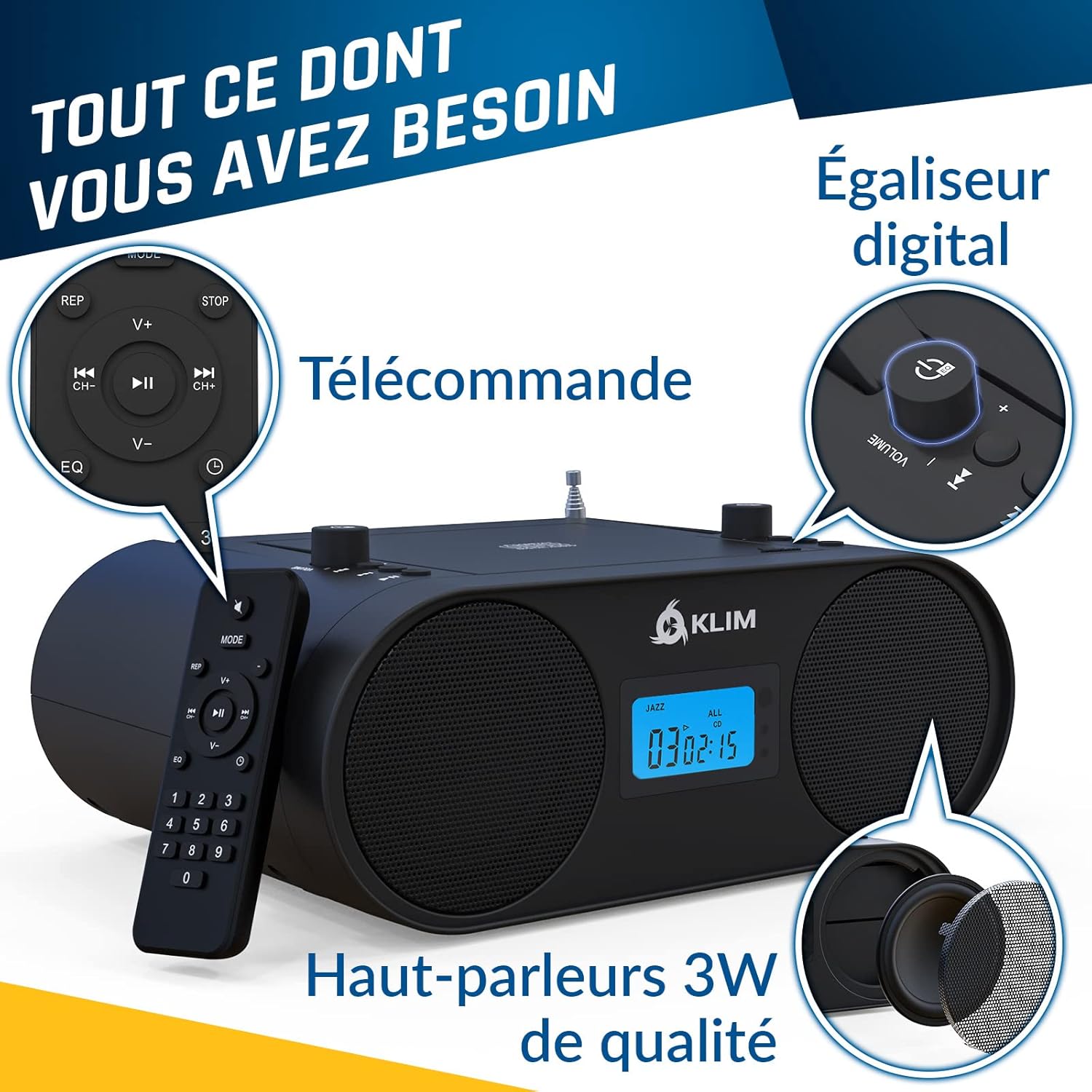
이미지: 이상view of the boombox controls including the convenient handle, CD player, mode selection, AUX, USB, and Digital Equalizer.
4.2 CD 플레이어 작동
The KLIM Boombox B4 features a convenient top-loading CD player. It supports standard audio CDs and MP3 CDs.
- CD 수납부 덮개를 살살 들어 올려 여세요.
- 라벨 면이 위를 향하도록 CD를 스핀들에 놓으세요.
- CD 수납부 뚜껑을 단단히 닫으세요.
- Ensure the unit is in CD mode. Playback should begin automatically.
- Use the Play/Pause, Skip Forward/Backward buttons on the unit or remote to control playback.
Note: The digital display shows the track number and timing for CD playback.
4.3 블루투스 연결
블루투스 지원 기기에서 무선으로 오디오를 스트리밍하세요.
- Switch the boombox to Bluetooth (BT) mode. The display will show "bt".
- 스마트폰이나 태블릿에서 블루투스를 활성화하고 사용 가능한 장치를 검색하세요.
- Select "KLIM B4" from the list of devices to pair.
- Once paired, you can play audio from your device through the boombox.
Note: Track numbers may not be displayed on the boombox unit during Bluetooth playback; please refer to your connected device for track information.
4.4 AM/FM 라디오
즐겨 듣는 라디오 방송에 맞춰 보세요.
- 최적의 FM 수신을 위해 망원 안테나를 확장하세요.
- Switch the boombox to FM or AM mode.
- Use the tuning knob or the numerical keys on the remote control to select your desired frequency. The boombox will automatically remember the last station played.
4.5 USB 및 AUX 재생
The boombox is equipped with a USB port and an auxiliary (AUX) input for additional connectivity.
- USB: MP3가 포함된 USB 플래시 드라이브 삽입 files into the USB port. Switch to USB mode for playback.
- 보조: Connect an external audio device (e.g., smartphone, MP3 player) to the AUX IN port using a 3.5mm audio cable (not included). Switch to AUX mode for playback.
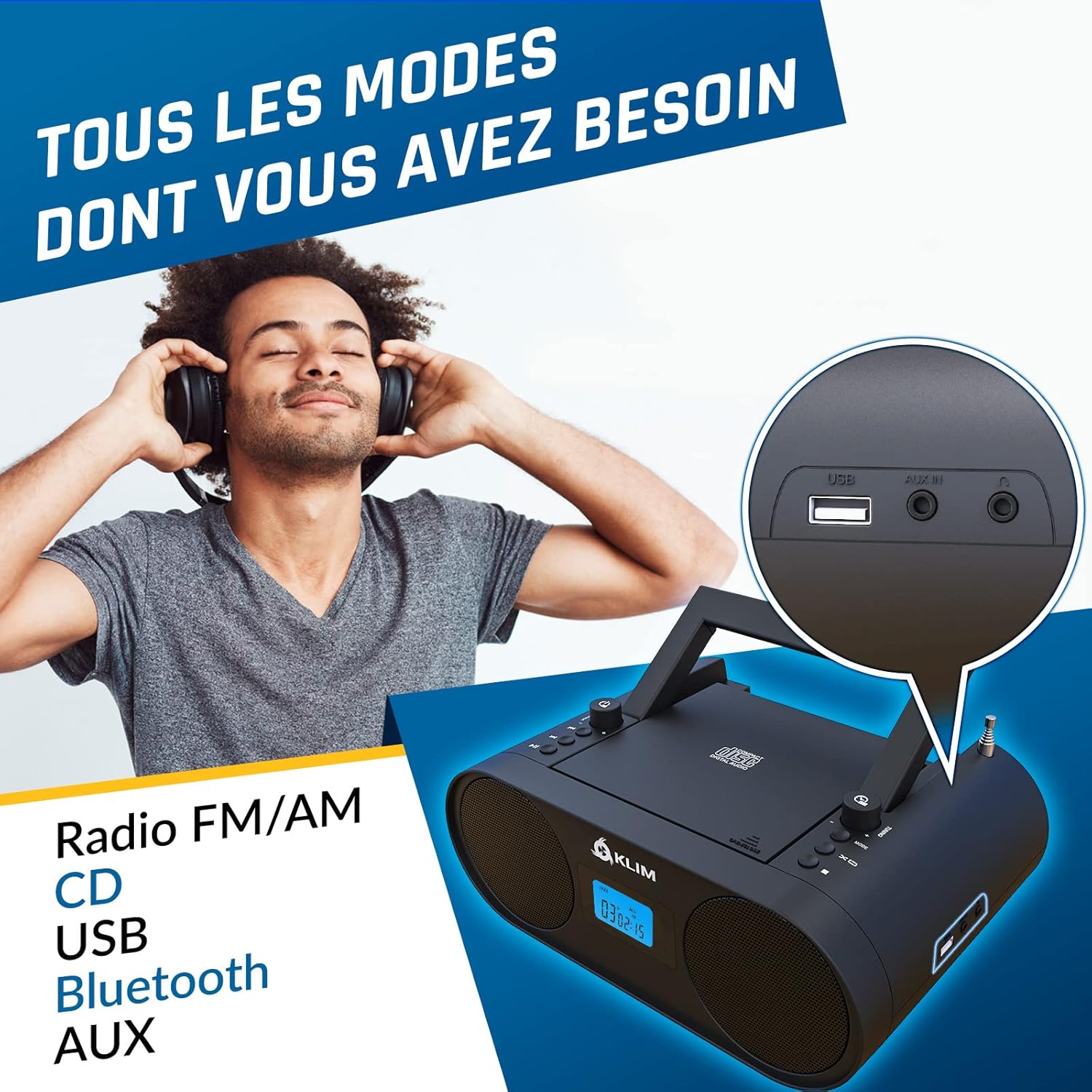
이미지: 클로즈업 view of the USB and AUX IN ports on the KLIM Boombox B4.
5. 유지관리
KLIM Boombox B4의 수명 연장 및 최적의 성능을 보장하려면 다음 유지 관리 지침을 따르십시오.
- 부드럽고 마른 천으로 닦아 깨끗하게 유지하세요. 연마성 세제나 용제는 사용하지 마세요.
- Do not expose the boombox to extreme temperatures, humidity, or direct sunlight.
- Handle CDs carefully to prevent scratches and smudges, which can cause playback issues.
- When not in use for extended periods, store the boombox in a cool, dry place.
6. 문제 해결
| 문제 | 가능한 원인 / 해결책 |
|---|---|
| 장치의 전원이 켜지지 않음 | Check if the power cable is securely connected to both the boombox and the wall outlet. Ensure the wall outlet is functional. If using battery, ensure it is charged. |
| 소리가 나지 않습니다 | Check the volume level. Ensure the correct audio source (CD, BT, FM/AM, USB, AUX) is selected. Check connections for AUX/USB. |
| CD skipping during playback | Ensure the CD is clean and free of scratches or damage. Try a different CD. Ensure the boombox is on a stable, flat surface to minimize vibrations. |
| 블루투스 페어링 문제 | Ensure the boombox is in Bluetooth mode and discoverable. Turn off and on Bluetooth on your device. Move your device closer to the boombox. |
| 라디오 수신 불량 | Fully extend and adjust the telescopic antenna. Try repositioning the boombox to find a stronger signal. |
7. 사양
| 특징 | 세부 사항 |
|---|---|
| 제품 치수 | 11.81 x 8.9 x 4.92 인치 |
| 품목 무게 | 4.51파운드 |
| 품목 모델 번호 | KBB43 |
| 배터리 | 1개의 리튬 이온 배터리 필요(포함) |
| 연결 기술 | 블루투스 |
| 색상 | B4 블랙 |
| 스피커 유형 | 스테레오 재생 |
| 제조업체 | 클림 |

Image: Detailed specifications and contact information for KLIM.
8. 보증 및 지원
KLIM is committed to producing quality electronics. The KLIM Boombox B4 comes with a 5-year warranty, ensuring peace of mind for your purchase.
For any support inquiries, technical assistance, or warranty claims, please visit the official KLIM Store or contact their customer service directly.
Official KLIM Store: KLIM 테크놀로지 스토어
KLIM customer service is ready to assist 24/7.


