1. 서론
This instruction manual provides essential information for the proper setup, operation, and maintenance of your LogiLink USB 3.2 Gen2 3-Port Hub, Model UA0395. This device is designed to expand the USB connectivity of your computer or laptop, offering high-speed data transfer and broad compatibility.
The hub features an aluminium housing for durability and includes a protective cap for the USB-A connector. It provides two USB 3.2 Gen2 ports and one USB 2.0 port, supporting data transfer rates up to 10 Gbps. The device is plug-and-play, requiring no driver installation.
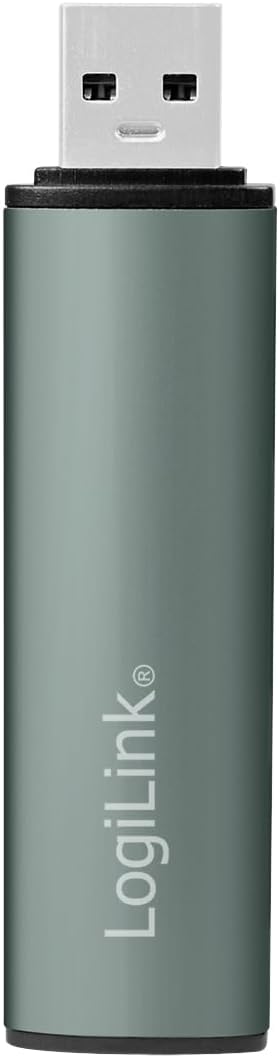
이미지 1.1: 앞면 view of the LogiLink USB 3.2 Gen2 3-Port Hub with its protective cap.
2. 패키지 내용
- LogiLink USB 3.2 Gen2 3-Port Hub (Model UA0395)
- 보호 캡
3. 설정 지침
The LogiLink USB 3.2 Gen2 3-Port Hub is designed for simple plug-and-play operation. No software drivers are required for installation.
- 허브 연결: Insert the USB-A connector of the LogiLink hub into an available USB-A port on your computer or laptop. Ensure the connection is firm.
- 전원 표시: A blue LED light on the hub will illuminate, indicating that the device is powered and ready for use.
- 운영 체제 호환성: The hub is compatible with Windows, Mac OS, Linux, Android, and Chrome OS. Your operating system will automatically detect and configure the hub.
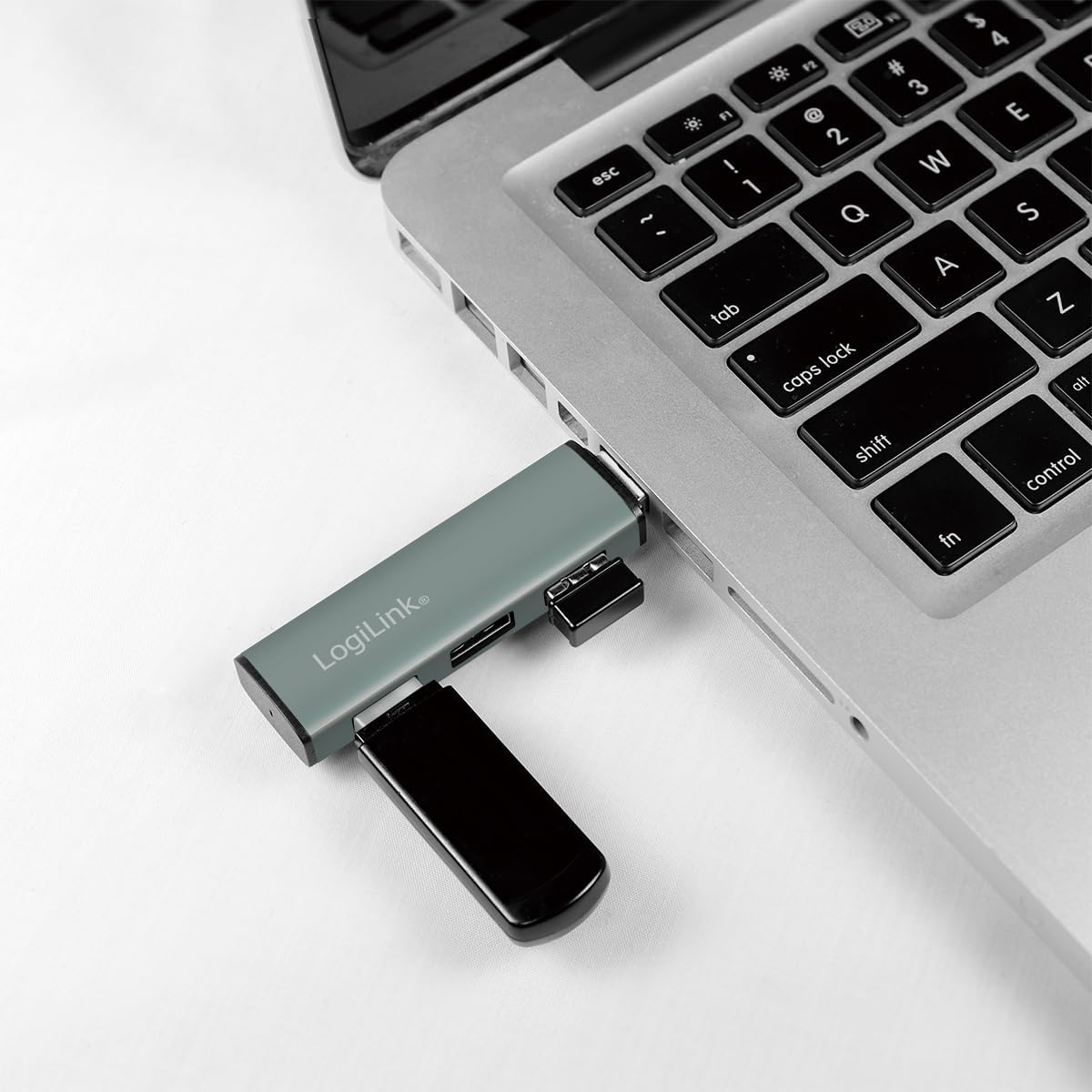
Image 3.1: The LogiLink USB hub connected to a laptop, demonstrating its compact use.
4. 사용 설명서
Once connected, the hub allows you to expand your device's USB capabilities.
- USB 장치 연결: Insert your USB devices (e.g., flash drives, external hard drives, keyboards, mice) into the available ports on the hub. The hub features two USB 3.2 Gen2 ports (blue inserts) and one USB 2.0 port (black insert).
- Hot Swap Support: The hub supports hot swapping, meaning you can connect and disconnect USB devices without needing to restart your computer or the hub.
- 데이터 전송: For optimal performance, connect USB 3.2 Gen2 compatible devices to the blue USB 3.2 Gen2 ports to achieve transfer rates up to 10 Gbps. Older USB generations are also supported, but will operate at their respective maximum speeds.
- 힘: The hub is powered via the USB connection from your host device. It includes over-current and over-voltag연결된 기기를 보호하기 위한 보안 기능.

Image 4.1: Diagram illustrating the ports and features of the LogiLink USB Hub.

이미지 4.2: 상세 view of the hub's ports.
5. 유지관리
To ensure the longevity and optimal performance of your LogiLink USB Hub, follow these simple maintenance guidelines:
- 청소: Use a soft, dry cloth to gently wipe the surface of the hub. Avoid using liquid cleaners or abrasive materials, as they may damage the aluminium finish or internal components.
- 보호 캡: When the hub is not in use, especially during transport, place the protective cap over the USB-A connector to prevent dust and damage.
- 저장: 허브는 직사광선과 극한의 온도를 피해 서늘하고 건조한 곳에 보관하세요.
6. 문제 해결
If you encounter issues with your LogiLink USB Hub, please refer to the following common troubleshooting steps:
- 허브를 인식할 수 없습니다:
- Ensure the hub is firmly connected to your computer's USB port.
- 허브를 컴퓨터의 다른 USB 포트에 연결해 보십시오.
- 컴퓨터를 다시 시작하고 허브를 다시 연결하세요.
- Connected Device Not Working:
- Ensure the device is properly inserted into the hub's port.
- Try connecting the device to a different port on the hub.
- Connect the device directly to your computer's USB port to verify its functionality.
- Some high-power devices may require a direct connection to the computer or a powered USB hub.
- 데이터 전송 속도가 느림:
- Ensure both the connected device and the hub port are USB 3.2 Gen2 compatible for maximum speeds. USB 2.0 devices will operate at USB 2.0 speeds.
- Verify that the computer's USB port to which the hub is connected is also a USB 3.2 Gen2 port.
- 속도 저하가 발생하는 경우, 여러 고대역폭 장치를 동시에 연결하지 마십시오.
- Loose Connection to Computer's USB Port:
- While the hub is designed to be compact, ensure it is not subjected to excessive leverage or movement that could loosen its connection.
- If the connection feels consistently loose, try a different USB port on your computer.
7. 사양
| 특징 | 세부 사항 |
|---|---|
| 제품 모델 번호 | UA0395 |
| 하드웨어 인터페이스 | USB-A (Input), 2x USB 3.2 Gen2, 1x USB 2.0 (Output) |
| 데이터 전송 속도 | 최대 10Gbps(USB 3.2 Gen2) |
| 호환 장치 | Laptops, PCs, and other devices with USB-A ports |
| 운영 체제 지원 | 윈도우, 맥 OS, 리눅스, 안드로이드, 크롬 OS |
| 특징 | Portable, Plug & Play, Hot Swap, Over-current/Over-voltag전자 보호 |
| 하우징 소재 | 알류미늄 |
| 색상 | 회색 |
| LED 표시등 | 파란색 |
| 제품 치수 | 3.29 x 0.8 x 0.47인치(8.36 x 2.03 x 1.19cm) |
| 품목 무게 | 0.67 온스(19그램) |
8. 보증 정보
LogiLink products are covered by a manufacturer's warranty against defects in materials and workmanship. The specific terms and duration of the warranty may vary by region and product. Please retain your proof of purchase for warranty claims.
For detailed warranty information, please refer to the warranty card included with your product or visit the official LogiLink web대지.
9. 지원
If you require further assistance or have questions not covered in this manual, please contact LogiLink customer support.
- 온라인 지원: Visit the official LogiLink webFAQ, 드라이버 다운로드(해당되는 경우) 및 지원 연락처 정보를 제공하는 사이트입니다.
- 연락처 정보: Refer to the product packaging or the LogiLink web최신 고객 서비스 연락처 정보는 사이트에서 확인하세요.


