
소개
Welcome to the user manual for your ACAGET Wireless Earbuds. These earbuds are designed to provide a high-fidelity audio experience with advanced features for daily use, sports, and travel. This manual will guide you through setup, operation, maintenance, and troubleshooting to ensure optimal performance and enjoyment of your device.
패키지 내용
아래 나열된 모든 품목이 패키지에 포함되어 있는지 확인하세요.
- 1x True Bluetooth Headphone (Wireless Earbuds)
- 1x 충전 박스
- 1x USB-C 충전 케이블
- 1x Earhooks (for secure fit)
- 1x Silicone Earbud Protective Case
- 1x 사용자 설명서

Image: The package contents laid out, including the earbuds, charging case, USB-C cable, earhooks, and user manual.
설정
이어버드 및 케이스 충전하기
The charging case has a 300mAh battery and can recharge the earbuds approximately 4 times, providing up to 25 hours of additional playtime. The earbuds themselves offer 4-5 hours of playtime on a single full charge.
To charge the case, connect the provided USB-C charging cable to the charging port on the case and a compatible power source. The indicator light on the case will illuminate to show charging status. A full charge for the case takes approximately 1.5 hours.
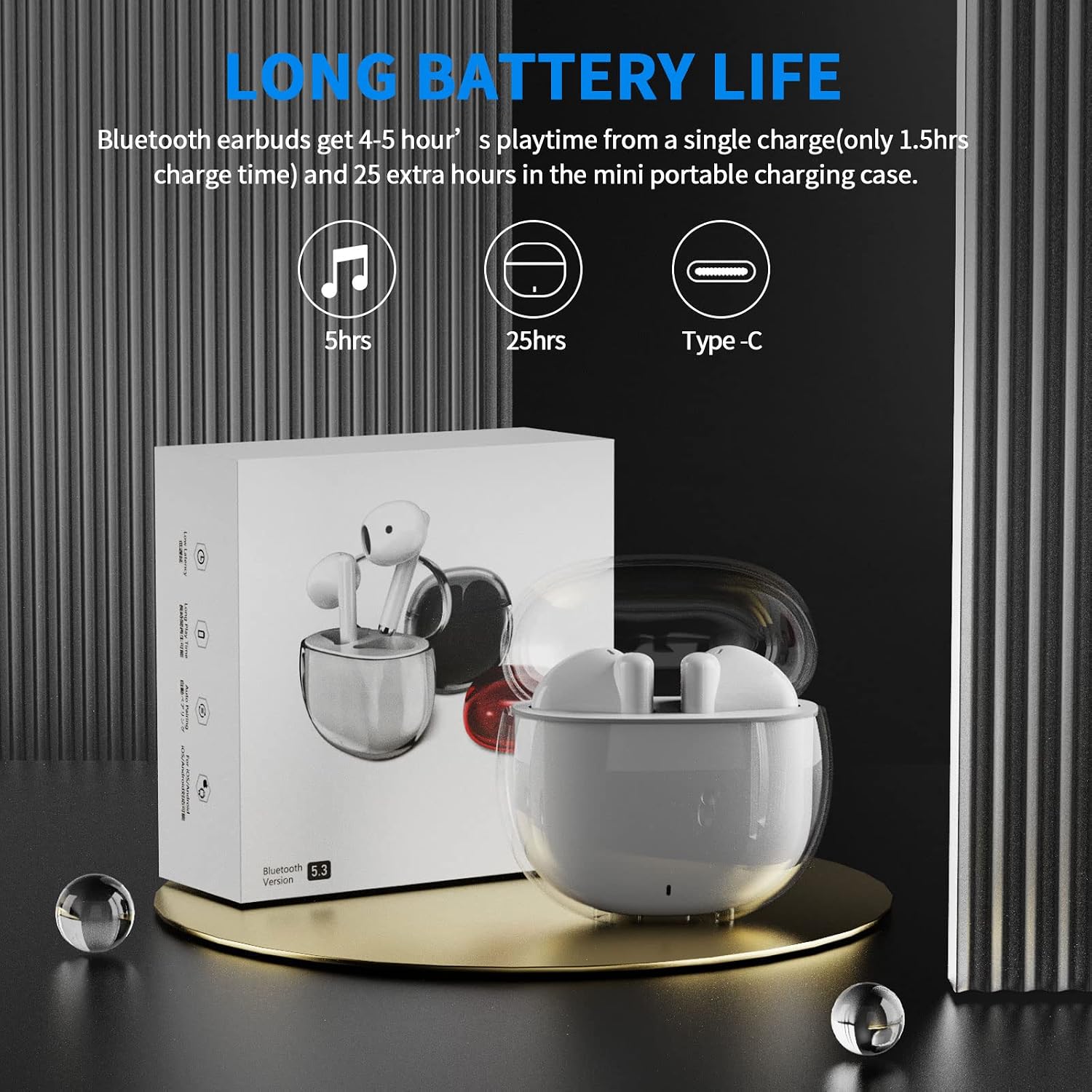
Image: A visual representation of the earbuds' battery life, showing 5 hours for earbuds and 25 hours total with the charging case, and the USB-C charging port.
장치와 페어링
The earbuds feature one-step pairing for quick and easy connection to your devices. They utilize advanced Bluetooth 5.3 technology for a stable and fast connection.
- 기기의 Bluetooth가 켜져 있는지 확인하세요.
- 충전 케이스를 여세요. 이어버드가 자동으로 켜지고 페어링 모드로 진입합니다.
- On your device (smartphone, tablet, laptop), go to the Bluetooth settings and select "ACA-i23" from the list of available devices to connect.
- 연결되면 확인음이 들리고 이어버드를 사용할 준비가 됩니다.

Image: A graphic illustrating the advanced Bluetooth 5.3 technology and the one-step pairing process with a smartphone, showing the "ACA-i23" device name.
Video: This official ACAGET video demonstrates the simple one-step pairing process and how to use the smart touch controls for music playback and call management.
작동 지침
스마트 터치 컨트롤
The earbuds feature intuitive touch controls for managing your audio and calls without needing to access your connected device.
- 음악 재생/일시 중지: 오른쪽 이어버드를 두 번 탭합니다.
- 다음 트랙: 오른쪽 이어폰을 세 번 탭합니다.
- 이전 트랙 : 왼쪽 이어버드를 세 번 탭합니다.
- 전화 받기/종료: 양쪽 이어버드를 두 번 탭합니다.
- 전화 거부: 양쪽 이어버드를 2초 동안 길게 누릅니다.
- 음성 비서(Siri) 깨우기: 왼쪽 이어버드를 두 번 탭합니다.

Image: A visual guide detailing the various touch control gestures for music playback, call management, and voice assistant activation on the earbuds.
Video: This official ACAGET video highlights the ergonomic design, Bluetooth 5.3 features, smart touch controls, long battery life, and the secure fit provided by the included over-ear earhooks.
유지
청소
To maintain optimal performance and hygiene, regularly clean your earbuds and charging case. Use a soft, dry, lint-free cloth. Avoid using harsh chemicals, abrasive materials, or excessive moisture, as these can damage the device.
방수성
The ACAGET Wireless Earbuds are rated IPX4 waterproof, meaning they are protected against splashing water from any direction. This makes them suitable for use during workouts, in light rain, or when sweating. 메모: The earbuds are not designed for submersion in water and should not be used for swimming or bathing.
문제 해결
일반적인 문제 및 솔루션
이어버드가 페어링되지 않음:
- 두 개의 이어버드가 모두 충전 케이스에 들어 있고 완전히 충전되어 있는지 확인하세요.
- Make sure Bluetooth is enabled on your device and "ACA-i23" is selected from the available devices.
- Try resetting the earbuds by placing them in the case, closing the lid, and reopening after a few seconds.
Only one earbud charging/working:
- Verify that both earbuds are properly seated in the charging case and making firm contact with the charging pins.
- Clean the charging contacts on both the earbuds and the case with a dry cotton swab to remove any debris.
- 문제가 지속되면 추가 지원을 위해 고객 지원팀에 문의하세요.
음질 문제:
- Ensure the earbuds are properly fitted in your ears for optimal sound delivery.
- Check the audio source and volume levels on your connected device.
- Move closer to your device to avoid interference or range issues, as the Bluetooth range is up to 15 meters.
명세서
기술 사양
| 특징 | 세부 사항 |
|---|---|
| 모델명 | i23 무선 이어버드 |
| 연결 기술 | 무선 전화 |
| 무선 통신 기술 | 블루투스 |
| 블루투스 버전 | 5.3 |
| 블루투스 범위 | 15 미터 |
| 배터리 수명(이어버드) | 5시간 |
| 휴대용 케이스 배터리 수명 | 25시간 |
| 운반 케이스 배터리 용량 | 300밀리amp 시간 |
| 충전 시간 | 1.5시간 |
| 방수 레벨 | IPX4 방수 |
| 제어 유형 | 미디어 제어 |
| 제어 방법 | 만지다 |
| 오디오 드라이버 유형 | 동적 드라이버 |
| 오디오 드라이버 크기 | 13 밀리미터 |
| 주파수 범위 | 20Hz - 20,000Hz |
| 감광도 | 105데시벨 |
| 임피던스 | 32옴 |
| 품목 무게 | 3.84 온스 |
| 제품 치수 | 5.9 x 4.72 x 1.18 인치 |
| 재료 | 아크릴로니트릴 부타디엔 스티렌(ABS) |
| 호환 장치 | Compatible with various Bluetooth devices, including cellphones, iPad, laptops, and many Android and iOS smartphones. |
보증 및 지원
보증 정보
ACAGET provides a 90-day refund and 6-month replacement policy for any defect problems with your earbuds. This warranty covers manufacturing defects and ensures your satisfaction with the product.
고객 지원
For any issues, questions, or suggestions regarding your ACAGET Wireless Earbuds, please do not hesitate to contact us through the message system. Our support team is committed to responding immediately to assist you.
For a detailed user guide, you can also refer to the official PDF document: 사용 설명서 (PDF).


