1. 서론
This manual provides essential information for setting up, operating, and maintaining your DOOGEE X98 Pro smartphone. Please read it carefully to ensure proper use and to maximize the device's performance and longevity.

그림 1: 이상view of DOOGEE X98 Pro key features.
2. 패키지 내용
제품 패키지에 모든 품목이 들어 있는지 확인하세요.
- 두지 X98 프로 휴대폰
- USB Type-C 케이블
- 보호 필름 (사전 부착 또는 상자 내 포함)
- SIM Card Pin Ejector
- 5V/2A 충전기
- 사용 설명서 (본 문서)
3. 장치 레이아웃
Familiarize yourself with the physical components of your DOOGEE X98 Pro.

Figure 2: Rear design of the DOOGEE X98 Pro.
The device features a minimalist design with precision-engineered rounded edges for a comfortable grip. Key components include:
- 전원 버튼: 측면에 위치하며, 기기를 켜거나 끄거나 화면을 켜거나 끄는 데 사용됩니다.
- 볼륨 버튼: 전원 버튼 근처에 있으며, 미디어 및 통화 볼륨을 조절하는 데 사용됩니다.
- USB 타입-C 포트: 하단에는 충전과 데이터 전송이 가능합니다.
- 3.5mm 헤드폰 잭 : 유선 헤드폰을 연결합니다.
- Dual Rear Camera Module: Located on the back, includes the 12MP AI main camera and 2MP portrait camera with triple LED flash.
- 전면 카메라: Located at the top of the display, an 8MP AI Beautify camera.
- SIM/SD 카드 트레이: On the side, for inserting Nano SIM cards and a microSD card.
4. 설정
4.1. SIM 및 SD 카드 삽입
- 휴대폰 측면에서 SIM 카드 트레이를 찾으세요.
- Insert the SIM ejector pin into the small hole on the tray to open it.
- 조심스럽게 트레이를 꺼내세요.
- Place your Nano SIM card(s) and/or microSD card into the designated slots on the tray. Ensure the gold contacts face downwards. The phone supports dual Nano SIMs or one Nano SIM and one microSD card up to 1TB.
- 트레이를 전화기 안으로 살짝 밀어 넣어 딸깍 소리가 나면서 제자리에 고정되도록 합니다.
4.2. 초기 전원 켜기
- Press and hold the Power button on the side of the phone until the DOOGEE logo appears.
- 화면의 지시에 따라 언어 선택, Wi-Fi 연결, Google 계정 설정, 보안 설정 등 초기 설정을 완료하세요.
4.3. 배터리 충전
Before first use, it is recommended to fully charge the device. Use the provided 5V/2A charger and Type-C USB cable.
- USB 케이블의 C형 단자를 휴대전화의 충전 포트에 연결하세요.
- Connect the USB-A end of the cable to the power adapter.
- 전원 어댑터를 벽면 콘센트에 꽂으세요.
- 충전 표시등이 화면에 나타납니다.
4200mAh 배터리는 10W 고속 충전을 지원합니다.
5. 사용 설명서
5.1. 기본 탐색
The DOOGEE X98 Pro runs on Android 12.0, offering an intuitive user experience. Navigation is primarily touch-based:
- 수도꼭지: 항목을 선택하거나 앱을 엽니다.
- 강타: Scroll through lists, home screens, or app drawers.
- 꼬집기: 사진을 확대하거나 축소하고 web 페이지.
- 길게 누르기 : 상황에 맞는 메뉴에 접근하거나 아이콘을 이동합니다.
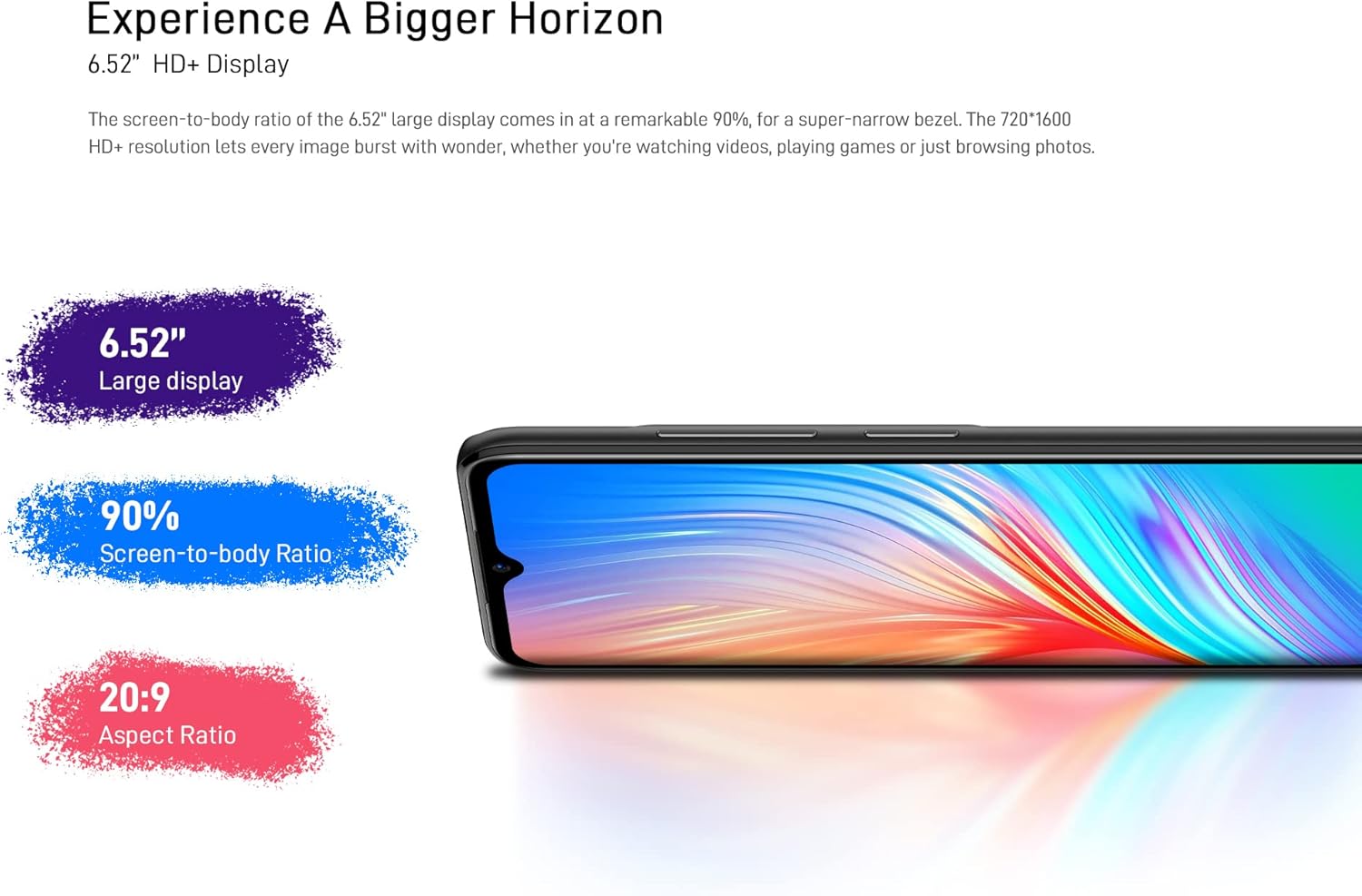
Figure 3: The 6.52-inch HD+ display.
5.2. 얼굴 인식 잠금 해제
The device supports face recognition for quick and secure unlocking.
- 이동하다 설정 > 보안 > 얼굴 인식 잠금 해제.
- 화면 안내에 따라 얼굴을 등록하세요.
- Ensure good lighting conditions during registration for optimal performance.
5.3. 카메라 사용
The DOOGEE X98 Pro features a 12MP AI Dual Rear Camera and an 8MP Front Camera.
Rear Camera (12MP AI Dual Camera)

Figure 4: Rear camera specifications.
카메라 앱을 열어 다양한 모드에 접근하세요.
- 사진: Standard mode for capturing still images. Features include AI Beauty, HDR, and a 78.1° visual angle with F1.8 aperture.
- 초상화: Utilizes the 2MP portrait camera for depth effects.
- 야간 모드: Enhances clarity in low-light conditions.
- 느린: Records videos in slow motion.

그림 5: 예ample of Night Mode photography.
Front Camera (8MP AI Beautify)
The 8MP front camera is designed for clear selfies and video calls, featuring AI Beautify mode.
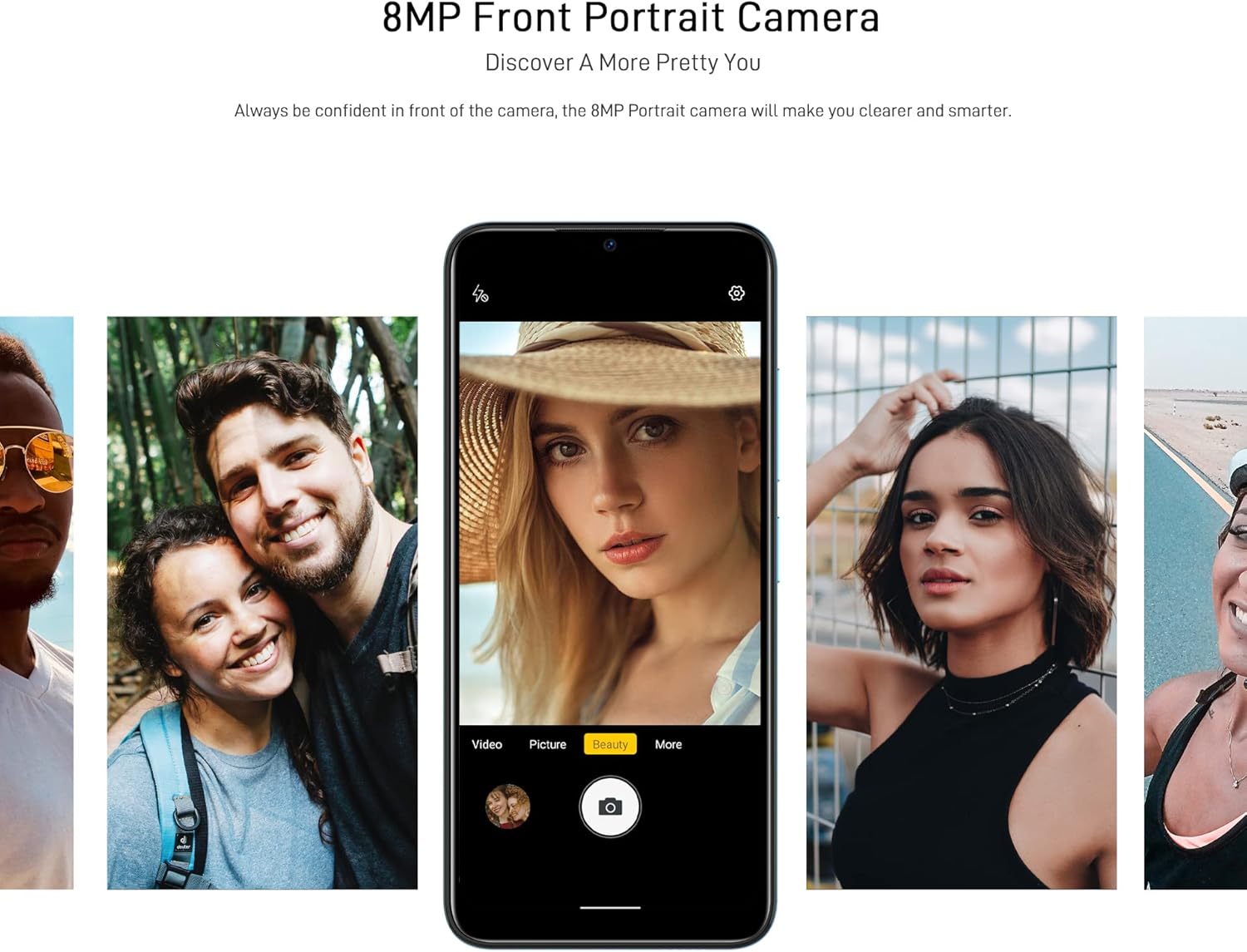
Figure 6: Front camera in use for portraits.
5.4. 연결성
- 와이파이: 무선 네트워크에 연결 설정 > 네트워크 및 인터넷 > Wi-Fi. Supports 2.4G (b/g/n).
- 블루투스: 다른 Bluetooth 장치와 페어링 설정 > 연결된 기기 > 블루투스. Supports BT5.0.
- 모바일 데이터: 모바일 데이터를 활성화하거나 비활성화합니다. 설정 > 네트워크 및 인터넷 > 모바일 네트워크. Supports 2G/3G/4G LTE.
- GPS: The device supports GPS, Glonass, Galileo, and Beido for accurate navigation.
- OTG: On-The-Go (OTG) functionality allows connecting USB peripherals like flash drives.
5.5. 스토리지 관리
The phone comes with 64GB of internal storage, expandable up to 1TB using a microSD card. To manage storage, go to 설정 > 저장소.
6. 유지관리
6.1. 기기 청소
부드럽고 보풀이 없는 천을 사용하여 휴대폰 화면과 본체를 닦으세요. 강한 화학 물질이나 연마재는 사용하지 마세요.
6.2. 소프트웨어 업데이트
기기에 최신 기능과 보안 패치가 설치되어 있는지 확인하려면 시스템 업데이트를 정기적으로 확인하세요. 설정 > 시스템 > 시스템 업데이트.
6.3. 배터리 관리
- 휴대전화를 극한 온도에 노출시키지 마세요.
- 배터리가 자주 완전히 방전되지 않도록 하세요.
- 정품 또는 인증된 호환 충전기와 케이블만 사용하세요.
7. 문제 해결
If you encounter issues with your DOOGEE X98 Pro, try the following solutions:
- 장치가 켜지지 않음: 배터리가 충전되었는지 확인하세요. 충전기를 연결하고 몇 분 정도 기다린 후 다시 전원을 켜보세요.
- 앱이 충돌하거나 정지됨: Close the app and reopen it. If the issue persists, restart the phone. Clear the app's cache via 설정 > 앱 > [앱 이름] > 저장공간 및 캐시 > 캐시 지우기.
- 배터리 수명이 짧음: Reduce screen brightness, disable unused features like Wi-Fi or Bluetooth, and close background apps. Check battery usage in 설정> 배터리 전력 소모가 많은 앱을 식별합니다.
- 연결 문제(Wi-Fi/블루투스/모바일 데이터): Toggle the respective connection off and on. Restart your phone or the router/paired device.
- 얼굴 인식 잠금 해제가 작동하지 않습니다. Ensure your face is well-lit and unobstructed. Re-register your face if necessary.
문제가 지속될 경우 공장 초기화를 고려해 보세요.설정 > 시스템 > 옵션 재설정 > 모든 데이터 삭제(공장 초기화)). 경고: 휴대폰의 모든 데이터가 삭제됩니다. 진행하기 전에 중요한 데이터를 백업하세요.
8. 사양
Detailed technical specifications for the DOOGEE X98 Pro:
| 특징 | 사양 |
|---|---|
| 모델 | X98 프로 |
| 운영 체제 | 안드로이드 12.0 |
| 프로세서 | MediaTek Helio G25 Octa Core, 2.3 GHz, 12nm |
| 그래픽 카드 | IMG-GE8320, up to 650 MHz |
| 숫양 | 4GB |
| 내부 저장소 | 64GB |
| 확장 가능한 스토리지 | TFlash/microSD card up to 1TB |
| 표시하다 | 6.52-inch HD+ Waterdrop Screen, 720*1600 resolution, 90% screen-to-body ratio |
| 후방 카메라 | 12MP SONY AI Dual Camera (f/1.8, 78.1° visual angle) + 2MP Portrait Camera, Triple LED Flash |
| 전면 카메라 | 8MP AI Beautify Camera |
| 배터리 | 4200mAh, 10W Type-C Fast Charge |
| 심카드 | Dual Nano SIM (or 1 Nano SIM + 1 microSD) |
| 네트워크 밴드 | 2G GSM, 3G, 4G LTE |
| 와이파이 | 2.4G (b/g/n) |
| 블루투스 | BT5.0 |
| 항해 | GPS, Glonass, Galileo, Beido |
| 센서 | Face Unlock, G-sensor, Proximity Sensor, Ambient Light Sensor, Compass (Magnetic), Geomagnetism |
| 포트 | Type-C, 3.5mm 헤드폰 잭 |
| 치수 | 165.3mm x 76.3mm x 8.8mm |
| 무게 | 205g (배터리 포함) |

Figure 7: MediaTek Helio G25 Octa-core Processor.

Figure 8: Optimized performance for gaming.
9. 안전 정보
다음 안전 지침을 준수하십시오.
- 기기를 직접 분해, 수리 또는 개조하지 마세요.
- 장치를 극한의 온도, 직사광선 또는 높은 습도에 노출시키지 마십시오.
- Use only approved accessories (charger, cable, etc.).
- 장치를 물과 기타 액체에서 멀리하세요.
- 해당 지역 규정에 따라 장치와 배터리를 책임감 있게 폐기하세요.
10. 보증 및 지원
보증 관련 정보는 제품 패키지에 포함된 보증 카드를 참조하거나 DOOGEE 공식 웹사이트를 방문하십시오. website. For technical support or service inquiries, please contact DOOGEE customer service through their official channels.