소개
This manual provides instructions for the setup, operation, and maintenance of your XTREME DIGITAL LIFESTYLE ACCESSORIES Monster Sound-Reactive Color Flow LED Equalizer Light Bar. This product features sound-reactive lighting, customizable color modes, and flexible mounting options, designed to enhance your environment with dynamic visual effects.

Image: The Monster Sound-Reactive Color Flow LED Equalizer Light Bar shown both in its retail packaging and as a standalone unit, highlighting its design and features.
패키지 내용
- 2 x Monster Sound-Reactive Color Flow LED Equalizer Light Bars
- 2 x Vertical Stands
- 2 x USB 충전 케이블
- 사용 설명서(본 문서)
설정
The Monster LED Equalizer Light Bar offers versatile placement options. Follow these steps for initial setup:
- 장치 충전: Before first use, fully charge the light bar using the provided USB charging cable. Connect the cable to the light bar's charging port and a standard USB power source (e.g., computer, USB wall adapter). The charging indicator will show the charging status. A full charge provides approximately 3-4 hours of continuous light.
- 장착 옵션:
- 수직 배치: Attach the included base to the bottom of the light bar for vertical orientation. Ensure the bar is securely seated in the base.
- 수평 배치: The light bar can be placed horizontally on any flat surface without the base.

Image: A visual representation illustrating the two mounting methods: vertically with the included stand and horizontally on a flat surface.
작동 지침
The light bar can be controlled via built-in buttons or a dedicated mobile application.
1. Basic Operation (Built-in Buttons)
The light bar features control buttons, typically located on the device, to manage power, modes, and settings.
- 전원 버튼: 버튼을 길게 눌러 기기를 켜거나 끄세요.
- 모드 버튼: Short press to cycle through the 18 color modes and 8 equalizer patterns.
- Brightness/Speed Button: Short press to adjust brightness (4 levels) or speed (5 settings) depending on the active mode.
2. Advanced Operation (Mobile App Control)
For full customization and control, download the official Monster LED app from your device's app store. The app allows access to all 18 color modes, 8 equalizer patterns, 4 brightness levels, and 5 speed settings.
- 앱 다운로드 : 검색 "Monster LED" or "Xtreme LED" in your smartphone's app store (iOS App Store or Google Play Store).
- 편성:
- Ensure your light bar is powered on and within Bluetooth range of your smartphone.
- Open the app and follow the on-screen instructions to discover and pair with your light bar.
- Note: Some users have reported initial difficulties with Bluetooth pairing. Ensure Bluetooth is enabled on your phone and try restarting both the light bar and the app if issues persist.
- 사용자 정의: Use the app interface to select desired color modes, equalizer patterns, adjust brightness, and set animation speeds.
3. Sound-Reactive Displays (Music Mode)
Activate Music Mode via the built-in buttons or the mobile app to enable the light bar to react to ambient sounds and music, creating dynamic visual effects synchronized with audio.

Image: Multiple LED light bars showcasing various multicolor moving patterns, illustrating the dynamic visual effects.

Image: A close-up of the LED light bar with a USB charging cable connected, indicating its rechargeable feature.
유지
To ensure the longevity and optimal performance of your LED Equalizer Light Bar, follow these maintenance guidelines:
- 청소: Use a soft, dry cloth to gently wipe the surface of the light bar. Avoid abrasive cleaners, solvents, or excessive moisture, as these can damage the device.
- 저장: 장기간 사용하지 않을 경우, 직사광선과 극한 온도 변화를 피해 서늘하고 건조한 곳에 라이트 바를 보관하십시오.
- 배터리 관리 : To maintain battery health, avoid fully discharging the device frequently. Recharge the battery periodically even if not in regular use.
- 방수 기능: 이 제품은 방수가 안 됨. Avoid exposure to liquids or high humidity.
문제 해결
If you encounter issues with your Monster LED Equalizer Light Bar, refer to the following common solutions:
- 장치가 켜지지 않음:
- 기기가 완전히 충전되었는지 확인하십시오. USB 전원에 연결하고 전원을 다시 켜기 전에 최소 30분 동안 충전하십시오.
- 전원 버튼을 몇 초간 눌러두었는지 확인하세요.
- Lights Not Reacting to Sound:
- Confirm that Music Mode is activated.
- Ensure there is sufficient ambient sound for the microphone to pick up.
- Check the sensitivity settings via the mobile app, if applicable.
- Difficulty with App Pairing (Bluetooth):
- Ensure Bluetooth is enabled on your smartphone and the light bar is powered on and nearby.
- Try restarting both the light bar and the mobile application.
- If issues persist, try unpairing and re-pairing the device through your phone's Bluetooth settings and the app.
- 배터리 수명이 짧음:
- 사용하기 전에 장치가 완전히 충전되었는지 확인하십시오.
- Battery life can vary based on brightness levels and active modes. Higher brightness and complex patterns consume more power.
- If battery life significantly degrades over time, it may indicate battery wear.
명세서
| 상표 | 익스트림 디지털 라이프스타일 액세서리 |
| 모델 번호 | ECOM-1087-PP2 |
| 색상 | 다색 |
| 실내/실외 사용 | 실내 |
| 특징 | 충전식 |
| 광원 유형 | 주도의 |
| 전원 | 배터리 구동 |
| 재료 | 플라스틱 |
| 컨트롤러 유형 | 앱 제어, 터치 |
| 광원의 수 | 32 |
| 왓tage | 1 와트 |
| 품목 무게 | 8 온스(0.5 파운드) |
| 제품 크기(L x W x H) | 2.75 x 1.6 x 7.4 인치 |
| 방수 레벨 | 방수가 되지 않음 |
| 한국어: | 805106234331 |
보증 정보
자세한 보증 정보는 제조사 공식 웹사이트를 참조하십시오. web사이트를 방문하거나 고객 지원팀에 문의하세요. 보증 청구를 위해 구매 증빙 자료를 보관하세요.
고객 지원
If you require further assistance or have questions not covered in this manual, please contact XTREME DIGITAL LIFESTYLE ACCESSORIES customer support. Visit their official web자세한 연락처 정보는 웹사이트를 참조하거나 제품 포장을 확인하십시오.
또한 방문할 수 있습니다 XTREME DIGITAL LIFESTYLE ACCESSORIES Store on Amazon 자세한 내용은.
추가 제품 Views

Image: Four LED light bars displayed on a desk, showcasing their use in a typical setup.

Image: Four LED light bars against a vibrant, abstract equalizer graphic, emphasizing their sound-reactive capabilities.
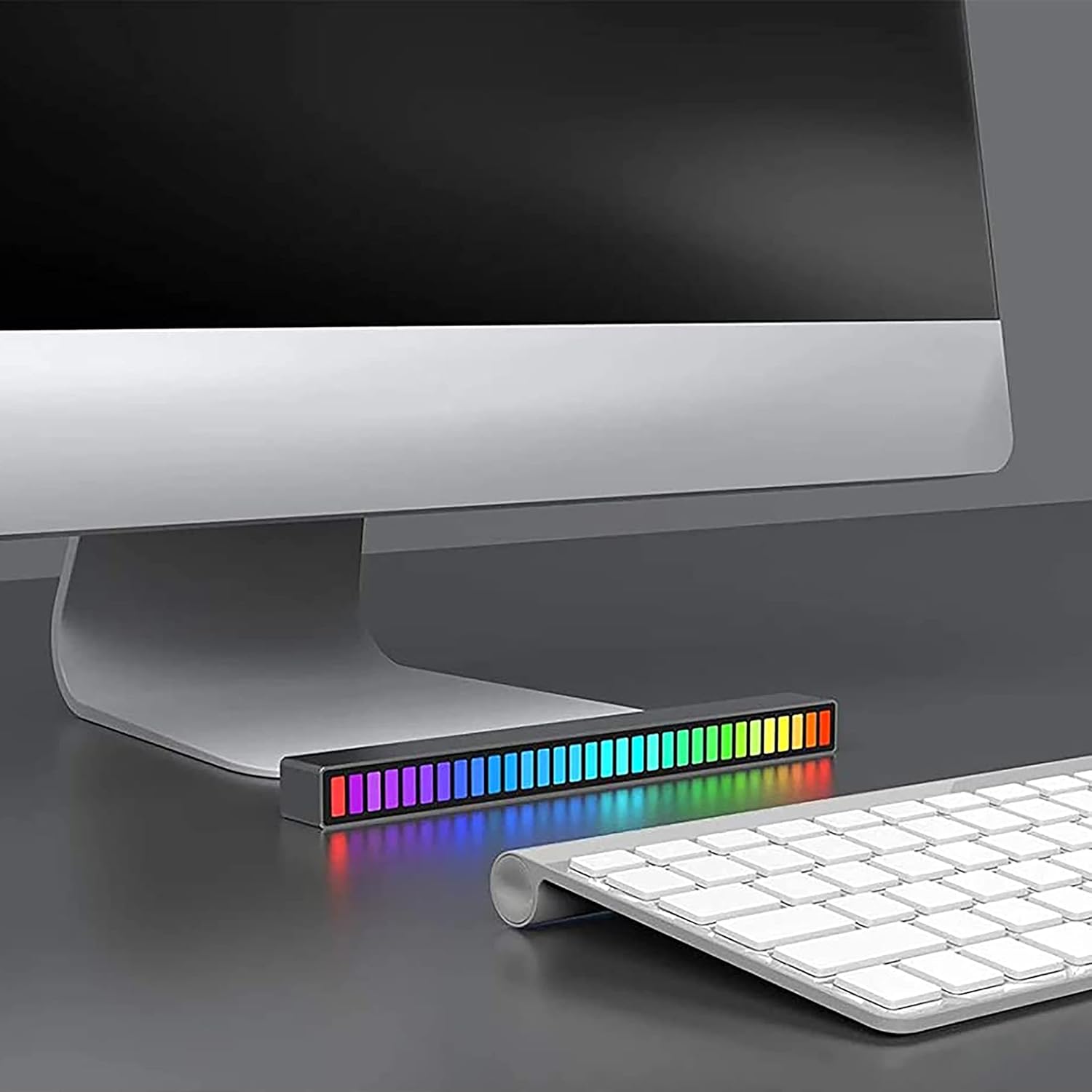
Image: A single LED light bar positioned horizontally beneath a computer monitor, demonstrating a common placement.

Image: Two LED light bars integrated into a DJ setup, illustrating their use in a music-centric environment.

Image: Two LED light bars used to augment a gaming station, providing ambient lighting during gameplay.

Image: An LED light bar positioned in a home theater setup, contributing to the atmospheric lighting while a person watches a film.

Image: Two LED light bars placed in a music studio, providing visual feedback to a person playing a guitar.
중요한 안전 정보
- 장치를 분해, 개조하거나 수리하려고 시도하지 마십시오.
- 물, 불, 고온으로부터 멀리하십시오.
- 제공된 USB 충전 케이블 또는 인증된 동등품만 사용하십시오.
- 해당 지역 규정에 따라 제품과 배터리를 책임감 있게 폐기하세요.


