1. 서론
The AIHOOR A4ANC Wireless Earbuds offer a premium audio experience with advanced features designed for daily use and active lifestyles. Key features include Hybrid Active Noise Cancelling, wireless charging capability, deep bass sound, and enhanced call clarity.

Figure 1: AIHOOR A4ANC Wireless Earbuds and Charging Case. The image shows the dark blue earbuds resting in their open charging case, highlighting their sleek design and compact form factor.
주요 특징:
- 하이브리드 액티브 노이즈 캔슬링(ANC): Long press for 2 seconds to activate ANC, canceling ambient noise by 30dB for an immersive listening experience.
- 무선 충전: Conveniently charge your earbuds and case wirelessly.
- Shocking Deep Bass: Expertly tuned sound delivering high-quality stereo with extra bass, rounded vocals, and surprising highs.
- Enhanced Calls: Six microphones with Environmental Noise Cancellation (ENC) technology ensure clear voice pickup.
- 보편적 인 호환성 : Easily pair with iOS/Android phones, Mac or Windows laptops/desktops, or smart TVs via Bluetooth 5.1.
2. 상자 안에 무엇이 들어있나요?
- 1 x Pair of Bluetooth Earbuds (Left & Right)
- USB-C 충전 케이스 1개
- 1 x USB-C Charging Cable (20cm/0.8in)
- 4 x Pairs of Eartips (L*2, M*2 (Installed), S*2, XS*2)
- 1 x Gift Carton Packaging
3. 설정
3.1 이어버드와 케이스 충전
Before first use, fully charge the earbuds and charging case. The case can be charged via the included USB-C cable or wirelessly using a compatible wireless charging pad.
- 이어버드 충전 시간: Approximately 15 minutes for 5 hours of playtime (when placed in the charging case).
- 케이스 충전 시간: 완전 충전에는 약 2시간이 소요됩니다.
- The charging case provides up to 3 full charges for the earbuds.

Figure 2: The AIHOOR A4ANC earbuds charging wirelessly on a charging pad, alongside a smartphone and smartwatch also charging. This illustrates the convenience of wireless charging for the earbuds.
Video 1: Experience Using AIHOOR A4 ANC Bluetooth Wireless Earbuds. This video demonstrates the charging process and general usage of the earbuds, including placing them in the charging case and observing the indicator lights.
3.2 기기와 페어링
The earbuds are designed for universal compatibility with various Bluetooth-enabled devices.
- 이어버드가 충전되어 있고 충전 케이스에 넣어져 있는지 확인하세요.
- 충전 케이스를 엽니다. 이어버드가 자동으로 페어링 모드로 진입합니다(이어버드의 표시등이 깜빡임).
- 기기(스마트폰, 노트북 등)에서 Bluetooth 설정으로 이동합니다.
- Select "AIHOOR A4" from the list of available devices to connect.
- 연결이 완료되면 음성 안내가 나오고 이어버드 표시등이 깜빡임을 멈춥니다.
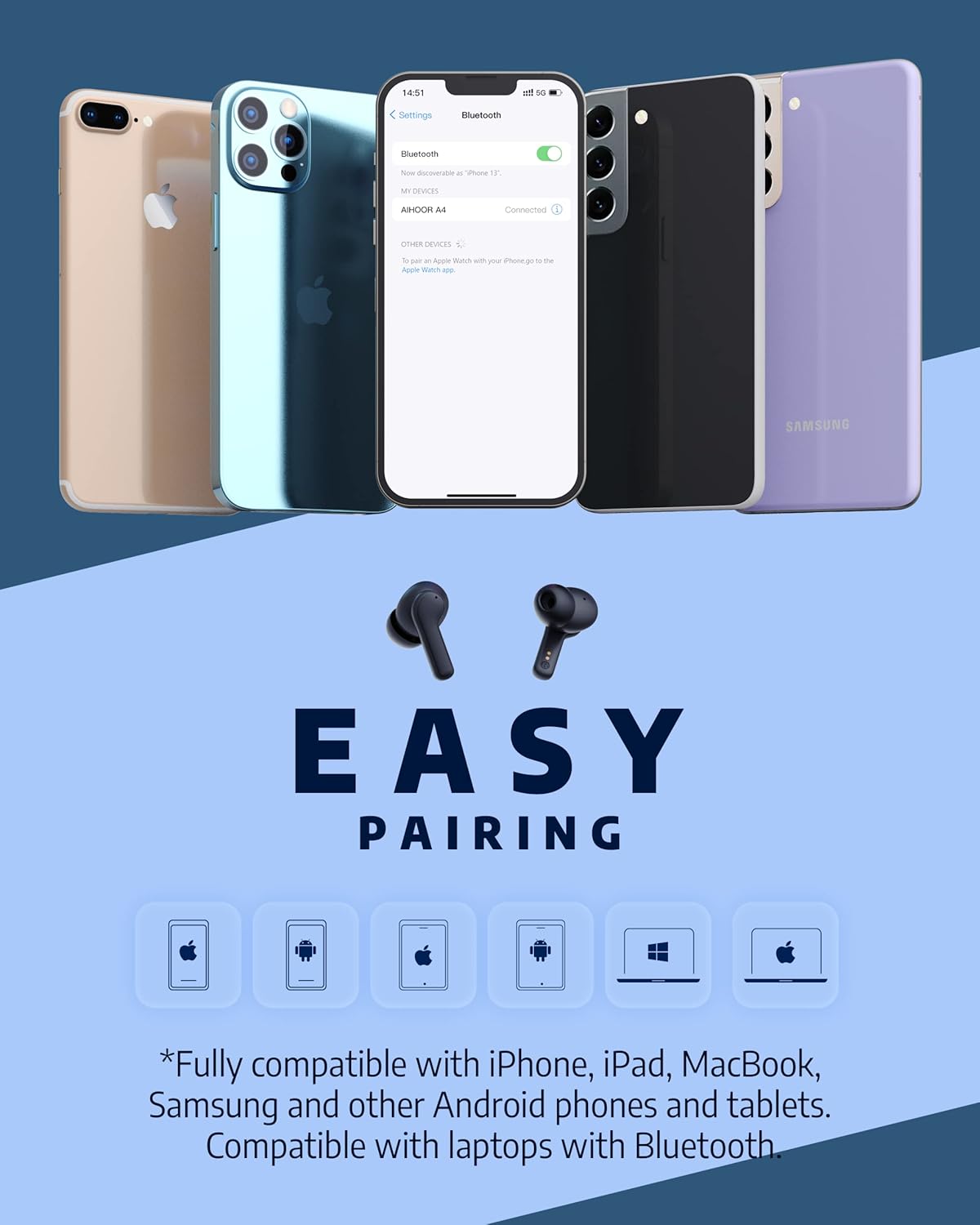
Figure 3: The AIHOOR A4ANC earbuds demonstrating easy pairing with various devices including iPhones, Android phones, and laptops. This image highlights the broad compatibility of the earbuds.
4. 사용 설명서
4.1 터치 컨트롤
The AIHOOR A4ANC earbuds feature intuitive touch controls on each earbud for easy management of audio and calls.
- 재생/일시 중지: 양쪽 이어버드를 한 번 탭하세요.
- 다음 트랙: 오른쪽 이어버드를 두 번 탭하세요.
- 이전 트랙 : 왼쪽 이어버드를 두 번 탭하세요.
- 볼륨 업: 오른쪽 이어버드를 길게 누르세요.
- 볼륨 작게 : 왼쪽 이어버드를 길게 누르세요.
- 음성 지원(Siri/Google Assistant) 활성화: 양쪽 이어버드를 세 번 탭하세요.
영상 2: 솔직한 재평가view & Touch Control Demonstration. This video provides a clear demonstration of the touch controls for managing music playback, volume, and calls directly from the earbuds.
4.2 통화 관리
The earbuds are equipped with 6 microphones and Environmental Noise Cancellation (ENC) for clear hands-free calls.
- 전화 받기/종료: 양쪽 이어버드를 한 번 탭하세요.
- 전화 거부: 한쪽 이어폰을 2초 동안 길게 누릅니다.
4.3 능동 소음 제거(ANC)
Activate ANC to minimize ambient noise and enhance your listening experience.
- ANC 활성화: Long press either earbud for 2 seconds. You will hear an audio prompt confirming ANC activation.
- ANC reduces ambient noise by up to 30dB.

Figure 4: A visual representation of the earbuds' Active Noise Cancelling feature, showing a person enjoying quiet on an airplane. The image emphasizes the ability to reduce 35dB of ambient noise.
5. 유지관리
Proper maintenance ensures the longevity and optimal performance of your AIHOOR A4ANC earbuds.
- 청소: 이어버드와 충전 케이스는 부드럽고 마른 천으로 보풀이 없는 천으로 정기적으로 닦아주세요. 강한 화학 물질이나 연마재는 사용하지 마세요.
- 이어팁: 이어팁은 주기적으로 분리하여 물과 순한 비누로 세척하십시오. 다시 부착하기 전에 이어팁이 완전히 건조되었는지 확인하십시오.
- 방수 기능: The earbuds have an IPX5 water resistance level, meaning they are protected against low-pressure water jets from any direction. They are not designed for submersion in water. Avoid exposing them to excessive moisture or liquids.
- 저장: 사용하지 않을 때는 이어버드를 충전 케이스에 보관하여 보호하고 충전 상태를 유지하세요.
6. 문제 해결
6.1 연결 문제
- 이어버드가 페어링되지 않음: Ensure both earbuds are in the charging case, then open the lid to activate pairing mode. Check your device's Bluetooth settings to ensure "AIHOOR A4" is visible.
- 이어버드가 하나만 연결됨: Place both earbuds back into the charging case, close the lid, wait a few seconds, then open it again. This often resets the connection. If the issue persists, try forgetting the device on your phone's Bluetooth settings and re-pairing.
- 간헐적 연결: Ensure your device is within the Bluetooth range (10 meters/33 feet) and there are no significant obstacles between the earbuds and your device.
6.2 충전 문제
- 이어폰이 충전되지 않는 경우: Ensure the charging contacts on both the earbuds and inside the case are clean and free of debris. Make sure the earbuds are properly seated in the case.
- 케이스가 충전되지 않음: Verify the USB-C cable is securely connected to both the case and the power source. If using wireless charging, ensure the case is correctly positioned on the charging pad.
6.3 음질 문제
- 볼륨이 낮거나 소리가 좋지 않음: Ensure the eartips are the correct size for a snug fit in your ear canal. Clean the earbud mesh to remove any wax or debris that might be obstructing sound. Adjust volume on both your device and the earbuds.
- 왜곡된 오디오: Move closer to your connected device to avoid interference. Try disconnecting and reconnecting the earbuds.
7. 사양
| 특징 | 사양 |
|---|---|
| 모델명 | A4-FT001 |
| 연결 기술 | 무선(블루투스 5.1) |
| 소음 제어 | 능동 잡음 제거 (ANC) |
| 마이크 | 6 (with ENC) |
| 배터리 수명(이어버드) | 충전당 최대 5시간 |
| 총 재생 시간(케이스 포함) | 최대 30시간 |
| 충전 시간(케이스) | 2시간 |
| 무선 충전 | 지원됨 |
| 방수 레벨 | IPX5 |
| 제어 방법 | 만지다 |
| 귀 위치 | 귀에 |
| 제품 치수 | 2.28 x 1.93 x 1.18 인치 |
| 품목 무게 | 2.39 온스 |
8. 보증 및 지원
AIHOOR products are designed with quality and reliability in mind. For warranty information, technical support, or any inquiries regarding your AIHOOR A4ANC Wireless Earbuds, please refer to the contact information provided in your product packaging or visit the official AIHOOR web대지.
Note: Specific warranty terms and conditions may vary by region. Please retain your proof of purchase for warranty claims.


