소개
The Wahoo ELEMNT ROAM GPS Cycling/Bike Computer is Wahoo’s most powerful and accurate GPS cycling computer, designed to enhance any ride into an adventure. Featuring dual-band GPS technology for advanced accuracy, a crystal clear 2.7-inch (6.9cm) 64-color display, and a long-lasting battery, the ELEMNT ROAM makes it easier to stay on course longer and explore further.
주요 특징
- 듀얼 밴드 GPS: Enhanced accuracy in challenging environments with support for GPS, GLONASS, BEIDOU, Galileo, QZSS, SBAS, and NavIC.
- 스마트 내비게이션: Automatic turn-by-turn prompts for various file types and on-demand route generation.
- Route Sharing: Easily share routes with other ELEMNT devices via the companion app.
- 자동 동기화: Seamlessly download routes and upload workouts with compatible third-party accounts.
- 사용자 정의 알림: Configure reminders and motivational messages based on workout metrics or virtual Points of Interest.
- Notifications & Live Tracking: Receive on-screen alerts for calls, texts, and messages, and share LiveTrack links.
- Summit Segments: Visualize upcoming climbs with color-coded difficulty and duration on the 64-color display.
- Strava 라이브 세그먼트: Real-time progress alerts for Strava Segments.
- 견고한 하드웨어: Aerodynamic integrated mount, glass lens, ambient light sensor, convex buttons, USB-C, and 32 GB memory.
설치 가이드
1. 언박싱 및 초기 충전
Upon unboxing your Wahoo ELEMNT ROAM, ensure all components are present: the ELEMNT ROAM V2 GPS cycle computer, Integrated Out-front Mount, Stem Mount, Zip Ties, and Quick Start Guide. Before first use, fully charge the device using the provided USB-C cable. Connect the USB-C cable to the port located on the side of the device, protected by a rubber flap. A full charge typically takes a few hours.

Image: The Wahoo ELEMNT ROAM V2 GPS Cycling Computer, showing its sleek design and display.
2. 장치 장착
The ELEMNT ROAM V2 comes with two mounting options: an Integrated Out-front Mount and a Stem Mount. Choose the mount that best suits your bicycle and riding preference.
- Integrated Out-front Mount: This mount positions the ELEMNT ROAM aerodynamically in front of your handlebars. Secure it using the provided hex key and ensure it is firmly attached. The integrated mount also features a locking screw for added security.
- 줄기 마운트: For a more traditional setup, use the stem mount. Attach it to your stem using the included zip ties, ensuring a snug fit that prevents movement during rides.

Image: The Wahoo ELEMNT ROAM V2 attached to its integrated out-front mount on a bicycle handlebar.
3. Pairing with the ELEMNT Companion App
The ELEMNT ROAM is primarily configured and managed via the Wahoo ELEMNT Companion App on your smartphone (iOS or Android). Download the app from your device's app store.
- Turn on your ELEMNT ROAM by pressing the power button.
- Open the ELEMNT Companion App on your smartphone.
- Follow the on-screen prompts in the app to pair your device. This usually involves scanning a QR code displayed on the ELEMNT ROAM's screen.
- Once paired, the app allows you to customize data fields, set up sensors, manage routes, and configure various settings.

Image: A smartphone displaying the Wahoo ELEMNT Companion App interface, used for device setup and customization.
Operating the ELEMNT ROAM
Navigation and Routing
The ELEMNT ROAM excels in navigation, offering powerful on-device smart navigation features.
- Pre-loaded Routes: When synced with compatible accounts (Strava, Ride With GPS, Komoot, etc.), your saved routes will automatically download to the ELEMNT ROAM.
- On-Demand Route Generation: Create a route directly on the ELEMNT ROAM map page by selecting a location using pan and zoom, or by choosing from saved locations. Alternatively, use the ELEMNT Companion App to enter a destination and generate a route with turn-by-turn directions.
- 단계별 길찾기: The device provides clear on-screen turn-by-turn prompts.
Image: The ELEMNT ROAM V2 screen showing a detailed map with navigation cues, including distance to next turn and street name.
데이터 표시 및 사용자 정의
The 64-color display allows for rich data visualization. You can customize which data fields are shown on each page via the Companion App.
- Quicklook LED Indicators: Customizable LED lights on the side and top provide quick visual cues for speed, heart rate, power, and turn-by-turn directions.
- 완벽한 View 줌: Use the side buttons to zoom in or out on data fields, allowing you to see more or fewer metrics at a glance.
- Summit Segments: When approaching a climb, the ROAM's display will show a color-coded profile of the climb, indicating gradient changes and remaining distance.
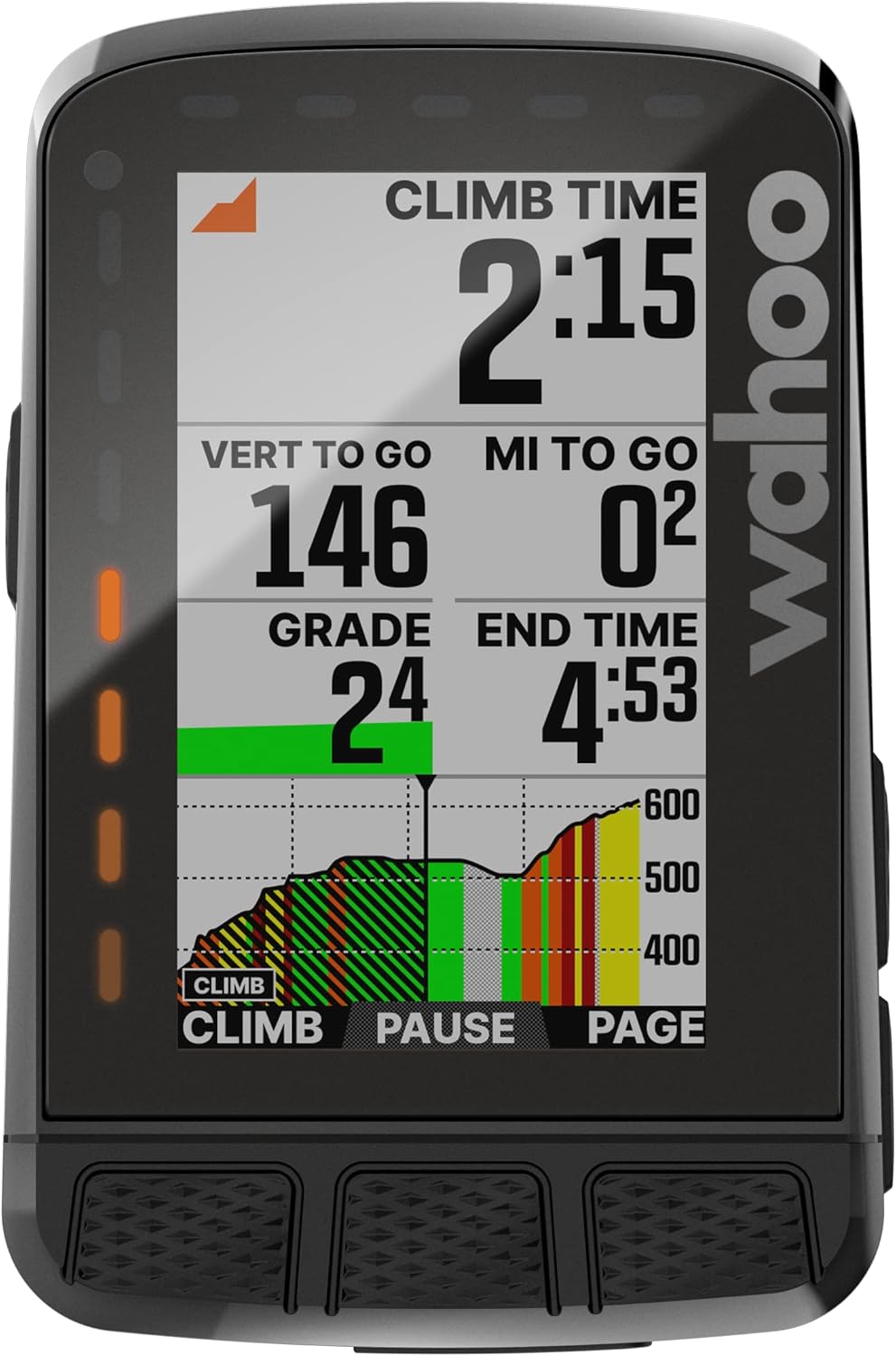
Image: The ELEMNT ROAM V2 screen showing climb time, vertical gain remaining, distance to go, and current grade, with a graphical representation of the climb profile.
Notifications and Live Tracking
Stay connected safely while riding.
- 스마트 알림: Get on-screen pop-up alerts and LED indications for calls, texts, emails, and messages from various apps (WhatsApp, Signal, Line, Telegram, WeChat) on iOS and Android. This feature requires your smartphone to be with you and connected. Notifications can be easily turned off with Do Not Disturb mode.
- 실시간 추적: Share a LiveTrack link via the ELEMNT Companion App for a specific ride or indefinitely, allowing friends and family to follow your progress in real-time.
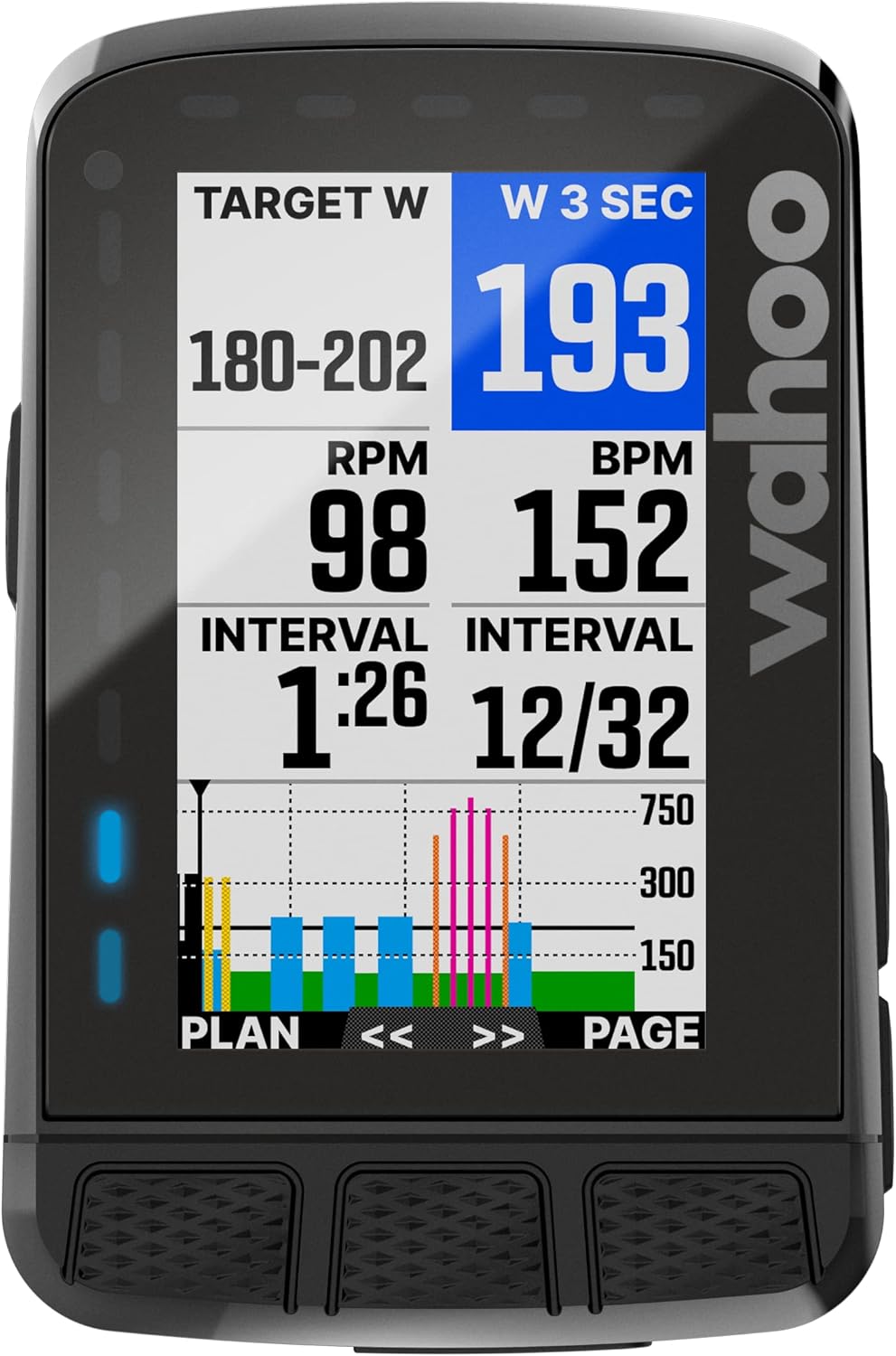
Image: The ELEMNT ROAM V2 screen showing an incoming text message notification from "WILLIE" with the content "Be there in 20 minutes. I'm bringing snacks!".
유지
To ensure the longevity and optimal performance of your Wahoo ELEMNT ROAM, follow these maintenance guidelines:
- 청소: 부드러운 천으로 기기를 깨끗하게 닦아주세요.amp cloth after each ride, especially if it has been exposed to sweat, dirt, or rain. Avoid using abrasive cleaners or solvents.
- 충전 중: Always use the provided USB-C cable for charging. Ensure the USB-C port cover is securely closed when not charging to prevent water and dust ingress.
- 저장: Store the ELEMNT ROAM in a cool, dry place away from direct sunlight and extreme temperatures when not in use.
- 소프트웨어 업데이트: Regularly check for and install software updates via the ELEMNT Companion App. Updates often include performance improvements, bug fixes, and new features.
문제 해결
If you encounter issues with your ELEMNT ROAM, try the following steps:
| 문제 | 가능한 원인 / 해결책 |
|---|---|
| 기기가 켜지지 않거나 충전되지 않습니다. | Ensure the USB-C cable is properly connected and the power source is active. Try a different USB-C cable or power adapter. The battery might be completely drained; allow it to charge for at least 30 minutes before attempting to power on. |
| GPS 신호가 끊어졌거나 부정확합니다. | 당신이 깨끗한 열린 공간에 있는지 확인하십시오 view of the sky. Tall buildings, dense forests, or tunnels can obstruct GPS signals. Perform a soft reset (hold power button for 10 seconds) and try again. Ensure the device's firmware is up to date. |
| Cannot pair with Companion App or sensors. | Ensure Bluetooth is enabled on your smartphone and the ELEMNT ROAM. Restart both the device and your phone. Forget the device in your phone's Bluetooth settings and re-pair. Ensure sensors are awake and have fresh batteries. |
| Routes not syncing. | Check your Wi-Fi connection on the ELEMNT ROAM and your smartphone. Ensure your third-party accounts (Strava, Komoot, etc.) are correctly linked in the Companion App. Manually initiate a sync from the device or app. |
| Screen not responding or frozen. | Perform a hard reset by holding down the power button for 10-15 seconds until the device restarts. If the issue persists, contact Wahoo Fitness support. |
명세서
| 특징 | 세부 사항 |
|---|---|
| 모델명 | ELEMNT ROAM V2 |
| 품목 무게 | 0.2파운드(약 90.7그램) |
| 품목 치수(LxWxH) | 3.56 x 2.34 x 0.8인치(약 9.04 x 5.94 x 2.03cm) |
| 화면 크기 | 2.7 Inches (6.9 cm) Diagonal |
| 디스플레이 유형 | 64가지 색상 |
| 연결 기술 | Bluetooth, ANT+, Wi-Fi, GPS, GLONASS, BEIDOU, Galileo, QZSS, SBAS, NavIC |
| 배터리 수명 | 17시간 |
| 메모리 | 32GB (XNUMX기가바이트) |
| 센서 | Altimeter, Accelerometer, Gyroscope, Compass |
| 재료 | 플라스틱 |
| 색상 | Stealth Grey |
| 포함된 구성 요소 | ELEMNT ROAM V2 GPS cycle computer, Integrated Out-front Mount, Stem Mount, Zip Ties, Quick Start Guide |
보증 및 지원
The Wahoo ELEMNT ROAM V2 comes with a 1년 제조사 보증. For detailed warranty information, product support, or to register your device, please visit the official Wahoo Fitness website or contact their customer service. You can find additional resources, FAQs, and troubleshooting guides on their support pages.
Wahoo Fitness Official Web대지: www.wahoofitness.com


