소개
The IMICE T97 RGB Honeycomb Gaming Mouse is designed to provide a precise and comfortable experience for gaming and general computer use. It features a high-precision 4800 DPI sensor, a durable and ergonomic design, and is compatible with various operating systems. This manual will guide you through the setup, operation, and maintenance of your new gaming mouse.
- 상표: IMICE
- 유형: 생쥐
- 호환성: 컴퓨터 및 노트북
- 주요 특징: High precision 4800 DPI, comfortable and durable design, anti-sweat design, precise positioning.
- 색상: 검은색
설치 지침
1. 마우스 연결
The IMICE T97 mouse uses a standard USB connection for plug-and-play functionality. No additional drivers are typically required for basic operation on supported operating systems.
- 컴퓨터나 노트북에서 사용 가능한 USB 포트를 찾으세요.
- Insert the USB connector of the IMICE T97 mouse firmly into the USB port.
- 운영 체제가 필요한 드라이버를 자동으로 감지하고 설치합니다. 이 과정은 다소 시간이 걸릴 수 있습니다.
- 설치가 완료되면 마우스를 바로 사용할 수 있습니다.
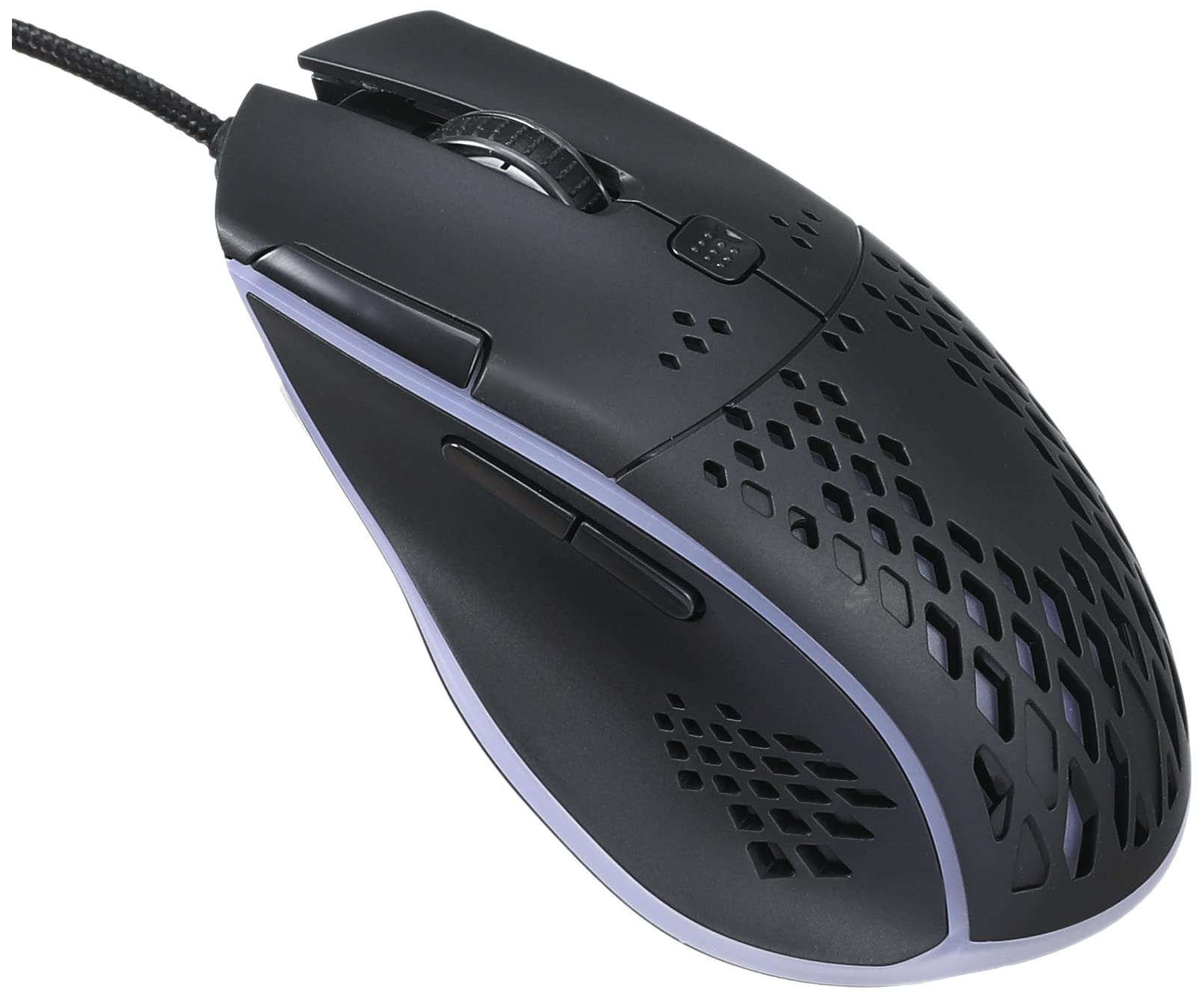
이미지: 정면 상단 view of the IMICE T97 RGB Honeycomb Gaming Mouse, showing its ergonomic shape and honeycomb shell design.
마우스 작동
기본 기능
- 좌 클릭: 주요 동작, 선택, 활성화.
- 마우스 오른쪽 버튼으로 클릭: 컨텍스트 메뉴, 보조 작업.
- 스크롤 휠: 문서를 위/아래로 스크롤하고 web 페이지입니다. 마우스 가운데 버튼을 클릭하면 해당 기능이 실행됩니다.
- 측면 버튼: (If present, typically for forward/back navigation in browsers or custom functions in games). The T97 model typically includes two side buttons.
DPI 조정
The IMICE T97 mouse features adjustable DPI (Dots Per Inch) settings, allowing you to change the cursor sensitivity. This mouse supports up to 4800 DPI. There is usually a dedicated button, often located behind the scroll wheel, to cycle through different DPI levels. Press this button to switch between sensitivity settings to find your preferred speed.
RGB 조명
The mouse features RGB lighting, which typically cycles through various colors automatically. There may not be user-configurable software for lighting control, and it operates as a default aesthetic feature.

이미지: 밑면 view of the IMICE T97 RGB Honeycomb Gaming Mouse, showing the optical sensor, product label with model T97, and regulatory marks.
유지
청소
- 청소하기 전에 마우스를 컴퓨터에서 분리하세요.
- 부드럽고 건조하며 보푸라기가 없는 천을 사용하여 마우스 표면을 닦으세요.
- 완고한 먼지에는 약간 damp천에 물이나 순한 세척액을 묻혀 닦으세요(강력한 화학 물질은 피하세요).
- 면봉이나 압축 공기를 사용하여 버튼과 스크롤 휠 주변을 청소하세요.
- 마우스 내부 부품에 액체가 들어가지 않도록 하십시오.
저장
장기간 사용하지 않을 때는 마우스를 직사광선과 극한 온도 변화를 피해 서늘하고 건조한 곳에 보관하십시오.
문제 해결
| 문제 | 해결책 |
|---|---|
| 마우스가 응답하지 않습니다. |
|
| 커서 움직임이 불규칙하거나 갑작스럽습니다. |
|
| Buttons or scroll wheel are not working. |
|
| Cannot find software for customization. | The IMICE T97 mouse is primarily designed for plug-and-play operation. Dedicated software for advanced customization (like button remapping or detailed RGB control) may not be available or easily accessible for this model. Most functions are hardware-controlled. |
명세서
| 상표 | IMICE |
| 모델 | T97 |
| 색상 | 검은색 |
| 연결 기술 | USB |
| DPI(최대) | 4800DPI |
| 특별 기능 | Comfortable design, RGB lighting, honeycomb shell |
| 손의 방향 | 양손잡이 |
| 추천 용도 | 노름 |
| 호환 장치 | 개인용 컴퓨터, 노트북 |
| 운영 체제 호환성 | 리눅스, 윈도우 XP (및 이후 버전) |
| 품목 무게 | 120그램 |
| 배송 치수 | 15 x 11 x 5cm |
| 배터리 포함 | No (Wired USB mouse) |
| ASIN | B0BD2DDWNQ |
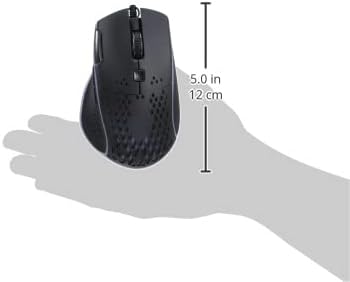
이미지: 측면 view of the IMICE T97 RGB Honeycomb Gaming Mouse held in a hand, illustrating its compact size (approximately 5.0 inches or 12 cm in length).
보증 정보
Please refer to the retailer or your purchase documentation for specific warranty terms and conditions. IMICE products typically come with a limited warranty against manufacturing defects. Keep your proof of purchase for warranty claims.
고객 지원
For technical assistance or further inquiries, please contact your retailer or visit the official IMICE website for support resources. Ensure you have your product model (T97) and purchase details ready when contacting support.


