1. 서론
This manual provides essential information for the setup, operation, and maintenance of your OFFNOVA 4B-2054N Shipping Label Printer. Please read this manual thoroughly before using the printer to ensure proper functionality and longevity of the device.

Figure 1: OFFNOVA 4B-2054N Shipping Label Printer in operation, printing a sample shipping label.
2. 패키지 내용
설치를 진행하기 전에 패키지에 모든 구성품이 포함되어 있는지 확인하십시오.
- OFFNOVA 4B-2054N 배송 라벨 프린터
- 전원 어댑터
- USB 케이블
- 사용 설명서 (본 문서)
3. 설정 가이드
3.1. 드라이버 설치
The OFFNOVA 4B-2054N printer requires specific drivers for proper operation with your computer. Please follow these steps:
- Visit the official OFFNOVA website to download the latest printer driver compatible with your operating system (Windows, Mac, Chromebook, or Linux).
- 다운로드한 설치 프로그램을 실행하세요. file.
- Follow the on-screen prompts to complete the installation. For Mac users, you may need to adjust security and privacy settings to allow installation from unidentified developers.
- 메시지가 나타나면 컴퓨터를 다시 시작하세요.
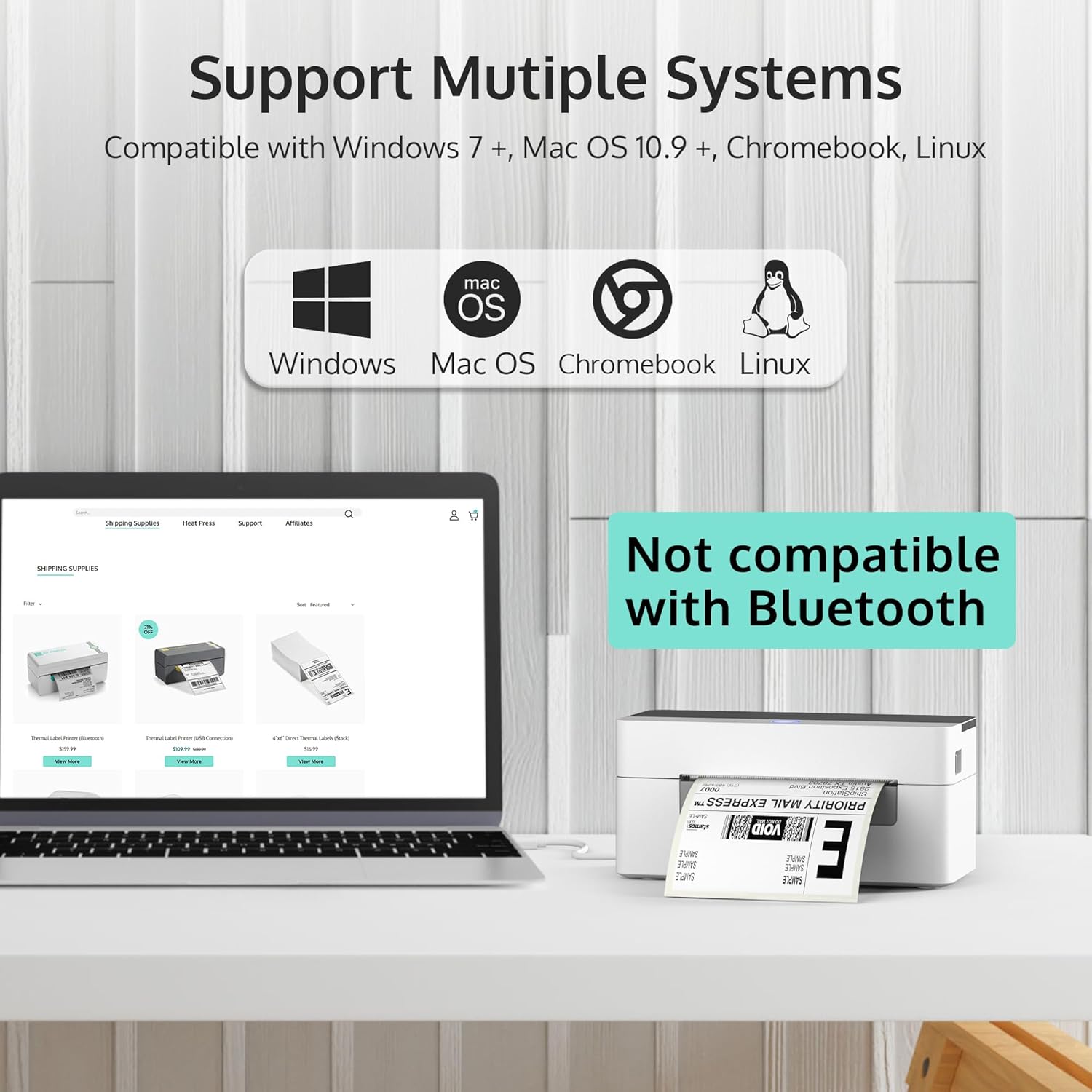
Figure 2: The OFFNOVA printer supports Windows, Mac OS, Chromebook, and Linux. Note: Bluetooth and Wi-Fi are not supported.
3.2. 프린터 연결
- Connect the power adapter to the printer's power port and then to a wall outlet.
- USB 케이블의 다른 한쪽 끝을 프린터의 USB 포트에 연결하고, 나머지 한쪽 끝은 컴퓨터에 연결하십시오.
- Turn on the printer using the power switch located at the back. The indicator light on the top of the printer should illuminate.
3.3. 로딩 레이블
The printer supports direct thermal labels ranging from 1.57 inches to 4.1 inches in width. To load labels:
- Push the latch on the side of the printer forward to open the top cover.
- Adjust the movable guides inside the printer to match the width of your labels.
- Insert the labels into the feed slot, ensuring the print side is facing up. The printer will automatically detect and calibrate the label size.
- Close the top cover by clamping it back down until it clicks into place.

Figure 3: The printer features automatic label identification and calibration, simplifying the setup process.

Figure 4: The printer is suitable for various label sizes, including 4"x6", 3"x2", 2.25"x1.25", 2.25", and 2" labels.
4. 사용 설명서
4.1. 라벨 인쇄
Once the printer is set up and labels are loaded, you can begin printing. Ensure your computer recognizes the printer as an available printing device.
- Open the document or platform from which you wish to print (e.g., UPS, FedEx, USPS, Etsy, eBay, Shopify, Amazon, Pirateship).
- 인쇄 옵션을 선택하세요.
- Choose the OFFNOVA 4B-2054N printer from the list of available printers.
- Verify print settings, such as label size (e.g., 4" x 6" for shipping labels), and then initiate printing.

Figure 5: The printer is compatible with various popular shipping and e-commerce platforms.
4.2. High Speed and Efficiency
The OFFNOVA 4B-2054N printer is designed for high-speed printing, capable of printing approximately 80 sheets of 4" x 6" labels per minute, and can operate continuously for over 12 hours a day.
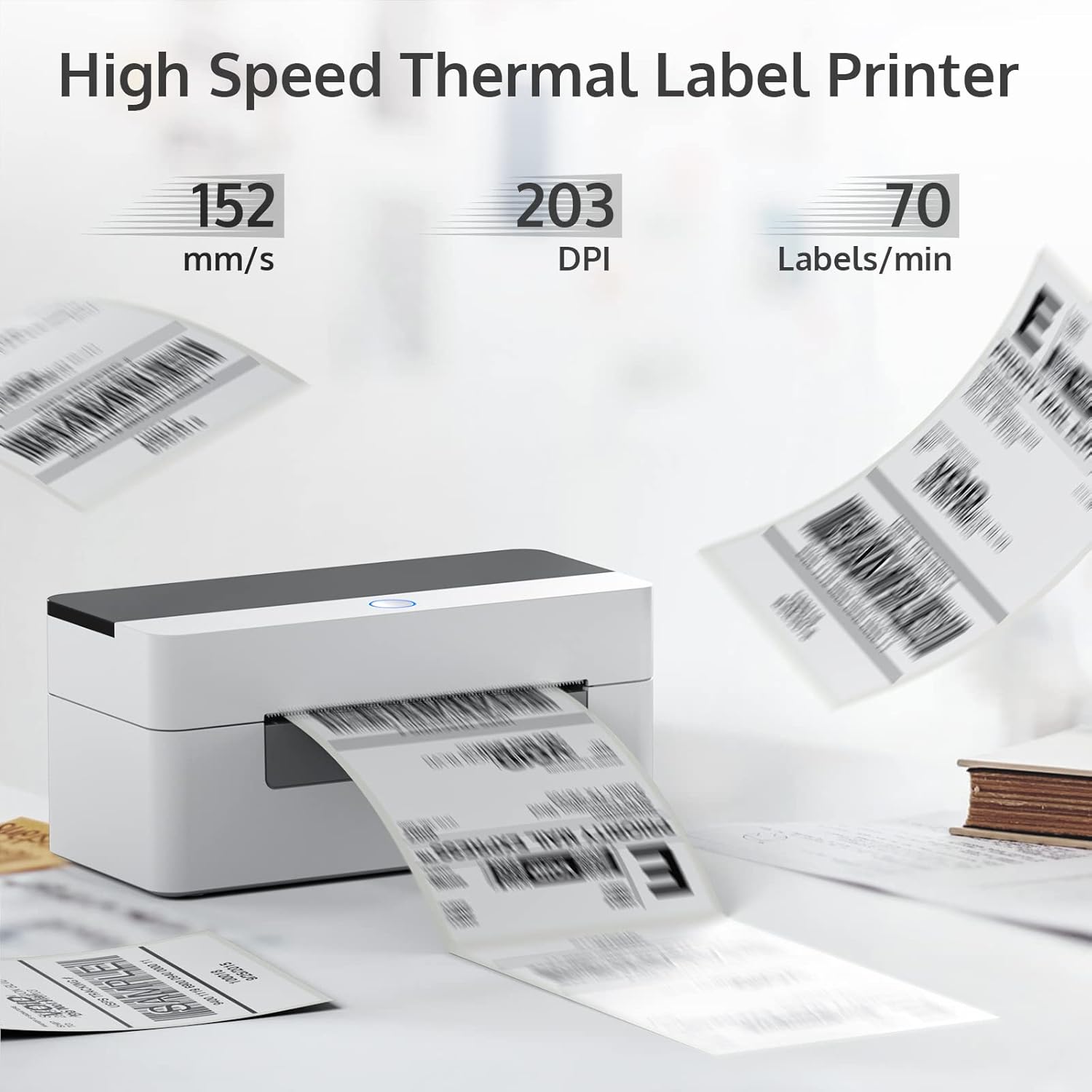
Figure 6: High-speed thermal printing at 152 mm/s with 203 DPI, producing up to 70 labels per minute.
5. 유지관리
To ensure optimal performance and extend the lifespan of your OFFNOVA printer, regular maintenance is recommended:
- 청소: Periodically clean the print head and rollers with an alcohol wipe or a specialized thermal printer cleaning pen. Ensure the printer is turned off and unplugged before cleaning.
- 저장: 프린터는 직사광선과 과도한 먼지를 피해 서늘하고 건조한 곳에 보관하십시오.
- 라벨 품질: Use high-quality thermal labels to prevent dust and adhesive residue buildup on the print head.
6. 문제 해결
If you encounter issues with your OFFNOVA printer, refer to the common problems and solutions below. For more detailed troubleshooting, please consult the official 문제 해결 가이드(PDF) 온라인에서 이용 가능.
| 문제 | 가능한 원인 | 해결책 |
|---|---|---|
| Printer not responding / Not turning on | 전원 케이블이 연결되어 있지 않습니다. 전원 스위치가 꺼져 있습니다. 전원 어댑터가 고장났습니다. | Ensure power cable is securely connected. Turn on the power switch. Test with a different power outlet. If issues persist, contact support for a replacement adapter. |
| Labels not feeding correctly / Paper jams | Labels not loaded properly; Guides not adjusted; Roller issues. | Open the cover and re-load labels, ensuring they are straight and the guides are snug. Clean the rollers if they appear dirty or sticky. |
| 인쇄 품질이 좋지 않음 / 인쇄가 희미함 | Print head is dirty; Low-quality labels; Incorrect print density settings. | Clean the print head. Use recommended thermal labels. Adjust print density settings in your printer driver. |
| Driver installation issues (Mac/Chromebook) | Security settings blocking installation; Incorrect driver version. | For Mac, check "Security & Privacy" settings to allow apps from unidentified developers. Ensure you download the correct driver for your OS from the official web대지. |
7. 사양
| 특징 | 세부 사항 |
|---|---|
| 모델명 | 4B-2054N |
| 제품 치수 | 6.3인치 깊이 x 7.68인치 너비 x 4.13인치 높이 |
| 품목 무게 | 1.74파운드(0.79킬로그램) |
| 연결 기술 | USB |
| 인쇄 기술 | 열의 |
| 프린터 출력 | 단색화 |
| 최대 미디어 크기 | 4 x 6 인치 |
| 지원되는 시트 크기 | 4" x 6", 2" x 4", 3" x 4", 2.25", 2" Inches |
| 최대 입력 시트 용량 | 80장 |
| 최대 인쇄 속도(흑백) | 72 ppm (150mm/sec) |
| 해결 | 203 x 203 DPI |
| 호환 장치 | PC (Windows, Mac, Chromebook, Linux) |
| 특징 | Auto Label Size Identification |
| 포함된 구성 요소 | Machine & Adapter |
8. 보증 및 지원
Your OFFNOVA 4B-2054N Shipping Label Printer comes with a Limited Warranty and Lifetime Technical Support.
- For detailed warranty information, please refer to the documentation included with your purchase or visit the official OFFNOVA web대지.
- For technical assistance, troubleshooting, or any questions regarding your printer, please contact OFFNOVA customer support.
- Additional resources, including the full 사용 설명서 (PDF) 그리고 문제 해결 가이드(PDF)다운로드 가능합니다.


