1. 서론
Thank you for choosing the XDOBO X8 Portable Bluetooth Speaker. This manual provides essential information for the safe and efficient use of your device. The X8 speaker features a powerful 60W output, True Wireless Stereo (TWS) connectivity for an immersive audio experience, a 3-band equalizer, advanced DSP technology for enhanced bass, and an IP65 waterproof rating, making it suitable for various environments.
사용하기 전에 이 설명서를 주의 깊게 읽고 나중에 참조할 수 있도록 보관하십시오.
2. 패키지 내용
포장을 풀 때 모든 품목이 있는지 확인하세요.
- XDOBO X8 Bluetooth Speaker Unit
- USB Type-C Charging Cable (Power adapter not included)
- 3.5mm 스테레오 오디오 케이블
- Simple Instruction Manual (Japanese)
3. 제품 레이아웃 및 제어
Familiarize yourself with the speaker's buttons and ports for optimal operation.
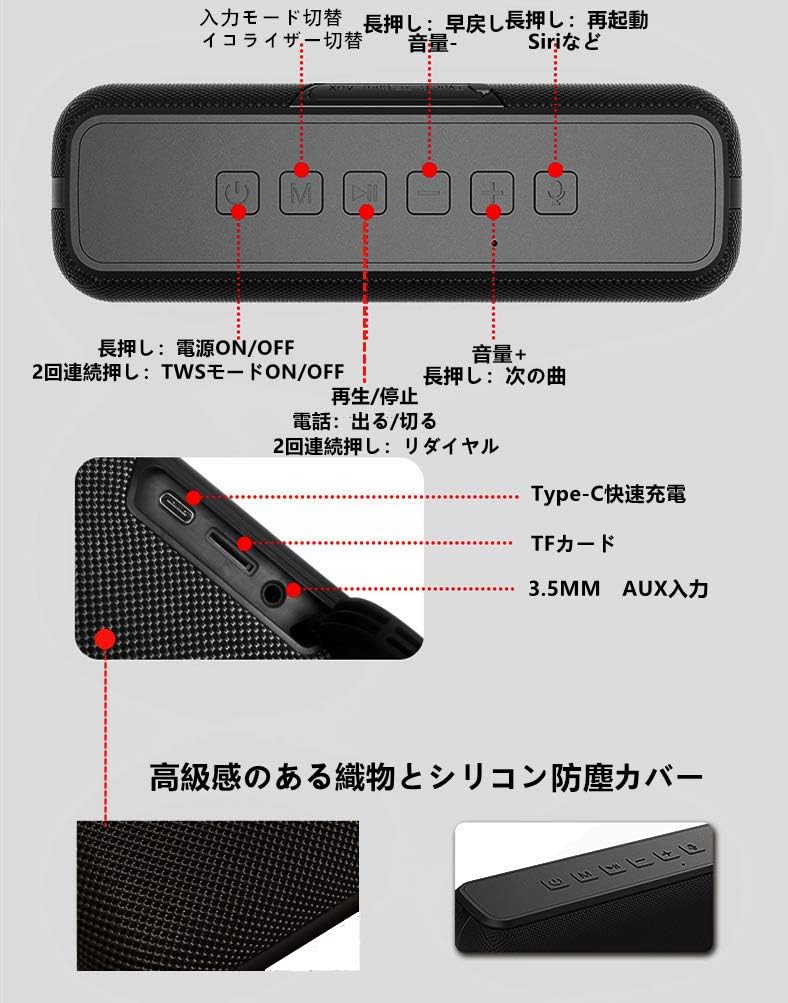
영상: 맨 위 view of the XDOBO X8 speaker showing the control panel buttons.
This image displays the control buttons located on the top surface of the speaker. From left to right, these include the Power button, Mode (M) button, Play/Pause button, Volume Down/Previous Track button, Volume Up/Next Track button, and Voice Assistant button.
영상: 옆 view of the XDOBO X8 speaker showing the input ports.
This image illustrates the various input ports on the side of the speaker, including the Type-C fast charging port, TF card slot, and 3.5mm AUX input port.
버튼 기능:
- 전원 버튼: Long press to power ON/OFF. Double press to toggle TWS mode ON/OFF.
- M(모드) 버튼: Short press to switch between input modes (Bluetooth, TF Card, AUX). Long press to cycle through equalizer settings.
- 재생/일시 정지 버튼: Short press to Play/Pause music. Short press to Answer/End calls. Double press to Redial the last number.
- 볼륨 낮추기/이전 트랙 버튼(-): 짧게 누르면 볼륨 낮추기, 길게 누르면 이전 트랙으로 이동.
- 볼륨 높이기/다음 트랙 버튼(+): 짧게 누르면 볼륨 높이기, 길게 누르면 다음 트랙으로 이동합니다.
- 음성 지원 버튼: Short press to activate your device's voice assistant (Siri, Google Assistant, etc.).
4. 설정
4.1 스피커 충전
Before first use, fully charge the speaker. Connect the provided USB Type-C cable to the speaker's charging port and the other end to a USB power adapter (not included) or a computer's USB port. The charging indicator light will show the charging status. Always use the included USB cable for charging.
4.2 전원 켜기/끄기
- 전원을 켜려면: 길게 누르세요 힘 음성 안내가 들릴 때까지 버튼을 누르세요.
- 전원을 끄려면: 길게 누르세요 힘 button again until you hear an audible prompt.
4.3 블루투스 페어링
The XDOBO X8 speaker is compatible with most Bluetooth-enabled devices (smartphones, tablets, PCs).
- 스피커의 전원을 켜세요. 자동으로 블루투스 페어링 모드로 전환되며, LED 표시등이 깜빡입니다.
- 기기에서 Bluetooth를 활성화하고 사용 가능한 기기를 검색하세요.
- Select "XDOBO X8" from the list of devices.
- Once paired, the speaker will emit a confirmation sound, and the LED light will remain solid.
4.4 True Wireless Stereo(TWS) 페어링
Connect two XDOBO X8 speakers for a stereo sound experience.
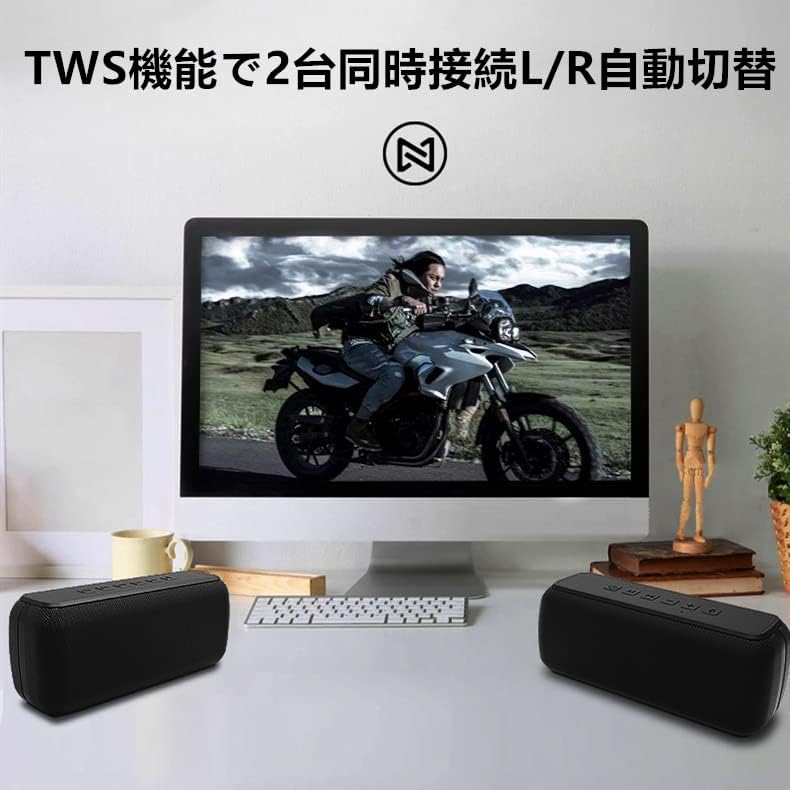
영상: Two XDOBO X8 speakers connected via TWS, providing stereo sound with a computer monitor.
This image demonstrates the TWS functionality, showing two XDOBO X8 speakers positioned for stereo playback, enhancing the audio experience for media consumption.
- Ensure both XDOBO X8 speakers are powered on and not connected to any Bluetooth device.
- On one of the speakers (this will become the primary speaker), double press the 힘 버튼을 누르세요. 스피커가 TWS 페어링 모드로 진입합니다.
- 두 스피커가 자동으로 연결됩니다. TWS 페어링이 성공적으로 완료되면 확인음이 울립니다.
- 이제 4.3절에 설명된 대로 블루투스를 통해 기기를 기본 스피커에 연결하세요. 두 스피커에서 스테레오로 오디오가 재생됩니다.
4.5 AUX and TF Card Mode
The speaker supports audio playback via a 3.5mm AUX cable and from a TF (Micro SD) card.
- AUX 모드 : Insert the 3.5mm audio cable into the AUX port on the speaker and connect the other end to your audio source. Short press the M 버튼을 누르면 AUX 모드로 전환됩니다.
- TF 카드 모드 : Insert a TF card (up to 64GB, supporting MP3, FLAC, WAV formats) into the TF card slot. Short press the M button to switch to TF card mode. The speaker will automatically begin playing audio from the card.
5. 사용 설명서
5.1 기본 오디오 컨트롤
- 재생/일시 중지: 짧게 누르세요 재생/일시정지 단추.
- 볼륨 조절: 짧게 누르세요 + 볼륨을 높이는 버튼과 - button to decrease volume. Note that volume levels on your connected device and the speaker may be independent.
- 다음 트랙: 길게 누르세요 + 단추.
- 이전 트랙 : 길게 누르세요 - 단추.
5.2 이퀄라이저(EQ) 설정
The XDOBO X8 features 3 distinct equalizer settings to customize your audio experience, including enhanced bass. Long press the M button to cycle through the available EQ modes. You will hear an audible prompt indicating the current EQ setting.
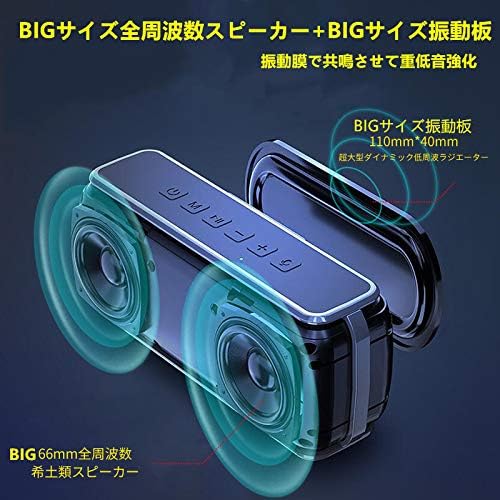
영상: XDOBO X8 speaker with visual representation of sound waves and passive radiators.
This image highlights the speaker's large passive radiators and full-range drivers, which contribute to its powerful and deep bass output, a key feature enhanced by the DSP technology.
5.3 핸즈프리 통화
When connected via Bluetooth, you can use the speaker for hands-free phone calls.
- 전화 받기/종료: 짧게 누르세요 재생/일시정지 단추.
- 마지막 번호 재다이얼: 두 번 누르세요 재생/일시정지 단추.
6. 유지관리
To ensure the longevity and optimal performance of your XDOBO X8 speaker, follow these maintenance guidelines:
- 청소: Wipe the speaker with a soft, dry cloth. Do not use abrasive cleaners, alcohol, or other chemical solvents.
- 방수 기능: The speaker has an IP65 waterproof rating, meaning it is protected against dust ingress and low-pressure water jets from any direction. Do not submerge the speaker in water. Ensure the charging port cover is securely closed when exposed to water.
- 저장: 스피커는 직사광선과 극한의 온도를 피해 시원하고 건조한 곳에 보관하세요.
- 배터리 관리 : To preserve battery life, avoid fully discharging the speaker frequently. Charge it regularly, even if not in use for extended periods.
7. 문제 해결
If you encounter issues with your XDOBO X8 speaker, refer to the following common problems and solutions:
| 문제 | 가능한 원인 | 해결책 |
|---|---|---|
| 스피커의 전원이 켜지지 않습니다. | 배터리가 부족합니다. | 제공된 USB Type-C 케이블을 사용하여 스피커를 충전하십시오. |
| 블루투스로 페어링할 수 없습니다. | Speaker is not in pairing mode; Bluetooth is off on device; Speaker is already connected to another device. | Ensure speaker is powered on and flashing (pairing mode). Turn Bluetooth on your device. Disconnect from other devices or restart the speaker. |
| 소리가 나지 않거나 볼륨이 작습니다. | Volume too low on speaker or device; Incorrect input mode; Speaker is muted. | Increase volume on both the speaker and your connected device. Press the 'M' button to ensure the correct input mode (Bluetooth, AUX, TF Card). |
| TWS 페어링이 실패합니다. | Speakers are already connected to other devices; Incorrect TWS pairing procedure. | Ensure both speakers are disconnected from other devices. Follow the TWS pairing steps in section 4.4 carefully. |
| 높은 볼륨에서 사운드가 왜곡됩니다. | 볼륨이 너무 높습니다. | 스피커와 연결된 기기의 볼륨을 모두 줄이세요. |
| Loud, repetitive warning sound (low battery). | 배터리가 매우 부족합니다. | Charge the speaker immediately. The warning sound indicates the battery is about to run out. |
8. 사양
Detailed technical specifications for the XDOBO X8 Portable Bluetooth Speaker:
| 특징 | 사양 |
|---|---|
| 상표 | 엑스도보 |
| 모델 번호 | X8 |
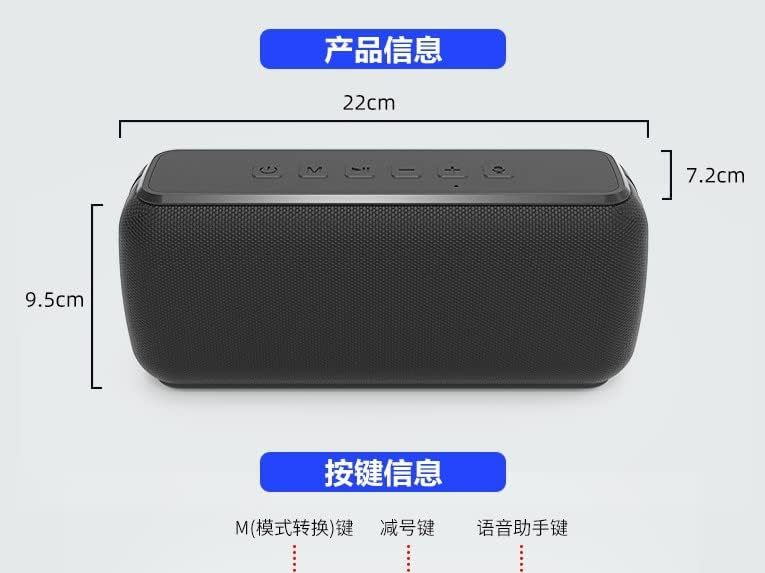
| 제품 치수 | 22 x 9.5 x 7.2cm (약 8.66 x 3.74 x 2.83인치) |
| 무게 | 약 860g(1.9파운드) |
| 무선 통신 기술 | 블루투스 |
| 연결 기술 | AUX, 블루투스 |
| 스피커 최대 출력 전력 | 60 와트 |
| 방수 등급 | IP65 |
| 제어 방법 | 터치 버튼 |
| 제품의 권장 용도 | 컴퓨터, 스마트폰 |
| 전원 | Power Cord (Rechargeable Battery) |
| 배터리 필요 | 예 |
| 장착 유형 | 탁상 마운트 |
| 특별 기능 | 블루투스, 휴대용, 무선 |
9. 보증 및 지원
For warranty information or technical support, please refer to the documentation included with your purchase or contact XDOBO customer service through the retailer where you purchased the product. Keep your proof of purchase for warranty claims.
중요 참고 사항
- Product specifications and appearance are subject to change without prior notice due to continuous product improvement.
- The English instructions provided in this manual are based on the latest available information. Minor discrepancies with other language versions or product updates may occur.


