1. 소개 및 이상view
The Brother PE900 is an advanced embroidery machine designed for creative projects. It features a generous 5" x 7" embroidery field, a color LCD touchscreen for design editing, and WLAN connectivity for seamless design transfer. This machine is dedicated solely to embroidery and does not function as a traditional sewing machine.
주요 특징은 다음과 같습니다.
- 5" x 7" Embroidery Field: Ideal for larger embroidery projects.
- 컬러 LCD 터치스크린: Enables on-screen design editing, including rotation, mirroring, resizing, and combining designs.
- WLAN 연결: Wirelessly transfer embroidery files from your PC using Design Database Transfer software or connect via the built-in USB port.
- Artspira Mobile App Compatibility: Access 50 free embroidery designs, create custom patterns, and transfer them wirelessly.
- 내장 디자인: 193 embroidery designs, including scrollwork, florals, quilt patterns, 10 frame designs, and 13 lettering fonts (9 English, 3 Japanese, 1 Cyrillic).
- 자동 바늘 끼우기: 나사산 가공 과정을 간소화합니다.
- Advanced Color Sort: Optimizes stitching order for multi-color designs, reducing thread changes.
- Jump Stitch Trimming: Automatically trims excess thread jumps.

이미지: 이상view of the Brother PE900 Embroidery Machine highlighting its key features.
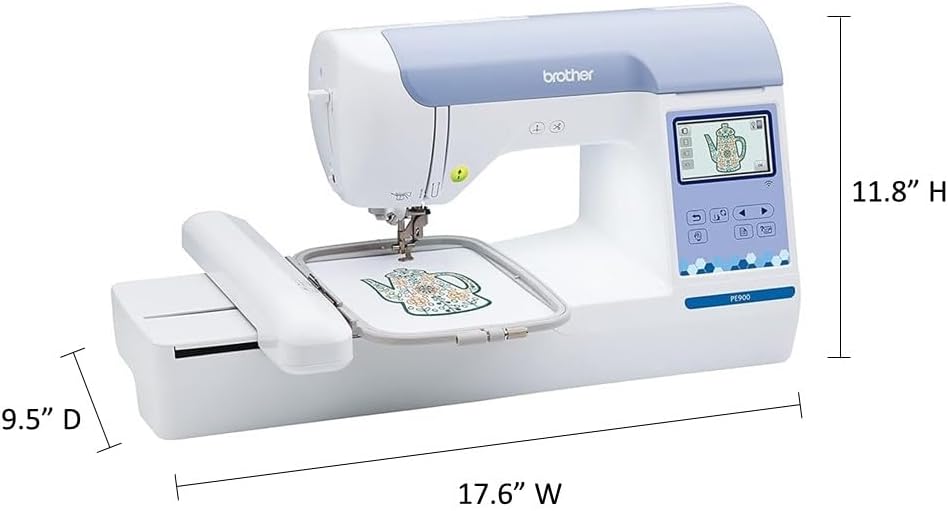
Image: Dimensions of the Brother PE900 Embroidery Machine, showing 17.6" W, 9.5" D, and 11.8" H.
2. 설정
자수 프로젝트를 시작하기 전에 기계가 올바르게 설정되어 있는지 확인하세요.
2.1 풀기 및 초기 배치
Carefully remove the machine from its packaging. Place it on a stable, flat surface with adequate space for the embroidery arm to move freely.
2.2 Attaching the Embroidery Arm
The embroidery arm is essential for all embroidery functions. Follow the step-by-step tutorials on the LCD touchscreen display for detailed instructions on how to attach it securely.
2.3 기계에 실 끼우기
The PE900 features an easy-to-follow numbered threading diagram printed directly on the machine. Utilize the automatic needle threader to simplify passing the thread through the needle's eye.
2.4 후프 원단
Proper hooping is crucial for quality embroidery. Ensure your fabric is taut and secure within the 5" x 7" embroidery hoop. For best results, use appropriate stabilizer for your fabric type.

Image: Various accessories included with the Brother PE900, such as hoops, bobbins, thread, and tools.
Video: A seller demonstrates the setup process for the Brother PE900 Embroidery Machine, including threading and hooping.
Video: A seller provides a quick and easy setup guide for the Brother PE900 Embroidery Machine.
3. 기계 작동
The PE900 offers various features to enhance your embroidery experience.
3.1 Using the Color LCD Touchscreen
The 3.7-inch color LCD touchscreen allows for intuitive navigation and design customization. You can perform on-screen editing such as letter editing, enhanced zoom, resizing, rotating, repositioning, and combining designs before stitching.
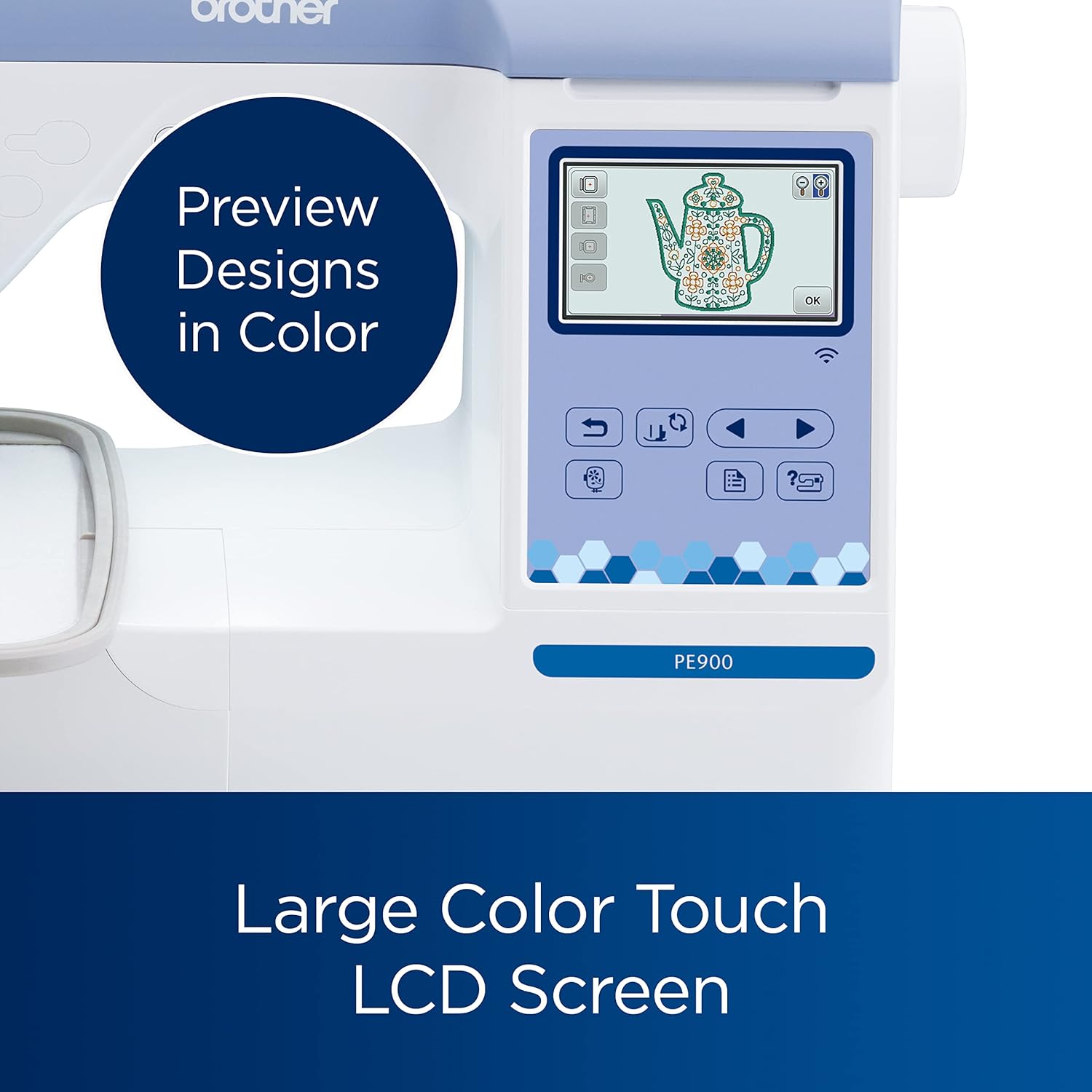
Image: Close-up of the Brother PE900's large color touch LCD screen, showing design preview and editing options.
Video: A seller demonstrates how the touchscreen functions on the PE900 Embroidery Machine for design selection and editing.
3.2 Selecting and Importing Designs
Choose from 193 built-in designs or import your own. The machine supports wireless transfer of embroidery files from your PC via the free Design Database Transfer software or through the built-in USB port.

Image: Display showing the variety of 193 built-in embroidery designs, 13 fonts, and 10 frames available on the PE900.

Image: Close-up of the built-in USB port on the Brother PE900, used for importing embroidery designs.

Image: Illustrates the process of design database transfer to the embroidery machine for easy data management.
3.3 Artspira Mobile App Integration
The Artspira mobile app allows you to access 50 additional free embroidery designs, create custom patterns by drawing on your mobile device, and wirelessly transfer them to your PE900. (Machine firmware update (1.51 or above) & Artspira mobile app download are required to redeem designs. A USB drive is required (not included) to update the firmware. For the latest firmware update, please visit www.support.brother.com).

Image: Shows a smartphone screen displaying the Artspira App, indicating compatibility with the Brother PE900 for importing and saving designs.
Video: A seller demonstrates creating designs on the Artspira app and transferring them to the Brother embroidery machine.
Video: A seller highlights the personalization features available through the Artspira app for the Brother PE900.
4. 유지관리
Regular maintenance ensures the longevity and optimal performance of your Brother PE900 Embroidery Machine.
4.1 청소
Regularly clean the bobbin area, feed dogs, and needle plate to remove lint and thread buildup. Use the brush and tools provided with your machine. Refer to the detailed cleaning instructions in the full user manual.
4.2 바늘 교체
Replace needles regularly, especially if they become bent, dull, or if you notice skipped stitches. Always use the correct needle type for your fabric and thread.
5. 문제 해결
If you encounter issues with your PE900, consult the troubleshooting section of the full user manual. Common issues and their solutions are often detailed there.
5.1 일반적인 문제
- 실 끊어짐: Check thread tension, ensure proper threading, and inspect the needle for damage.
- 건너뛴 스티치: Replace the needle, ensure proper threading, and check fabric hooping.
- 바느질 품질이 좋지 않음: Verify thread tension, use appropriate stabilizer, and ensure the fabric is hooped correctly.
For more complex problems, refer to the comprehensive troubleshooting guide in your user manual or contact Brother technical support.
6. 사양
| 특징 | 사양 |
|---|---|
| 제품 치수 | 17.48 x 9.49 x 11.81 인치 |
| 품목 무게 | 21파운드 |
| 제조업체 | 브라더 인터내셔널 주식회사 |
| 품목 모델 번호 | PE900 |
| 상표 | 형제 |
| 색상 | 하얀색 |
| 재료 | 플라스틱 |
| 전원 | 전기 같은 |
| 한국어: | 012502670056 |
7. 보증 및 지원
The Brother PE900 Embroidery Machine comes with a 25-year limited warranty. Technical support is available for the life of the product.
For detailed warranty information, technical assistance, or to download the latest firmware updates, please visit the official Brother support web대지: www.support.brother.com.
This product is intended for sale only in the US at 120 volts, and any other use or sale may void the warranty.


