소개
This manual provides instructions for the proper setup, operation, and maintenance of your Aureday 14-inch Selfie Ring Light with 62-inch Tripod Stand and Phone Holder. Please read this manual thoroughly before use to ensure optimal performance and safety.
패키지 내용
아래 나열된 모든 품목이 패키지에 포함되어 있는지 확인하세요.
- 1 x 14-inch Selfie Ring Light
- 1 x 62-inch Tripod Stand
- 무선 리모컨 셔터 1개
- 1 x 전화 홀더
- 1 x 사용자 설명서

Image: All components of the Aureday 14-inch Selfie Ring Light kit.
안전 정보
- Ensure the tripod is placed on a stable, level surface to prevent tipping.
- Do not expose the ring light to water or excessive moisture.
- Use only a power supply that meets the specified requirements (5V/2A, minimum 10W).
- 어린이의 손이 닿지 않는 곳에 보관하세요.
- 장시간 LED 조명에 눈이 직접 노출되지 않도록 하세요.
설치 지침
1. 삼각대 스탠드를 조립하세요
- Unfold the tripod legs outwards until they are fully extended and stable.
- Extend the tripod pole to your desired height by unlocking the section clamps and then re-locking them securely.

Image: The tripod stand with its dimensions, showing its stable base.
2. 링 라이트를 부착하세요
- Align the mounting screw on top of the tripod stand with the screw hole at the bottom of the ring light.
- Rotate the ring light clockwise to securely fasten it to the tripod stand.
3. Install the Phone Holder
- Insert the bottom of the phone holder into the slot located on the ring light.
- Screw the 1/4-inch screw on the tripod into the hole of the phone holder to secure it.
- Adjust the phone holder to your preferred angle and orientation (horizontal or vertical).
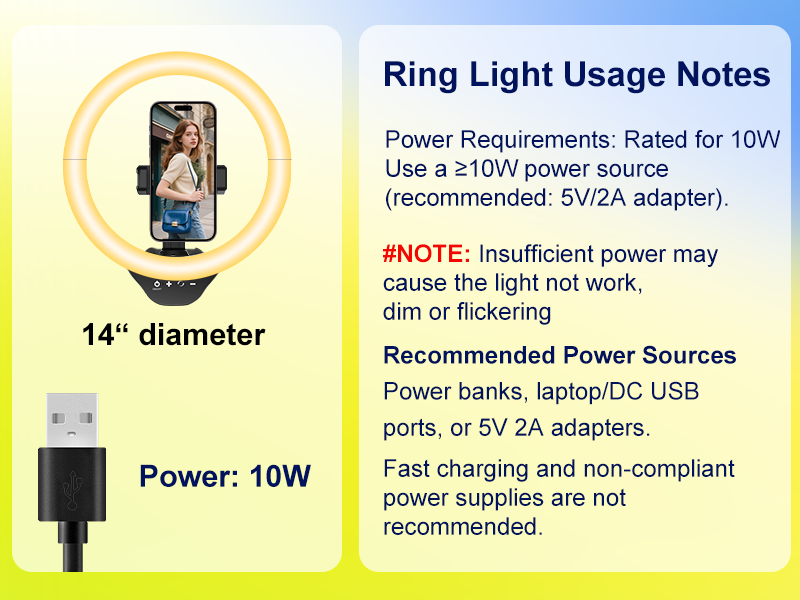
Image: Step-by-step guide for assembling the phone holder onto the ring light and tripod.
4. 전원 연결
- Connect the USB cable from the ring light to a compatible power source (e.g., USB wall adapter, power bank, laptop USB port).
- Ensure the power source provides at least 10W (5V/2A) for optimal performance.
Image: Various compatible USB power sources for the ring light, including power banks, wall adapters, and laptops.
작동 지침
1. 전원 켜기/끄기 및 밝기 조절
- Locate the touchpad controls on the ring light.
- Tap the power symbol to turn the light on or off.
- Use the '+' and '-' symbols on the touchpad to increase or decrease the brightness level (10% to 100%).
2. Change Color Temperature
- Tap the color temperature symbol on the touchpad to cycle through the 5 available color modes: Warm, Warm White, Nature White, Sunlight, and Cold White.
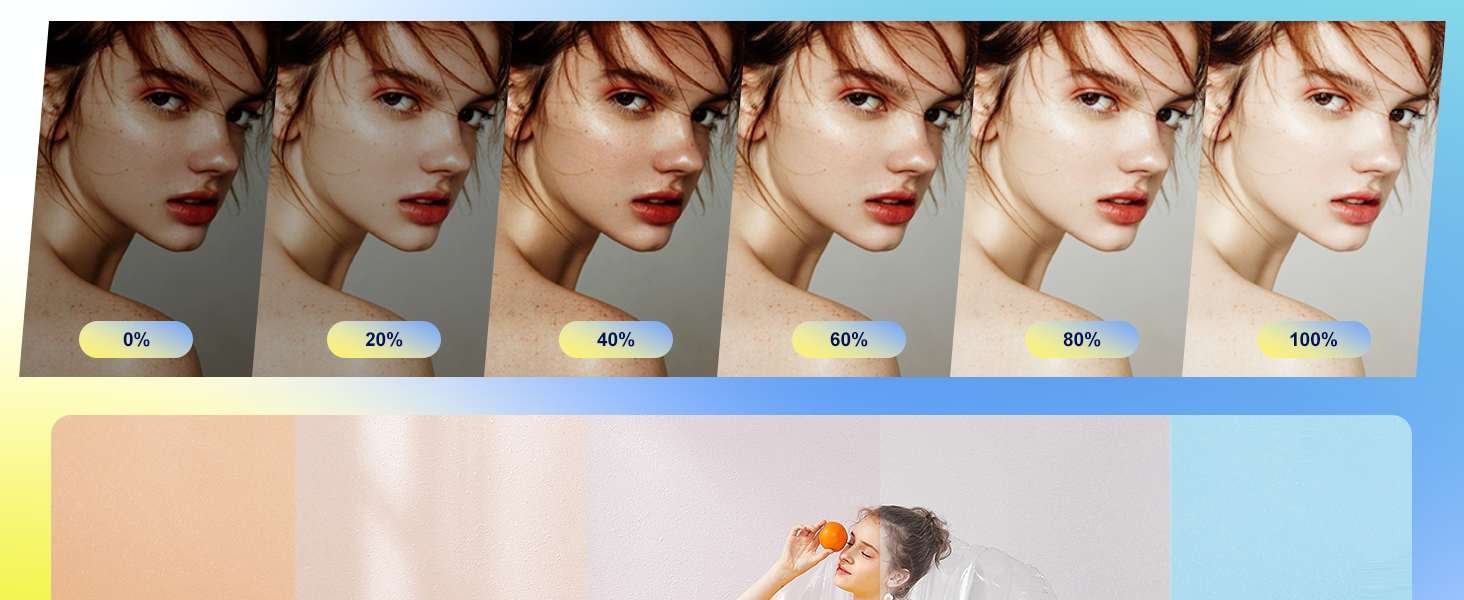
Image: Visual representation of the 5 color temperature modes (Warm, Warm White, Nature White, Sunlight, Cold White) and 10 brightness levels.
3. Using the Wireless Remote Shutter
- Ensure the remote shutter has a working battery (1 Lithium Metal battery included).
- 원격 셔터를 켭니다.
- 스마트폰(iOS 또는 Android)에서 블루투스를 활성화하세요.
- 검색 and pair with 'AB Shutter3' or a similar device name.
- Once paired, open your phone's camera app. Press the corresponding button on the remote (iOS or Android) to take photos or start/stop video recording.

Image: Illustration of the Bluetooth remote shutter, showing compatibility with iOS and Android phones and its function for taking photos and recording videos.
4. Adjusting Height and Angle
- The tripod stand can be adjusted from 16 to 62 inches using the section clamps.
- The ring light's angle can be adjusted by tilting the head where it connects to the tripod, allowing for perpendicular or parallel positioning.
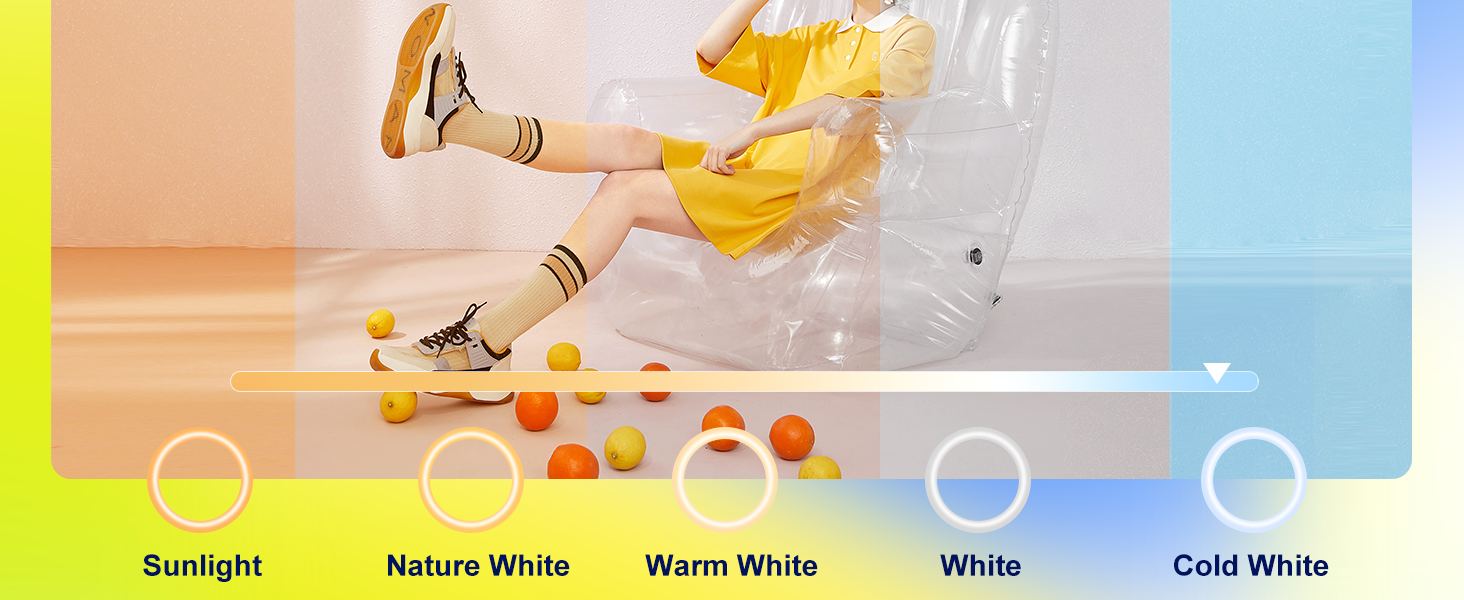
Image: The tripod stand shown at various adjustable heights, demonstrating its versatility for different uses with cameras and phones.
유지
- 청소: Use a soft, dry cloth to wipe the ring light and tripod. Do not use abrasive cleaners or solvents.
- 저장: When not in use, collapse the tripod and store the unit in a cool, dry place away from direct sunlight.
- 배터리 교체(리모컨): If the remote shutter stops responding, replace the Lithium Metal battery.
문제 해결
- Issue: Light is flickering or not bright enough.
- 해결책: Ensure your power supply provides at least 10W (5V/2A). Insufficient power can cause dimming or flickering. Fast charging adapters or non-compliant power supplies are not recommended.
- Issue: Remote shutter is not connecting to the phone.
- 해결책:
- Ensure the remote shutter is turned on and has a charged battery.
- 휴대폰에서 블루투스가 활성화되어 있는지 확인하세요.
- Try unpairing and re-pairing the remote shutter in your phone's Bluetooth settings.
- 휴대폰을 재시작하고 다시 시도해 보세요.
- Issue: Phone holder is unstable.
- 해결책: Ensure the phone holder is securely screwed into the ring light and the tripod. Check that your phone is properly seated and clamped within the holder.
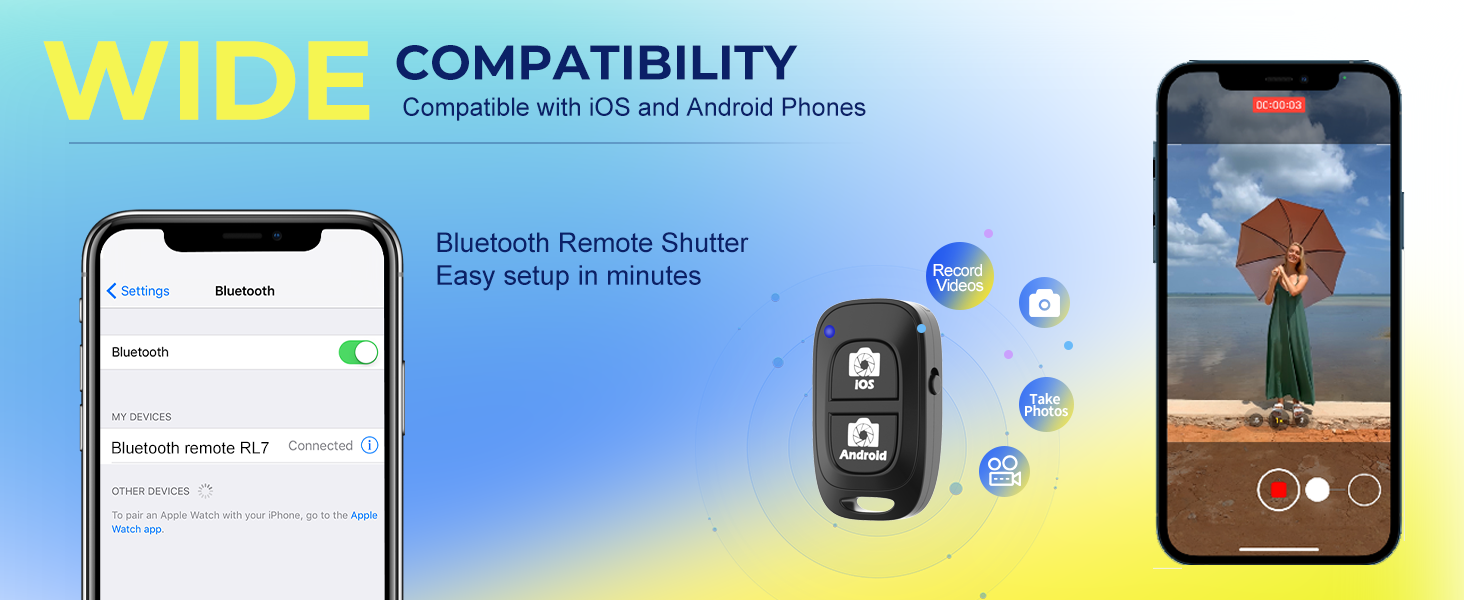
Image: Important notes regarding the 10W power requirement for the ring light to function correctly, recommending a 5V/2A adapter.
명세서
| 특징 | 세부 사항 |
|---|---|
| 링 라이트 직경 | 14인치 |
| 삼각대 스탠드 높이 | 16인치에서 62인치까지 조절 가능 |
| LED 비즈 | 288 high-density beads |
| 색온도 | 5 modes (Warm, Warm White, Nature White, Sunlight, Cold White) |
| 밝기 레벨 | 10단계(10%-100%) |
| 제어 방법 | 터치패드 |
| 전원 입력 | USB (Recommended: 5V/2A, minimum 10W) |
| 휴대폰 홀더 호환성 | 2.3-5.3 inches wide devices |
| Remote Shutter Connectivity | 블루투스 |
| Remote Shutter Model | AB 셔터3 |
| 품목 무게 | 3.12파운드 |
| 제품 치수 | 62.09 x 14 x 62.09인치 (완전히 펼쳤을 때) |
| 한국어: | 760701966875 |
보증 및 지원
Aureday products are designed for reliability and performance. For warranty information or technical support, please refer to the contact details provided with your purchase documentation or visit the official Aureday web사이트. 보증 청구를 위해 구매 증빙 자료를 보관하세요.


