1. 서론
Thank you for choosing the SLuB 12000mAh Ultra-Thin Power Bank. This portable charger is designed to provide reliable power for your mobile devices on the go. Its compact and lightweight design makes it an ideal companion for travel, work, and daily use. Please read this manual carefully to ensure proper operation and to maximize the lifespan of your device.
2. 제품 오버view
주요 특징:
- 12000mAh 용량 : 대부분의 스마트폰 및 기타 모바일 기기를 여러 번 충전할 수 있습니다.
- 초슬림 초경량 디자인: Easy to carry in pockets or bags.
- High-Speed 3A USB-C Output/Input: 호환되는 기기의 고속 충전을 지원하며, 보조 배터리 자체도 빠르게 충전할 수 있습니다.
- 듀얼 출력 포트: Includes one USB-C (5V/3A) and one USB-A (5V/2A) port, allowing simultaneous charging of two devices.
- LED 디지털 디스플레이: 남은 배터리 잔량을 백분율로 명확하게 표시합니다.tage (25%, 50%, 75%, 100%).
- 포괄적인 안전 보호: Built-in smart chip protects against over-voltage, over-current, over-charge, over-temperature, and short circuits.
- 항공사 규정 준수: CE and UL certified, safe for air travel.
- 폭넓은 호환성: Works with iPhone, Samsung, Huawei, iPad, and other USB-powered devices.
패키지 내용:
- 1 x SLuB 12000mAh Portable Charger (Model J33)
- 1 x USB-C 케이블
- 1 x 사용자 설명서
제품 다이어그램:
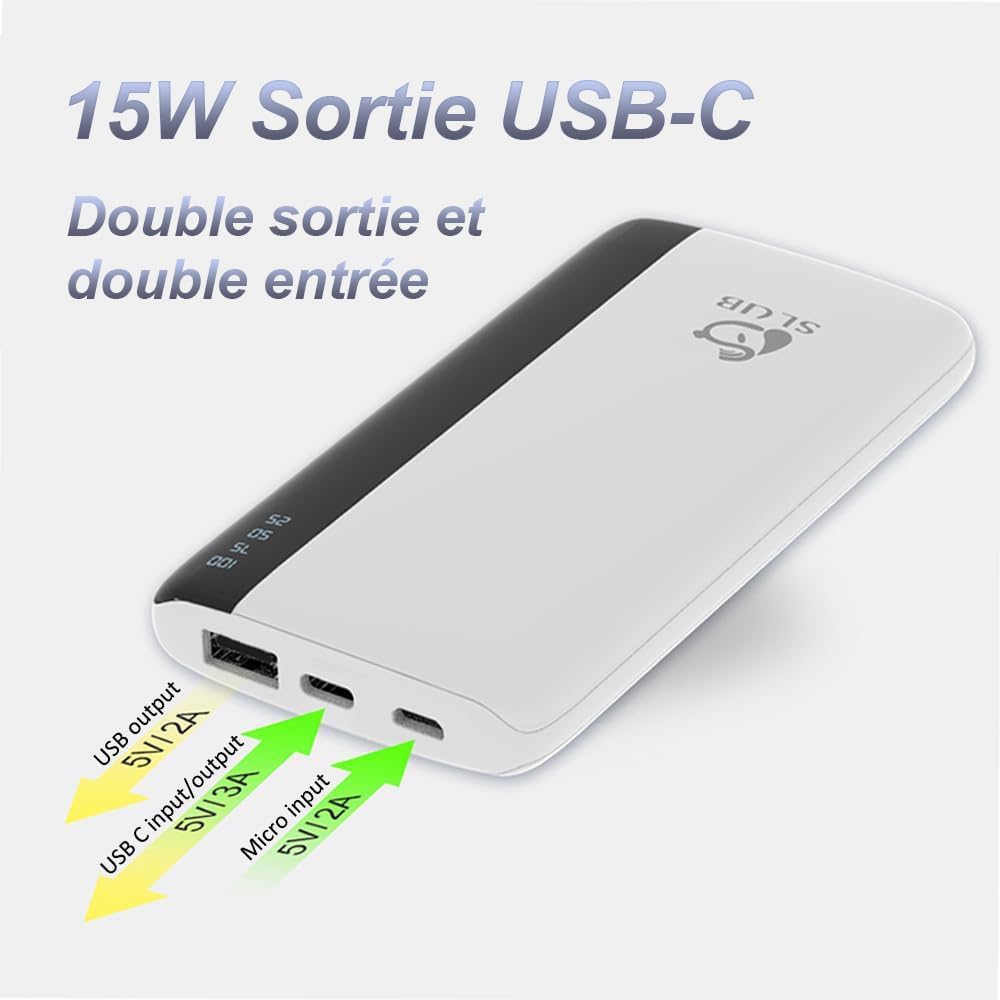
이 이미지는 상단을 보여줍니다 view of the SLuB power bank, highlighting its various ports. From left to right, you can see a standard USB-A output port, a USB-C port that functions as both input and output, and a Micro USB input port. Arrows indicate the voltage와 amperage for each port.
광범위한 장치 호환성:
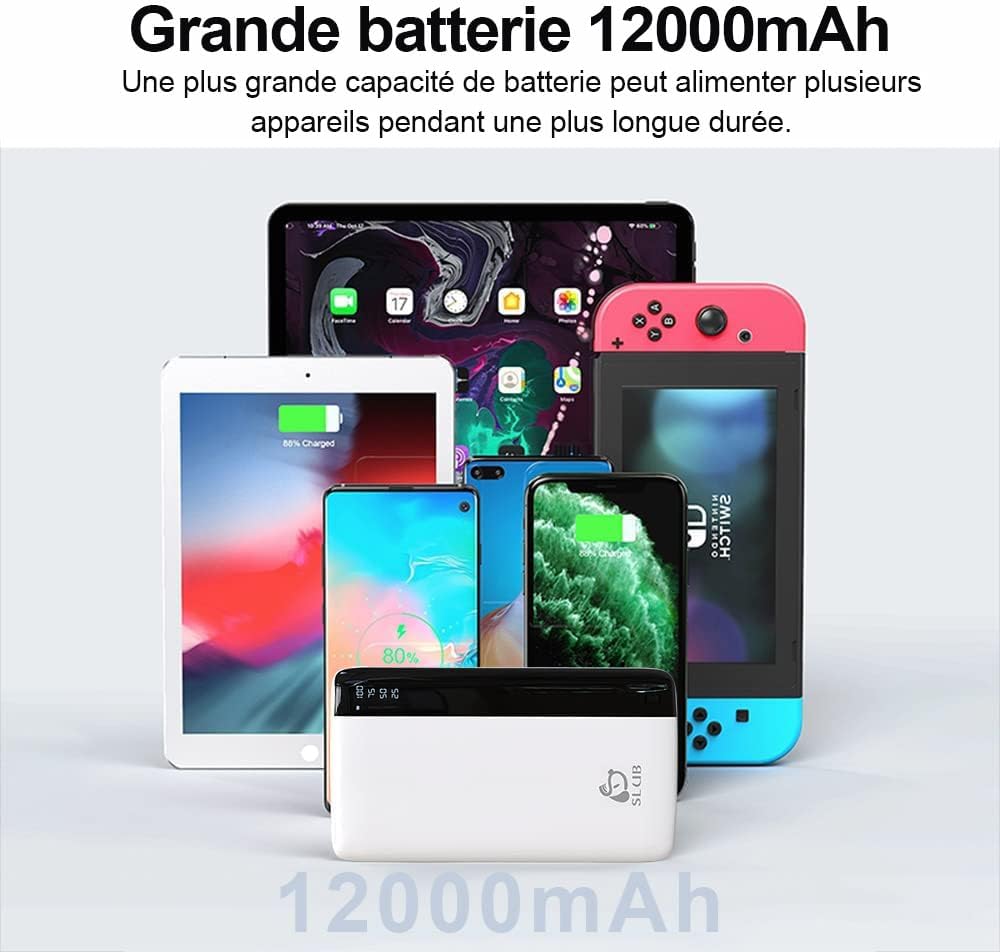
This image illustrates the broad compatibility of the SLuB power bank, showing it alongside various electronic devices such as smartphones, tablets, and a Nintendo Switch, all of which can be charged using this portable power source.
3. 설정
초기 충전:
Before first use, fully charge your SLuB Power Bank. This ensures optimal battery performance and longevity.
- Connect the provided USB-C cable to the USB-C input/output port on the power bank, or use a Micro USB cable with the Micro USB input port.
- 케이블의 다른 쪽 끝을 호환되는 USB 벽면 충전기(포함되지 않음)에 연결합니다.
- LED 디지털 디스플레이는 충전 진행 상황과 배터리 잔량을 백분율로 표시합니다.tage.
- The power bank is fully charged when the display shows "100".

This image illustrates the LED digital display on the SLuB power bank, which clearly shows the remaining battery charge in percentages (25, 50, 75, 100). This allows users to quickly check the power bank's status.
4. 사용 설명서
배터리 잔량 확인:
전원 버튼을 한 번 눌러 LED 디지털 디스플레이를 켜십시오. view 현재 배터리 백분율tage.
장치 충전:
The power bank can charge two devices simultaneously using its USB-A and USB-C output ports.
- Connect your device's charging cable to either the USB-A output port (5V/2A) or the USB-C output port (5V/3A) on the power bank.
- 케이블의 다른 쪽 끝을 모바일 장치에 연결합니다.
- The power bank will automatically begin charging your device. The LED display will remain active during charging.
- 기기가 완전히 충전되었거나 더 이상 충전이 필요하지 않으면 연결을 해제하세요.

This image demonstrates the SLuB power bank's capability to charge two smartphones at the same time. One phone is connected via a USB-C cable, and the other via a USB-A cable, showcasing the dual output functionality.
5. 유지관리
- 보조 배터리를 물, 습기 및 극한 온도로부터 멀리하십시오.
- 모바일 충전기를 떨어뜨리거나 강한 충격을 주지 마십시오.
- 부드럽고 마른 천으로 기기를 닦으세요. 강한 화학 물질이나 연마재를 사용하지 마세요.
- 파워 뱅크를 사용하지 않을 때는 서늘하고 건조한 곳에 보관하십시오.
- 배터리 수명을 최적화하려면 장기간 보관할 경우 최소 3개월에 한 번씩 보조 배터리를 완전히 충전하고 방전하십시오.
6. 문제 해결
| 문제 | 가능한 원인 | 해결책 |
|---|---|---|
| 보조 배터리가 충전되지 않음 | Cable not connected properly; faulty cable; charger not working; power bank battery depleted. | Ensure cables are securely connected. Try a different charging cable or wall adapter. Allow the power bank to charge for a few minutes. |
| 보조 배터리에서 장치가 충전되지 않음 | Power bank battery depleted; faulty cable; device not compatible; power bank in protection mode. | Check power bank battery level. Try a different charging cable. Ensure your device is compatible. Disconnect and reconnect the device. |
| 느린 충전 | Using a low-power charger/cable; device's charging input limit; multiple devices charging simultaneously. | Use a high-quality, fast-charging cable and wall adapter. Charge one device at a time for faster charging. |
| LED 디스플레이가 작동하지 않음 | Power button not pressed; power bank completely discharged; internal fault. | 전원 버튼을 누르세요. 보조 배터리를 충전하세요. 문제가 지속되면 고객 지원 센터에 문의하세요. |
7. 사양
| 특징 | 세부 사항 |
|---|---|
| 모델 번호 | J33 |
| 배터리 용량 | 12000mAh |
| USB-C 입력/출력 | 5V/3A |
| 마이크로 USB 입력 | 5V/2A |
| USB-A 출력 | 5V/2A |
| 치수 | 16.4 x 10.5 x 2cm (대략) |
| 무게 | 200g |
| 배터리 구성 | 리튬이온 |
| 특별 기능 | Digital Display, Fast Charge, Slim Design |
| 색상 | 하얀색 |
8. 안전 정보
- 기기를 직접 분해, 개조 또는 수리하지 마세요.
- Do not expose the power bank to fire, direct sunlight, or high temperatures.
- 어린이의 손이 닿지 않는 곳에 보관하세요.
- 모바일 배터리가 손상되었거나 부풀어 오르거나 누출된 경우 사용하지 마십시오.
- 지역 규정에 따라 모바일 배터리는 책임감 있게 폐기하세요.
- Avoid using the power bank in poorly ventilated areas.
- The power bank is designed for charging electronic devices. Do not use it for any other purpose.

This image visually confirms that the SLuB power bank meets airline safety standards, allowing it to be carried on flights. The power bank is depicted within an airplane window, emphasizing its portability for travelers.
9. 보증 및 지원
Your SLuB Power Bank comes with a standard warranty. For detailed warranty information, customer service, or technical support, please refer to the contact information provided on the product packaging or visit the official SLuB web사이트. 보증 청구를 위해 구매 증빙 자료를 보관하세요.
10. 제품 비디오 끝view
이 영상은 시각적으로 다음을 제공합니다.view of the SLuB 12000mAh portable charger, demonstrating its unboxing, physical features, LED display, ultra-slim design, pocket size, fast charging capabilities for iPhones, and dual output functionality for charging multiple devices simultaneously. It also shows the Micro USB input for recharging the power bank.


