Welcome to your MuveAcoustics Link True Wireless Earbuds. This manual provides detailed instructions for setting up, operating, maintaining, and troubleshooting your earbuds to ensure optimal performance and longevity.
1. 패키지 내용
시작하기 전에 패키지에 모든 품목이 들어 있는지 확인하세요.
- MuveAcoustics Link True Wireless Earbuds (Left and Right)
- 충전 케이스
- USB-C 충전 케이블
- 다양한 크기의 이어팁으로 편안한 착용감을 제공합니다.

Image: MuveAcoustics Link Earbuds packaging and accessories.
2. 설정
2.1 이어버드와 케이스 충전
For first-time use, fully charge the earbuds and charging case. The charging case features a digital power display to show the battery level.
- USB-C 충전: 제공된 USB-C 케이블을 케이스의 충전 포트와 전원에 연결하세요.
- 무선 충전: Place the charging case on a Qi-standard wireless charging pad. Ensure the center of the charging case aligns with the center of the charging pad for optimal charging.
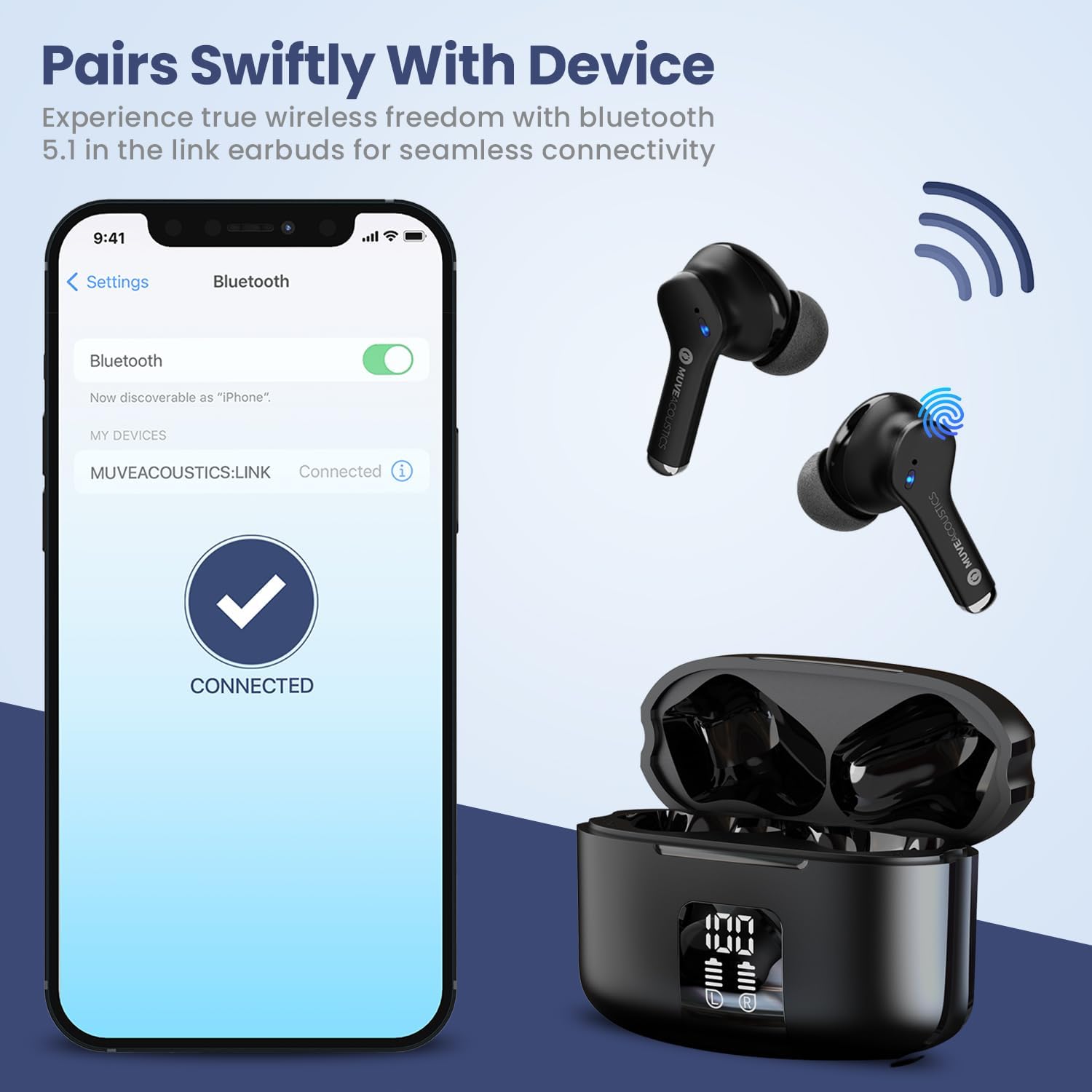
Image: Charging case with digital battery display.

Image: Diagram illustrating charging and controls.
2.2 전원 켜기/끄기
- 전원 켜기: 이어버드는 충전 케이스에서 꺼내면 자동으로 전원이 켜집니다.
- 전원 끄기 : 이어버드를 충전 케이스에 다시 넣고 뚜껑을 닫으세요. 자동으로 전원이 꺼지고 충전이 시작됩니다.
2.3 블루투스 페어링
블루투스 지원 기기와 이어버드를 페어링하려면 다음 단계를 따르세요.
- Ensure Bluetooth is enabled on your audio source device (e.g., smartphone, tablet).
- Take the MuveAcoustics Link True Wireless Earbuds out of the charging box. They will automatically enter pairing mode.
- On your device, search for Bluetooth devices and select "MUVEACOUSTICS:LINK" from the list of available connections.
- 연결되면 오디오 안내가 나오고 이어버드를 사용할 수 있습니다.

Image: Bluetooth pairing process.
3. 이어버드 작동하기
3.1 터치 컨트롤
The MuveAcoustics Link earbuds feature intuitive touch controls on each earbud. Tap the touch control area to perform various functions:
| 기능 | 행동 |
|---|---|
| 음악 재생/일시 정지 | 한쪽 이어폰을 한 번 탭하세요. |
| 볼륨을 높이다 | 왼쪽 이어버드를 두 번 탭하세요. |
| 볼륨 낮추기 | 오른쪽 이어버드를 두 번 탭하세요. |
| 다음 트랙 | 오른쪽 이어버드를 세 번 탭하세요. |
| 이전 트랙 | 왼쪽 이어버드를 세 번 탭하세요. |
| 전화 받기/종료하기 | 양쪽 이어버드를 두 번 탭하세요. |
| 전화 거절 | 한쪽 이어폰을 2초 동안 길게 누르세요. |
| 음성 지원 활성화 | Press and hold either earbud for 2 seconds (depends on connected device) |
3.2 Environmental Noise Canceling (ENC)
The earbuds feature Environmental Noise Canceling (ENC) technology, which helps reduce ambient noise during calls, ensuring clearer communication.
3.3 IPX5 방수 등급
The MuveAcoustics Link earbuds are IPX5 rated, providing protection against splashes and sweat. This makes them suitable for workouts and outdoor activities. Avoid submerging the earbuds in water.

이미지: IPX5 방수 등급을 보여주는 이어버드.
3.4 Official Instruction Video
Watch this official video for a visual guide on how to use your MuveAcoustics Link True Wireless Earbuds, covering charging, power, pairing, and touch controls.
Video: How To Use: MuveAcoustics Link True Wireless Earbuds. This video demonstrates the charging process, powering on/off, Bluetooth pairing, and various touch control functions for music playback and call management.
4. 유지관리
적절한 유지관리는 이어버드의 수명과 성능을 보장합니다.
- 청소: Regularly clean the earbuds and charging case with a soft, dry, lint-free cloth. Avoid using abrasive materials or harsh chemicals. Gently clean ear tips with a damp 천으로 감싸서 완전히 말린 후 다시 붙이세요.
- 저장: 사용하지 않을 때는 이어버드를 충전 케이스에 보관하여 먼지와 손상으로부터 보호하세요. 케이스는 서늘하고 건조한 곳에 보관하고 극한의 온도는 피해 주세요.
5. 문제 해결
이어버드에 문제가 발생하면 다음 해결 방법을 시도해 보세요.
- 이어버드가 페어링되지 않음: Ensure both earbuds are fully charged and removed from the case. Turn off and on your device's Bluetooth, then try pairing again. If issues persist, try resetting the earbuds (refer to manufacturer's web(여기에 설명이 없는 경우 구체적인 재설정 지침은 해당 사이트를 참조하세요).
- 소리가 나지 않거나 볼륨이 낮음: Check the volume levels on both your device and the earbuds. Ensure the earbuds are properly seated in your ears and that the ear tips provide a good seal.
- 충전 문제: Verify that the USB-C cable is securely connected to both the case and the power source. For wireless charging, ensure the case is correctly aligned on the charging pad. Clean the charging contacts on both the earbuds and the case if necessary.
- 간헐적 연결: Ensure your device is within the Bluetooth range (up to 33 feet/10 meters) and there are no significant obstructions between the earbuds and your device.
6. 사양
| 특징 | 세부 사항 |
|---|---|
| 모델명 | MuveAcoustics Link True Wireless Bluetooth Headphones |
| 품목 모델 번호 | MA-3050SB |
| 연결 기술 | 무선(블루투스) |
| 무선 통신 기술 | 블루투스 |
| 블루투스 범위 | 10미터(33피트) |
| 귀 위치 | 귀에 |
| 폼 팩터 | 귀에 |
| 소음 제어 | 하이브리드 소음 제거(통화용 ENC) |
| 방수 레벨 | IPX5(방수) |
| 특별 기능 | Built-In Voice Assistant, Lightweight, Microphone Included, Sweatproof, Wireless Charging |
| 품목 무게 | 0.053온스(1.5그램) |
| 제품 치수 | 1.97 x 1.97 x 1.18 인치 |
| 제조업체 | 지바 인터내셔널 |
7. 보증 및 지원
MuveAcoustics products are designed for quality and reliability. For warranty information or technical support, please refer to the warranty card included in your product packaging or visit the official MuveAcoustics web대지.


