소개
This manual provides essential instructions for the safe and efficient use of your Scangrip WORK LITE M rechargeable LED work lamp기기를 작동하기 전에 이 설명서를 꼼꼼히 읽고 나중에 참조할 수 있도록 보관하십시오.
The Scangrip WORK LITE M is a lightweight, ergonomic, and rechargeable LED work flashlight designed for various inspection and work tasks. It features adjustable light output, flexible positioning options, and a durable design.
설정 및 초기 사용
1. 장치 충전
The WORK LITE M comes with a built-in rechargeable Lithium-Ion battery. Before first use, fully charge the device.
- 기기에서 USB 충전 포트를 찾으세요.
- Connect the included USB charging cable to the lamp and to a compatible USB power source (e.g., computer, USB wall adapter).
- The charging indicator light will show the charging status. Refer to the device for specific indicator behavior (e.g., red for charging, green for fully charged).
- 완전히 충전하는 데는 일반적으로 몇 시간이 걸립니다.
메모: Only use the provided charging cable or a compatible USB cable. Do not attempt to charge with damaged cables or chargers.

그림 1: 전면 view of the Scangrip WORK LITE M work lamp, showing the main LED light panel.
작동 지침
1. Power On/Off and Dimming Function
- l을 돌리려면amp on, press the power button located on the side of the device.
- To adjust the light output (dimming function), press and hold the power button. The light intensity will cycle between 10% and 100%. Release the button at your desired brightness level.
- l을 돌리려면amp 전원을 끄려면 전원 버튼을 다시 누르세요.

Figure 2: The WORK LITE M being held in hand, demonstrating its use as a handheld flashlight.
2. Flexible Positioning with SMART CLIP 4-in-1 System
The WORK LITE M is equipped with a versatile SMART CLIP system for hands-free operation and flexible positioning.
- 일체형 자석: 난amp features a powerful built-in magnet on its base. This allows you to securely attach the lamp to metallic surfaces for hands-free illumination.
- Retractable Swivel Hook: A retractable swivel hook is integrated into the SMART CLIP. Pull out the hook to hang the lamp from various objects or structures. The hook can swivel for optimal light direction.
- 통합 스탠드: The SMART CLIP can also function as a stand. Fold out the clip to create a stable base, allowing the lamp to stand upright on any flat surface.
- 벨트 클립: The SMART CLIP is designed to fit onto a work belt, allowing you to carry the lamp conveniently and have it readily accessible for inspection tasks.
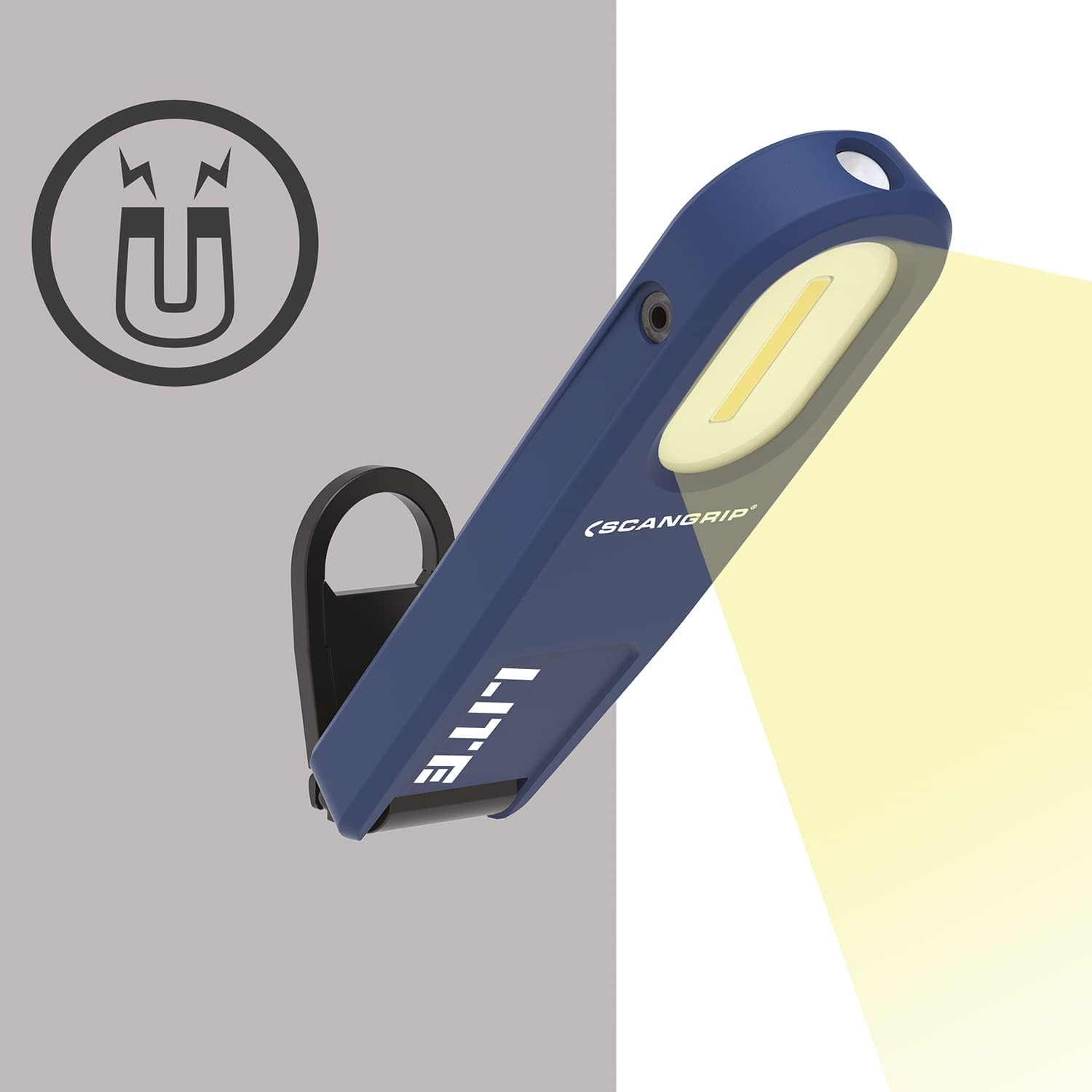
그림 3: l의 그림amp's magnetic attachment feature, showing it secured to a metal surface.

Figure 4: The WORK LITE M with its swivel hook extended, ready for hanging.

그림 5: 측면 view of the WORK LITE M demonstrating the Smart Clip deployed as a stand.

Figure 6: The WORK LITE M attached to a work belt using its integrated Smart Clip.
유지
- 청소: l을 청소하다amp 정기적으로 부드러운 damp 천으로 닦으세요. 강한 화학 물질이나 연마성 세제는 표면이나 내부 부품을 손상시킬 수 있으므로 사용하지 마세요.
- 저장: 장기간 사용하지 않을 경우 l을 보관하십시오.amp 서늘하고 건조한 곳에 보관하십시오. 배터리 수명 유지를 위해 주기적으로 (예: 3~6개월마다) 충전하는 것이 좋습니다.
- 배터리 관리 : The integrated Lithium-Ion battery is not user-replaceable. Do not attempt to open the device or replace the battery yourself.
문제 해결
| 문제 | 가능한 원인 | 해결책 |
|---|---|---|
| Lamp 켜지지 않습니다. | 배터리가 소진되었습니다. | l 충전amp 제공된 USB 케이블을 사용합니다. |
| 광 출력이 어둡습니다. | Battery is low or dimming function is active. | l 충전amp. Press and hold the power button to adjust brightness to 100%. |
| Lamp 청구하지 않습니다. | 케이블 또는 전원 공급 장치에 문제가 있습니다. | 다른 USB 케이블이나 전원 어댑터를 사용해 보세요. 연결이 제대로 되었는지 확인하세요. |
If you encounter issues not listed here or if solutions do not resolve the problem, please contact Scangrip customer support.
명세서
| 특징 | 세부 사항 |
|---|---|
| 모델 번호 | 35668 |
| 광 출력 | 최대 350루멘 |
| 조광 기능 | 10%~100% 조정 가능 |
| 배터리 유형 | 리튬이온(포함) |
| 전원 | 배터리 구동 |
| 충전 중 | USB 충전 케이블 포함 |
| 무게 | 5.6 온스 |
| 포함된 구성 요소 | 손 lamp충전 케이블 |
| 제조업체 | Scangrip |
보증 정보
For detailed warranty information regarding your Scangrip WORK LITE M, please refer to the warranty card included with your product or visit the official Scangrip web사이트. 보증 청구를 위해 구매 증빙 자료를 보관하세요.
고객 지원
If you have any questions, require technical assistance, or need to report a problem with your Scangrip WORK LITE M, please contact Scangrip customer support through their official web사이트 또는 제품 포장에 제공된 연락처 정보를 참조하세요.
방문하세요 Scangrip Store on Amazon 자세한 내용은.


