소개
This manual provides detailed instructions for the operation and maintenance of your Kuephom Portable Bluetooth CD Walkman. Designed for versatility, this device supports CD, Bluetooth, USB, and AUX playback, featuring anti-skip protection and a built-in speaker. Please read this manual thoroughly before use to ensure proper functionality and longevity of your device.
패키지 내용
아래 나열된 모든 품목이 패키지에 포함되어 있는지 확인하세요.
- CD player X 1
- 이어폰 X 1
- 오디오 케이블 X 1
- 충전 케이블 X 1
- Pouch X 1
제품 끝view

Figure 1: Kuephom Portable Bluetooth CD Walkman and its accessories, including earbuds, audio cable, charging cable, and pouch.

Figure 2: Detailed diagram illustrating the various buttons and ports on the Kuephom Portable CD Walkman, including volume controls, playback buttons, mode selection, Bluetooth transmit, USB slot, AUX in jack, earphone jack, and speaker.
설정
장치 충전하기
The CD player has a built-in rechargeable lithium battery. Before first use, fully charge the device.
- Connect the provided USB charging cable to the charging port (DC 5V) on the device.
- Connect the other end of the USB cable to a compatible USB power source (e.g., wall charger, power bank, car charger, or computer USB port).
- 충전 표시등은 충전 중에 켜지고 완전히 충전되면 꺼집니다. 완전 충전에는 약 4시간이 소요됩니다.

Figure 3: The portable CD player connected to a power source via its USB charging cable, demonstrating various charging options.
전원 켜기/끄기
슬라이드 켜짐/꺼짐 switch located on the side of the device to turn it on or off.
CD 삽입
- 슬라이드 열려 있는 switch to open the CD compartment cover.
- Carefully place a CD (CD, CD-R, CD-RW, MP3, WMA, WAV formats supported) onto the spindle with the label side facing up.
- CD 중앙 부분을 딸깍 소리가 나면서 제자리에 고정될 때까지 부드럽게 눌러주세요.
- Close the CD compartment cover firmly until it latches.
Video 1: Demonstration of inserting a CD into the Kuephom Portable CD Player and closing the compartment. This video also shows the supported disc formats.
Connecting Headphones or External Speakers (AUX)
For private listening or connecting to non-Bluetooth devices:
- Insert the 3.5mm jack of your headphones into the 이어폰 잭.
- To connect to external speakers or a car audio system, use the provided 3.5mm audio cable. Insert one end into the AUX 입력 잭 on the CD player and the other end into the AUX input of your external device.

Figure 4: The portable CD player connected to a car's audio system via an AUX cable, demonstrating its use in a vehicle with anti-shock protection for uninterrupted playback.
작동 지침
기본 재생
- 를 누르세요 재생/일시정지 button (►▮▮) to start or pause playback.
- 를 누르세요 다음 button (►►) to skip to the next track.
- 를 누르세요 이전의 button (◄◄) to go to the beginning of the current track or the previous track.
- 를 누르세요 멈추다 재생을 중지하려면 버튼(■)을 누르세요.
- 다음을 사용하여 볼륨 조절 권+ 그리고 Vol- 버튼.
블루투스 기능
The device supports two-way Bluetooth connection:
Bluetooth Transmitting (Connecting to Bluetooth Headphones/Speakers)
- Ensure the CD player is powered on and a CD is inserted.
- 를 누르세요 블루투스 전송 button (labeled "TRANSMIT" or "BT" on some models) to enter Bluetooth transmitting mode. The Bluetooth icon on the display will flash.
- Bluetooth 헤드폰이나 스피커를 페어링 모드로 전환하세요.
- The CD player will automatically search for and connect to nearby Bluetooth devices. Once connected, the Bluetooth icon will stop flashing.

Figure 5: The portable CD player actively transmitting audio via Bluetooth to both headphones and a separate Bluetooth speaker, illustrating its wireless output capability.
Bluetooth Receiving (Connecting to Smartphone/Laptop)
- 를 누르세요 BT 모드 button (labeled "BT" or "MODE" on some models) to switch the CD player into Bluetooth receiving mode.
- 스마트폰, 태블릿, 노트북에서 Bluetooth를 활성화하고 사용 가능한 기기를 검색하세요.
- Select "Kuephom CD Player" (or similar name) from the list of devices to pair.
- Once connected, you can play audio from your smart device through the CD player's built-in speaker.
Video 2: This video demonstrates the Bluetooth playback feature, showing the CD player connecting to a smartphone to stream audio, highlighting its versatility as a Bluetooth speaker.
Other Playback Modes
- USB 재생 : USB 플래시 드라이브를 삽입하세요 USB 슬롯. The player will automatically switch to USB mode and begin playing compatible audio files.
- 반복 기능: 를 누르세요 반복하다 버튼을 눌러 반복 모드(예: 하나 반복, 모두 반복)를 순환 선택할 수 있습니다.
- A-B Repeating: 를 누르세요 아비 button to set a starting point (A) and an ending point (B) for a section of audio to repeat. Press again to clear.
- 속도 조정 : 사용하세요 속도 조정 buttons (labeled "SPEED" or "SPEED +/-") to increase or decrease the playback speed. This feature is particularly useful for language learning.
- 프로그래밍 재생: Refer to the detailed product diagram (Figure 2) for the "PROG." button if available on your model for custom track sequencing.
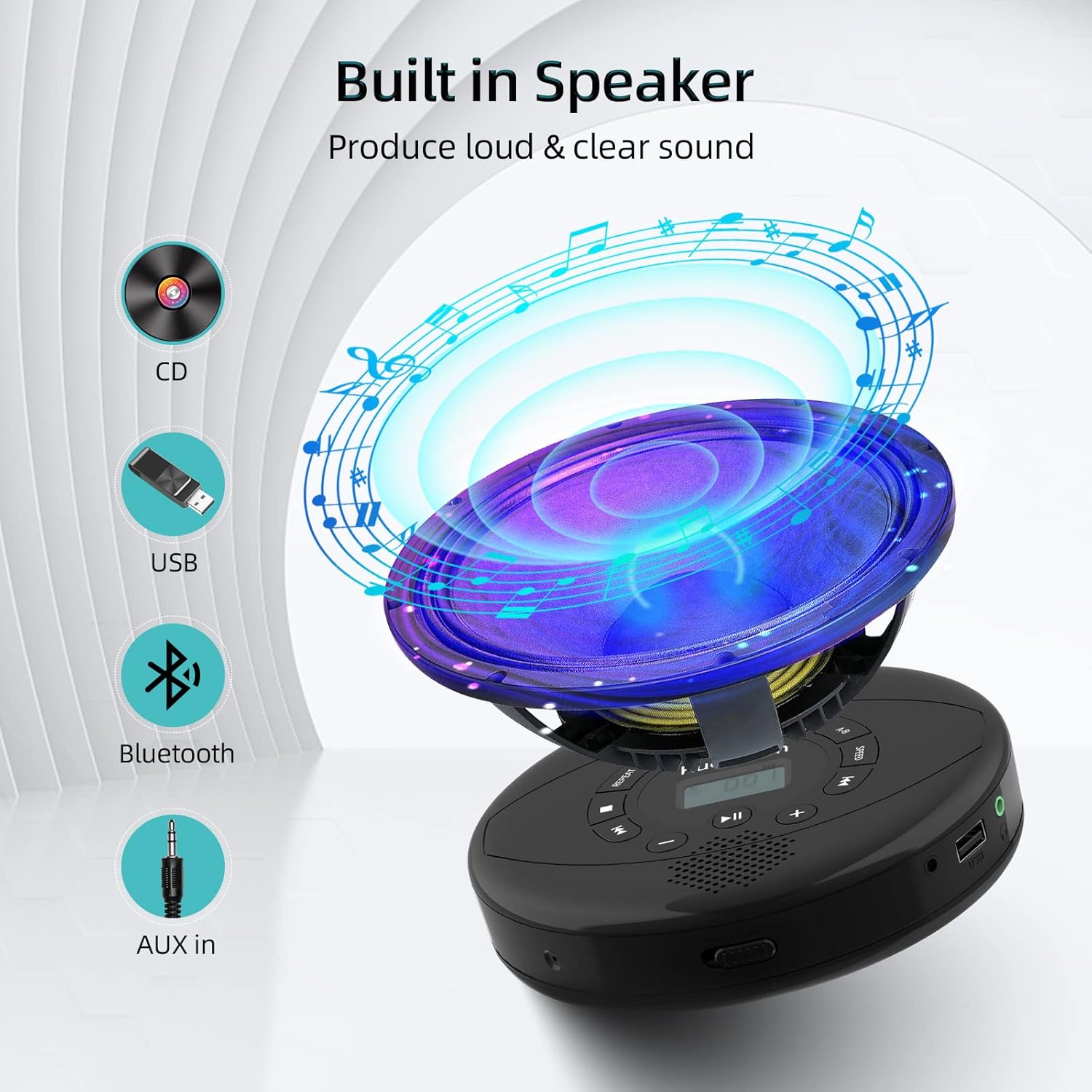
Figure 6: Illustration of the built-in speaker and the various audio input options supported by the device, including CD, USB, Bluetooth, and AUX in.
유지
- 부드럽고 마른 천으로 닦아 기기를 깨끗하게 유지하세요. 연마성 세제나 용제는 사용하지 마세요.
- 기기를 극한의 온도, 직사광선 또는 높은 습도에 노출시키지 마세요.
- Handle CDs by their edges to prevent scratches and smudges. Clean CDs with a soft, lint-free cloth, wiping from the center outwards.
- 장시간 사용하지 않을 경우에는 기기를 시원하고 건조한 곳에 보관하세요.
문제 해결
| 문제 | 가능한 원인 | 해결책 |
|---|---|---|
| 장치의 전원이 켜지지 않습니다. | 배터리가 부족하거나 방전되었습니다. 전원 스위치가 꺼져 있습니다. | 기기를 완전히 충전하세요. 전원 스위치가 "ON" 위치에 있는지 확인하세요. |
| CD가 건너뛰거나 재생되지 않습니다. | CD is dirty, scratched, or damaged. Device is unstable. | Clean the CD. Try another CD. Ensure the device is on a stable surface or utilize its anti-skip protection during movement. |
| 헤드폰/스피커에서 소리가 나지 않습니다. | Volume is too low. Headphones/speakers not properly connected. Incorrect mode selected. | Increase volume. Re-insert headphone/AUX cable firmly. Ensure correct mode (CD, Bluetooth, USB, AUX) is selected. |
| 블루투스 페어링에 실패했습니다. | Device not in pairing mode. Bluetooth device too far. Interference. | Ensure the CD player is in Bluetooth transmitting/receiving mode. Move devices closer. Turn off other Bluetooth devices to reduce interference. |
명세서
| 특징 | 세부 사항 |
|---|---|
| 제품 치수 | 5.7 x 5.7 x 1.2 인치 |
| 품목 무게 | 1.21파운드 |
| 모델 번호 | PM10-Black |
| 배터리 | 1개의 리튬 폴리머 배터리(포함) |
| 상표 | 쿠에폼 |
| 연결 기술 | 블루투스, 보조, USB |
| 지원되는 형식 | CD, CD-R, CD-RW, MP3, WMA, WAV |
| 특징 | Portable, Anti-Skip, Built-in Speakers |
보증 및 지원
For warranty information or technical support, please refer to the contact details provided with your purchase or visit the official Kuephom web사이트. 보증 청구에 대비해 구매 증빙 자료로 구매 영수증을 보관하세요.


