1. 소개 및 이상view
The Zendure SuperBase Pro 1500 is a high-capacity portable power station designed for versatile use, from emergency home backup to outdoor adventures. Featuring a 1440Wh LiFePO4 battery and 2000W AC output, it provides reliable power for a wide range of devices. This manual provides essential information for the safe and efficient operation of your SuperBase Pro 1500.

Figure 1.1: Zendure SuperBase Pro 1500 Portable Power Station, showcasing its compact design with wheels and handle.
주요 특징:
- 1440Wh Capacity & 2000W AC Output: Capable of powering up to 14 devices simultaneously with a surge capacity of 4000W.
- 빠른 재충전: Achieves 0 to 75% charge in 1 hour and 100% in 2 hours via AC1800W input.
- LiFePO4 배터리: Offers a long life cycle of 3000 charges to 80% capacity, ensuring durability and safety.
- 스마트 연결성: Integrated 4G IoT, GPS, and Wi-Fi for remote monitoring and control via the Zendure app.
- 휴대성 있는 디자인: Equipped with industrial-grade wheels and a telescopic aluminum handle for easy transport.
- 무정전 전원 공급 장치(UPS): Provides seamless power transition in 13ms during outages to protect sensitive equipment.
2. 설정 및 초기 충전
Before first use, ensure your SuperBase Pro 1500 is fully charged. Unpack the unit and place it on a stable, flat surface in a well-ventilated area.
충전 방법:
The SuperBase Pro 1500 supports multiple charging methods:
- AC 벽면 콘센트: Connect the power station directly to a standard AC wall outlet using the provided cable. This method supports up to 1800W input, allowing a full charge in approximately 2 hours.
- 태양 전지 패널: Connect compatible solar panels (up to 1800W input) for eco-friendly charging.
- 자동차 충전기: Charge from your vehicle's 12V car outlet.
- 발전기: Connect to a compatible generator for charging.

Figure 2.1: Illustration of the five different ways to recharge the SuperBase Pro 1500, including AC, solar, car, and generator.

Figure 2.2: The SuperBase Pro 1500 connected to a wall outlet for AC charging, demonstrating its fast charging capability.
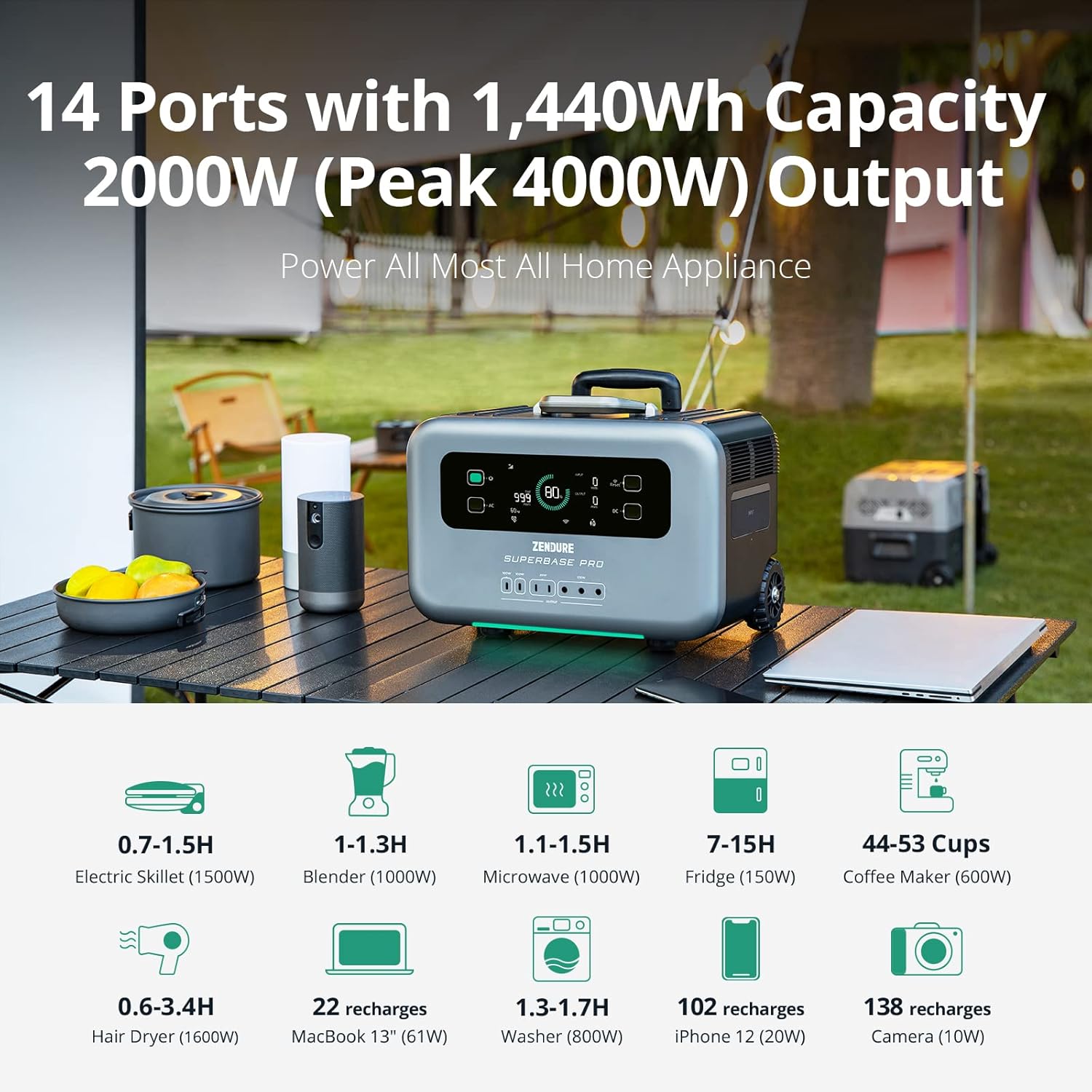
Figure 2.3: The SuperBase Pro 1500 connected to multiple solar panels for solar charging, ideal for off-grid use.
3. 사용 설명서
The SuperBase Pro 1500 is designed for intuitive operation. Familiarize yourself with the display and output ports before use.
전원 켜기/끄기:
Press and hold the main power button on the display to turn the unit on or off. Individual AC and DC outputs can be toggled using their respective buttons.
출력 포트:
The unit features 14 output ports to accommodate various devices:
- AC 콘센트 6개: 120V/2000W (AmpUp to 3000W) for household appliances.
- 4 x USB-C Outputs: USB-C1/C2: 5-20V 100W; USB-C3/C4: 5-12V 20W Total.
- 1 x Car Output: 13.6V/10A 136W.
- 3 x DC Outputs: 13.6V/10A 136W.

그림 3.1: 상세 view of the SuperBase Pro 1500's 14 output ports, including AC, USB-C, car, and DC outputs.
지능형 디스플레이:
The 6.1-inch clear display provides real-time information on power factor, power ring, current input/output, remaining time, AC frequency, and more.

Figure 3.2: Close-up of the 6.1-inch intelligent display, showing various indicators like power factor, input/output wattage, and remaining battery life.
App Control & 4G IoT:
Download the Zendure app to control and monitor your power station remotely. The built-in 4G IoT hardware and GPS allow management even without Wi-Fi, providing features like low battery notifications and device tracking.
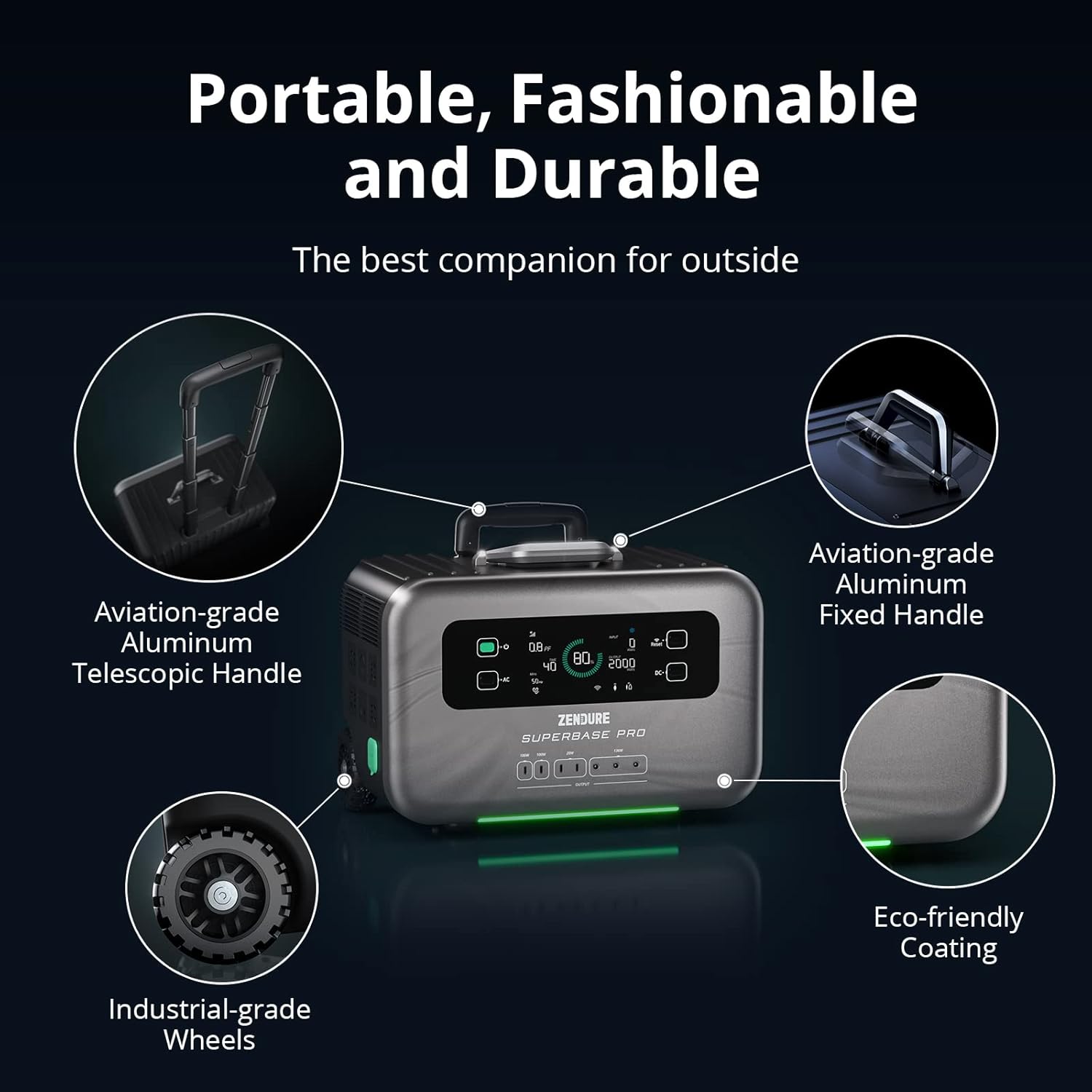
Figure 3.3: A smartphone displaying the Zendure app interface, demonstrating remote control capabilities for the power station.
무정전 전원 공급 장치(UPS) 기능:
When connected to an AC input, the SuperBase Pro 1500 can act as a UPS. In the event of a power outage, it automatically switches to battery power within 13ms, protecting connected sensitive electronics from data loss or damage.

Figure 3.4: Visual representation of the UPS function, showing power seamlessly switching to the SuperBase Pro 1500 during an outage.
4. 유지관리 및 관리
Proper maintenance ensures the longevity and optimal performance of your SuperBase Pro 1500.
배터리 관리 :
The LiFePO4 battery is designed for 3000 charge cycles to 80% capacity. For best battery health, avoid prolonged storage at extremely low or high charge levels. Recharge the unit at least once every 3-6 months if not in regular use.
청소:
Wipe the exterior with a soft, dry cloth. Do not use abrasive cleaners or immerse the unit in water. Keep the ventilation openings clear of dust and debris.
저장:
Store the power station in a cool, dry place away from direct sunlight and extreme temperatures. Ensure it is adequately charged before long-term storage.
안전 기능:
The SuperBase Pro 1500 incorporates multiple safety technologies, including a Battery Management System (BMS), patented power management, intelligent temperature-activated fans, and solid craftsmanship to ensure safe operation.

Figure 4.1: Diagram illustrating the internal safety features of the SuperBase Pro 1500, including BMS and cooling systems.
5. 문제 해결
This section addresses common issues you might encounter with your SuperBase Pro 1500.
장치 전원이 켜지지 않음:
- Ensure the battery is not completely depleted. Connect to a power source and attempt to charge.
- Press and hold the main power button for a few seconds to ensure it registers.
충전 문제:
- 충전 케이블이 파워 스테이션과 전원에 제대로 연결되어 있는지 확인하십시오.
- Check if the power source (wall outlet, solar panel, etc.) is functioning correctly.
- 주변 온도가 권장 충전 범위(일반적으로 0°C~40°C) 내에 있는지 확인하십시오.
포트에서 출력이 없습니다.
- Ensure the individual AC or DC output buttons are activated.
- Check if the connected device is within the power station's output limits (2000W for AC, 3000W surge).
- Verify that the cables connecting your devices are not damaged.
If issues persist, please refer to the warranty and support section for contact information.
6. 기술 사양
| 특징 | 사양 |
|---|---|
| 모델명 | ZDSBP1500 |
| 용량 | 1440Wh |
| 교류 출력 | 2000W (최대 출력 4000W) |
| 배터리 유형 | LiFePO4(인산철리튬) |
| 수명주기 | 3000 사이클로 80%+ 용량까지 |
| 교류 입력 | 1800W Max (Full charge in 2 hours) |
| 태양 광 입력 | 맥스 맥스 맥스 |
| 총 전원 콘센트 | 14 |
| 치수(길이 x 너비 x 높이) | 17.6인치 x 10.9인치 x 13.9인치 |
| 품목 무게 | 41.5 파운드 |
| 특별 기능 | Movable trolley case design, UPS function, 4G IoT & App Control |
7. 보증 및 지원
Zendure offers a comprehensive warranty and dedicated customer support for your SuperBase Pro 1500.
보증 정보:
The Zendure SuperBase Pro 1500 comes with a standard 2년 보증. You can extend this warranty by an additional 1 year (total 3 years) by downloading the Zendure app and registering as a Zendure member.
고객 지원:
For technical assistance, troubleshooting, or warranty claims, please contact Zendure customer service. Zendure provides 24-hour friendly service.
Visit the official Zendure store for more information and support resources: Zendure Official Store


