1. 서론
The HyperX DuoCast is a versatile USB condenser microphone designed for clear audio capture across various applications, including gaming, streaming, podcasting, and voiceovers. It features customizable RGB lighting, multiple polar patterns, and convenient controls for an optimized user experience.

이미지 1.1: 앞면 view of the HyperX DuoCast microphone with its integrated stand and RGB light ring.
2. 패키지 내용
패키지에 모든 품목이 들어 있는지 확인하세요.
- HyperX DuoCast USB Condenser Microphone
- USB Type-C to Type-A 케이블
- 빠른 시작 가이드

Image 2.1: Contents of the HyperX DuoCast retail package, including the microphone, USB cable, and documentation.
3. 설정 지침
3.1 마이크 연결
- Connect the USB Type-C end of the provided cable to the USB-C port on the back of the HyperX DuoCast microphone.
- Connect the USB Type-A end of the cable to an available USB port on your PC, PS5, PS4, or Mac.
- The microphone will automatically be detected by your operating system.
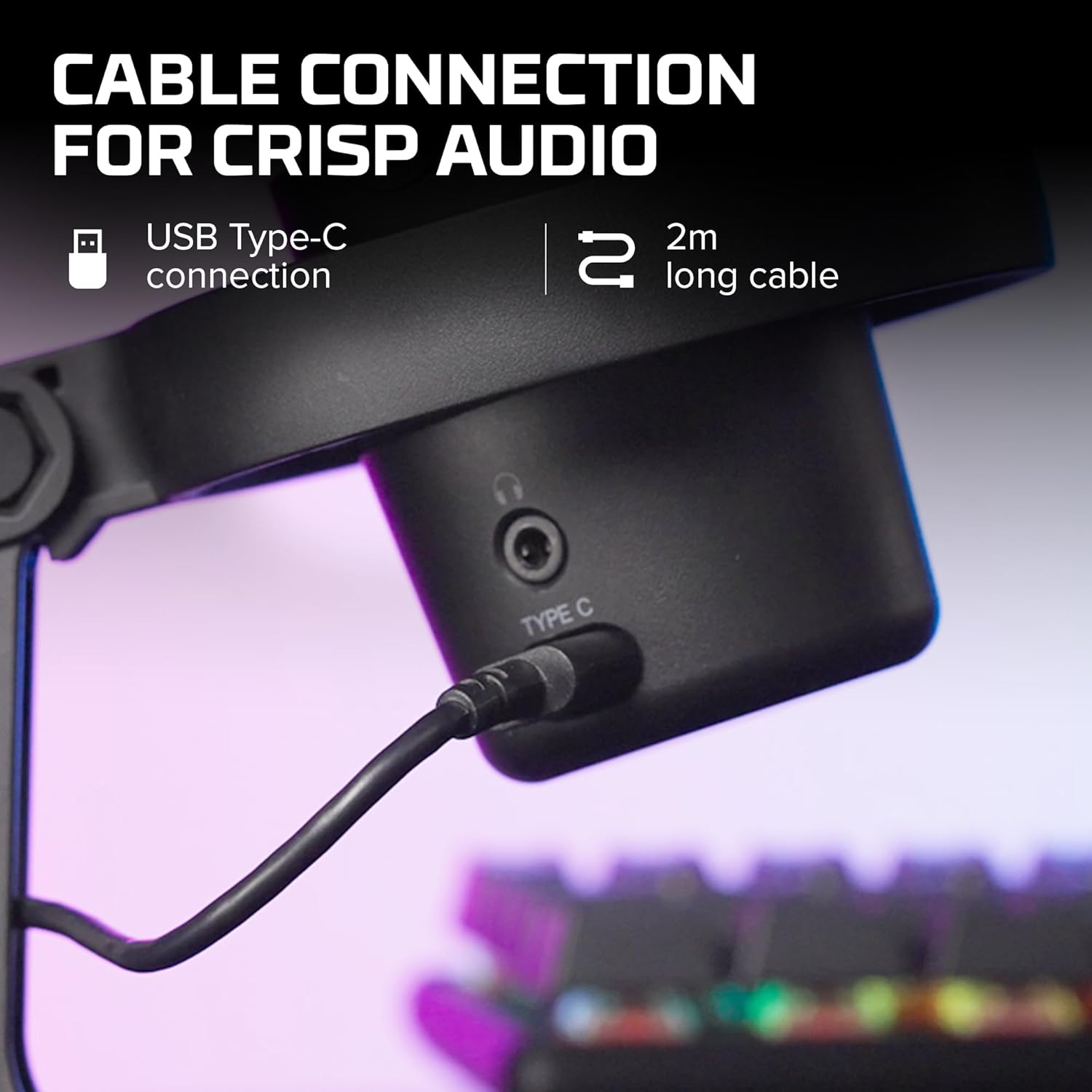
이미지 3.1: 클로즈업 view of the USB Type-C connection port on the HyperX DuoCast microphone.
3.2 Positioning the Microphone
The DuoCast features a low-profile shock mount to reduce unwanted vibrations. For optimal audio quality, position the microphone directly in front of you, approximately 6-12 inches (15-30 cm) from your mouth.

Image 3.2: HyperX DuoCast microphone positioned on a boom arm for optimal recording, with a user wearing headphones.
3.3 소프트웨어 설치(선택 사항)
For advanced customization of RGB lighting and other settings, download and install the HyperX NGENUITY Software from the official HyperX web이 소프트웨어는 Windows 운영 체제와 호환됩니다.

Image 3.3: User customizing the RGB lighting of the HyperX DuoCast microphone using the HyperX NGENUITY software interface on a computer screen.
4. 마이크 작동
4.1 극성 패턴
The DuoCast offers two selectable polar patterns: Cardioid and Omnidirectional. Switch between these patterns using the button located on the microphone.
- 카디오이드: Ideal for single-person recording, such as streaming, podcasts, and voiceovers. It captures sound primarily from the front, reducing background noise.
- 전 방향성 : Suitable for multi-person recordings, conference calls, or capturing ambient sounds, as it picks up sound equally from all directions.

Image 4.1: Diagram illustrating the Cardioid and Omnidirectional polar patterns and their recommended use cases.
4.2 탭하여 음소거 센서
The microphone features a convenient tap-to-mute sensor on the top. Tapping the top of the microphone will instantly mute or unmute your audio. The RGB light ring will change color to indicate the mute status.

Image 4.2: Close-up of the microphone's top showing the tap-to-mute sensor and the gain control knob.
4.3 Gain Control Adjustment
Adjust the microphone's input sensitivity (gain) using the control knob located on the microphone. Rotate the knob to increase or decrease the gain to achieve optimal audio levels and prevent distortion.
4.4 RGB 조명
The DuoCast features a customizable RGB light ring with two zones. The lighting can be personalized using the HyperX NGENUITY Software (Windows only) to match your setup or preference.
4.5 헤드폰 출력
A 3.5mm headphone jack is integrated into the microphone for direct monitoring of your audio output. Connect your headphones to this port to hear your voice in real-time.
5. 유지관리
To ensure the longevity and optimal performance of your HyperX DuoCast microphone, follow these maintenance guidelines:
- 청소: Use a soft, dry cloth to clean the microphone's exterior. Avoid using harsh chemicals, solvents, or abrasive materials.
- 저장: 사용하지 않을 때는 극한의 온도와 습도를 피해 깨끗하고 건조한 곳에 마이크를 보관하세요.
- 손질: 마이크를 조심스럽게 다루십시오. 떨어뜨리거나 강한 충격을 가하지 마십시오. 내부 부품이 손상될 수 있습니다.
6. 문제 해결
If you encounter issues with your HyperX DuoCast microphone, refer to the following common solutions:
| 문제 | 가능한 원인 | 해결책 |
|---|---|---|
| 오디오 입력 없음 | 마이크가 제대로 연결되지 않았습니다 잘못된 입력 장치가 선택되었습니다. 마이크 음소거됨 | USB 케이블이 제대로 연결되어 있는지 확인하세요. Verify the DuoCast is selected as the default input device in your system settings. 마이크 윗부분을 탭하면 음소거가 해제됩니다. |
| 오디오 볼륨이 낮음 | 게인 설정이 너무 낮습니다 System input volume too low | Adjust the gain control knob on the microphone. Increase the microphone input volume in your system's sound settings. |
| 왜곡된 오디오 | 게인 설정이 너무 높습니다. 마이크가 음원에 너무 가깝습니다. | Decrease the gain control knob on the microphone. 마이크를 음원에서 더 멀리 이동하십시오. |
| 과도한 배경 소음 | Incorrect polar pattern selected 고이득 설정 | Switch to Cardioid polar pattern for single-person use. 이득 설정을 줄이세요. 조용한 환경에 있도록 하세요. |
| RGB 조명이 작동하지 않습니다 | 소프트웨어 문제 USB 연결 문제 | Ensure HyperX NGENUITY Software is installed and updated (Windows only). USB 케이블을 다시 연결합니다. |
7. 사양
| 특징 | 세부 사항 |
|---|---|
| 마이크 유형 | USB 콘덴서 |
| 극성 패턴 | 단일 지향성, 전 방향성 |
| 오디오 감도 | 6데시벨 |
| 신호 대 잡음 비율 | 70데시벨 |
| 주파수 응답 | 20Hz - 20kHz |
| 녹화 해상도 | 24 비트 / 96kHz |
| 연결성 | USB (Type-C to Type-A) |
| 호환 장치 | PC, PS5, PS4, Mac |
| 특별 기능 | Customizable RGB Light Ring, Tap-to-Mute Sensor, Gain Control, Low-profile Shock Mount, Internal Pop Filter, 3.5mm Headphone Output |
| 치수(길이 x 너비 x 높이) | 5.5 x 9.3 x 5인치(140 x 236 x 127mm) |
| 품목 무게 | 8.6 온스(243.2그램) |
| 모델 번호 | 4P5E2AA |

Image 7.1: Diagram showing the physical dimensions (width, height, depth) and weight of the HyperX DuoCast microphone.
8. 보증 및 지원
For warranty information and technical support, please visit the official HyperX web웹사이트를 방문하거나 HyperX 고객 서비스에 문의하십시오. 보증 청구를 위해 구매 증빙 자료를 보관하십시오.
온라인 지원: www.hyperx.com/support


