소개
Welcome to the user manual for your Tuanzi MaxO MAXo 4G Mini Rugged Android 12 Smartphone. This guide provides essential information on setting up, operating, and maintaining your device. Please read this manual thoroughly to ensure optimal performance and longevity of your smartphone.
패키지 내용
- 1x Tuanzi MaxO MAXo Phone
- 보호 필름 1개
- 1x 충전 케이블
- 1x 사용 설명서
- 1x 충전기
제품 끝view
주요 특징
- IP68 Waterproof & Rugged Outdoor Design: Fully sealed to withstand rain, dust, and submersion, suitable for outdoor activities.
- Mini Android 12 Smartphone: Compact size (101*50.7*17.2mm) for portability and easy one-hand operation.
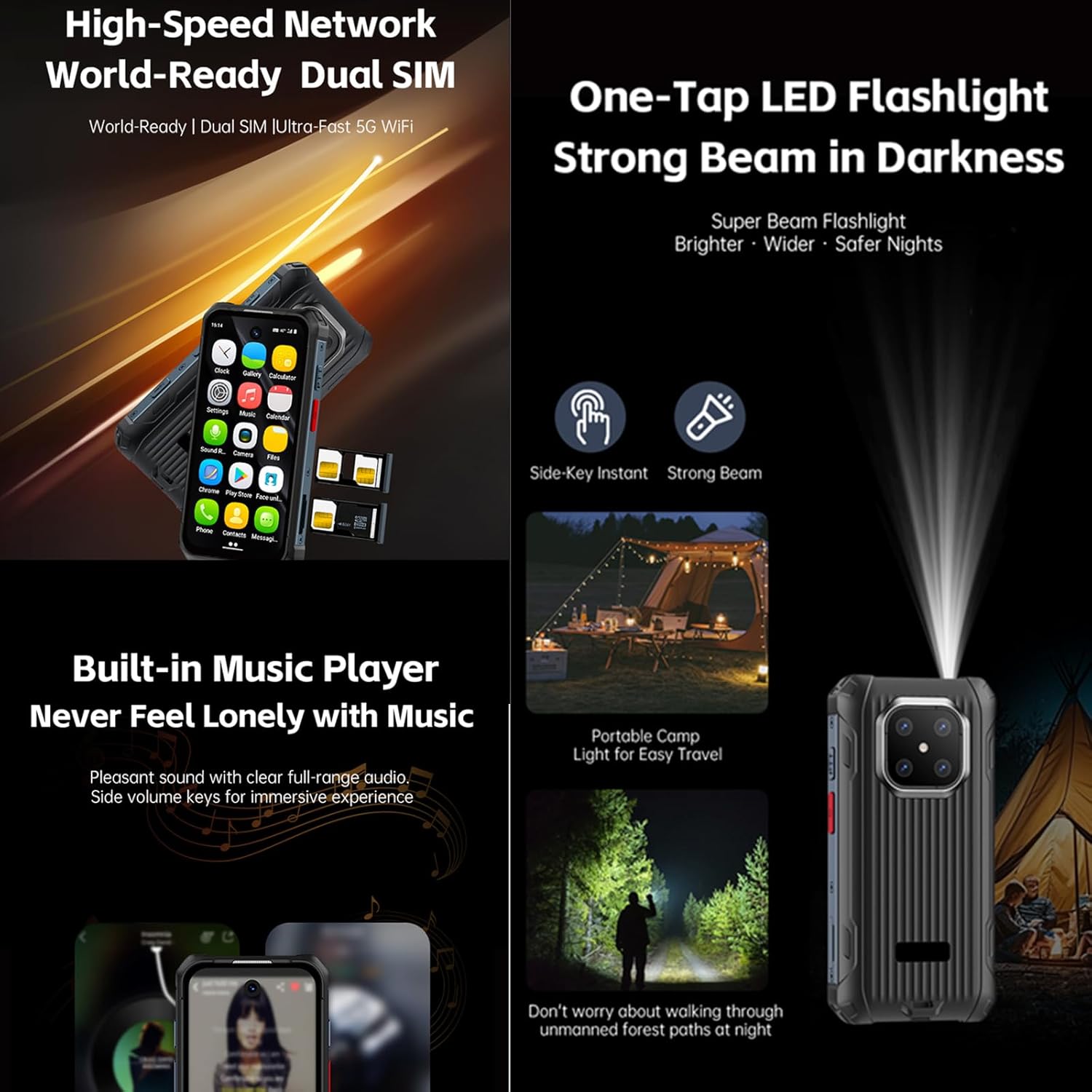
- Global 4G Bands & Dual SIM Support: Unlocked for worldwide use with dual nano-SIM slots for flexible connectivity.
- Octa-Core Performance & 6GB+128GB Memory: Equipped with a 2.0GHz 8-core processor and ample storage for smooth multitasking.
- Long-Lasting 3000mAh Battery & Compact HD Display: High-capacity battery for extended use, paired with a 3.88-inch HD screen.
- Instant Side-Key Flashlight & Face Recognition: Features a super-bright flashlight and secure facial recognition technology for quick unlocking.
장치 레이아웃
The image below illustrates the front and back of the Tuanzi MaxO MAXo smartphone, highlighting its display, camera module, and robust exterior.

앞면과 뒷면 view of the Tuanzi MaxO MAXo smartphone, showing the display, camera, and rugged design.
설정
1. SIM 카드 설치
- 기기 측면에서 SIM 카드 트레이를 찾으세요.
- SIM 카드 트레이 옆의 작은 구멍에 SIM 카드 분리 도구(얇은 핀 사용)를 넣어 트레이를 여세요.
- 나노 SIM 카드 및/또는 microSD 카드를 금색 접점이 아래로 향하게 하여 트레이에 넣으세요.
- 트레이를 조심스럽게 슬롯에 다시 밀어 넣어 장치와 딱 맞도록 합니다.
2. 초기 전원 켜기
- 화면이 켜질 때까지 전원 버튼(일반적으로 오른쪽에 있음)을 길게 누르세요.
- 화면의 지시에 따라 언어와 지역을 선택하고 Wi-Fi 네트워크에 연결하세요.
3. 기본 설정
- Sign in with your Google account to access the Play Store and other Google services.
- Set up your screen lock method (PIN, pattern, password, or facial recognition).
- Review 원하는 대로 개인정보 보호 설정을 조정하세요.
작동 지침
전화 걸기
Tap the Phone icon on the home screen. Enter the phone number using the dial pad or select a contact from your address book. Tap the call button to initiate the call.
메시지 보내기
Open the Messaging app. Tap the 'Start chat' or '+' icon to compose a new message. Enter the recipient's number or select from contacts, then type your message and send.
카메라 사용
Open the Camera app from your home screen or app drawer. You can switch between photo and video modes. Tap the shutter button to capture an image or start/stop video recording.

A hand holding the Tuanzi MaxO MAXo smartphone, demonstrating the camera interface.
연결성 (Wi-Fi, 블루투스)
Access Wi-Fi and Bluetooth settings from the Quick Settings panel (swipe down from the top of the screen) or through the main Settings app. Toggle Wi-Fi or Bluetooth on/off and select networks or devices to connect.
시각적 가이드
제품 이미지
Explore various aspects of your Tuanzi MaxO MAXo smartphone through these detailed images.


공식 제품 영상
No official product videos from the seller for the Tuanzi MaxO MAXo smartphone were found that meet the specified criteria for inclusion in this manual.
유지
장치 청소
Use a soft, lint-free cloth to clean the screen and body of your phone. Avoid using harsh chemicals or abrasive materials, as these can damage the device's surfaces and waterproof seals. For stubborn dirt, a slightly damp cloth with water is recommended.
배터리 관리
To prolong battery life, avoid exposing your phone to extreme temperatures. Charge your device using the provided charger and cable. Do not leave the phone charging for extended periods after it has reached 100% to prevent overcharging.
소프트웨어 업데이트
기기에 최신 기능, 보안 패치 및 성능 향상 기능이 적용되어 있는지 확인하기 위해 소프트웨어 업데이트를 정기적으로 확인하고 설치하세요. 이 옵션은 일반적으로 '설정' 메뉴의 '시스템' 또는 '휴대전화 정보'에서 찾을 수 있습니다.
문제 해결
일반적인 문제 및 솔루션
- 장치가 켜지지 않음: 배터리가 충전되었는지 확인하세요. 충전기를 연결하고 몇 분 정도 기다린 후 다시 전원을 켜보세요.
- 화면이 반응하지 않음: Try restarting the device by holding down the Power button for about 10-15 seconds.
- 네트워크 연결 문제: Check if your SIM card is properly inserted. Toggle Airplane Mode on and off. Restart your device. Verify your mobile data or Wi-Fi settings.
- 앱이 충돌하거나 정지됨: Clear the cache and data for the problematic app in 'Settings > Apps'. If the issue persists, uninstall and reinstall the app.
- 느린 성능: Close unused apps, clear cache regularly, and ensure sufficient storage space. Consider a factory reset as a last resort (back up your data first).
기술 사양
| 특징 | 사양 |
|---|---|
| 제품 치수 | 3.98 x 2 x 0.68 인치 |
| 품목 모델 번호 | MAXo |
| 운영 체제 | 안드로이드 12 |
| 숫양 | 6GB (XNUMX기가바이트) |
| 메모리 저장 용량 | 128GB (XNUMX기가바이트) |
| 무선 통신 기술 | 블루투스, 셀룰러, NFC, Wi-Fi |
| 연결 기술 | 와이파이 |
| 특별 기능 | 방수 |
| 스캐너 해상도 | 384 x 854 |
| 기타 카메라 기능 | 앞쪽 |
| 오디오 잭 | 헤드폰 잭이 없습니다 |
| 폼 팩터 | 술집 |
| 색상 | MaxO Black 128GB |
| 배터리 전력 정격 | 3800밀리amp 시간 |
| 전화 통화 시간 | 18시간 |
| 휴대폰 대기 시간(데이터 포함) | 7일 |
| 제조업체 | PADY-Soyes |
| 첫 번째 이용 가능 날짜 | 26년 2022월 XNUMX일 |
| 스탠딩 스크린 디스플레이 크기 | 3.88 인치 |
| CPU 모델 | 미디어텍 헬리오 |
| CPU 속도 | 2000MHz |
| 해결 | 384 x 854 |
| 무선 통신사 | 모든 이동 통신사에 대해 잠금 해제 됨 |
안전 정보
기기 손상이나 부상을 방지하기 위해 다음 안전 지침을 준수해 주십시오.
- 장치를 직접 분해, 수리 또는 개조하지 마십시오.
- Keep the device away from extreme heat sources, direct sunlight, and open flames.
- 강한 자기장에 장치를 노출하지 마십시오.
- 제조업체에서 승인한 충전기와 액세서리만 사용하세요.
- 해당 지역 규정에 따라 장치와 배터리를 책임감 있게 폐기하세요.
보증 및 지원
Your Tuanzi MaxO MAXo smartphone comes with a standard manufacturer's warranty. For detailed warranty terms, conditions, and support, please refer to the warranty card included in your package or contact Tuanzi customer service directly. Keep your proof of purchase for warranty claims.


