1. 서론
The EMEET M3 is a Zoom-certified conference speaker and microphone designed for high-quality audio communication in various meeting environments. It features advanced AI-powered microphones, extended battery life, and versatile connectivity options to ensure clear and efficient communication for all participants.
2. 패키지 내용
- EMEET OfficeCore M3 Speakerphone
- EMEET Adapter A300 (USB Dongle)
- USB Type-C 케이블
- 운반 케이스
- 사용자 설명서
- 보안 성명
- Parameters Card
3. 제품 특징
3.1. 360° Voice Pickup with 4 AI Microphones
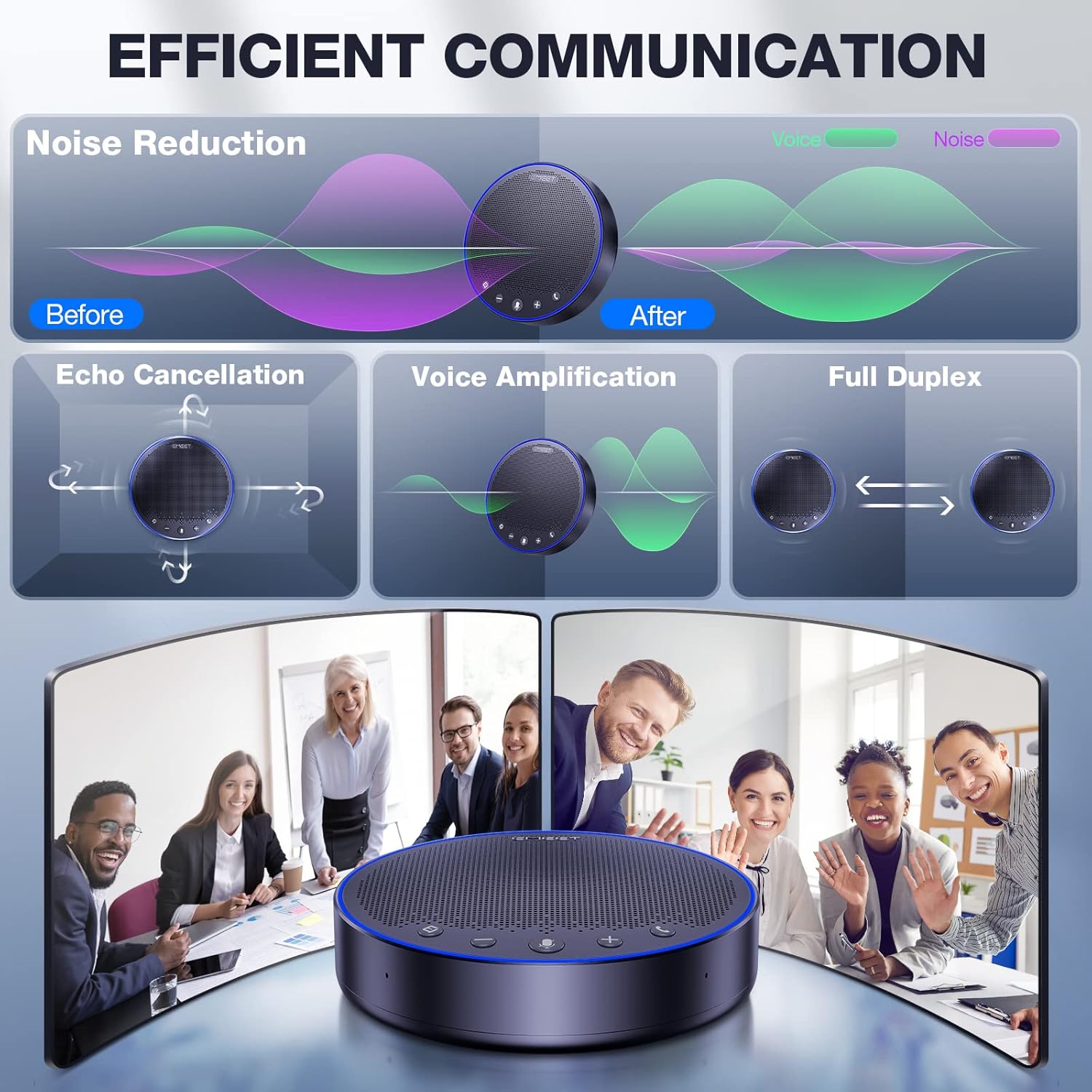
The EMEET M3 is equipped with four smart omnidirectional microphones and VoiceIA exclusive technology. This ensures 360° voice pickup, noise reduction, and echo suppression, allowing all attendees to be heard clearly without distortion. For optimal performance, place the speakerphone within a 15ft (4.5m) pickup range and avoid excessively noisy environments.

3.2. High-Performance Speaker
The built-in 5W high-performance speaker automatically balances volume, ensuring voices remain clear whether close to the device or across the table. This feature is recommended for medium to large meeting rooms.

3.3. 배터리 수명 연장
The EMEET M3 features a super performance battery that supports over 18 hours of continuous calling on a single 4-hour charge, eliminating concerns about power interruption during meetings.

3.4. Zoom Certified
The EMEET OfficeCore M3 is officially recognized by Zoom as a compatible voice partner, ensuring professional-grade performance for online communication.
3.5. 데이지 체인 기능
For larger meetings, the M3 can be daisy-chained with another EMEET unit using a dedicated cable (Note: exclusive for EMEET daisy chain) to accommodate up to 20 attendees, expanding its voice pickup and audio coverage.
4. 설정 및 연결
4.1. Connecting Your EMEET M3
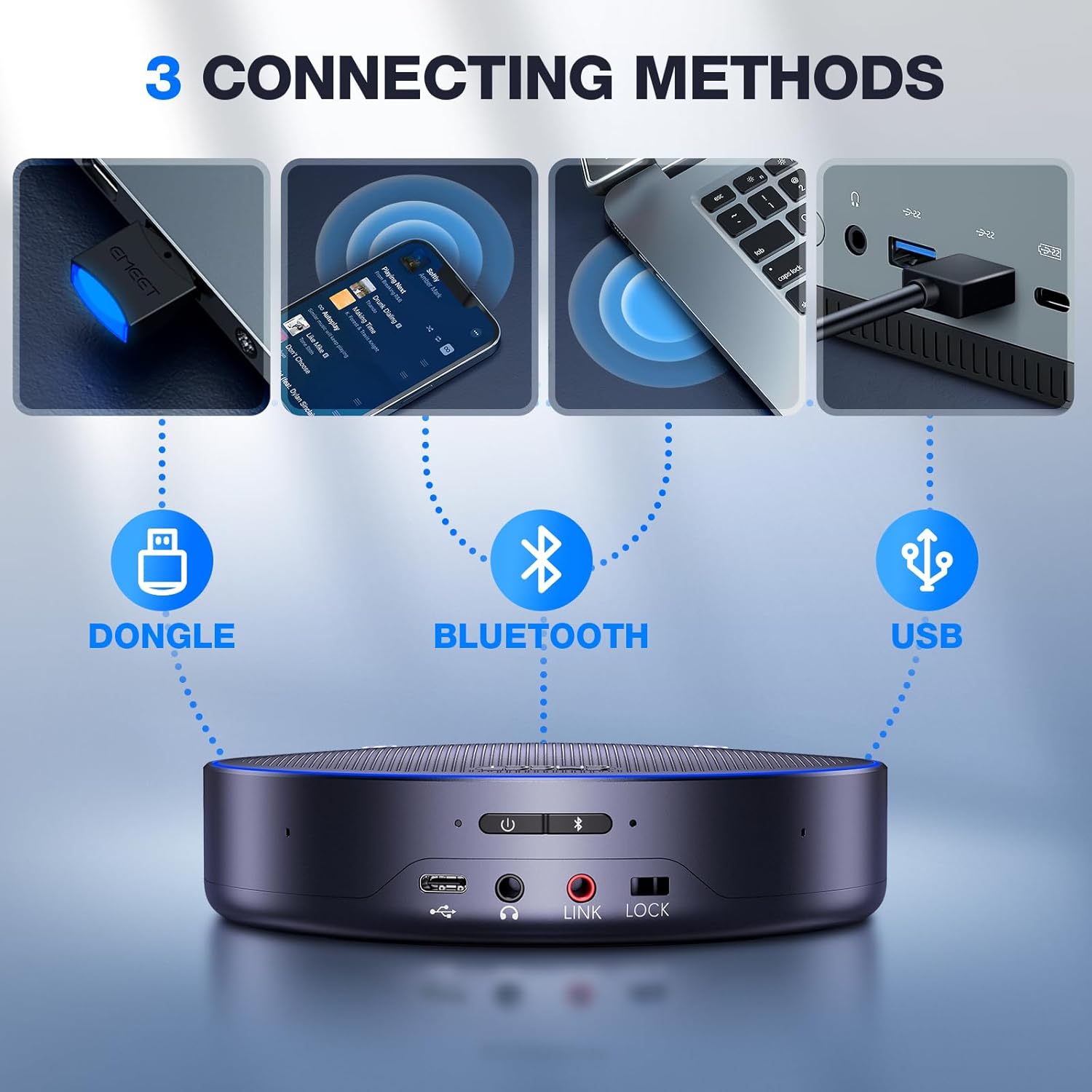
The EMEET M3 offers multiple connection methods for flexibility:
- USB 2.0 유선 연결: Connect the device directly to your computer using the provided USB Type-C cable for stable audio transmission. Avoid docking stations or low-power USB ports to prevent sound cut-outs.
- 블루투스 5.0 무선 연결: Pair the M3 with your smartphone or other Bluetooth-enabled devices. The Bluetooth range is up to 10 meters.
- USB Dongle (EMEET Adapter A300): For computers without built-in Bluetooth, use the included EMEET Adapter A300 for a stable wireless connection.

4.2. 범용 호환성
The M3 ensures stable connection with various operating systems and platforms:
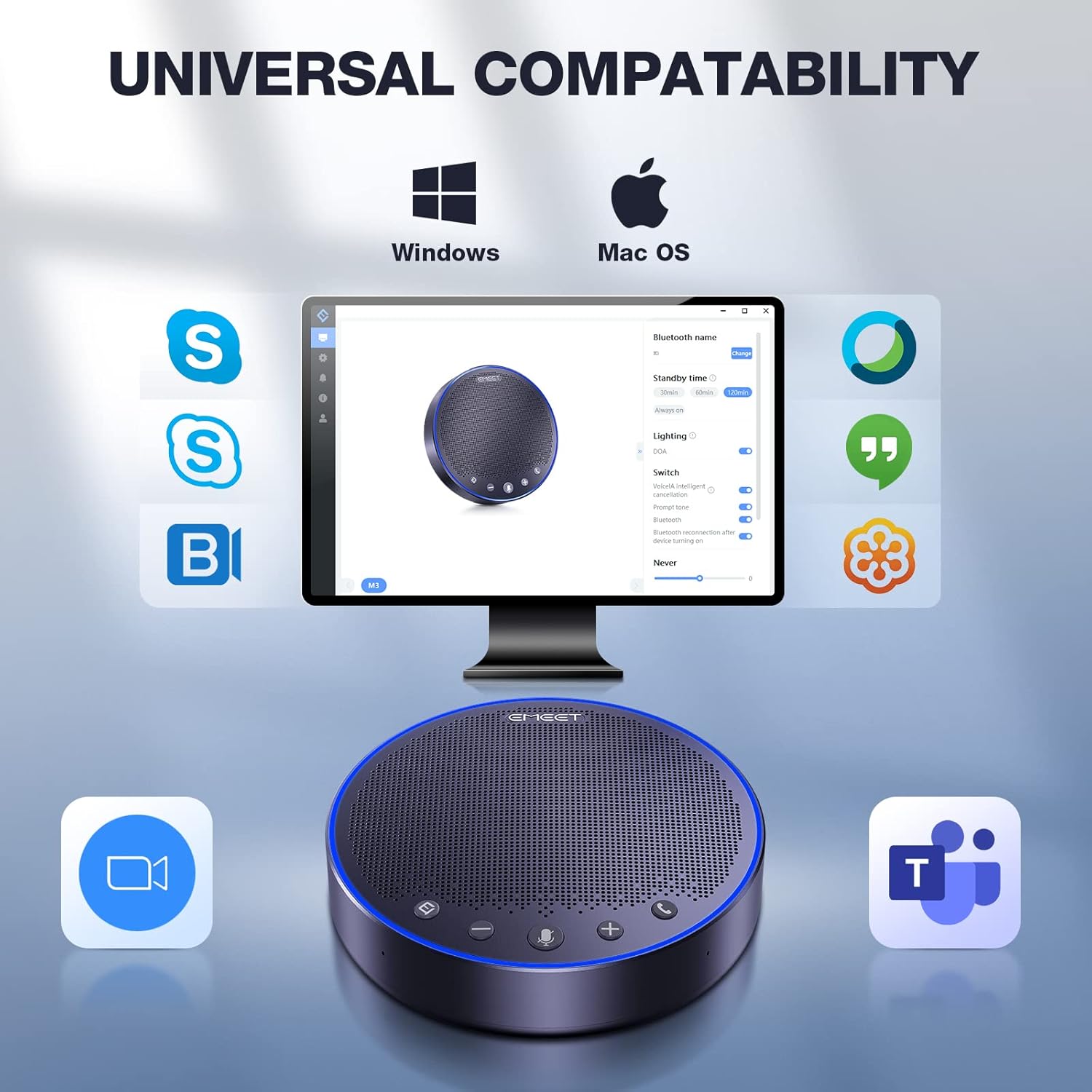
- 운영 체제: Windows 7/8/10/11, macOS 10.10+, Android 5.0+, Linux (UVC mode).
- Meeting Platforms: Zoom, Microsoft Teams, Google Hangouts, GoToMeeting, Skype, Web예, 그 외 여러 가지.
5. 사용 설명서
5.1. 장치 제어
The EMEET M3 features intuitive touch controls for easy operation:
- 전원 켜기/끄기: Use the dedicated power button to turn the device on or off.
- 볼륨 조절: Adjust the speaker volume using the '+' and '-' buttons. The blue LED light indicates the volume level.
- 마이크 음소거/음소거 해제: Press the microphone button to mute or unmute. A red LED light indicates the microphone is muted.
- Voice Localization: A green LED light indicates active voice localization, showing where the sound is being picked up.
- 전화 받기 / 끊기 : Use the call button to manage phone calls.
6. 사양
| 상표 | 이밋 |
| 모델명 | EMEET OfficeCore M3 |
| 연결 기술 | Bluetooth 5.0, USB 2.0, Daisy Chain (EMEET exclusive), Dongle A300 |
| 스피커 유형 | 휴대용 스피커 |
| 특징 | VoiceIA exclusive tech, noise & echo cancellation |
| 추천 용도 | Indoor/Outdoor, Travel |
| 호환 장치 | Smartphone, PC (Windows, macOS, Android, Linux) |
| 색상 | 회색 |
| 제품 치수 | 1.4인치 깊이 x 5.3인치 너비 x 5.3인치 높이 |
| 품목 무게 | 8.82파운드(4000그램) |
| 전원 | 배터리 구동(리튬 폴리머 배터리 1개 포함) |
| 충전 시간 | 4시간 |
| 통화 시간 | 18시간 |
| 스피커 최대 출력 전력 | 5 와트 |
| 블루투스 범위 | 10 미터 |
7. 문제 해결
- Sound Cut-outs: Ensure a stable USB 2.0 or Bluetooth 5.0 connection. Avoid connecting the device to docking stations or low-power USB ports.
- 낮은 오디오 품질: For best voice pickup, place the speakerphone within its 15ft (4.5m) range and minimize background noise in the environment.
- 장치가 연결되지 않음: Verify that Bluetooth is enabled on your device or that the USB dongle is properly inserted. Check device compatibility with the EMEET M3.
- 배터리가 충전되지 않음: Ensure the USB Type-C cable is securely connected to both the speakerphone and a power source. Allow 4 hours for a full charge.
8. 보증 및 지원
The EMEET M3 Conference Speaker and Microphone comes with a full warranty. EMEET is committed to providing excellent customer service and technical support.
- 보증: 2-year exclusive warranty.
- 기술 지원: Lifetime professional technical team support.
- 고객 서비스: 24시간 이내에 빠른 답변을 드립니다.


