1. 서론
The EMEET OfficeCore M1A is a Zoom Certified USB speakerphone designed for clear and efficient audio conferencing. Featuring AI-powered microphones with 360° voice pickup, noise reduction, and echo cancellation, it ensures all participants are heard clearly. Its plug-and-play functionality and broad compatibility make it suitable for various professional and personal communication needs.
2. 상자 안에 무엇이 들어있나요?
- EMEET OfficeCore M1A USB Speakerphone
- USB Type C-A Cable
- 사용자 설명서
3. 주요 특징
- Zoom Certified: Officially recognized for compatibility with Zoom, and works seamlessly with other platforms like Skype, Microsoft Teams, Google Hangout, and more.
- 360° Smart Voice Pickup: Equipped with EMEET's exclusive VoiceIA Tech, featuring 2 omnidirectional microphones for 360° voice coverage.
- AI-Powered Audio Enhancement: Includes noise reduction, echo cancellation, voice amplification, and full duplex audio for crystal-clear communication.
- Smart Speaker: Delivers sound in 9 adjustable volumes, indicated by blue LED lights on the control panel.
- 플러그 앤 플레이 연결: Connects easily via USB-C or USB-A adapter for a stable wired connection.
- 개인정보 보호: Fast mute function for microphone and speaker to ensure privacy during calls.
- 보편적 인 호환성 : Supports various operating systems including Windows, Mac OS, Vista, and Linux.
4. 설정 지침
4.1 Connecting the Speakerphone
The EMEET OfficeCore M1A is designed for simple plug-and-play setup. No driver installation is typically required.
- Locate the USB-C connector on the speakerphone.
- Connect the provided USB-C cable to the speakerphone.
- Plug the other end of the USB cable into an available USB-C port on your computer. If your computer only has USB-A ports, use the included USB-A adapter.
- 해당 기기는 운영 체제에서 자동으로 인식됩니다.

Image: EMEET OfficeCore M1A connected to a laptop via USB-C cable, illustrating the plug-and-play setup with an optional USB-A adapter.
4.2 초기 전원 켜기
Once connected, the speakerphone should power on automatically. Indicators on the device will confirm its status.

Image: The convenient control panel of the EMEET OfficeCore M1A, showing blue/red indicators for various operations like calls, volume adjustment, and microphone mute.
5. 사용 설명서
5.1 전화 걸기 및 받기
After connecting, select the EMEET OfficeCore M1A as your audio input and output device in your preferred conferencing software (e.g., Zoom, Skype, Teams).
5.2 볼륨 조절
Use the '+' and '-' buttons on the control panel to adjust the speaker volume. The blue LED lights will indicate the current volume level (9 levels available).
5.3 마이크 음소거
Press the microphone mute button on the control panel to mute or unmute your microphone. Red LED indicators will light up when the microphone is muted, ensuring your privacy.
5.4 VoiceIA Technology
The integrated VoiceIA technology automatically handles noise reduction, echo cancellation, and voice amplification to provide clear audio for all participants, even in noisy environments.

Image: Visual representation of the VoiceIA technology's benefits, including noise reduction, echo cancellation, voice enhancing, and full duplex capabilities.
5.5 360° Voice Pickup
The two omnidirectional microphones ensure that voices are picked up from all directions within a 360° radius, making it ideal for huddle rooms and small to medium-sized meetings.
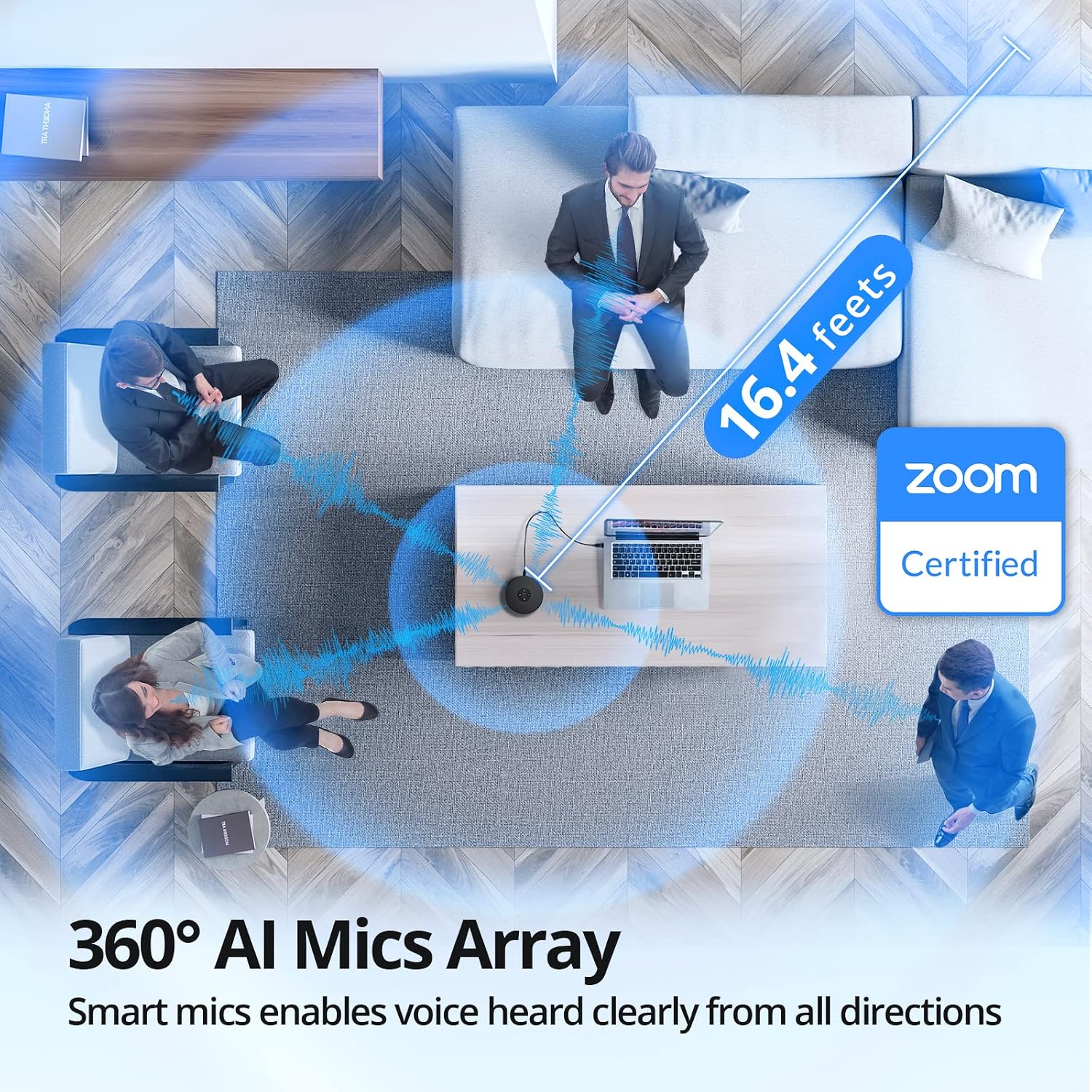
이미지: 항공 사진 view demonstrating the 360° AI Mics Array of the EMEET OfficeCore M1A, capturing voices clearly from all directions within a 16.4 feet range, Zoom Certified.
6. 유지관리
To ensure the longevity and optimal performance of your EMEET OfficeCore M1A speakerphone, follow these simple maintenance guidelines:
- 청소: Use a soft, dry cloth to clean the exterior of the device. Avoid using liquid cleaners or aerosols, as they may damage the components.
- 저장: When not in use, store the speakerphone in a cool, dry place, away from direct sunlight and extreme temperatures.
- 손질: 기기를 조심스럽게 다루어 떨어뜨리거나 충격을 가하면 내부 부품이 손상될 수 있으므로 주의하십시오.
7. 문제 해결
7.1 Audio Issues with Docking Station
Some users may experience audio disconnection issues when the EMEET OfficeCore M1A is connected via a docking station, particularly when both speaker and microphone functions are active during calls.
해결책:
- Connect the EMEET OfficeCore M1A to your laptop via Bluetooth.
- Ensure the USB cable is also connected to the docking station.
- On Windows, navigate to System > Sound > Output.
- You should see two EMEET sources: one labeled
관련 문서 - E1102

eMeet Luna 무선 스피커폰 사용 설명서
eMeet Luna 무선 스피커폰의 종합 사용 설명서입니다. AI 소음 감소, 블루투스 연결, USB/AUX 포트, 데이지 체인 기능, 그리고 가정 및 사무실 환경에서 선명한 회의 통화를 위한 360° 음성 수신 기능에 대해 알아보세요.
eMeet OfficeCore M2 MAX 휴대용 USB/블루투스 스피커폰 사용 설명서
eMeet OfficeCore M2 MAX 휴대용 USB/블루투스 스피커폰의 사용 설명서로, 기능, 작동, 연결성 및 기술 사양에 대한 자세한 설명이 나와 있습니다.
EMEET SmartCam C960 4K 빠른 시작 가이드 - 영상 통화를 더욱 향상시키세요
EMEET SmartCam C960 4K로 빠르게 시작하세요 web이 가이드는 최적의 화상 회의 성능을 위한 필수 설정 및 사용 지침을 제공합니다.
EMEET OfficeCore M1A USB 스피커폰 사용 설명서
EMEET OfficeCore M1A USB 스피커폰에 대한 포괄적인 사용 설명서로, 제품 기능, 설정, LED 표시등, 매개변수 및 문제 해결 방법을 자세히 설명합니다.
M3 eMeetLink 사용자 설명서 - EMEET
M3 eMeetLink 장치 사용 설명서에는 장치 설정, 소프트웨어 업데이트, FAQ 및 EMEET 고객 지원 연락처 정보가 포함되어 있습니다.
eMeet M2 Max 회의용 스피커 - 사용 설명서 및 기능
eMeet M2 Max 컨퍼런스 스피커의 버튼 사용법 등 모든 기능을 자세히 설명하는 종합 가이드입니다.view전원 관리, VoiceIA 및 MIC 음소거 기능, 통화 처리, 볼륨 조절, 블루투스 및 USB 연결, 동글 사용, 헤드셋 통합, 데이지 체인 기능, 포트 잠금, 충전 및 애플리케이션 다운로드 등이 포함됩니다.