1. 제품 오버view
The STABILA LD220 is a compact and easy-to-use laser distance measuring tool designed for quick and accurate measurements. It features an impact-resistant housing with a shock-absorbent STABILA soft grip casing, ensuring durability in various working conditions. The large digits on the display facilitate easy reading of measurements.
주요 특징:
- Compact, easy-to-use laser.
- 4 basic measuring functions: length, area, volume, and continuous measurement.
- Calculates measuring results quickly.
- 읽기 쉽도록 숫자를 크게 했습니다.
- Impact-resistant housing with shock-absorbent STABILA soft grip casing.
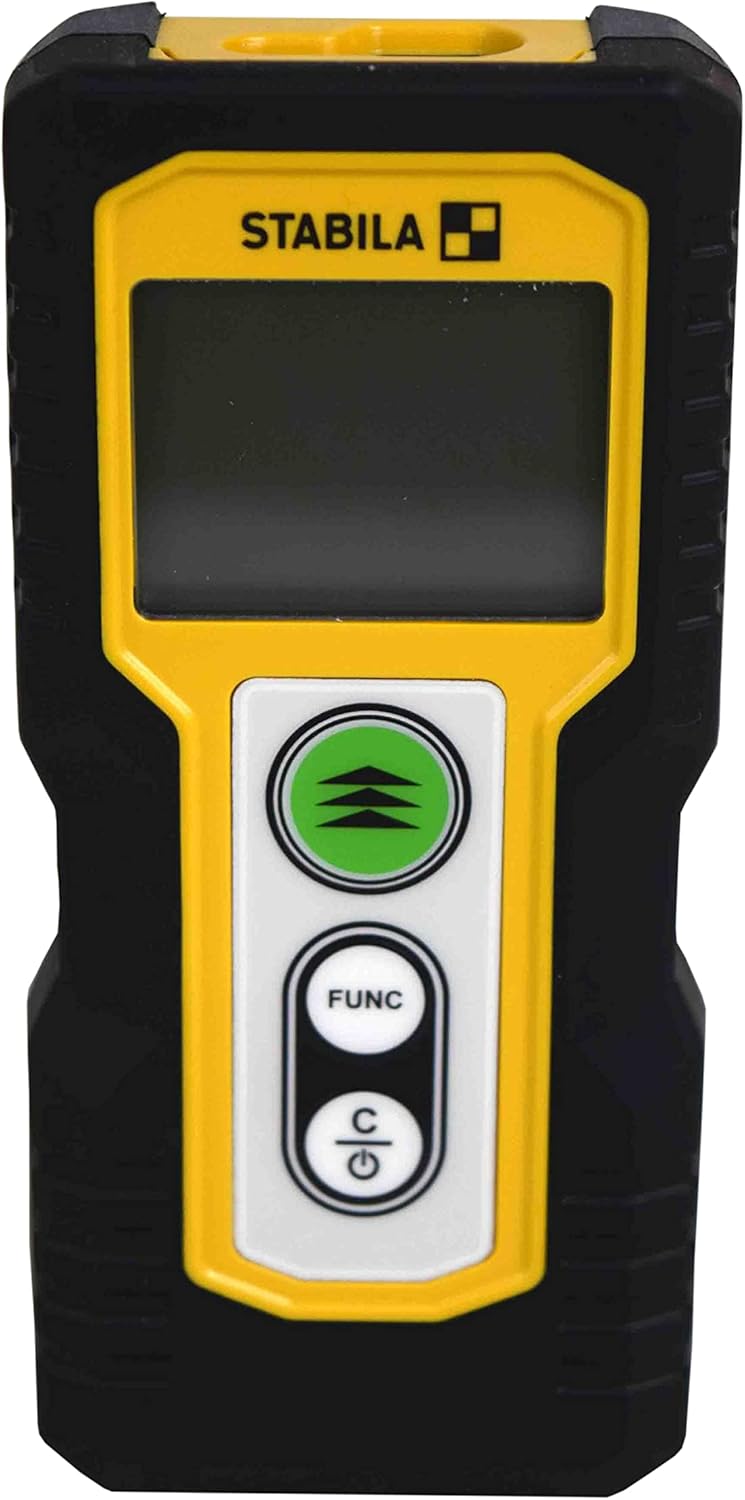
그림 1.1: 전면 view of the STABILA LD220 laser distance measuring tool, showcasin컴팩트한 디자인과 디스플레이를 자랑합니다.
2. 시작하기
2.1 패키지 내용
모든 구성 요소가 있는지 확인하십시오.
- STABILA LD220 Laser Distance Measuring Tool
- Batteries (Alkaline, LR03/AAA type)
2.2 배터리 설치
The STABILA LD220 requires two AAA alkaline batteries for operation. Follow these steps to install them:
- 장치 뒷면에서 배터리 덮개를 찾으세요.
- 덮개를 아래쪽으로 밀거나 화살표 방향으로 밀어서 여세요.
- Insert two AAA alkaline batteries, ensuring the correct polarity (+ and -) as marked inside the compartment.
- 배터리 칸 덮개를 제자리에 다시 밀어 넣어 딸깍 소리가 날 때까지 단단히 닫습니다.

Figure 2.1: The STABILA LD220 device shown alongside two AAA batteries, indicating the power source.

그림 2.2: 클로즈업 view of the two AAA alkaline batteries, which power the device.
2.3 전원 켜기/끄기
장치의 전원을 켜려면 Power/Clear (C) 버튼을 누릅니다. 전원을 끄려면 버튼을 길게 누릅니다. Power/Clear (C) button for a few seconds, or the device will automatically shut off after a period of inactivity to conserve battery life.
3. 사용 설명서
The STABILA LD220 offers four primary measuring functions. Familiarize yourself with the buttons:
- Measurement Button (Green, with three arrows): Initiates a measurement or activates continuous measurement.
- Function Button (FUNC): Cycles through different measurement modes (Length, Area, Volume, Continuous).
- Power/Clear Button (C): Powers the device on/off, clears the last measurement, or exits a function.

그림 3.1: 자세한 view of the STABILA LD220's control panel, highlighting the measurement, function, and power/clear buttons.
3.1 길이 측정
This is the default mode for single distance measurements.
- 장치의 전원이 켜져 있는지 확인합니다.
- 레이저 빔을 표적 표면에 향하게 합니다.
- 를 누르세요 측정 버튼 once. The measured distance will appear on the display.
3.2 연속 측정(추적)
This mode allows for dynamic measurement, displaying real-time distance as you move the device.
- 를 누르세요 FUNC button until the continuous measurement icon (often a series of horizontal lines or a tracking symbol) appears on the display.
- 를 누르세요 측정 버튼 연속 측정을 시작합니다.
- Move the device slowly towards or away from the target. The display will update the distance continuously.
- 를 누르세요 측정 버튼 다시 또는 C button to stop continuous measurement.
3.3 면적 측정
To calculate the area of a rectangular space (Length x Width).
- 를 누르세요 FUNC button until the area measurement icon (a square or rectangle) appears.
- Measure the first side (e.g., length) by pointing the laser and pressing the 측정 버튼.
- Measure the second side (e.g., width) by pointing the laser and pressing the 측정 버튼 다시.
- 이 장치는 자동으로 면적을 계산하여 표시합니다.
3.4 체적 측정
To calculate the volume of a rectangular space (Length x Width x Height).
- 를 누르세요 FUNC button until the volume measurement icon (a cube or rectangular prism) appears.
- Measure the first side (e.g., length) by pointing the laser and pressing the 측정 버튼.
- Measure the second side (e.g., width) by pointing the laser and pressing the 측정 버튼.
- Measure the third side (e.g., height) by pointing the laser and pressing the 측정 버튼.
- 이 장치는 자동으로 볼륨을 계산하고 표시합니다.

Figure 3.2: The product packaging illustrating the various measuring functions, including length, area, volume, and tracking.
4. 관리 및 유지 보수
Proper care and maintenance will extend the life of your STABILA LD220.
- 청소: 부드러운 d를 사용하세요amp cloth to clean the device. Do not use harsh chemicals, abrasive cleaners, or solvents. Ensure the laser lens and display are kept clean for accurate readings.
- 저장: Store the device in a dry, cool place, away from direct sunlight and extreme temperatures. If storing for an extended period, remove the batteries to prevent leakage.
- 손질: Although the device has an impact-resistant housing, avoid dropping it or subjecting it to severe shocks.
- 배터리 관리 : 디스플레이에 배터리 부족 표시등이 켜지면 배터리를 교체하십시오. 사용한 배터리는 지역 규정에 따라 폐기하십시오.
5. 문제 해결
If you encounter issues with your STABILA LD220, refer to the following common problems and solutions:
| 문제 | 가능한 원인 | 해결책 |
|---|---|---|
| 장치의 전원이 켜지지 않습니다. | 배터리가 방전되었거나 잘못 설치되었습니다. | 배터리 극성을 확인하세요. 새 AAA 알카라인 배터리로 교체하세요. |
| 부정확한 측정. | Laser lens is dirty; target surface is too reflective/absorbent; device is unstable during measurement. | Clean the laser lens with a soft cloth. Use a target plate for difficult surfaces. Ensure the device is held steady. |
| 화면에 오류 메시지가 표시됩니다. | 측정 범위를 벗어났습니다. 내부 오류입니다. | Ensure target is within the 100ft (30m) range. Power off and restart the device. If the error persists, contact support. |
| 레이저 빔은 보이지 않습니다. | Bright ambient light; laser not activated. | Use in lower light conditions or use a laser target plate. Press the measurement button to activate the laser. |
6. 기술 사양
Detailed specifications for the STABILA LD220 Laser Distance Measuring Tool:
| 사양 | 값 |
|---|---|
| 모델 번호 | Stabila - 06220 |
| 측정 범위 | 최대 100피트(30m) |
| 측정 기능 | Length, Area, Volume, Continuous Measurement |
| 색상 | 검은색 |
| 재료 | 플라스틱 |
| 품목 치수(L x W x H) | 8 x 5 x 2 인치 |
| 품목 무게 | 8 온스 |
| 필요한 배터리 | No (Included Components: Stabila - 06220, but requires 2x AAA Alkaline batteries for operation) |
| 배터리 유형 | Alkaline (AAA) |
| 제조업체 | 스타빌라 |
| 첫 번째 이용 가능 날짜 | 17년 2022월 XNUMX일 |

그림 6.1: 후면 view of the STABILA LD220, displaying the product label with model number, power requirements, and laser class information.
7. 보증 및 지원
For information regarding product warranty, returns, or technical support, please refer to the documentation included with your purchase or visit the official Stabila web사이트. 특정 보증 약관은 지역 및 소매업체에 따라 다를 수 있습니다.


