소개
Thank you for choosing the Senicare Digital LED Alarm Clock. This manual provides detailed instructions for setting up, operating, and maintaining your new alarm clock. Please read this manual thoroughly before use to ensure proper functionality and to maximize your experience with its features, including dual alarms, a 7-color night light, a dimmable display, and a convenient USB charging port.
안전 정보
- Ensure the power adapter is compatible with your local power supply (100-240V AC).
- 기기를 물이나 과도한 습기에 노출시키지 마세요.
- 시계를 직사광선이 비치는 곳이나 열원 근처에 두지 마십시오.
- 제공된 전원 어댑터만 사용하세요.
- 어린아이의 손이 닿지 않는 곳에 보관하세요.
- 기기를 직접 분해하거나 수리하지 마십시오. 문제가 발생하면 고객 지원팀에 문의하십시오.
- 배터리를 극성(+/-)에 맞춰 올바르게 삽입하십시오.
패키지 내용
- Senicare Digital LED Alarm Clock (Model KT279)
- 전원 어댑터
- USB 충전 케이블
- 사용 설명서 (본 문서)

Figure 1: Senicare Digital LED Alarm Clock and included accessories.
제품 끝view
앞쪽 View
The front of the clock features a large LED display for time, and indicators for PM, Alarm 1, and Alarm 2.
맨 위 View (통제 수단)
The top panel houses the main control buttons and the integrated night light bar.
- ALT SET: Alarm 1 Set button.
- AL2 SET: Alarm 2 Set button.
- 시간: 시간 설정 버튼.
- 색상: Night light color selection button.
- 스누즈/라이트: Snooze function and night light on/off.
- HOUR +: Adjusts hour, increases alarm volume.
- MIN -: Adjusts minute, decreases alarm volume.
옆 View (Ports & Dimmer)
The side of the clock includes the power input, USB charging port, and display dimmer slider.
- DC 5V 전원 포트: 전원 어댑터에 연결합니다.
- USB Charging Port (5V-1A): 외부 장치를 충전하는 데 사용됩니다.
- 디스플레이 디머: Slider to adjust the brightness of the time display (0-100%).
맨 아래 View (배터리함)
The bottom of the clock contains the battery compartment for backup power.

그림 2: 후면 view highlighting the USB charging port and power input.

Figure 3: Battery compartment for backup power.
설정
1. 전원 연결
- Connect the provided power adapter to the DC 5V Power Port on the back of the clock.
- Plug the power adapter into a standard 100-240V AC wall outlet.
- The LED display will light up, indicating the clock is powered on.
2. 배터리 백업 (선택 사항)
전원을 위해tage protection, install 2 x AAA batteries (not included) into the battery compartment on the bottom of the clock. This will preserve time and alarm settings during a power interruption, though the display will go black.

Figure 4: The clock retains settings during power outages with battery backup.
작동 지침
1. 시간 설정
- 를 누르고 계세요 시간 시 숫자가 깜빡일 때까지 버튼을 누르세요.
- 를 누르세요 HOUR + 버튼을 눌러 시간을 조정합니다.
- 를 누르세요 MIN - 버튼을 눌러 분을 조정합니다.
- 를 누르세요 시간 버튼을 다시 누르면 시간 설정 모드를 확인하고 종료합니다.
2. Setting Dual Alarms (Alarm 1 & Alarm 2)
The clock features two independent alarms for different schedules.
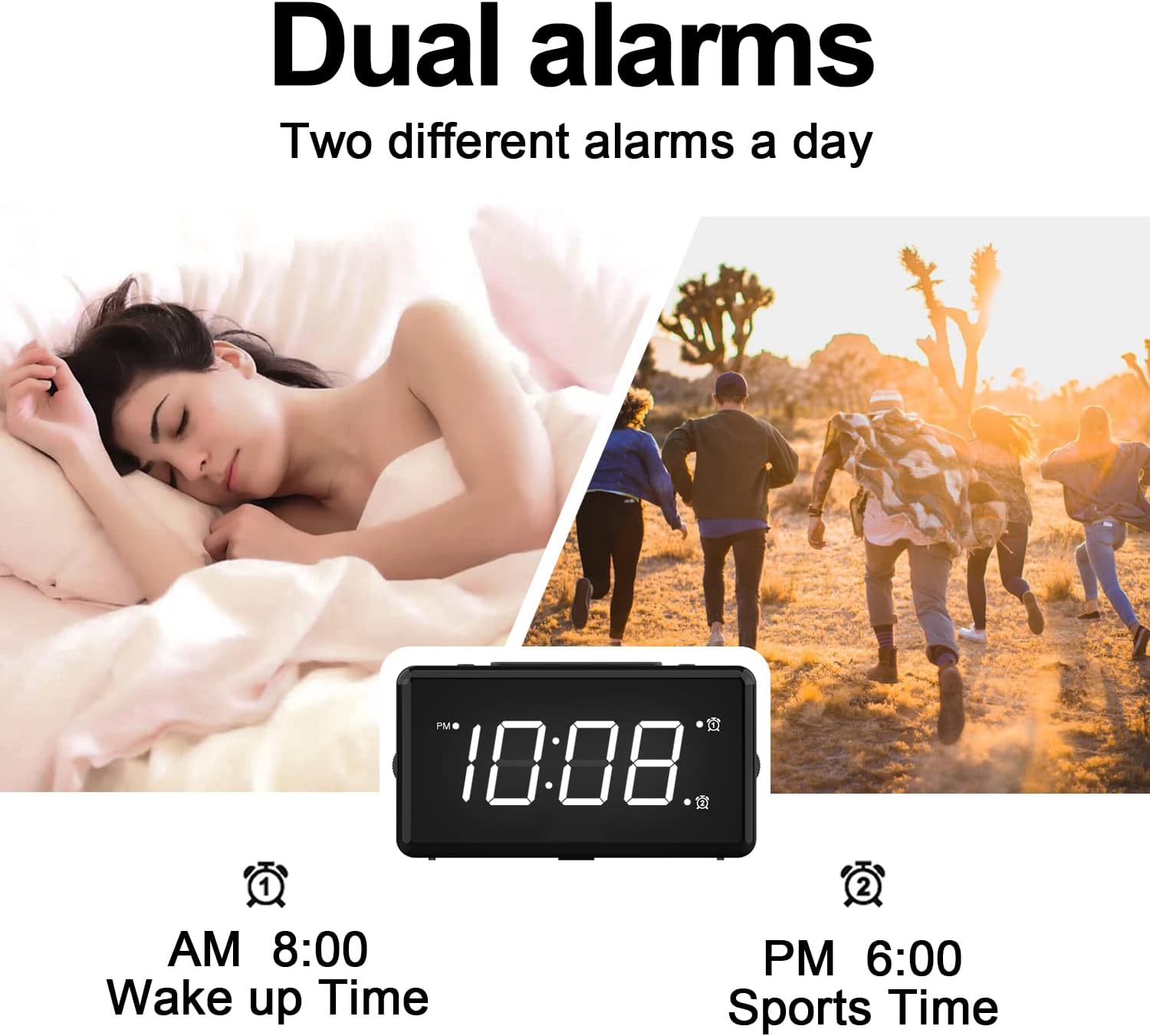
그림 5: 예ample of dual alarm functionality.
- 알람 1 설정 방법: 를 누르고 계세요 ALT SET button until the hour digits for Alarm 1 flash.
- 사용하세요 HOUR + 그리고 MIN - 원하는 알람 시간을 설정하려면 버튼을 누르세요.
- 누르다 ALT SET again to confirm and activate Alarm 1. The Alarm 1 indicator will appear on the display.
- 알람 2 설정 방법: Follow the same steps using the AL2 세트 단추.
- To turn an alarm on or off, briefly press the corresponding ALT SET or AL2 세트 button. The alarm indicator will appear/disappear.
3. 스누즈 기능
알람이 울리면 큰 버튼을 누르세요. 스누즈 / 라이트 시계 상단의 버튼을 눌러 9분 간격의 스누즈 기능을 활성화하세요. 9분 후에 알람이 다시 울립니다.

Figure 6: The SNOOZE / LIGHT button for snooze functionality.
4. 화면 밝기 조절
The clock features a 0-100% full-range dimmer for the LED time display. Use the 디스플레이 디머 slider located on the side of the clock to adjust the brightness to your preference.

Figure 7: Adjusting display brightness with the dimmer slider.
5. Night Light Features
The integrated night light offers 7 different colors and adjustable brightness.

Figure 8: The 7-color night light feature.
- 색상 변경: 를 짧게 탭합니다. 색상 button to cycle through the 7 available colors.
- Color Loop Mode: 를 누르고 계세요 색상 button for 2 seconds to enter a continuous color-changing loop.
- Turning Off Night Light: 를 누르세요 스누즈 / 라이트 button to turn the night light off.
- Adjusting Night Light Brightness: The night light brightness can also be adjusted from 0-100% using the 디스플레이 디머 slider, similar to the main display.
6. 알람 소리 조절
The alarm volume has 5 adjustable levels, ranging from 45dB to 85dB.
- While an alarm is sounding, or when setting an alarm, press the HOUR + 버튼을 눌러 볼륨을 높입니다.
- 를 누르세요 MIN - 버튼을 눌러 볼륨을 줄입니다.

Figure 9: Volume adjustment using HOUR + and MIN - buttons.
7. USB 충전 포트
The clock includes a 5V-1A USB charging port on its side, allowing you to charge small electronic devices like smartphones or tablets while the clock is plugged into power.
유지
- 부드럽고 마른 천으로 시계를 닦으세요. 연마성 세제나 용제는 사용하지 마세요.
- Keep the clock away from dust and moisture.
- If not in use for an extended period, remove the backup batteries to prevent leakage.
문제 해결
| 문제 | 가능한 원인 | 해결책 |
|---|---|---|
| 시계 표시가 꺼져 있습니다. | No power, or display dimmer set to 0%. | Check power connection. Adjust DISPLAY DIMMER slider. |
| 알람이 울리지 않습니다. | 경보가 설정되지 않았거나, 경보음이 너무 작거나, 경보가 꺼져 있습니다. | Ensure alarm is set and activated (indicator visible). Increase alarm volume. |
| 전원을 끄면 시간/설정이 초기화됩니다.tage. | No backup batteries installed, or batteries are dead. | Install fresh 2 x AAA batteries for backup. |
| USB 충전이 작동하지 않습니다. | Clock not powered by AC, or device requires more than 1A. | Ensure clock is plugged into AC power. Check device's charging requirements. |
명세서
| 특징 | 세부 사항 |
|---|---|
| 모델 | KT279 |
| 디스플레이 유형 | 주도의 |
| 전원 | 유선 전기 (100-240V AC) |
| 배터리 백업 | AAA 배터리 2개 (포함되지 않음) |
| USB 충전 포트 | 5V-1A |
| 야간 조명 색상 | 7가지 색상 |
| 디스플레이 디머 | 0-100% 조정 가능 |
| 알람 볼륨 | 5단계 (45dB ~ 85dB) |
| 다시 알림 시간 | 9 분 |
| 제품 치수 | 가로 5.91인치 x 세로 3.15인치 (약 150mm x 80mm) |
| 품목 무게 | 11.7 온스 |
| 재료 | 플라스틱 |
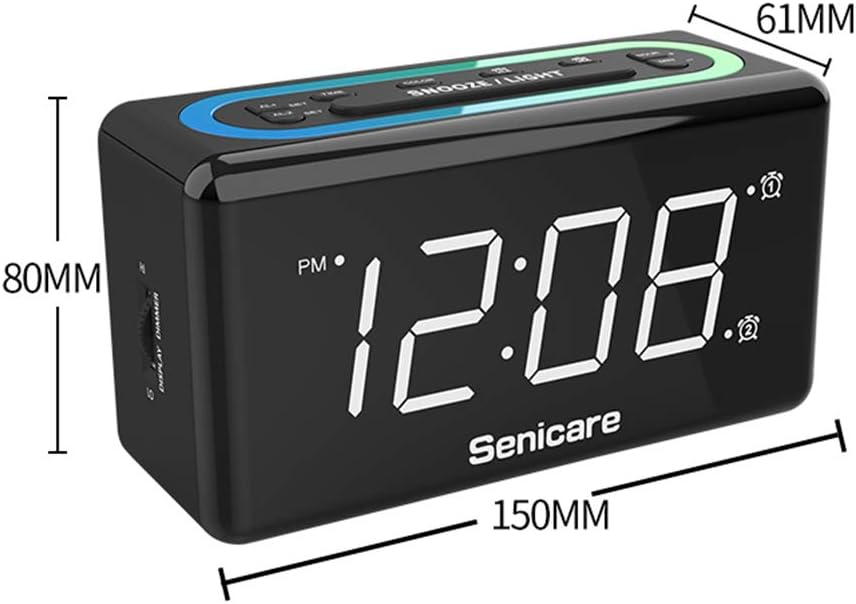
그림 10: 제품 치수
보증 및 지원
The Senicare Digital LED Alarm Clock comes with a 1년 보증저희는 또한 다음을 제공합니다. 30일 환불 보장. For any questions or assistance, please contact our customer service team, available 24시간 a day. Your satisfaction is our priority.