1. 서론
This manual provides comprehensive instructions for the installation, operation, and maintenance of your Rampage ZUKO Metal Panel Gaming Case. Please read this manual carefully before using the product to ensure proper functionality and to prevent damage.
R은ampage ZUKO is a gaming computer case designed for optimal performance and aesthetics. It features a robust metal panel construction, a tempered glass side panel, and comes equipped with a pre-installed 600W 80 Plus Bronze certified power supply and four LED fans for efficient cooling and visual appeal.
2. 안전 정보
- Always disconnect the power supply from the wall outlet before performing any installation, maintenance, or cleaning procedures.
- Handle internal components with care to avoid electrostatic discharge (ESD) damage. Consider using an anti-static wrist strap.
- Do not open the power supply unit (PSU) as it contains high voltag전자 구성 요소.
- 과열을 방지하려면 케이스 주변의 적절한 환기를 확보하세요.
- 제품을 물, 습기, 극한의 온도로부터 멀리 보관하세요.
- Avoid placing heavy objects on the case.
3. 패키지 내용
패키지에 모든 품목이 들어 있는지 확인하세요.
- Rampage ZUKO Gaming Case with pre-installed 600W 80 Plus Bronze PSU
- 4 x Pre-installed LED Fans (3 front, 1 rear)
- 액세서리 상자(나사, 케이블 타이 및 기타 소형 부품 포함)
- 사용 설명서 (본 문서)
4. 제품 오버view
Familiarize yourself with the key features and components of your Rampage ZUKO case.
4.1 외부 View

R은ampage ZUKO case features a sleek design with a metal front panel and a tempered glass side panel, allowing for a clear view of internal components and LED lighting.
4.2 전면 패널

The front panel incorporates a mesh design for optimal airflow, behind which three LED fans are mounted. The top I/O panel provides convenient access to essential ports and controls.
4.3 상단 I/O 패널

상단 I/O 패널에는 다음이 포함됩니다.
- 전원 버튼
- 재설정 버튼
- LED Control Button (for fan lighting)
- 헤드폰 잭
- 마이크 잭
- 2개의 USB 2.0 포트
- 1 x USB 3.0 포트
4.4 후면 패널

The rear panel features a pre-installed exhaust LED fan, multiple expansion slots for add-in cards, and the cutout for the integrated power supply unit.
4.5 내부 구조
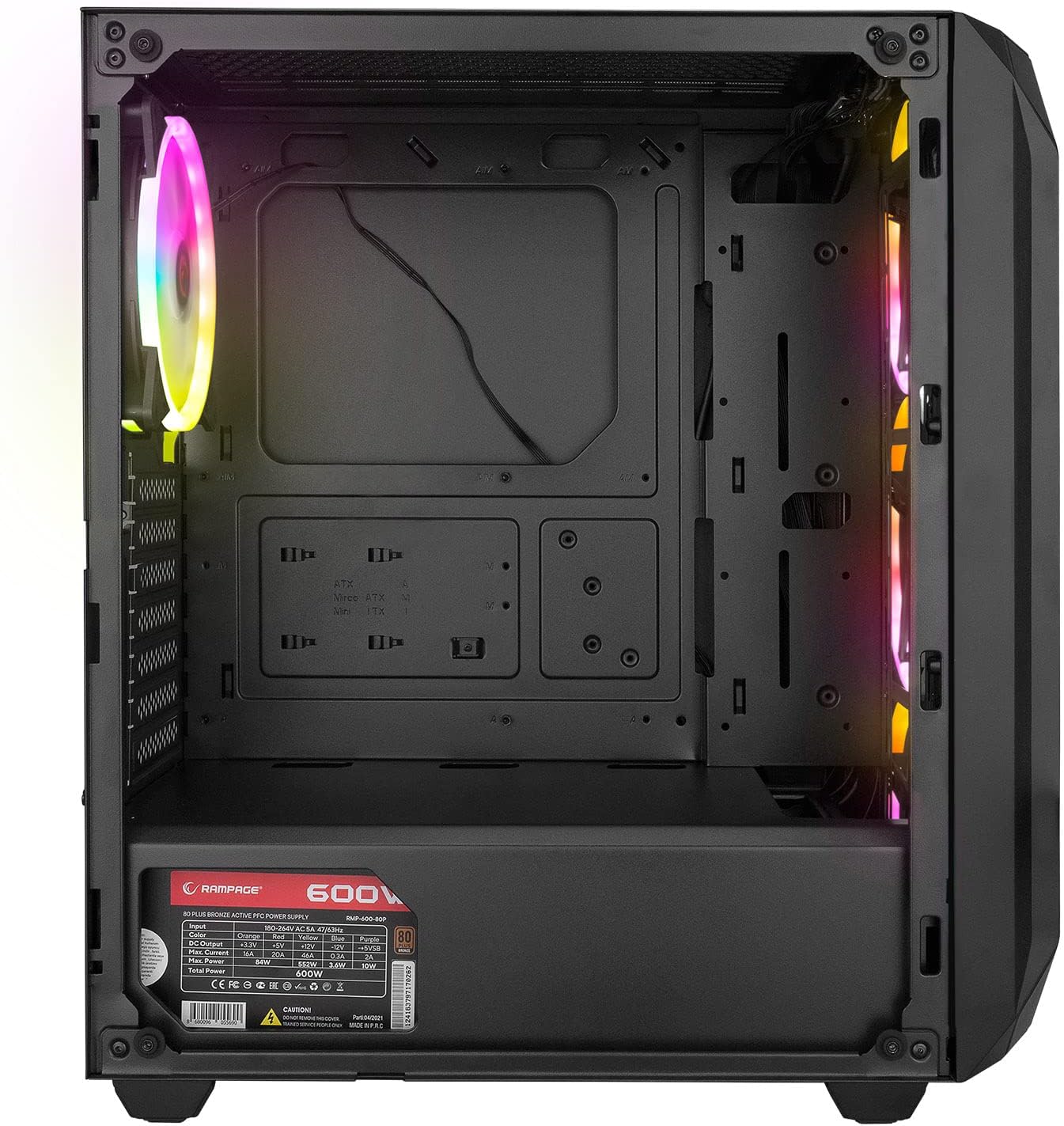
The interior provides ample space for standard ATX, Micro-ATX, and Mini-ITX motherboards, graphics cards, and storage drives. A dedicated shroud covers the power supply, aiding in a clean build and improved airflow.
4.6 전원 공급 장치(PSU)
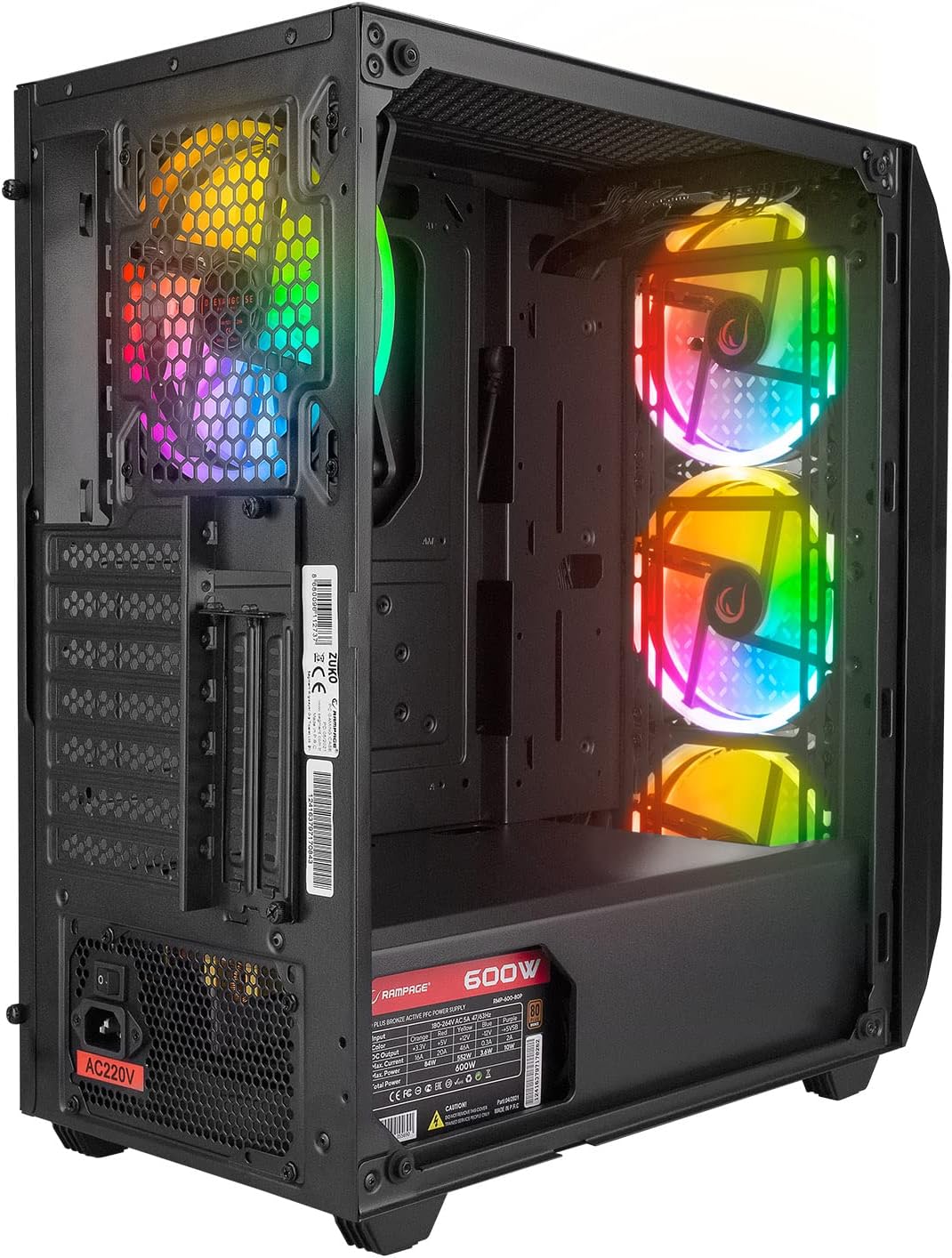
The case comes with a pre-installed 600W 80 Plus Bronze certified power supply, providing reliable and efficient power to your components.
5. 설정 및 설치
Follow these steps to install your computer components into the Rampage ZUKO case.
5.1 사건 준비
- 케이스를 평평하고 안정적인 표면에 놓으십시오.
- Remove the tempered glass side panel by unscrewing the four thumb screws and carefully lifting it away. Place it on a soft, non-abrasive surface to prevent scratches.
- Remove the right-side metal panel by unscrewing the two thumb screws at the rear and sliding it backward.
5.2 마더 보드 설치
- Install the I/O shield (if not pre-installed on your motherboard) into the cutout at the rear of the case.
- 케이스 내부의 스탠드오프에 맞춰 마더보드를 정렬하십시오. 스탠드오프가 마더보드의 폼팩터(ATX, Micro-ATX, Mini-ITX)와 일치하는지 확인하십시오.
- 제공된 나사로 마더보드를 고정합니다.
5.3 저장 드라이브 설치
- Locate the 2.5" SSD/HDD mounting points behind the motherboard tray or in the PSU shroud area.
- Locate the 3.5" HDD drive cage (usually under the PSU shroud).
- Mount your storage drives using the appropriate screws.
5.4 그래픽 카드 및 확장 카드 설치
- 케이스 후면에서 필요한 확장 슬롯 덮개를 제거하십시오.
- Insert your graphics card or other expansion cards into the corresponding PCIe slots on your motherboard.
- 카드를 나사로 고정합니다.
5.5 케이블 관리
Utilize the cable routing holes and tie-down points behind the motherboard tray to manage cables. This improves airflow and aesthetics.
5.6 전면 패널 케이블 연결
Connect the front panel cables (Power SW, Reset SW, HDD LED, Power LED, USB 2.0, USB 3.0, HD Audio, and LED control button cable) to the corresponding headers on your motherboard. Refer to your motherboard manual for exact pin layouts.
6. 사용 설명서
6.1 전원 켜기
- Ensure all components are correctly installed and all necessary power cables are connected.
- 전원 코드를 파워서플라이에 연결한 다음 벽면 콘센트에 연결하십시오.
- PSU의 전원 스위치를 'ON' 위치로 돌립니다.
- Press the Power Button on the top I/O panel of the case.
6.2 LED Fan Control
R은ampage ZUKO case includes pre-installed LED fans. Use the dedicated LED Control Button on the top I/O panel to cycle through available lighting modes or turn the LEDs on/off. Please note that some models may feature fixed LED colors or limited lighting patterns, as reported by some users. The functionality of the LED button depends on the specific fan controller integrated with the fans.
7. 유지관리
정기적인 유지 관리는 컴퓨터 케이스의 최적 성능과 수명 연장에 도움이 됩니다.
7.1 먼지 필터 청소
The case is equipped with dust filters (e.g., on the top and under the PSU). Periodically remove and clean these filters to prevent dust buildup, which can restrict airflow and lead to overheating. Clean them with compressed air or by rinsing with water and allowing them to dry completely before reinstallation.
7.2 일반 청소
케이스 외부를 부드러운 천으로 닦아주세요.amp cloth. Avoid using harsh chemicals or abrasive materials that could damage the finish or tempered glass. For internal cleaning, use compressed air to remove dust from components and fans.
8. 문제 해결
이 섹션에서는 일반적으로 발생할 수 있는 문제에 대해 설명합니다.
8.1 전원 없음
- 전원 코드가 PSU와 벽면 콘센트에 모두 단단히 연결되어 있는지 확인하세요.
- Verify that the PSU's power switch is in the 'ON' position.
- Check all internal power connections, especially the 24-pin motherboard power and 8-pin CPU power cables.
- Confirm that the front panel Power SW cable is correctly connected to the motherboard header.
8.2 Fans Not Spinning / LEDs Not Working
- Check that the fan power cables are securely connected to the motherboard or fan controller.
- Ensure the LED control cable from the front panel is connected to the appropriate header (if applicable) or the fan controller.
- As noted in Section 6.2, some models may have fixed LED colors or limited functionality, meaning the LED button might not change colors but only cycle through patterns or turn them on/off.
8.3 과열 문제
- Ensure all case fans are spinning correctly and oriented for proper airflow (front fans intake, rear fan exhaust).
- Clean any dust buildup from the dust filters and internal components.
- Verify that there is adequate space around the case for air circulation.
9. 사양
| 특징 | 사양 |
|---|---|
| 상표 | Ramp나이 |
| 모델 | ZUKO |
| 케이스 유형 | Gaming Mid-Tower |
| 재료 | 금속, 강화 유리 |
| 색상 | 검은색 |
| 치수(패키지) | 50 x 47.4 x 27.4cm |
| 제품 무게 | 8.5 킬로그램 |
| Pre-installed PSU | 600W 80 Plus Bronze |
| 사전 설치된 팬 | 4 x LED Fans (3 Front, 1 Rear) |
| 마더보드 지원 | ATX, 마이크로 ATX, 미니 ITX |
| 전면 I / O 포트 | 2 x USB 2.0, 1 x USB 3.0, HD Audio (Headphone/Mic), Power, Reset, LED Control |
| 냉각 방식 | 공기 |
| 권장 사용 | 노름 |
10. 보증 및 지원
For warranty information and technical support, please refer to the warranty card included with your product or visit the official Ramp나이 web사이트. 보증 청구를 위해 구매 증빙 자료를 보관하세요.


