1. 제품 오버view
The ZIOCOM 2-in-1 Wireless Bluetooth Transmitter/Receiver is a versatile audio adapter designed to enhance your audio experience by adding Bluetooth capabilities to non-Bluetooth devices. It functions as both a transmitter (TX mode) to send audio from your TV, PC, or MP3 player to Bluetooth headphones or speakers, and a receiver (RX mode) to stream audio from your smartphone or tablet to wired speakers, car stereos, or home sound systems. Featuring Bluetooth 5.0 and aptX Low Latency technology, it ensures high-quality audio with minimal delay.

Figure 1: ZIOCOM 2-in-1 Wireless Bluetooth Transmitter/Receiver and accessories.
패키지 내용:
- ZIOCOM 2-in-1 Bluetooth Transmitter/Receiver (BH045B)
- 3.5mm 오디오 케이블
- RCA - 3.5mm 오디오 케이블
- USB 충전 케이블
- 사용자 설명서

Figure 2: Package contents including the device, various cables, and user manual.
2. 장치 레이아웃 및 컨트롤

Figure 3: Device layout with key components labeled.
- 다기능 버튼: Power On/Off, Play/Pause, Answer/End/Reject Calls, Redial.
- Volume Up/Previous Song Button: Increase volume, navigate to previous track.
- Volume Down/Next Song Button: Decrease volume, navigate to next track.
- 페어링 버튼 : 블루투스 페어링 모드를 시작합니다.
- 송수신 스위치: 송신기와 수신기 모드 사이를 전환합니다.
- 표시등: 기기 상태(페어링, 연결됨, 충전 중)를 표시합니다.
- 내장 마이크 : 수신 모드에서 핸즈프리 통화를 위해.
- Type-C 충전 포트: 내부 배터리를 충전합니다.
- AUX 포트 : 3.5mm 오디오 입력/출력.
3. 설정 및 충전
초기 충전:
Before first use, fully charge the device. Connect the supplied USB charging cable to the Type-C charging port on the adapter and the other end to a USB power source (e.g., computer USB port, USB wall adapter). The indicator light will show charging status and turn off when fully charged. A full charge takes approximately 2 hours.
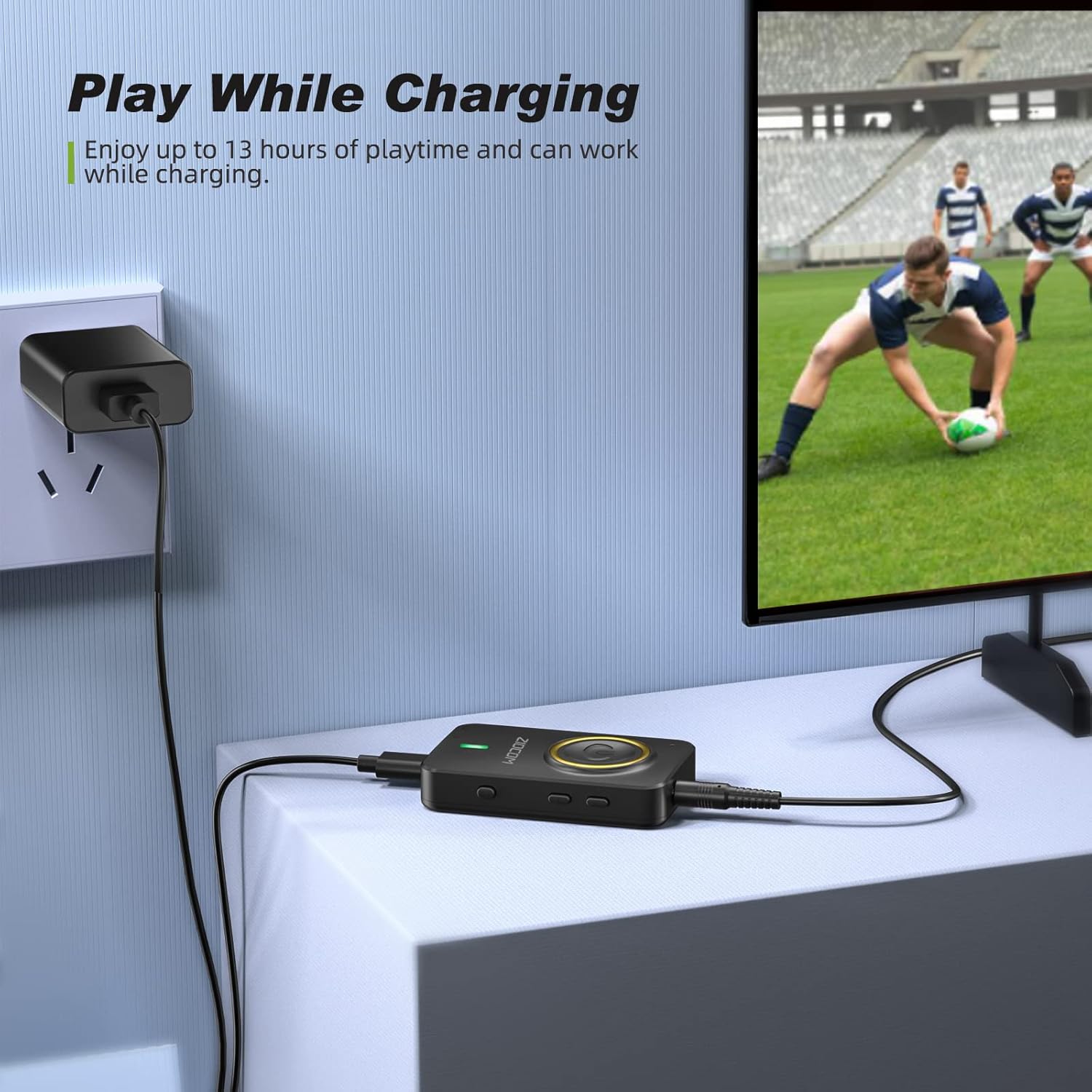
Figure 4: The device can be used while charging, providing extended playtime.
전원 켜기/끄기:
- 전원 켜기: Press and hold the Multifunction Button for 3 seconds until the indicator light turns on.
- 전원 끄기 : Press and hold the Multifunction Button for 3 seconds until the indicator light turns off.
4. 작동 모드
The ZIOCOM adapter supports two primary operating modes: Transmitter (TX) and Receiver (RX). Use the TX/RX 스위치 on the side of the device to select the desired mode.

그림 5: 이상view of Transmitter (TX) and Receiver (RX) modes.
4.1. 송신기(TX) 모드
In TX mode, the adapter transmits audio from non-Bluetooth devices (e.g., TV, PC, MP3 player) to Bluetooth-enabled headphones or speakers.
Setup for TX Mode:
- 장치를 전환하세요 TX mode using the TX/RX switch.
- Connect the ZIOCOM adapter to your audio source (TV, PC, MP3 player) using the 3.5mm audio cable or the RCA to 3.5mm audio cable. Plug the 3.5mm end into the adapter's AUX port and the other end into the audio output port of your source device.
- Power on the adapter. It will automatically enter pairing mode, indicated by a rapidly flashing blue light.
- Bluetooth 헤드폰이나 스피커를 페어링 모드로 전환하세요.
- The adapter will automatically search for and connect to nearby Bluetooth devices. Once connected, the indicator light will turn solid blue.

Figure 6: Enjoying low latency audio from TV in TX mode. (Note: Your receiving device must also support aptX Low Latency for optimal performance.)
Dual-Link in TX Mode:
The adapter can connect to two Bluetooth headphones/speakers simultaneously in TX mode.
- Connect the first Bluetooth device as described above.
- Once the first device is connected, press the 페어링 버튼 on the ZIOCOM adapter. The indicator light will flash rapidly again.
- 두 번째 블루투스 헤드폰/스피커를 페어링 모드로 설정하세요.
- The adapter will connect to the second device. Both devices will now receive audio simultaneously.

Figure 7: Dual-link feature allowing two Bluetooth headphones to connect to a TV.
4.2. 수신기(RX) 모드
In RX mode, the adapter receives audio from Bluetooth-enabled devices (e.g., smartphones, tablets) and plays it through wired speakers, car stereos, or home sound systems.
Setup for RX Mode:
- 장치를 전환하세요 RX mode using the TX/RX switch.
- Connect the ZIOCOM adapter to your wired audio system (speakers, car stereo) using the 3.5mm audio cable or the RCA to 3.5mm audio cable. Plug the 3.5mm end into the adapter's AUX port and the other end into the audio input port of your wired system.
- Power on the adapter. It will automatically enter pairing mode, indicated by a rapidly flashing blue light.
- 스마트폰이나 태블릿에서 블루투스를 활성화하고 검색하세요.
관련 문서 - BH045B

ZIOCOM BT5804F 블루투스 송수신기 사용 설명서
ZIOCOM BT5804F 블루투스 송신기 및 수신기를 살펴보세요. 이 사용 설명서에는 aptX 저지연 및 바이패스 모드를 포함한 오디오 어댑터에 대한 자세한 사용 설명서, 사양 및 기능이 설명되어 있습니다.
ZIOCOM BT5809 Bluetooth 5.0 송신기 수신기 사용 설명서
무선 장거리 블루투스 5.0 송신기, 수신기, 바이패스 장치인 ZIOCOM BT5809에 대한 종합적인 사용자 가이드입니다. 제품 사양, 설정, 작동 모드(수신기, 송신기, 바이패스), 페어링, 문제 해결 및 보증 정보에 대해 알아보세요.
ZIOCOM RC02 블루투스 AUX 어댑터 사용 설명서
ZIOCOM RC02 블루투스 AUX 어댑터 사용 설명서입니다. 제품 사양, 무선 오디오 스트리밍 및 핸즈프리 통화를 위한 장치 페어링 및 사용 방법, 문제 해결 및 유지 관리에 대해 알아보세요. 차량용 스테레오 및 가정용 오디오 시스템과 호환됩니다.
ZIOCOM BT4853C Bluetooth 5.0 송신기 수신기 사용자 매뉴얼
ZIOCOM BT4853C Bluetooth 5.0 송신기 및 수신기 사용 설명서입니다. 이 무선 오디오 어댑터의 설정, TX 및 RX 모드 작동, 페어링, 볼륨 조절 및 문제 해결 방법을 제공합니다.
ZIOCOM LS01 SOUL 3 30핀 블루투스 오디오 수신기 사용 설명서
30핀 블루투스 오디오 수신기 ZIOCOM LS01 SOUL 3 사용 설명서입니다. 제품 사양, 전원 켜기/끄기, 30핀 또는 3.5mm AUX 연결, 두 기기 페어링, 배터리 부족 알림, 지원 연락처 등에 대한 자세한 설명을 제공합니다.
ZIOCOM BT4871 블루투스 어댑터 사용 설명서
이 설명서는 ZIOCOM BT4871 30핀 블루투스 어댑터를 사용하여 Bose iPod SoundDock 스피커 및 기타 30핀 도크 스피커를 업그레이드하는 방법을 설명합니다. 설치, 연결, 문제 해결 및 제품 사양에 대한 설명이 포함되어 있습니다.