소개
Welcome to the user manual for your Majority Homerton 2 Internet Radio, DAB, FM, and CD Player. This comprehensive guide will assist you in setting up, operating, and maintaining your device to ensure optimal performance and enjoyment of its wide range of features, including Internet Radio, DAB/DAB+, FM, CD playback, Bluetooth connectivity, Spotify Connect, and Podcast streaming.

Image: The Majority Homerton 2 unit in oak finish, showing the front panel with display, controls, CD slot, and a remote control in the foreground.
설정
1. 풀기 및 배치
Carefully remove the Homerton 2 from its packaging. Place the unit on a stable, flat surface away from direct sunlight, heat sources, and excessive moisture. Ensure adequate ventilation around the unit.
2. 전원 연결하기
Connect the provided power adapter to the DC IN port on the back of the unit, then plug the adapter into a wall outlet. The unit will power on or enter standby mode.
3. 안테나 연결
Extend the telescopic antenna fully for optimal DAB/DAB+ and FM radio reception. For Internet Radio and Wi-Fi features, ensure the unit is within range of your wireless router.
4. 초기 설정 마법사
Upon first power-on, the Homerton 2 will guide you through an initial setup wizard. This includes:
- 언어 선택: Choose your preferred language for the display menu.
- 네트워크 연결 : Select your Wi-Fi network and enter the password. This is crucial for Internet Radio, Spotify Connect, and Podcast features.
- 시간과 날짜: Set the current time and date, or allow the unit to synchronize automatically via network or DAB signal.
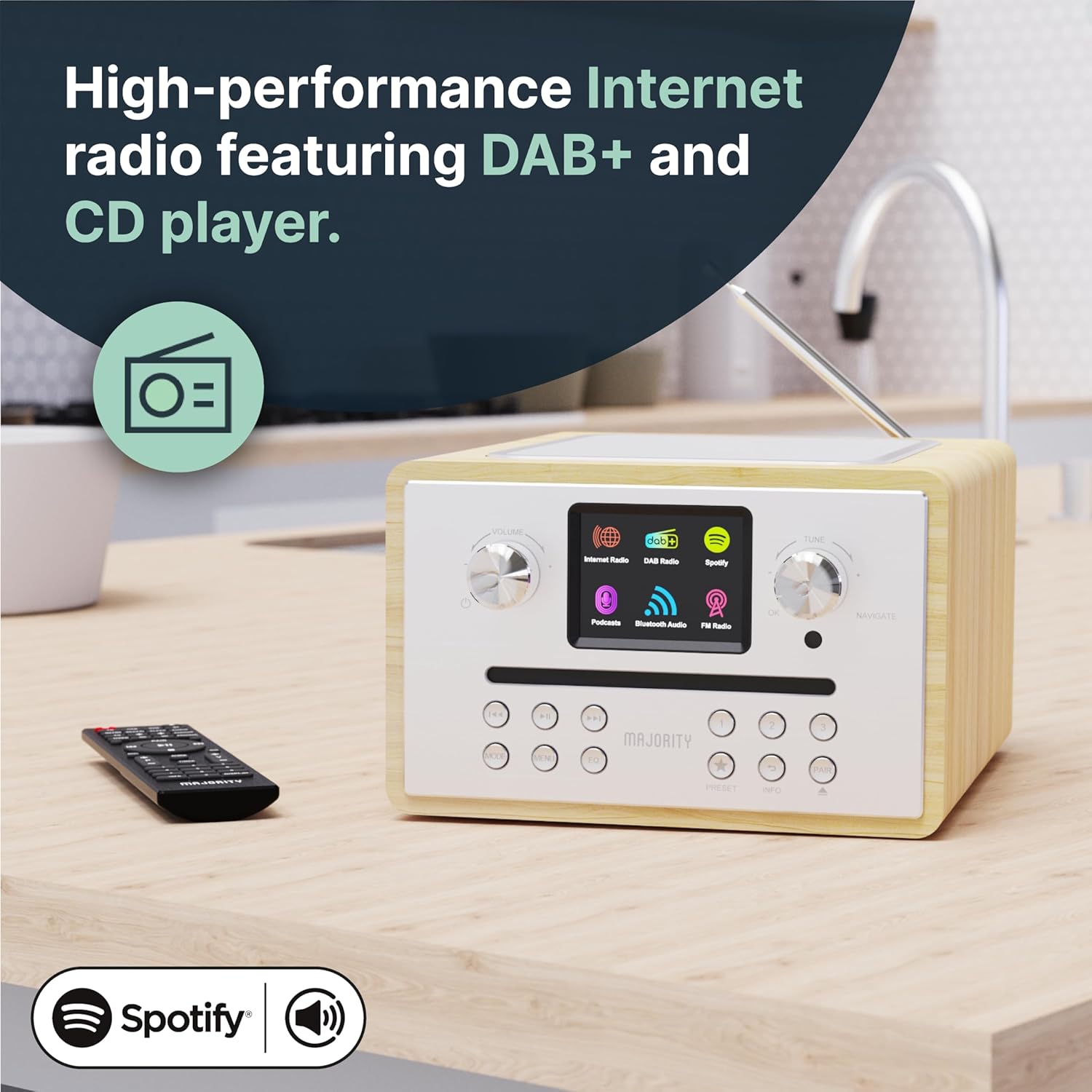
Image: The Homerton 2 unit showcasing its display and control knobs, indicating its readiness for use.
작동 지침
1. 전원 켜기/끄기 및 대기 모드
를 누르세요 힘 button on the unit or remote control to switch the unit on or off. In standby mode, the display may show the clock.
2. 모드 선택
사용하세요 방법 button on the unit or remote to cycle through available modes: Internet Radio, DAB/DAB+, FM, CD, Bluetooth, USB (MP3), and Auxiliary Input.
3. 인터넷 라디오
Connect to thousands of global radio stations via your Wi-Fi network. Navigate through stations by genre, location, or search. Save your favorite stations as presets for quick access.

Image: The Homerton 2 unit with its display showing the Internet Radio interface, indicating connectivity and available options.
4. DAB/DAB+ 및 FM 라디오
Tune into digital (DAB/DAB+) or analog (FM) radio broadcasts. Perform an auto-scan to find available stations in your area. Use the tuning knob or remote control to select stations. You can store up to 40 presets for your favorite stations.
5. CD 플레이어
Insert an audio CD or MP3 CD into the front-loading CD slot. The unit will automatically detect and begin playback. Use the playback controls (Play/Pause, Skip, Stop) on the unit or remote control. The integrated CD player allows you to enjoy your physical music collection with ease.

Image: The Homerton 2 unit with a CD being inserted into its front-loading slot, demonstrating the CD playback capability.
6. 블루투스 연결
Pair your smartphone, tablet, or other Bluetooth-enabled device with the Homerton 2 to stream audio wirelessly. Select Bluetooth mode on the unit, then search for "Homerton 2" on your device's Bluetooth settings and connect. Enjoy high-quality audio streaming from your personal library or streaming apps.
7. Spotify Connect & Podcasts
If you have a Spotify Premium account, use Spotify Connect to control music playback directly from the Spotify app on your phone or tablet, streaming audio through the Homerton 2. Access a wide selection of podcasts directly from the unit's menu.

Image: The Homerton 2 unit next to a smartphone showing the Spotify app, illustrating its Spotify Connect and Bluetooth streaming features.
8. USB Playback (MP3)
MP3 오디오가 포함된 USB 플래시 드라이브를 삽입하세요 files into the USB port. The unit will automatically switch to USB mode and begin playing the files. This allows you to enjoy your own media in HD sound.
9. Dual Alarm Clock
Set up to two independent alarms. You can choose to wake up to a buzzer, FM radio, DAB radio, or Internet radio station. Configure alarm times, sources, and recurrence (daily, weekdays, weekends).
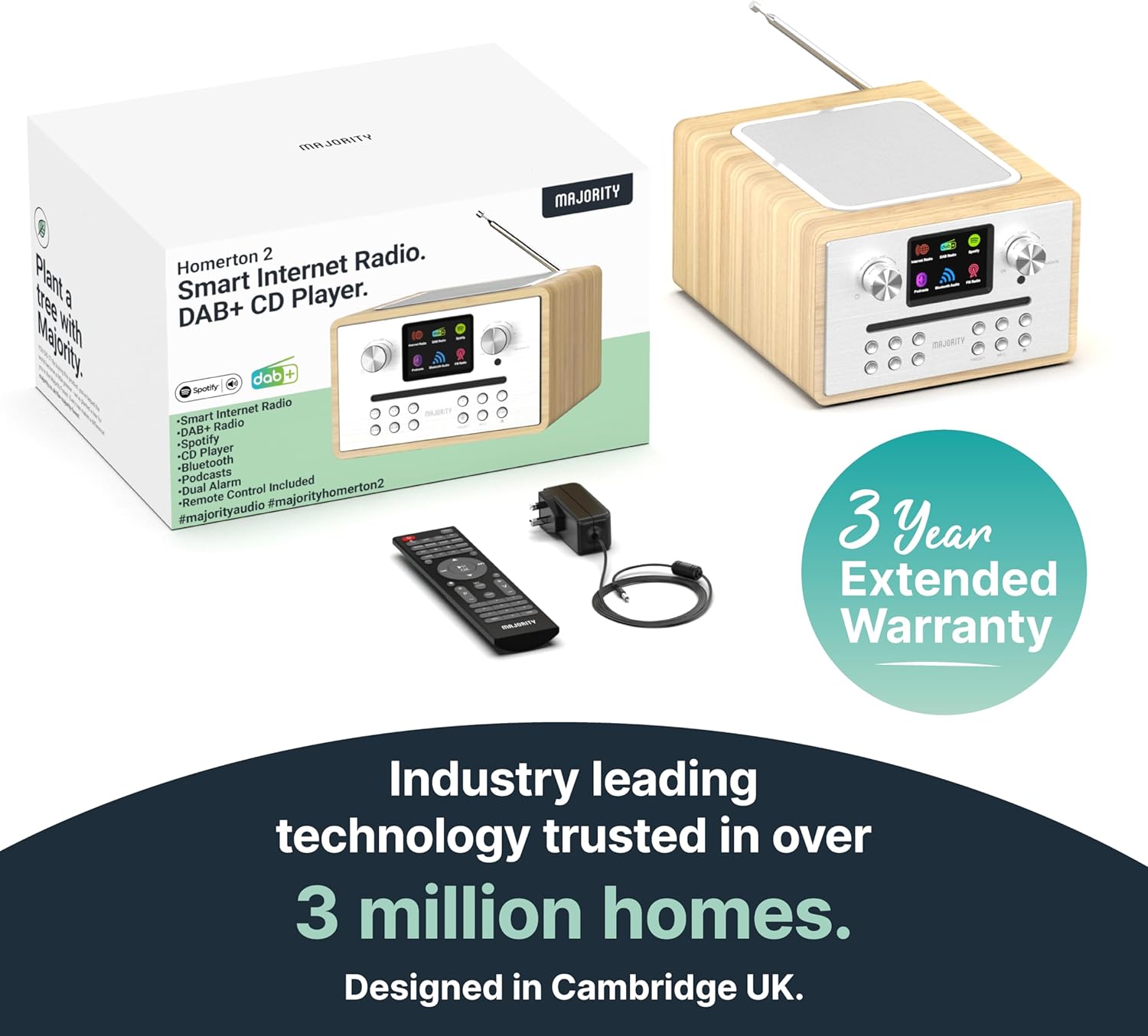
Image: The Homerton 2 unit with a graphic overlay of an alarm clock, emphasizing its dual alarm functionality.
10. 이퀄라이저 설정
Adjust the audio output using the built-in equalizer. Select from preset equalization modes (Normal, Jazz, Rock, Classical, Pop) or customize your own 'My EQ' settings for personalized bass and treble levels.
유지
- 청소: 제품 외부를 닦을 때는 부드럽고 마른 천을 사용하십시오. 연마성 세제나 용제를 사용하지 마십시오.
- CD 플레이어 관리: Keep the CD slot free of dust and debris. Use a CD lens cleaner if playback issues occur due to a dirty lens.
- 통풍: 과열을 방지하려면 통풍구가 막히지 않도록 주의하세요.
- 저장: 장기간 보관할 경우 전원을 끄고 서늘하고 건조한 곳에 보관하세요.
문제 해결
| 문제 | 가능한 원인 | 해결책 |
|---|---|---|
| 전원이 없습니다 | 전원 어댑터가 연결되지 않았습니다. 전원 콘센트에 결함이 있습니다. | 전원 연결을 확인하십시오. 다른 콘센트에 넣어 사용해 보십시오. |
| 소리가 나지 않습니다 | 볼륨이 너무 낮습니다. 음소거가 활성화되었습니다. 잘못된 소스가 선택되었습니다. | Increase volume; Deactivate mute; Select correct input mode. |
| 열악한 라디오 수신 | 안테나가 확장되지 않음; 신호가 약함; 간섭. | Fully extend antenna; Reposition unit; Scan for stations again. |
| Wi-Fi 연결 문제 | 잘못된 비밀번호; 범위를 벗어남; 라우터 문제. | Re-enter password; Move unit closer to router; Restart router. |
| CD Playback Errors | Dirty or scratched CD; Incorrect disc type. | Clean CD; Try a different CD; Ensure it's an audio or MP3 CD. |
명세서
- 상표: 다수
- 모델 번호: Homerton
- 색상: 참나무
- 연결 기술 : Bluetooth, USB, WLAN (Wi-Fi)
- 특별 기능: Integrated Clock, Portable, Dual Alarm
- 호환 장치: MP3 플레이어
- 제품 크기: 23L x 20.2W x 12.8Hcm
- 튜닝 기술: 인터넷 라디오, DAB/DAB+, FM
- 지원되는 라디오 대역: 3 밴드
- 전원: 코드식 전기
- 포함된 구성 요소: Homerton CD Player, Owner's Manual, Remote Control
보증 및 지원
The Majority Homerton 2 comes with a 3년 연장 보증, providing peace of mind for your audio product. For detailed warranty terms and conditions, please refer to the official Majority web사이트에 접속하거나 제품에 포함된 보증 카드를 확인하세요.
For technical support, troubleshooting assistance, or to inquire about spare parts availability, please visit the official Majority support website or contact their customer service. Keep your purchase receipt handy as proof of purchase.

Image: An icon representing the 3-year warranty provided with Majority audio products.


