1. 서론
This manual provides essential instructions for the proper use and maintenance of your LOTUS Smartwatch Model 50003/A. Please read this guide thoroughly before using your smartwatch to ensure optimal performance and longevity.
The LOTUS Smartwatch 50003/A features an intuitive interface and elegant design, offering a variety of smart functions. It is equipped with Bluetooth connectivity, allowing seamless synchronization with your mobile devices. This synchronization enables features such as call and message notifications, music control, and other practical functions for daily life.
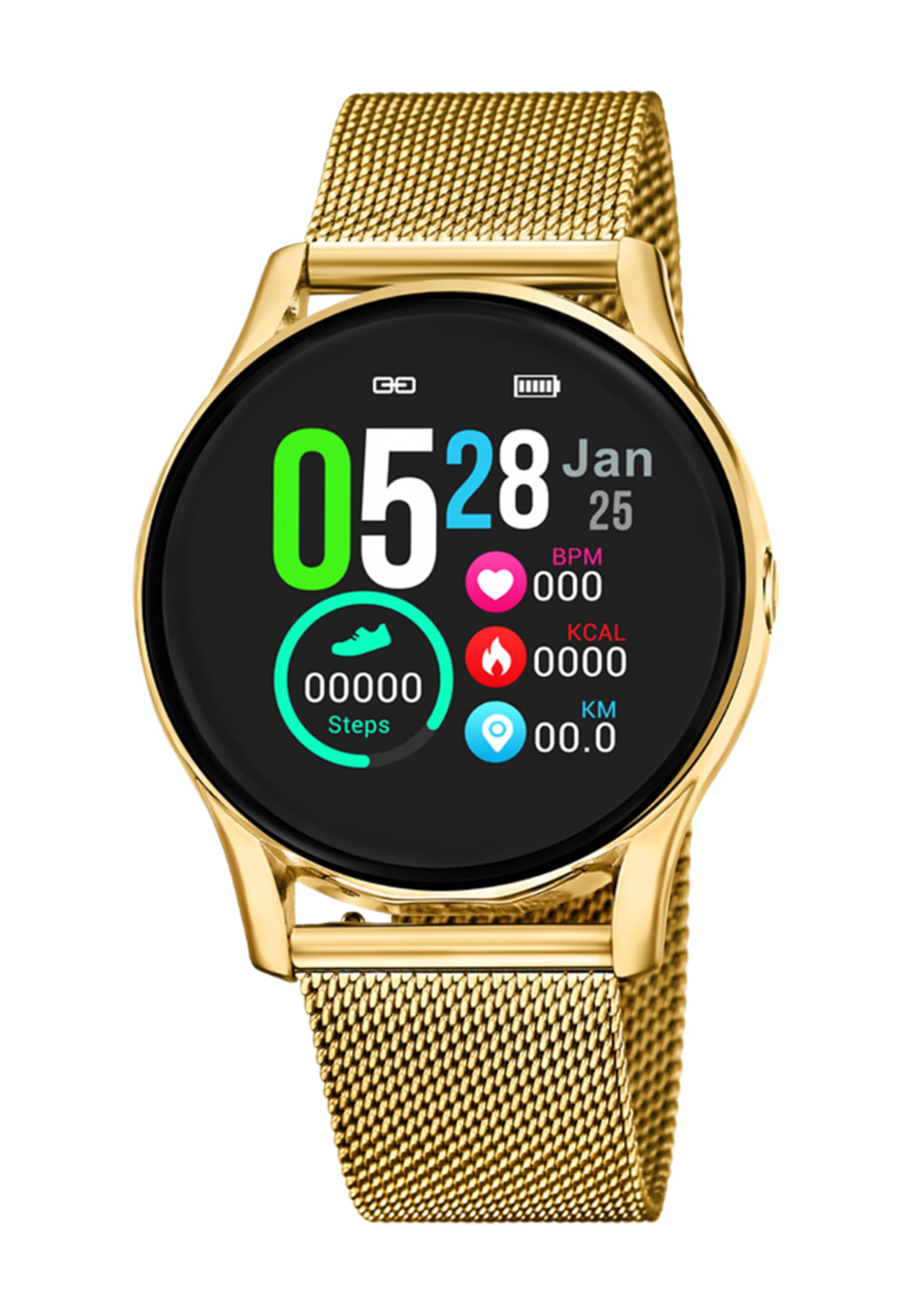
이미지 1.1: 앞면 view of the LOTUS Smartwatch 50003/A.
2. 패키지 내용
Please check the package contents upon unboxing. The standard package for the LOTUS Smartwatch 50003/A should include:
- LOTUS Smartwatch 50003/A
- 충전 케이블
- 사용 설명서 (본 문서)
3. 설정 가이드
3.1. 스마트워치 충전하기
Before initial use, fully charge your smartwatch.
- 스마트워치 뒷면의 충전 포트에 충전 케이블을 연결하세요.
- 충전 케이블의 다른 쪽 끝을 USB 전원 어댑터(별도 구매) 또는 컴퓨터의 USB 포트에 연결하십시오.
- 시계 화면에 충전 상태가 표시됩니다. 완전 충전에는 약 2~3시간이 소요됩니다.
3.2. 컴패니언 앱 설치
To unlock all features and synchronize your smartwatch with your smartphone, you need to install the official LOTUS Connected app.
- Scan the QR code provided in the watch packaging or search for "LOTUS Connected" in your smartphone's app store (Google Play Store for Android, Apple App Store for iOS).
- 앱을 다운로드하고 설치하세요.
- 화면의 지시에 따라 계정을 생성하거나 로그인하세요.

Image 3.2: Synchronizing the smartwatch with the companion app on a smartphone.
3.3. 스마트폰과 페어링
Ensure Bluetooth is enabled on your smartphone and the smartwatch is charged.
- Open the LOTUS Connected app on your smartphone.
- 앱의 안내에 따라 새 기기를 추가하세요.
- The app will search for available smartwatches. Select "LOTUS 50003/A" from the list.
- 스마트폰과 스마트워치 모두에서 페어링 요청을 확인하라는 메시지가 표시되면 확인하세요.
- 페어링이 완료되면 시계가 휴대폰과 시간과 데이터를 동기화합니다.
4. 사용 설명서
4.1. 기본 탐색
- 터치스크린: 메뉴와 기능을 탐색하려면 왼쪽/오른쪽, 위/아래로 스와이프하세요. 선택하려면 탭하세요.
- 측면 버튼: The smartwatch may have one or more physical buttons. Typically, one button serves as a power on/off, back, or home button. Refer to the on-screen prompts for specific button functions.

이미지 4.1: Example of a smartwatch display showing activity data.
4.2. 주요 특징
- 알림: Receive alerts for incoming calls, messages, and app notifications directly on your wrist. Manage notification settings via the LOTUS Connected app.
- 음악 제어: Control music playback on your connected smartphone (play, pause, skip tracks, adjust volume).
- 활동 추적: Monitor steps, distance, calories burned, and sleep patterns. View 자세한 통계는 관련 앱에서 확인할 수 있습니다.
- 방수 기능: The smartwatch is water resistant. Avoid prolonged submersion or use in hot water/steam. Refer to specifications for exact water resistance rating.
5. 유지관리
5.1. 스마트워치 청소
- 부드럽고 보푸라기가 없는 천으로 시계 화면과 본체를 닦으세요.
- 완고한 먼지에는 약간 damp천에 물을 묻혀 닦으세요. 강한 화학 물질이나 연마재는 사용하지 마세요.
- 충전하기 전에 충전 접점이 깨끗하고 건조한지 확인하세요.
5.2. 배터리 관리
- Charge the smartwatch regularly. Avoid letting the battery completely drain for extended periods.
- Do not expose the smartwatch to extreme temperatures, as this can affect battery life and performance.
- 장기간 시계를 사용하지 않을 경우, 보관하기 전에 배터리를 약 50% 정도 충전해 두십시오.
6. 문제 해결
6.1. 일반적인 문제 및 해결 방법
- 시계가 켜지지 않음: 시계가 완전히 충전되었는지 확인하세요. 충전기에 연결하고 몇 분 정도 기다린 후 전원을 켜보세요.
- 스마트폰과 페어링할 수 없습니다:
- 스마트폰에서 Bluetooth가 활성화되어 있는지 확인하세요.
- 스마트워치가 휴대폰의 통신 범위 내에 있는지 확인하세요.
- 스마트폰과 스마트워치를 모두 다시 시작하세요.
- 앱을 통해 기기의 페어링을 해제하고 다시 페어링해보세요.
- 알림을 받지 못했습니다:
- Check notification settings in the LOTUS Connected app.
- 스마트폰에서 앱에 필요한 권한이 있는지 확인하세요.
- Verify that the smartwatch is properly connected via Bluetooth.
- 짧은 배터리 수명:
- 화면 밝기를 낮추세요.
- 불필요한 알림이나 기능을 비활성화하세요.
- 사용하기 전에 시계가 완전히 충전되었는지 확인하십시오.
6.2. 공장 초기화
If issues persist, a factory reset may resolve them. This will erase all data on the smartwatch and restore it to its original settings.
- Navigate to the "Settings" menu on your smartwatch.
- Look for an option like "System," "Reset," or "Factory Reset."
- 메시지가 나타나면 재설정을 확인하세요.
- After resetting, you will need to re-pair the smartwatch with your phone and set it up again.
7. 사양
| 특징 | 세부 사항 |
|---|---|
| 상표 | 로터스 |
| 모델 번호 | 50003/A |
| 색상 | 검은색 |
| 운영 체제 호환성 | 안드로이드, iOS |
| 화면 크기 | 39.65 밀리미터 |
| 특별 기능 | 방수 |
| 호환 장치 | 스마트폰 |
| 배터리 구성 | 리튬 금속 |
| 예비 부품 가용성 | 5년 |
8. 보증 및 지원
Your LOTUS Smartwatch 50003/A comes with a manufacturer's warranty. Please refer to the warranty card included in your product packaging for specific terms and conditions.
이 모델의 예비 부품은 구매일로부터 최대 5년까지 제공됩니다.
For technical support, service, or warranty claims, please contact LOTUS customer service through their official web사이트 또는 보증서에 제공된 연락처 정보를 참조하세요.


