1. 서론
The MageGee V650 Wireless Keyboard and Mouse Combo is designed for efficient and comfortable use with your computer. This combo features a full-size 104-key keyboard with a number pad and multimedia shortcuts, paired with a sensitive and quiet mouse. Both devices connect wirelessly via a single 2.4G USB receiver, offering a stable connection within a 10-meter range.

Image 1.1: MageGee V650 Wireless Keyboard and Mouse Combo.

Image 1.2: Key features of the MageGee V650 combo.
2. 패키지 내용
다음 품목이 패키지에 포함되어 있는지 확인하세요.
- 1 x 무선 키보드
- 1 x 무선 마우스
- USB 수신기 1개 (키보드 내부에 보관됨)
- AA 배터리 1개 (마우스용)
- AAA 배터리 2개 (키보드용)
- 1 x 사용자 설명서
3. 설정 지침
3.1. 배터리 설치
- 키보드의 경우: Locate the battery compartment on the underside of the keyboard. Insert two AAA batteries, ensuring correct polarity (+/-).
- 마우스의 경우: 마우스 아랫면에 있는 배터리함을 찾으세요. AA 배터리 1개를 넣을 때, 극성(+/-)을 정확히 확인하세요.

Image 3.1: Keyboard battery compartment and USB receiver storage.
3.2. USB 수신기 연결
- Locate the USB receiver. It is typically stored in a dedicated slot on the underside of the keyboard for safekeeping.
- Plug the USB receiver into an available USB port on your computer (PC, desktop, laptop, or notebook).
- The system should automatically detect and install the necessary drivers. No additional software download is required.
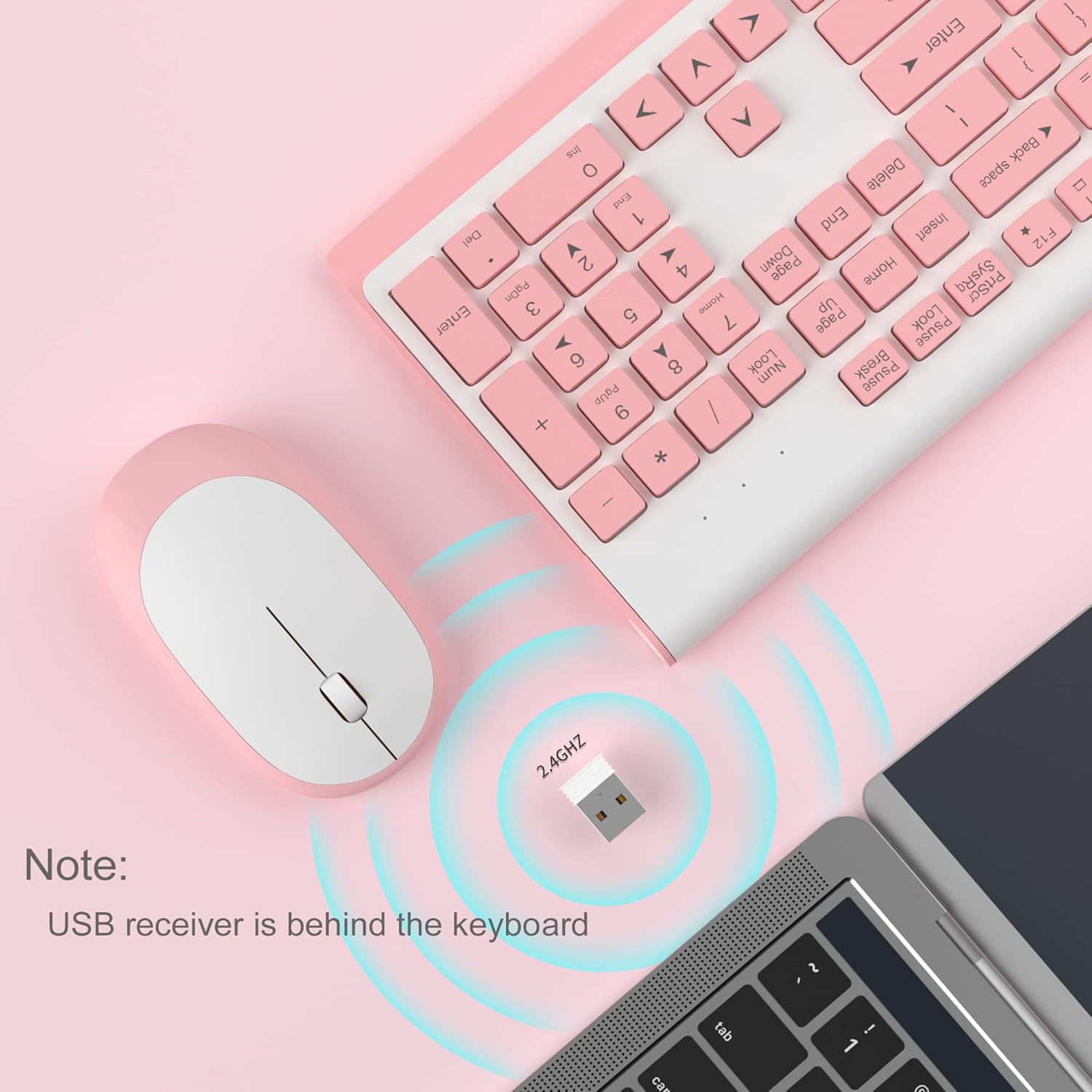
Image 3.2: USB receiver connection and storage location.

Image 3.3: 2.4G wireless connection diagram.
3.3. 전원 켜기
Ensure the power switches on both the keyboard and mouse are in the 'ON' position. The devices should now be ready for use.
4. 사용 설명서
4.1. 키보드 기능
The V650 keyboard features a standard 104-key layout, including a full number pad for data entry and dedicated arrow keys. The keys are designed for quiet and responsive typing.
멀티미디어 바로가기
The keyboard includes 12 multimedia shortcuts accessible by pressing the Fn key in combination with the F1-F12 function keys. These shortcuts allow quick access to common functions such as volume control, media playback, and more.

Image 4.1: Keyboard multimedia function key combinations.
| 콤비네이션 | 기능 |
|---|---|
| FN + F1 | 멀티미디어 |
| FN + F2 | 볼륨- |
| FN + F3 | 볼륨 + |
| FN + F4 | 무음 |
| FN + F5 | 이전 트랙 |
| FN + F6 | 다음 트랙 |
| FN + F7 | 재생/일시정지 |
| FN + F8 | 멈추다 |
| FN + F9 | 홈페이지 |
| FN + F10 | 이메일 |
| FN + F11 | 내 컴퓨터 |
| FN + F12 | 즐겨찾기 |
4.2. 마우스 기능
The wireless mouse offers precise 1200 DPI tracking and quiet clicks. It features standard left and right click buttons and a scroll wheel for navigation.

Image 4.2: Mouse features: 1200 DPI and quiet operation.
4.3. 자동 절전 모드
To conserve battery life, both the keyboard and mouse will enter an automatic sleep mode after a period of inactivity. To wake them up, simply press any key on the keyboard or move the mouse.
5. 유지관리 및 관리
- 청소: 부드럽고 마른 천을 사용하여 키보드와 마우스 표면을 닦으세요. 잘 지워지지 않는 먼지의 경우, 약간amp cloth can be used, but ensure no liquid enters the devices. Avoid harsh chemicals or abrasive cleaners.
- 배터리 교체: Replace batteries when performance degrades or devices stop responding. Always use new batteries of the specified type (AAA for keyboard, AA for mouse) and dispose of old batteries responsibly.
- 저장: When not in use for extended periods, turn off the devices to save battery life. Store the USB receiver in its dedicated slot on the keyboard to prevent loss.
- 환경: 기기를 극한 온도, 직사광선 또는 과도한 습기에 노출시키지 마십시오.
6. 문제 해결
If you encounter issues with your MageGee V650 combo, please refer to the following common solutions:
- No Connection / Lag:
- Ensure both the keyboard and mouse are powered on and have fresh batteries.
- USB 수신기가 컴퓨터의 작동하는 USB 포트에 제대로 꽂혀 있는지 확인하십시오.
- USB 수신기를 다른 USB 포트에 연결해 보십시오.
- Move the keyboard and mouse closer to the USB receiver to ensure they are within the 10-meter operating range.
- 수신기를 다른 무선 장치나 간섭을 일으킬 수 있는 큰 금속 물체 근처에 두지 마세요.
- Keys Not Responding / Stuck Keys:
- 배터리 잔량을 확인하고 필요한 경우 교체하십시오.
- Gently clean around the affected keys to remove any debris that might be causing them to stick.
- USB 수신기를 뽑았다가 다시 꽂아서 연결을 재설정하십시오.
- Mouse Not Working / Cursor Jumps:
- Ensure the mouse has a fresh AA battery and is powered on.
- 마우스 밑면의 광학 센서를 청소하세요.
- 마우스를 사용할 때는 적절한 표면(반사율이 높거나 투명하지 않은 표면)을 사용하십시오.
- USB 수신기를 뽑았다가 다시 꽂아서 연결을 재설정하십시오.
- Letters Fading on Keys:
- This is typically a result of prolonged use and wear. While not a functional defect, it can affect visibility.
7. 제품 사양
| 특징 | 세부 사항 |
|---|---|
| 모델 | V650 |
| 연결 기술 | 2.4G Wireless (Radio Frequency), USB Receiver |
| 키보드 레이아웃 | Full Size, 104 Keys with Number Pad and 12 Multimedia Shortcuts |
| 키보드 유형 | Scissor-cross low profile, Quiet Keys |
| 마우스 DPI | 1200DPI |
| 호환 장치 | PC, Desktop, Laptop, Notebook |
| 운영 체제 | 윈도우 XP / 비스타 / 7 / 8 / 10 |
| 키보드 치수 | 16.06 x 6.6 x 1.3인치(약 40.8 x 16.8 x 3.3cm) |
| 마우스 크기 | 4.25 x 2.4 x 1.18인치(약 10.8 x 6.1 x 3cm) |
| 품목 무게 | 1.63파운드(약 0.74kg) |
| 키보드 배터리 | AAA 배터리 2개 |
| 마우스 배터리 | AA 배터리 1개 |
| 특징 | Round Keycaps, Ultra-Thin Design, Automatic Sleep Mode |

이미지 7.1: 제품 치수
8. 보증 및 고객 지원
MageGee products are designed for reliability and performance. For any warranty inquiries, technical support, or assistance with your product, please contact MageGee customer support through the retailer where you purchased the item or visit the official MageGee store online.
더 자세한 정보와 연락처는 다음에서 확인하실 수 있습니다. MageGee Store on Amazon.


