1. 서론
Thank you for choosing the AEG AP81UB25GG Cordless Handheld Vacuum Cleaner. This manual provides essential information for the safe and efficient use, maintenance, and troubleshooting of your new appliance. Please read these instructions carefully before first use and keep them for future reference.
2. 안전 정보
화재, 감전 또는 부상의 위험을 줄이려면 전기 제품을 사용할 때 항상 기본적인 안전 예방 조치를 준수하세요.
- 본 제품은 가정용으로만 사용하십시오. 상업용 또는 산업용으로 사용하지 마십시오.
- Do not use the vacuum cleaner to pick up water, wet substances, hot ashes, sharp objects, or flammable liquids.
- 머리카락, 느슨한 옷, 손가락 및 신체의 모든 부분을 구멍이나 움직이는 부품에서 멀리 두십시오.
- 청소 또는 유지 보수를 하기 전에 반드시 제품의 전원을 끄십시오.
- Only use the original charger and battery provided by AEG.
- Do not operate the vacuum cleaner if it is damaged or malfunctioning. Contact authorized service for repair.
- 이 기기는 8세 이상의 어린이와 신체적, 감각적 또는 정신적 능력이 저하된 사람이나 경험과 지식이 부족한 사람이 사용할 수 있습니다. 단, 이 경우에도 기기를 안전하게 사용하는 방법에 대한 감독이나 지시를 받고 관련 위험을 이해한 경우에 한합니다.
3. 패키지 내용
Carefully unpack all items and ensure you have received all components as listed below:
- AEG AP81UB25GG Main Vacuum Unit
- 연장 튜브
- Floor Nozzle with LED Front Light
- Charging Stand/Dock
- 틈새 도구
- 먼지 제거 브러시
- 전원 어댑터
- 사용 설명서 (본 문서)
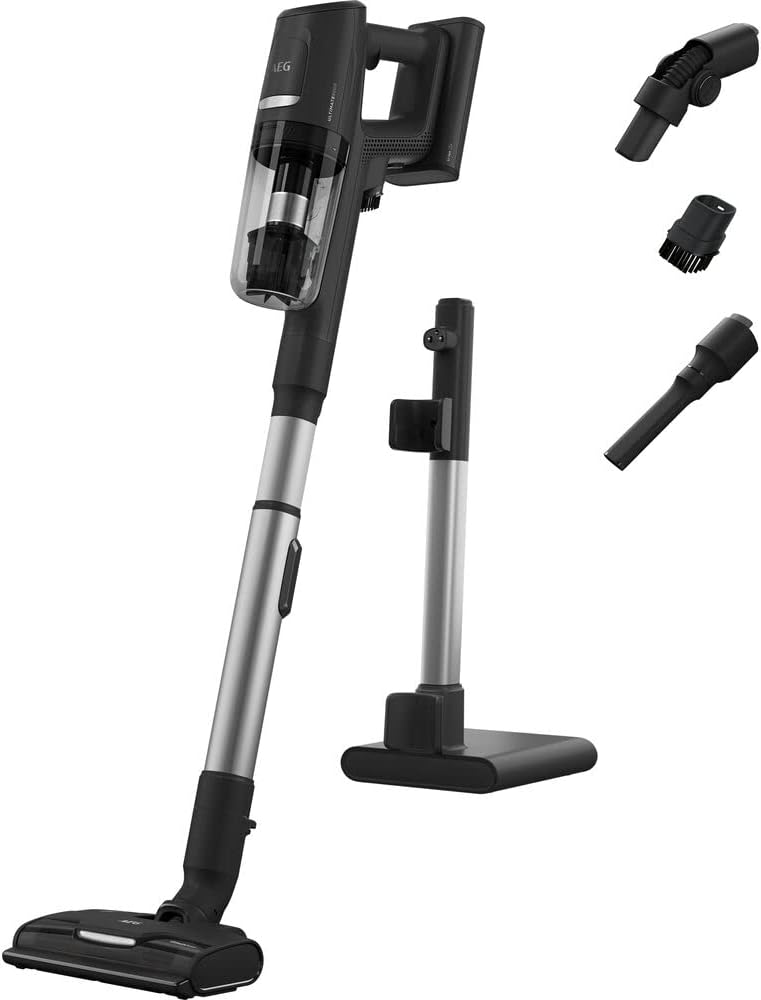
Image: All components included with the AEG AP81UB25GG cordless vacuum cleaner, including the main unit, extension tube, floor nozzle, charging stand, and various attachments.
4. 제품 오버view
Familiarize yourself with the main parts of your vacuum cleaner before use.
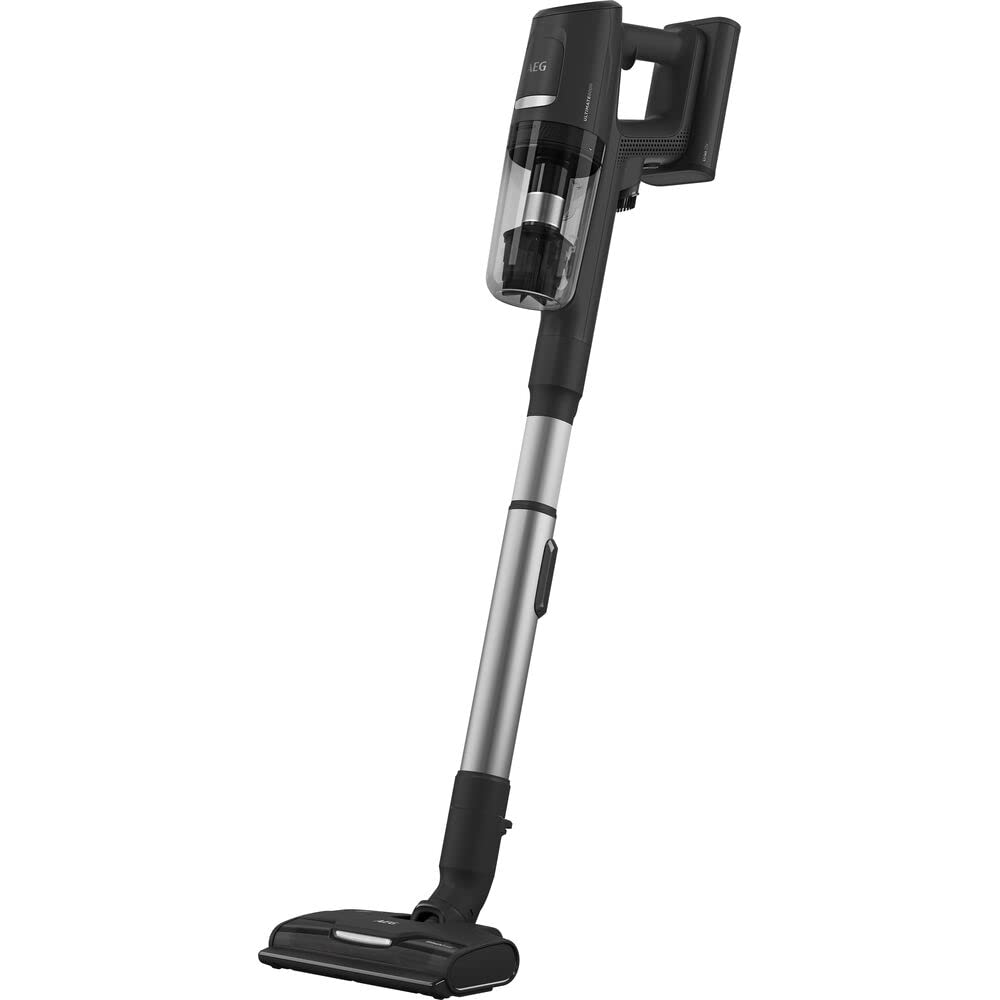
Image: The AEG AP81UB25GG cordless vacuum cleaner fully assembled, showing the main unit, extension tube, and floor nozzle.
- 메인 유닛: Contains the motor, dustbin, and controls.
- 쓰레기통: Transparent container for collected dust and debris.
- 확장 튜브: 본체를 바닥 노즐이나 기타 부착물에 연결하여 작업 범위를 넓힐 수 있습니다.
- 바닥 노즐: Equipped with a brush roll and LED front lights for effective cleaning on various surfaces.
- 핸드 피스: The main unit can be detached for quick, handheld cleaning.
5. 설정
5.1 조립
- 연장 튜브를 메인 진공 장치에 딸깍 소리가 나며 제자리에 단단히 고정될 때까지 삽입합니다.
- Attach the floor nozzle to the other end of the extension tube, ensuring it is firmly connected.
- For handheld use, detach the extension tube and attach desired accessories (crevice tool, dusting brush) directly to the main unit.
5.2 초기 충전
- Place the assembled vacuum cleaner onto the charging stand.
- Connect the power adapter to the charging stand and plug it into a wall outlet.
- Allow the vacuum cleaner to charge fully before its first use. The charging indicator light will show the charging status. A full charge can take several hours.
6. 사용 설명서
6.1 전원 켜기/끄기

이미지: 클로즈업 view of the main unit of the AEG AP81UB25GG, highlighting the power button and mode selection controls.
- 청소기를 켜려면 본체에 있는 전원 버튼을 누르십시오.
- 진공청소기를 끄려면 전원 버튼을 다시 누르세요.
6.2 모드 선택
The vacuum cleaner features different power modes for various cleaning tasks:
- 자동 모드: Provides energy-saving operation by adjusting suction power based on the surface.
- Strong Aspiration Mode: Delivers maximum suction for stubborn dirt and deep cleaning.
Use the mode selection button on the main unit to switch between available modes.
6.3 첨부 파일 사용
- 바닥 노즐: Ideal for hard floors and carpets. The LED front lights illuminate the cleaning path.
- 틈새 도구: 좁은 틈, 모서리, 손이 닿기 어려운 곳에 사용하기에 적합합니다.
- 더 스팅 브러쉬 : 섬세한 표면, 가구류의 먼지 제거에 적합합니다.
Attach the desired tool directly to the main unit for handheld use, or to the extension tube for floor cleaning.
7. 유지관리
정기적인 유지관리를 통해 진공청소기의 성능을 최적화하고 수명을 연장할 수 있습니다.
7.1 쓰레기통 비우기
- 진공청소기가 꺼져 있는지 확인하십시오.
- Press the quick-release button to detach the dustbin from the main unit.
- Empty the contents of the dustbin into a waste bin.
- 먼지통을 본체에 다시 단단히 부착하십시오.
7.2 필터 청소
The vacuum cleaner uses cartridge and cloth filters. Clean them regularly to maintain suction power.
- 위에 설명한 대로 쓰레기통을 제거하세요.
- 먼지통에서 필터를 조심스럽게 꺼내세요.
- Tap the filters gently over a waste bin to remove loose dust. For thorough cleaning, rinse the filters under cold running water.
- Allow the filters to air dry completely for at least 24 hours before reinserting them. Do not use a dryer or heat to dry them.
- Reassemble the filters and dustbin, then attach them to the main unit.
7.3 Cleaning the Floor Nozzle
- 청소기의 전원이 꺼져 있고 충전기에서 분리되어 있는지 확인하십시오.
- Detach the floor nozzle from the extension tube.
- Inspect the brush roll for tangled hair or debris. Use scissors or a brush to carefully remove any obstructions.
- 노즐 외부를 ad로 닦아주세요.amp 천. 물에 담그지 마십시오.
8. 문제 해결
If you encounter any issues with your vacuum cleaner, refer to the table below for common problems and solutions.
| 문제 | 가능한 원인 | 해결책 |
|---|---|---|
| 진공청소기가 켜지지 않습니다. | 배터리가 소진되었습니다. | 배터리를 완전히 충전하십시오. |
| 흡입력 감소. | 쓰레기통이 가득 찼습니다. | 쓰레기통을 비우십시오. |
| 흡입력 감소. | 필터가 막혔습니다. | 필터를 청소하거나 교체하세요. |
| 흡입력 감소. | 노즐이나 튜브가 막혔습니다. | 막힘이 있는지 확인하고 제거하세요. |
| 브러시 롤이 회전하지 않습니다. | 빗에 머리카락이나 이물질이 엉켰습니다. | 브러시 롤을 청소하십시오. |
| 배터리 작동 시간이 짧습니다. | 배터리가 완전히 충전되지 않았거나 노후화되었습니다. | Ensure full charge. If battery life significantly decreases, consider battery replacement (contact support). |
9. 사양
| 특징 | 세부 사항 |
|---|---|
| 모델 번호 | AP81UB25GG |
| 제조업체 | AEG |
| 제품 크기(L x W x H) | 50 x 50 x 28cm |
| 품목 무게 | 8.36킬로그램 |
| 색상 | 다색 |
| 전원 | 배터리 구동 |
| 권tage | 25.2 볼트 |
| 힘 | 25.2 와트 |
| 소음 수준 | 75데시벨 |
| 배터리 런타임 | 최대 60분 |
| 특별 기능 | Energy-saving automatic mode, strong aspiration, quick-release hand piece, floor nozzle with LED front light |
| 필터 유형 | Cartridge, Cloth |
| 표면 추천 | Hard floor, Upholstery |
| 포함된 구성 요소 | 1 piece (main unit, accessories sold separately or as part of a kit) |
| 무선 | 예 |
10. 보증 및 지원
For warranty information, please refer to the warranty card included with your purchase or visit the official AEG website. Spare parts availability information is currently unavailable through standard product listings. For technical support, service, or to inquire about spare parts, please contact AEG customer service directly through their official channels.