소개
This manual provides comprehensive instructions for the Lexar Professional USB 3.2 Type-C Dual-Slot Reader (Model: LRW470U-RNHNU). It covers product overview, setup, operation, maintenance, troubleshooting, and technical specifications. Please read this manual thoroughly before using the device to ensure proper functionality and longevity.
제품 끝view
The Lexar Professional USB 3.2 Type-C Dual-Slot Reader is designed to facilitate fast data transfer from SD and microSD UHS-II memory cards to your computer. It features a compact design and a USB-C connector for broad compatibility.
주요 특징
- 고속 데이터 전송: Achieves read speeds up to 312MB/s for efficient workflow.
- Dual-Slot Design: Supports both SD and microSD UHS-II cards simultaneously.
- USB 3.2 Gen1 Type-C Connectivity: Ensures compatibility with modern USB-C equipped computers.
- 이전 버전과의 호환성: Fully compatible with UHS-I cards (up to 170MB/s) and USB 2.0/3.1 ports.
- LED Activity Light: Indicates data transfer status.
패키지 내용
- Lexar Professional USB 3.2 Type-C Dual-Slot Reader (LRW470U-RNHNU)
- 사용 설명서 (본 문서)

Image: The Lexar Professional USB 3.2 Type-C Dual-Slot Reader, showcasin컴팩트한 디자인과 USB-C 커넥터가 특징입니다.

Image: Lexar Quality Labs logo with text indicating rigorous testing for performance, quality, compatibility, and reliability.
설정
- 독자와 소통하세요: Plug the USB-C connector of the Lexar Dual-Slot Reader into an available USB-C port on your computer. The reader is designed for plug-and-play functionality and does not require additional drivers for most operating systems (Mac OS X 10.8+, Windows 10/8/7/Vista/XP).
- 메모리 카드 삽입:
- For SD cards, insert the card into the larger slot labeled "SD" until it clicks into place.
- For microSD cards, insert the card into the smaller slot labeled "microSD" until it clicks into place.
Note: Ensure the card is inserted in the correct orientation to avoid damage.
- 연결 확인: The LED activity light on the reader will illuminate when connected and flash during data transfer, indicating active operation.

Image: The Lexar Dual-Slot Reader connected to a laptop's USB-C port, demonstrating its plug-and-play setup.
작동 지침
- 데이터 접근: Once a memory card is inserted and the reader is connected to your computer, the card will appear as a removable drive in your operating system's file 탐험가 (예: File (윈도우에서는 탐색기, macOS에서는 파인더).
- 전송 중 Files:
- 복사하려면 files ~에서 the card to your computer: Drag and drop files or folders from the card's drive to your desired location on your computer.
- 복사하려면 files 에게 the card from your computer: Drag and drop files or folders from your computer to the card's drive.
The LED activity light will flash during data transfer.
- 카드 꺼내기: Before removing the memory card or disconnecting the reader, always safely eject the drive from your operating system. This prevents data corruption.
- 윈도우: Right-click on the drive icon in File Explorer and select "Eject."
- 맥 OS : 드라이브 아이콘을 휴지통으로 끌어다 놓거나 Finder에서 드라이브 옆에 있는 꺼내기 버튼을 클릭합니다.
- 카드 제거: After safely ejecting, gently pull the memory card out of its slot.

Image: The Lexar Dual-Slot Reader connected to a laptop, with a microSD card inserted, illustrating high-speed data transfer.

Image: The Lexar Dual-Slot Reader with its LED activity light illuminated, indicating active operation or data transfer.
유지
- 청소: Use a soft, dry, lint-free cloth to clean the exterior of the reader. Avoid using liquid cleaners or solvents.
- 저장: 리더기를 직사광선과 극한 온도 변화를 피해 서늘하고 건조한 곳에 보관하십시오.
- 손질: Avoid dropping the reader or subjecting it to strong impacts. Do not force memory cards into the slots.
- 펌웨어 업데이트: Periodically check the official Lexar website for any available firmware updates for your reader model.
문제 해결
| 문제 | 가능한 원인 | 해결책 |
|---|---|---|
| Reader not recognized by computer. |
|
|
| 메모리 카드가 감지되지 않습니다. |
|
|
| 데이터 전송 속도가 느립니다. |
|
|
| LED activity light not working. |
|
|
명세서
| 특징 | 세부 사항 |
|---|---|
| 상표 | 렉사 |
| 모델 번호 | LRW470U-RNHNU |
| 시리즈 | LXLRW470U |
| 연결성 | USB 3.2 Gen1 Type-C (backward compatible with USB 3.1, 3.0, 2.0) |
| 지원되는 미디어 | SD (UHS-II, UHS-I), microSD (UHS-II, UHS-I) |
| 최대 읽기 속도 | Up to 312MB/s (with UHS-II cards) |
| 운영 체제 호환성 | Mac OS X 10.8+, Windows 10/8/7/Vista/XP |
| 치수(길이x너비x높이) | 4.74 x 3.9 x 1.02 인치 |
| 무게 | 0.96 온스 |
| 색상 | 검은색 |
| 특별 기능 | High-speed data transfer, Dual-slot design, LED activity light |
보증 정보
The Lexar Professional USB 3.2 Type-C Dual-Slot Reader (LRW470U-RNHNU) comes with a 2년 제한 보증 from the date of purchase. This warranty covers defects in materials and workmanship under normal use. It does not cover damage caused by misuse, accident, modification, unauthorized repair, or external causes such as drops or liquid exposure.
For detailed warranty terms and conditions, please refer to the official Lexar warranty documentation available on their website or contact Lexar customer support.
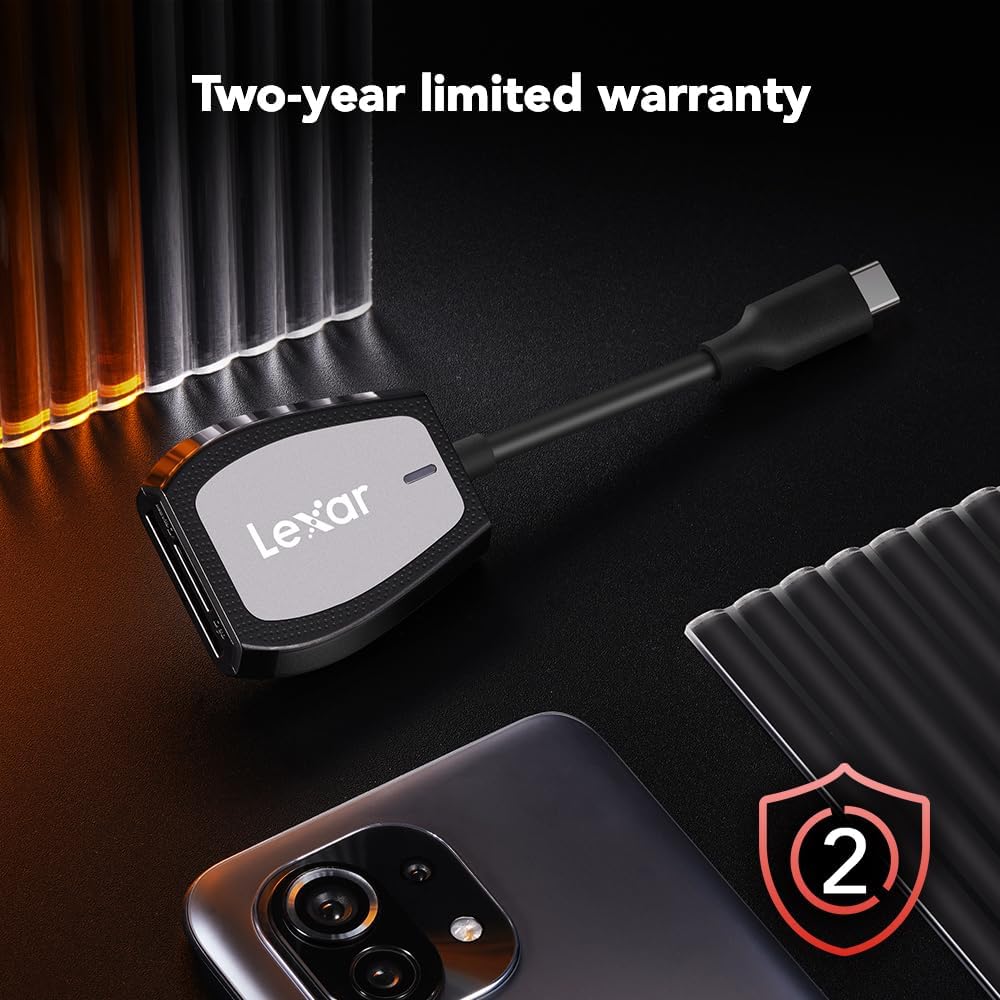
Image: The Lexar Dual-Slot Reader accompanied by a graphic indicating a two-year limited warranty.
지원하다
If you encounter any issues or have questions not addressed in this manual, please contact Lexar customer support. You can find contact information and additional resources on the official Lexar web대지:
Please have your product model number (LRW470U-RNHNU) and purchase information ready when contacting support.


