소개
This manual provides comprehensive instructions for the setup, operation, and maintenance of your Targus Ambidextrous Bluetooth Mouse (Model: PMB58102GL). This compact, multi-device wireless mouse offers dual-mode connectivity (2.4 GHz and Bluetooth 5.0) and is compatible with Windows and macOS. It also features Targus DefenseGuard Protection, an antimicrobial additive that helps prevent the growth of microorganisms on the mouse surface.
제품 특징
- 양손잡이 디자인: The mouse features an oval, pebble-shaped design suitable for both left and right-handed users.
- 다중 장치 연결: Connects to up to three devices using either 2.4 GHz wireless (via USB receiver) or Bluetooth 5.0.
- DefenseGuard Protection: Infused with an antimicrobial additive (Silver Phosphate Glass (nano-)) that works continuously to protect the mouse surface by inhibiting microbial growth. This protection does not wear off.
- Essential Controls: Equipped with three essential buttons for clicking, pointing, and scrolling.
- 광범위한 호환성: Windows 및 macOS 운영 체제와 완벽하게 호환됩니다.
설정
패키지 내용
- Targus Ambidextrous Bluetooth Mouse (PMB58102GL)
- USB 수신기(마우스 내부에 저장됨)
- AA Battery (pre-installed or included)
- 빠른 시작 가이드
배터리 설치
- 마우스 밑면에서 배터리 덮개를 찾으세요.
- 덮개를 밀어 엽니다.
- AA 배터리 1개를 올바른 극성(+/-)에 맞춰 삽입하세요.
- 배터리 덮개를 단단히 닫으세요.
Note: The USB receiver is typically stored inside the battery compartment for safekeeping.

Image: The underside of the Targus mouse, displaying the battery compartment, the power switch, and the multi-device pairing button.
Connecting via 2.4 GHz USB Receiver
- 마우스 내부의 보관 슬롯에서 USB 수신기를 꺼내십시오.
- USB 수신기를 컴퓨터의 사용 가능한 USB-A 포트에 꽂습니다.
- 밑면의 전원 스위치를 사용하여 마우스를 켭니다.
- 마우스가 자동으로 컴퓨터에 연결됩니다.
이미지: 각도가 있는 view of the Targus mouse, with its small USB receiver placed beside it, illustrating the 2.4 GHz wireless connection component.
블루투스 5.0을 통해 연결
- 밑면의 전원 스위치를 사용하여 마우스를 켭니다.
- Press the multi-device pairing button on the underside of the mouse to select a Bluetooth channel (indicated by LED lights 1, 2, or 3).
- Press and hold the pairing button for 3-5 seconds until the selected LED light blinks rapidly, indicating pairing mode.
- 컴퓨터(Windows 또는 macOS)에서 Bluetooth 설정으로 이동하여 새 장치를 검색하세요.
- Select "Targus Mouse" from the list of available devices to complete the pairing process.
Note: You can pair up to three devices (one via 2.4 GHz USB receiver, two via Bluetooth).
작동 지침
전원 켜기/끄기
Use the ON/OFF switch located on the underside of the mouse to power it on or off. Turning the mouse off when not in use conserves battery life.
연결된 장치 간 전환
If you have paired the mouse with multiple devices, press the multi-device pairing button on the underside of the mouse to cycle through the connected devices (channels 1, 2, and 3). The corresponding LED light will indicate the currently active channel.
기본 마우스 기능
- 좌 클릭: 1차 선택 및 활성화.
- 마우스 오른쪽 버튼으로 클릭: 상황에 맞는 메뉴에 접근합니다.
- 스크롤 휠: Scrolls content vertically. The scroll wheel also functions as a middle click button.

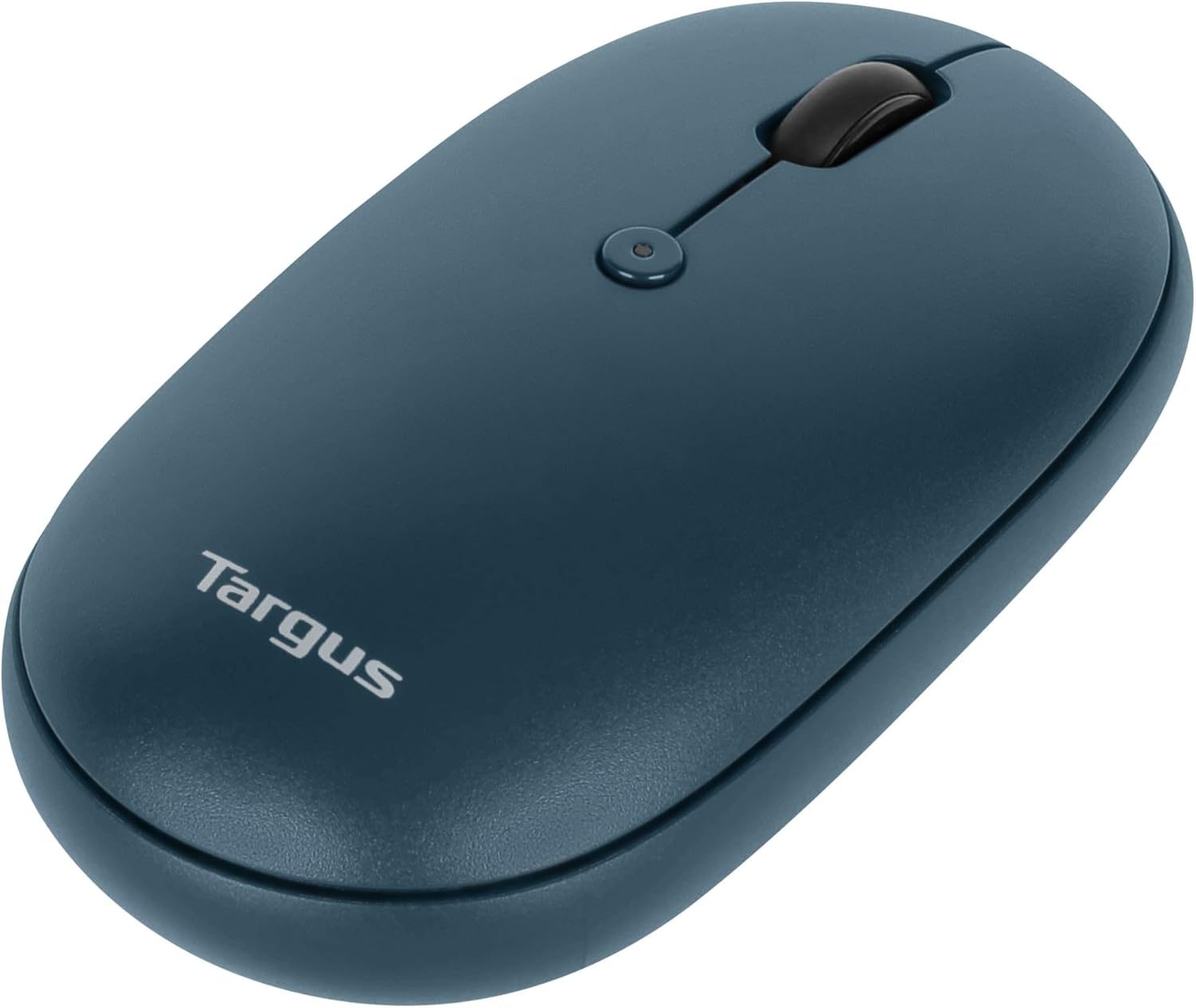
이미지: 위에서 아래로 view of the Targus mouse, highlighting the left and right click buttons and the central scroll wheel.
DPI Adjustment (Scroll Speed)
The mouse features a button near the scroll wheel that allows you to adjust the DPI (Dots Per Inch) setting, which controls the cursor speed. Press this button to cycle through different sensitivity levels to match your preference.

Image: An angled top view of the Targus mouse, clearly showing the small button located behind the scroll wheel, used for DPI adjustment.
유지
- 청소: 부드러운 d를 사용하세요amp cloth to clean the exterior of the mouse. Avoid harsh chemicals or abrasive materials.
- 배터리 교체: When the mouse performance degrades or the indicator light signals low battery, replace the AA battery as described in the "Battery Installation" section.
- 저장: When not in use, store the USB receiver inside the mouse's battery compartment to prevent loss.
문제 해결
| 문제 | 해결책 |
|---|---|
| 마우스가 응답하지 않습니다. |
|
| 연결이 간헐적입니다. |
|
| Scroll wheel not working correctly. |
|
명세서
| 특징 | 세부 사항 |
|---|---|
| 상표 | 타르거스 |
| 모델 번호 | PMB58102GL (also AUB09QC3P5LR) |
| 연결 기술 | 2.4GHz 무선, 블루투스 5.0 |
| 움직임 감지 기술 | 광학 |
| 운영 체제 호환성 | 윈도우, 맥OS |
| 전원 | 배터리 구동(AA 1개) |
| 품목 무게 | 5.3 온스 |
| 패키지 크기 | 7.28 x 6.22 x 2.52 인치 |
| 색상 | 파란색 |
| 항균 보호 | Targus DefenseGuard (Silver Phosphate Glass (nano-)) |
공식 제품 영상
영상: 공식 발표view of the Targus Compact Multi-Device Wireless Mice, demonstrating key features like multi-device connectivity and design.
보증 및 지원
The Targus Ambidextrous Bluetooth Mouse (PMB58102GL) comes with a 2년 한정 보증. This warranty covers specific parts and types of damage for computer keyboards, mice, and accessories. For detailed warranty information and support, please refer to the official Targus web사이트를 방문하거나 고객 서비스에 문의하세요.
추가 지원을 받으려면 다음을 방문하세요. Targus Store.


