1. 서론
Thank you for choosing the MageGee GT860 Wired Keyboard. This manual provides detailed instructions for setting up, operating, and maintaining your new keyboard. The GT860 is a 96-key compact layout keyboard designed for gaming and daily use, featuring RGB backlighting and an ergonomic design.

Image: The MageGee GT860 wired keyboard showcasin컴팩트한 96키 레이아웃과 생생한 RGB 백라이팅이 특징입니다.
2. 특징
- 92% Compact Minimalism Layout: Retains all commonly used keys in a space-saving design.
- Membrane with Mechanical Feeling: Utilizes advanced imitation mechanical technology for a tactile typing experience.
- 인체공학적 디자인: Key layout is engineered for comfortable use, reducing fatigue during long sessions.
- Upgrade RGB Backlit Lighting Effect: Features a variety of light colors and modes, with adjustable brightness and breathing speed. Letters on keys are illuminated.
- High Quality and Reliable Performance: Plug and play functionality, compatible with Windows 10/8/7/XP/VISTA and Mac OS.

Image: Visual representation of the keyboard's ergonomic design, RGB lighting effects, and adjustable foot support for improved performance.

이미지: 클로즈업 view of the keyboard with some keycaps removed, illustrating the underlying membrane switch mechanism that provides a mechanical-like feel.
3. 설정 가이드
- 키보드 풀기: 키보드를 포장에서 조심스럽게 꺼내세요.
- 컴퓨터에 연결: Locate an available USB port on your computer. Insert the USB cable from the MageGee GT860 keyboard into the USB port.
- 드라이버 설치: The keyboard is plug-and-play. Your operating system (Windows, Mac OS) will automatically detect and install the necessary drivers. No additional software installation is required.
- 놓기: 키보드를 안정적이고 평평한 표면에 놓으십시오. 키보드 밑면에 있는 받침대를 조절하여 원하는 타이핑 각도를 만드십시오.
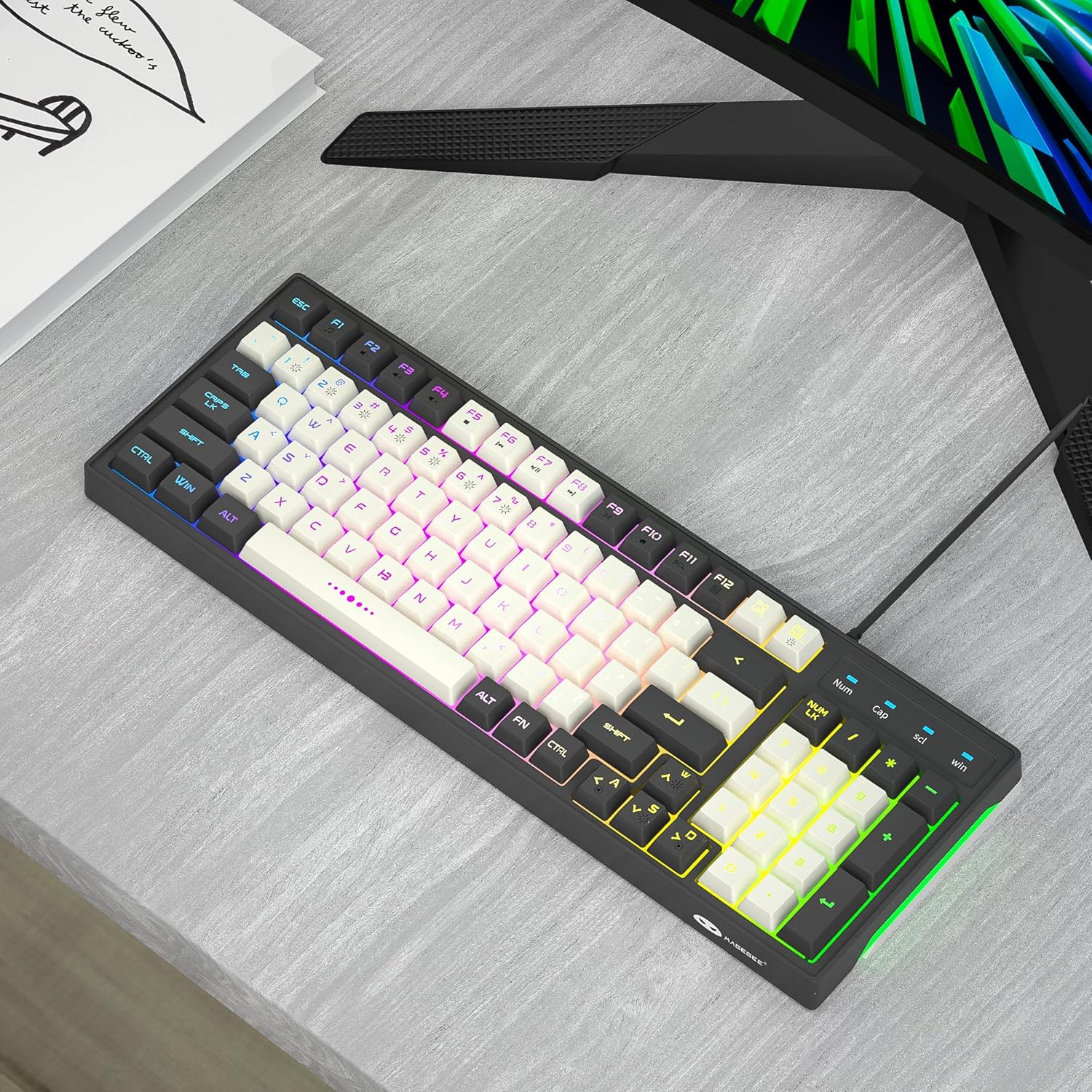
Image: The MageGee GT860 keyboard positioned on a desk, ready for use with a computer monitor, demonstrating a typical setup.
4. 사용 설명서
4.1 RGB 백라이트 제어
The MageGee GT860 keyboard features multiple RGB lighting modes. Use the Function (Fn) key in combination with other keys to control the backlight:
- Fn + Scroll Lock (SCL): 다양한 RGB 조명 모드를 순환하며 사용하세요.
- Fn + Page Up (PGUP): 백라이트 밝기를 높입니다.
- Fn + Page Down (PGDN): 백라이트 밝기를 낮추세요.
- Fn 키 + 방향키(좌/우): Adjust lighting effect speed (for dynamic modes).

Image: The MageGee GT860 keyboard showcasing its 18 distinct RGB lighting modes, illustrating the variety of visual effects available.

Image: A detailed diagram illustrating the various Function (Fn) key combinations for controlling RGB backlight effects and accessing multimedia functions on the MageGee GT860 keyboard.
4.2 멀티미디어 기능
Access multimedia controls by holding the Fn key and pressing the corresponding F-keys:
- Fn+F1: 미디어 플레이어
- Fn+F2: 볼륨 낮추기
- Fn+F3: 볼륨을 높이다
- Fn+F4: 무음
- Fn+F5: 이전 트랙
- Fn+F6: 다음 트랙
- Fn+F7: 재생/일시정지
- Fn+F8: 멈추다
- Fn+F9: 이메일
- Fn+F10: 홈페이지
- Fn+F11: 스크롤 잠금
- Fn+F12: 계산자
5. 유지관리
To ensure the longevity and optimal performance of your MageGee GT860 keyboard, follow these maintenance guidelines:
- 청소: Regularly clean the keyboard with a soft, dry cloth. For dust and debris between keys, use compressed air. For stubborn dirt, a slightly damp 순한 비누를 묻힌 천을 사용하면 액체가 키보드 안으로 들어가지 않도록 할 수 있습니다.
- 액체를 피하세요: 키보드에 액체를 쏟지 마십시오. 액체를 쏟은 경우 즉시 키보드를 컴퓨터에서 분리하고 완전히 말린 후 다시 연결하십시오.
- 저장: 장시간 사용하지 않을 경우 키보드를 직사광선과 극한의 온도를 피해 깨끗하고 건조한 곳에 보관하세요.
- 조심스럽게 다루십시오: 키보드를 떨어뜨리거나 강한 충격을 주지 마세요.
6. 문제 해결
If you encounter issues with your MageGee GT860 keyboard, refer to the following common problems and solutions:
| 문제 | 가능한 해결책 |
|---|---|
| 키보드가 응답하지 않습니다. |
|
| 백라이트가 작동하지 않거나 너무 어둡습니다. |
|
| 일부 키가 작동하지 않습니다. |
|
7. 사양
| 특징 | 세부 사항 |
|---|---|
| 모델 | GT860 |
| 연결 기술 | USB 유선 |
| 키의 개수 | 96 |
| 키보드 설명 | 노름 |
| 특별 기능 | RGB Backlit, Ergonomic Design, Anti-Ghosting |
| 호환 장치 | PC, 게임 콘솔(USB 연결) |
| 운영 체제 호환성 | Windows 10, Windows 8, Windows 7, Windows XP, Windows VISTA, Mac OS |
| 제품 치수 | 14 x 6 x 2인치(35.56 x 15.24 x 5.08cm) |
| 품목 무게 | 1.63파운드(0.74kg) |
| 색상 | Grey White Keycaps |
8. 보증 및 지원
MageGee products are designed for reliability and performance. For any product inquiries, technical support, or warranty claims, please refer to the contact information provided with your purchase or visit the official MageGee web사이트. 보증을 위해 구매 증빙 자료를 보관해 주세요.
For further assistance, you may visit the MageGee store on Amazon: MageGee 아마존 스토어