소개
Welcome to the GOVO GOBUDS 600 True Wireless Earbuds. This manual provides essential information for setting up, operating, and maintaining your new earbuds. Please read it carefully to ensure optimal performance and longevity of your device.
제품 끝view
The GOVO GOBUDS 600 offers a premium audio experience with advanced features. Watch this video for a quick overview of the product's design and key functionalities.
비디오 설명: A dynamic product overview 쇼씨asing the GOVO GOBUDS 600 earbuds, highlighting features like 3D stereo sound, fast pairing, passive noise cancellation, super touch control, voice assistant, super bass, mono mode, Type-C charging, 33 hours playback, and IPX5 water resistance.
상자 안에 무엇이 들어있나요?
Your GOVO GOBUDS 600 package includes the following items:
- GOBUDS 600 진정한 무선 이어버드
- Additional ear muffs (2 pairs)
- 보증 카드
- 사용자 설명서
- USB Type C charging cable (1)
- 충전 케이스 (1)

이미지 설명: The GOVO GOBUDS 600 charging case is shown open, revealing the two earbuds nestled inside. The case is black with a matte finish, and the earbuds are also black, featuring the 'GOVO' logo on their stems. This image illustrates the main components of the product as found in the box.
설정 및 페어링
Follow these steps to set up and pair your GOVO GOBUDS 600 with your device:
- 초기 청구 : 처음 사용하기 전에 양쪽 이어버드를 충전 케이스에 넣고 제공된 USB Type-C 케이블을 사용하여 케이스를 전원에 연결하세요. 이어버드와 케이스가 완전히 충전되었는지 확인하세요.
- 전원 켜기: 충전 케이스를 여세요. 이어버드가 자동으로 켜지고 페어링 모드로 진입합니다.
- 블루투스 활성화: On your smartphone or other device, go to the Bluetooth settings and turn on Bluetooth.
- 장치 선택: In the list of available devices, select 'GOBUDS 600'.
- 페어링 확인: Once selected, your device should confirm successful pairing. You are now ready to use your earbuds.
작동 지침
The GOVO GOBUDS 600 features intuitive touch controls and voice assistant integration for easy management of your audio and calls.
터치 컨트롤
The earbuds are equipped with responsive touch controls. Refer to the detailed user manual included in the box for specific tap functions (e.g., play/pause, skip track, answer/end call, activate voice assistant).
음성 지원
Access your device's voice assistant (Google Assistant, Siri) with a simple touch command on the earbuds. This allows for hands-free control of music, calls, and other smart functions.
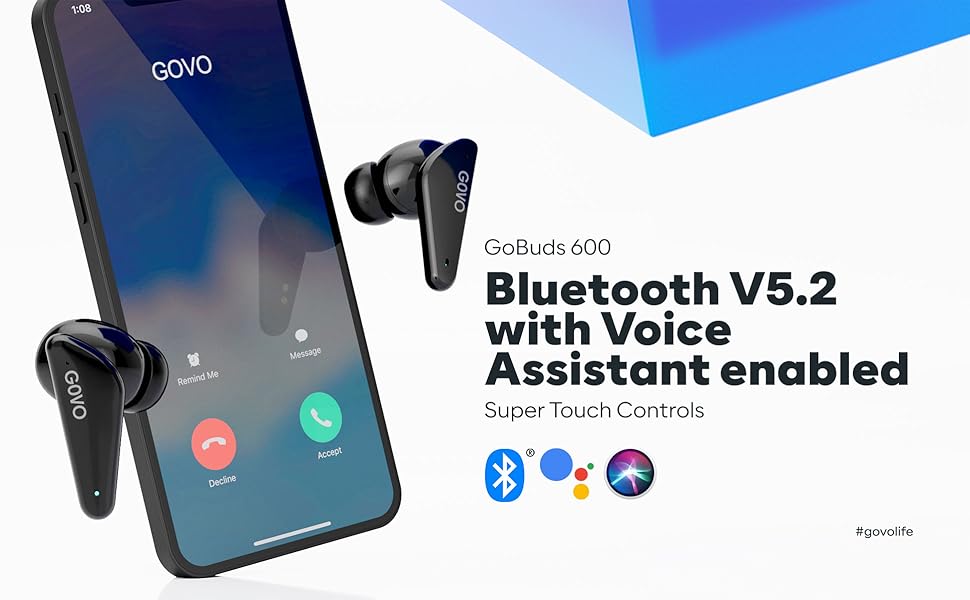
이미지 설명: A smartphone screen is shown with call and voice assistant icons (Bluetooth, Google Assistant, Siri) alongside the GOVO GOBUDS 600 earbuds. This illustrates the seamless integration of Bluetooth V5.2 and voice assistant features for convenient control.
게임 모드
Activate the low latency Gaming Mode to eliminate audio lags and enhance your gaming experience. This feature provides a response time of approximately 60-80 ms.

이미지 설명: Two GOVO GOBUDS 600 earbuds are positioned on either side of a smartphone, which displays a first-person shooter game. This image highlights the dedicated Gaming Mode feature, designed for low-latency audio during gameplay.
주요 기능 및 사양
The GOVO GOBUDS 600 is engineered with several features to enhance your listening experience:
- 뛰어난 오디오 품질: Equipped with a reinforced L driver for powerful bass and an optimized frequency range (20Hz to 20,000 Hz) for a deep 3D stereo surround sound experience.
- 환경 소음 제거(ENC): Suppresses background noise for crystal clear calls.
- 연장된 플레이 시간: Up to 7 hours of earbud battery life, with an additional 33 hours from the charging case, totaling 40 hours of playtime.
- 빠른 충전: A quick 10-minute charge provides 180 minutes of playtime.
- 블루투스 V5.2: Ensures greater range and stable signal connectivity.
- IPX5 방수 : Protects against sweat and light rain, making them suitable for workouts and outdoor activities.
- 인체공학적 디자인: Slim and lightweight (50 grams) for comfortable, long-term wear.
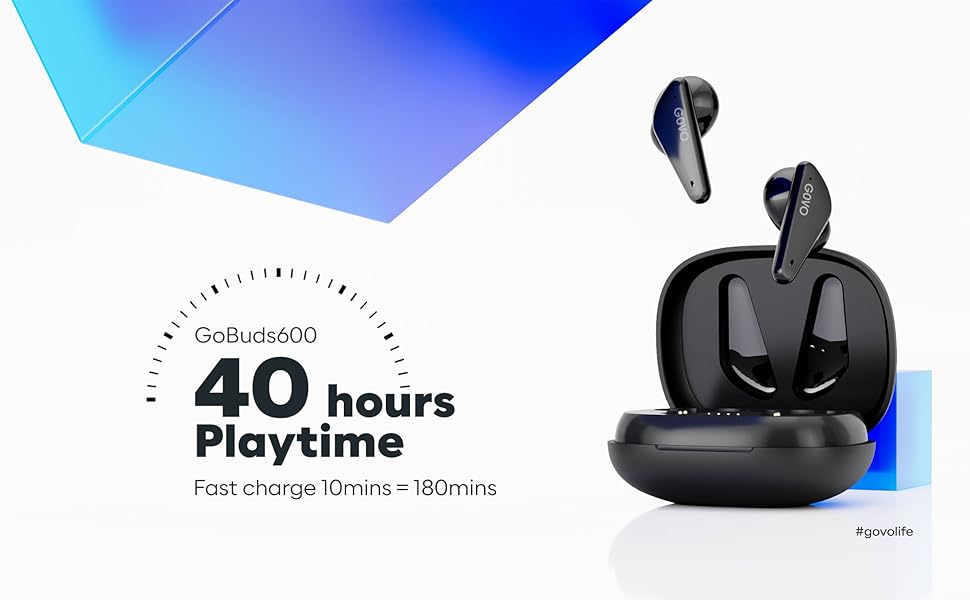
이미지 설명: The GOVO GOBUDS 600 earbuds are shown alongside their charging case, with text highlighting '40 hours Playtime' and 'Fast charge 10mins = 180mins'. This image emphasizes the extended battery life and rapid charging capabilities of the earbuds.
자세한 사양
| 특징 | 사양 |
|---|---|
| 주파수 응답 | 20Hz - 20,000Hz |
| 감광도 | 105데시벨 |
| 연결 기술 | 무선(블루투스 V5.2) |
| 충전 시간 | 1.5시간 |
| 대기 시간 | 150시간 |
| 이어버드 배터리 수명 | 7시간 |
| 총 재생 시간(케이스 포함) | 40시간 |
| 방수 레벨 | IPX5 |
| 제어 방법 | 터치, 음성 |
| 품목 무게 | 50그램 |
| 제품 치수 | 6.3 x 5.1 x 3.1cm |
유지
To ensure the longevity and optimal performance of your GOVO GOBUDS 600, follow these maintenance guidelines:
- 청소: 부드럽고 마른 천으로 이어버드와 충전 케이스를 정기적으로 닦으세요. 강한 화학 물질이나 연마재는 사용하지 마세요.
- 방수 기능: The earbuds are IPX5 water resistant, meaning they can withstand splashes and sweat. Do not submerge them in water or expose them to heavy rain. Ensure the charging port is dry before charging.
- 저장: 이어버드를 사용하지 않을 때는 충전 케이스에 넣어 먼지와 손상으로부터 보호하십시오. 서늘하고 건조하며 극한 온도에 노출되지 않는 곳에 보관하십시오.
- 충전 중: Use only the provided USB Type-C cable for charging. Avoid overcharging by disconnecting once fully charged.

이미지 설명: Two GOVO GOBUDS 600 earbuds are shown with water droplets on their surface, illustrating their IPX5 water-resistant rating. This feature ensures durability against sweat and splashes during active use.
문제 해결
If you encounter any issues with your GOVO GOBUDS 600, please refer to the following common solutions:
- 소리가 나지 않거나 연결 문제가 있습니다. 이어버드가 충전되어 있고 기기의 블루투스 범위 내에 있는지 확인하세요. 이어버드의 연결을 해제했다가 다시 연결해 보세요.
- 한쪽 이어버드가 작동하지 않음: Place both earbuds back into the charging case, close the lid, and then open it again. This often resets the connection.
- 충전 문제: 충전 케이블이 케이스와 전원에 제대로 연결되어 있는지 확인하십시오. 이어버드와 케이스 내부의 충전 접점이 깨끗한지 확인하십시오.
- 음성 지원이 응답하지 않음: Confirm that your device's voice assistant is enabled and that the earbuds are properly paired.
- 낮은 볼륨: 연결된 기기와 이어버드 터치 컨트롤을 통해 볼륨을 조절하세요.
If the issue persists, consult the full user manual or contact customer support.
보증 및 지원
The GOVO GOBUDS 600 comes with a 1년 보증. For any warranty claims, technical support, or customer service inquiries, please refer to the contact information provided on the warranty card included in your product packaging. You may also find relevant information on the official GOVO web해당 웹사이트 또는 아마존 제품 페이지.
보증 확인을 위해 구매 증빙서류를 보관하세요.


