소개
Welcome to the user manual for your new KONIX Electric Keyboard Piano, Model PJ61Z. This portable 61-key electronic keyboard is designed for beginners and experienced musicians alike, offering touch-sensitive keys, Bluetooth MIDI connectivity, and a wide array of tones and rhythms. This manual provides essential information on setting up, operating, maintaining, and troubleshooting your keyboard to ensure a fulfilling musical experience.
제품 끝view
The KONIX PJ61Z keyboard features 61 standard-sized, touch-sensitive keys, allowing for expressive play. It integrates modern connectivity options and a rich sound library to support various musical styles and learning methods.
주요 특징:
- 터치 감지 키 61개: Provides dynamic response based on key pressure.
- Bluetooth MIDI Function: Seamlessly connect to music apps like Garage Band, Perfect Piano, and Pop Piano for interactive learning and creation.
- 광범위한 사운드 라이브러리: Includes 129 tones, 128 rhythm patterns, and 30 built-in demo songs.
- 다양한 플레이 모드: Features dual keyboards, split function, teaching mode, dual voice, record, playback, chord metronome, and transpose functions.
- 휴대성 있는 디자인: Lightweight and compact, ideal for travel and practice anywhere.
- 이중 전원 공급 장치: Operates on a built-in rechargeable Lithium battery or via USB charging.
구성 요소:
The package typically includes the KONIX PJ61Z keyboard, a sustain pedal, a USB charging cable, a power adapter, and a portable carrying bag.

Image: The KONIX PJ61Z keyboard shown with its included accessories: a carrying bag, sustain pedal, USB cable, and power adapter. A tablet displaying a music app is positioned above the keyboard, indicating its connectivity features.
설정
1. Powering On Your Keyboard:
- 배터리 전원: The keyboard has a built-in rechargeable Lithium battery. Ensure it is charged for portable use. A full charge provides approximately 6-8 hours of playtime.
- USB 충전: Connect the provided USB cable to the keyboard's USB/DC 5V port and the other end to the power adapter, a computer, or a power bank. Plug the adapter into a wall outlet.
- 위치 전원 버튼 (ON/OFF switch) on the side panel of the keyboard. Slide it to the 'ON' position to power on the device.
2. 액세서리 연결:
- 서스테인 페달: Insert the sustain pedal cable into the 서스테인 페달 포트 on the side of the keyboard. This allows you to sustain notes as you play.
- 헤드폰: For private practice, connect standard 3.5mm headphones to the 헤드폰 잭. This will mute the internal speakers.
- External Audio Input (Aux-In): 사용하세요 Aux-In 포트 to connect an external audio source (e.g., smartphone, MP3 player) and play along with your favorite music through the keyboard's speakers.
- USB/MIDI Connection: 그만큼 USB/MIDI Port allows you to connect the keyboard to a computer or other smart devices for MIDI data transfer, enabling music editing and creation.

이미지: 자세한 view of the KONIX PJ61Z keyboard's side panel, highlighting the various ports: Headphone Jack, Aux-In Port, Sustain Pedal Port, USB/MIDI Port, and the Power Button (ON/OFF switch). Each port is clearly labeled with an icon and text description.
작동 지침
1. 기본 기능:
- 볼륨 조절: Use the 'Vol' buttons (Up/Down arrows) on the control panel to adjust the overall volume.
- 톤 선택: Press the 'Tone' button and use the Up/Down arrows to cycle through the 129 available tones. The display will show the current tone number.
- 리듬 선택: Press the 'RHY' button and use the Up/Down arrows to select from the 128 rhythm patterns.
- 데모 곡: Press the 'Demo' button to play one of the 30 built-in demo songs. Use the Up/Down arrows to select different songs.
- Dynamics (Touch Sensitivity): The keyboard features touch-sensitive keys. The volume and timbre of the sound will vary based on how hard you press the keys. This feature is automatically active.
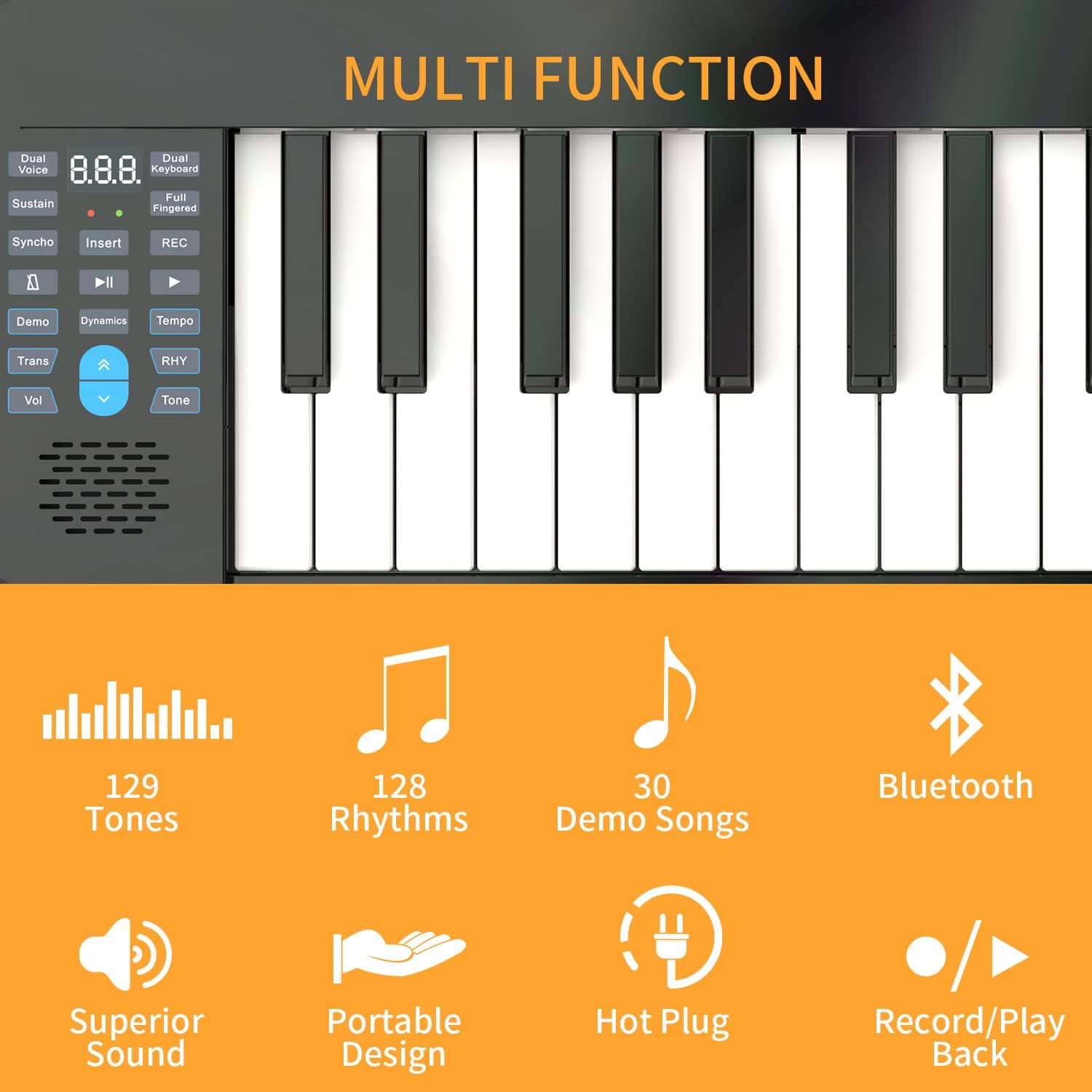
이미지: 클로즈업 view of the KONIX PJ61Z keyboard's control panel, showing buttons for Dual Voice, Sustain, Synchro, Demo, Transpose, Volume, Tone, Rhythm, and the display. Icons indicate features like 129 Tones, 128 Rhythms, 30 Demo Songs, Bluetooth, Superior Sound, Portable Design, Hot Plug, and Record/Playback.
2. 고급 기능:
- Bluetooth MIDI Function:
- Ensure Bluetooth is enabled on your smart device (tablet, smartphone, computer).
- On your device, open a compatible piano learning app (e.g., Garage Band, Perfect Piano, Pop Piano).
- Within the app's settings, search for and connect to the KONIX keyboard via Bluetooth MIDI.
- Once connected, you can use the keyboard to control the app's sounds and features, enhancing your learning and playing experience.
- 기록 및 재생: '녹음' 버튼을 눌러 연주 녹음을 시작하세요. '재생' 버튼을 눌러 녹음된 연주를 들어보세요.
- 듀얼 보이스: This function allows you to layer two different tones simultaneously. Refer to the specific button on the control panel.
- 분할 기능: Divides the keyboard into two sections, each with its own tone, useful for duets or teaching.
- 수업 모드: Engage teaching mode to follow along with built-in lessons or app-based tutorials.
- 바꾸어 놓다: Adjust the pitch of the entire keyboard up or down in semitone steps without changing your finger positions.

Image: An illustration demonstrating the MIDI functionality of the KONIX keyboard. It shows the keyboard connected wirelessly to a tablet, and wired to a desktop computer and a smartphone, all running music software like Garageband, Perfect Piano, and Pop Piano. This highlights the keyboard's versatility in connecting with various intelligent devices for music creation and practice.
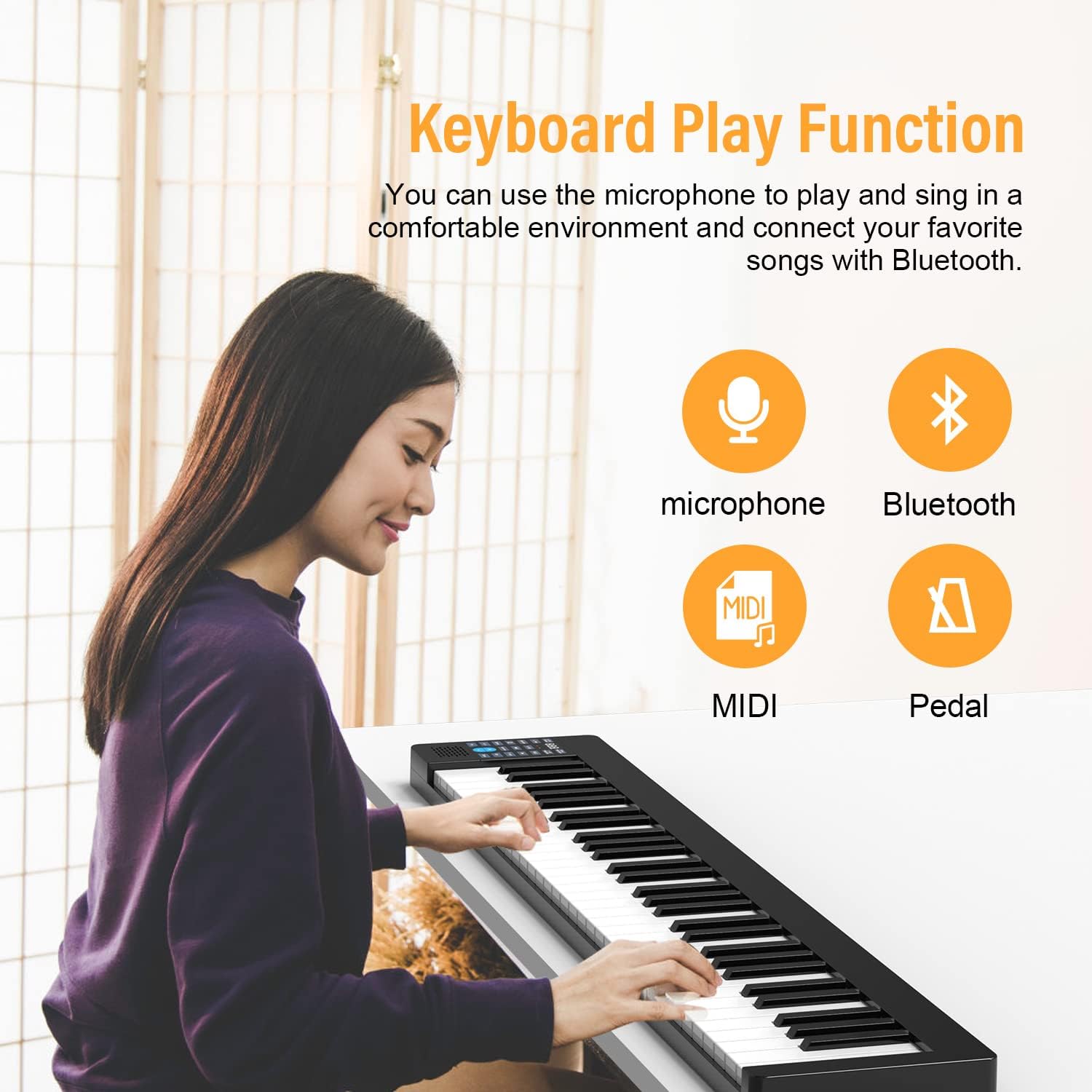
Image: A person playing the KONIX keyboard, with icons indicating Microphone, Bluetooth, MIDI, and Pedal functions. This illustrates the various ways the keyboard can be used for performance and connectivity.
유지
- 청소: 부드럽고 마른 천을 사용하여 키보드 표면을 닦으세요. 잘 지워지지 않는 먼지의 경우, 약간amp cloth can be used, but ensure no moisture enters the keys or control panel. Avoid abrasive cleaners or solvents.
- 저장: When not in use, store the keyboard in its provided carrying bag to protect it from dust and scratches. Keep it in a cool, dry place away from direct sunlight and extreme temperatures.
- 배터리 관리 : 배터리 수명을 연장하려면 배터리를 자주 완전히 방전하지 마십시오. 장기간 보관할 경우 배터리를 약 50%까지 충전하고 몇 달에 한 번씩 재충전하십시오.
- 손질: Handle the keyboard with care. Avoid dropping it or placing heavy objects on it, as this can damage the internal components or keys.
문제 해결
If you encounter issues with your KONIX keyboard, please refer to the following common troubleshooting steps:
| 문제 | 가능한 원인 | 해결책 |
|---|---|---|
| 스피커/헤드폰에서 소리가 나지 않습니다. |
|
|
| Bluetooth MIDI connection issues. |
|
|
| Keys not responding or inconsistent touch sensitivity. |
|
|
| 배터리 수명이 짧습니다. |
|
|
If the problem persists after trying these solutions, please contact KONIX customer support for further assistance.
명세서
| 특징 | 세부 사항 |
|---|---|
| 모델명 | PJ61Z |
| 키의 개수 | 61 |
| 키 유형 | 터치 민감한 |
| 톤 | 129가지 유형 |
| 리듬 패턴 | 128가지 유형 |
| 데모곡 | 30개 내장 |
| 연결성 | Bluetooth MIDI, USB, 3.5mm Headphone Jack, Aux-In |
| 전원 | Built-in Rechargeable Lithium Battery, Corded Electric (USB) |
| 배터리 유형 | 1 리튬 이온 배터리 필요 |
| 품목 무게 | 7.73파운드(약 3.5kg) |
| 패키지 크기 | 38.8 x 8.8 x 4인치(약 98.5 x 22.4 x 10.2cm) |
| 색상 | 검은색 |
| 지원 소프트웨어 | 개러지 밴드, 퍼펙트 피아노, 팝 피아노 |
보증 및 지원
For information regarding warranty coverage, returns, or technical support, please refer to the documentation included with your purchase or visit the official KONIX website. You may also contact KONIX customer service directly for assistance with any product-related inquiries.
KONIX Official Store: Visit the KONIX Store on Amazon


