1. 제품 오버view
The LENRUE TouchGo F4 is a compact, portable Bluetooth speaker designed for clear audio and ease of use. It features touch controls, Bluetooth 5.0 connectivity, and supports TWS (True Wireless Stereo) pairing for an enhanced audio experience. The speaker comes with a hard EVA travel case for protection and portability.

Figure 1: LENRUE TouchGo F4 Bluetooth Speaker.
2. 패키지 내용
다음 품목이 패키지에 포함되어 있는지 확인하세요.
- LENRUE TouchGo F4 Bluetooth Speaker
- Hard EVA Travel Case
- TYPE-C 충전 케이블
- 사용자 설명서
3. 설정
3.1 초기 충전
Before first use, fully charge the speaker. Connect the provided TYPE-C charging cable to the speaker's charging port and a compatible USB power adapter (not included). The charging indicator light will show the charging status. A full charge typically takes approximately 4 hours.
3.2 전원 켜기/끄기
- 전원을 켜려면: Press and hold the power button (usually the central play/pause button) for a few seconds until you hear an audible prompt and the indicator light illuminates.
- 전원을 끄려면: Press and hold the power button again for a few seconds until you hear an audible prompt and the indicator light turns off.
3.3 블루투스 페어링
스피커를 기기에 연결하려면 다음 단계를 따르세요.
- Ensure the speaker is powered on and in pairing mode (the indicator light will typically flash blue).
- 기기(스마트폰, 태블릿 등)에서 Bluetooth를 활성화하고 사용 가능한 기기를 검색하세요.
- Select "ToughGo" or "LENRUE TouchGo" from the list of devices.
- Once connected, you will hear a confirmation sound, and the indicator light will turn solid blue.
스피커의 전원을 켜면 해당 기기가 범위 내에 있고 Bluetooth가 활성화되어 있는 경우 마지막으로 페어링된 기기에 자동으로 다시 연결됩니다.

Figure 2: Speaker with touch controls for sensitive and elegant operation.
3.4 TWS Wireless Pairing (Connect Two Speakers)
To achieve dual-channel stereo sound, you can pair two TouchGo F4 speakers together:
- Power on both TouchGo F4 speakers.
- 두 스피커 모두 다른 블루투스 장치에서 연결이 해제되었는지 확인하십시오.
- On 하나 of the speakers, press and hold the "+" button until you hear a prompt indicating TWS pairing mode.
- The two speakers will automatically pair with each other. You will hear a "beep" sound upon successful TWS pairing.
- Now, connect your device's Bluetooth to the device name "ToughGo". Both speakers will play audio in stereo.
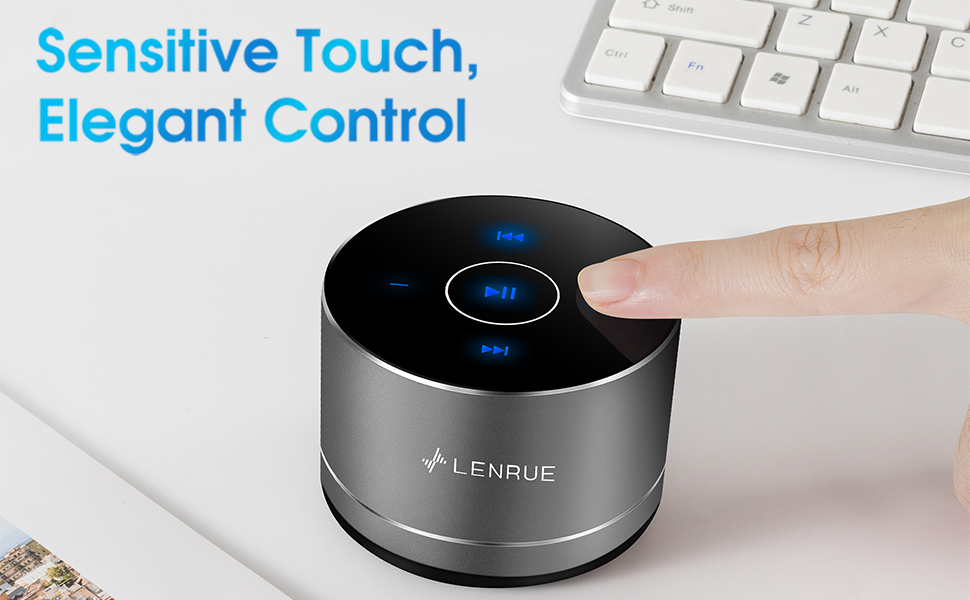
Figure 3: Two speakers connected for TWS wireless stereo pairing.
4. 사용 설명서
4.1 터치 컨트롤
The speaker features intuitive touch controls located on the top surface:
- 재생/일시 중지: Tap the central button once to play or pause music.
- 볼륨 업: Tap the "+" button to increase volume.
- 볼륨 작게 : Tap the "-" button to decrease volume.
- 다음 트랙: Tap the ">>" button to skip to the next song.
- 이전 트랙 : Tap the "<<" button to go to the previous song.
4.2 핸즈프리 통화
The speaker includes a built-in microphone for hands-free calls:
- 전화 받기: When a call comes in, tap the central button once to answer.
- 통화 종료: During a call, tap the central button once to end the call.
- 전화 거부: 수신 전화를 거절하려면 중앙 버튼을 약 2초간 길게 누르십시오.
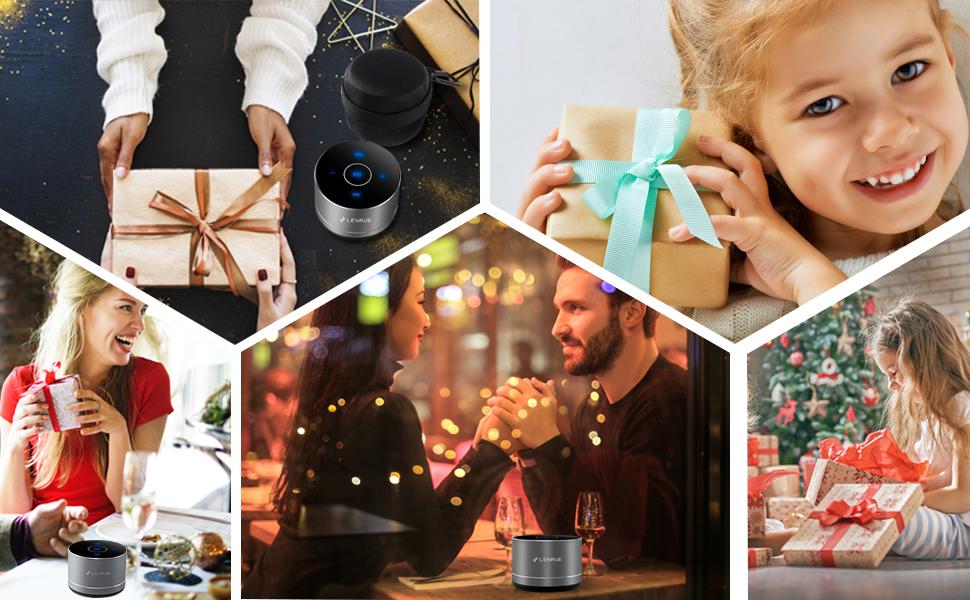
Figure 4: Speaker with hands-free calling capability.
4.3 배터리 수명 및 절전
The speaker is equipped with a 1200mAh lithium-ion battery, providing 6-15 hours of music playback at 2/3 volume. To conserve power, the speaker will automatically shut down if Bluetooth is disconnected for 30 minutes.
5. 유지관리
5.1 청소
To clean the speaker, use a soft, dry cloth. Do not use abrasive cleaners, solvents, or immerse the speaker in water.
5.2 보관
When not in use for extended periods, store the speaker in its hard EVA travel case in a cool, dry place. Avoid extreme temperatures and direct sunlight.
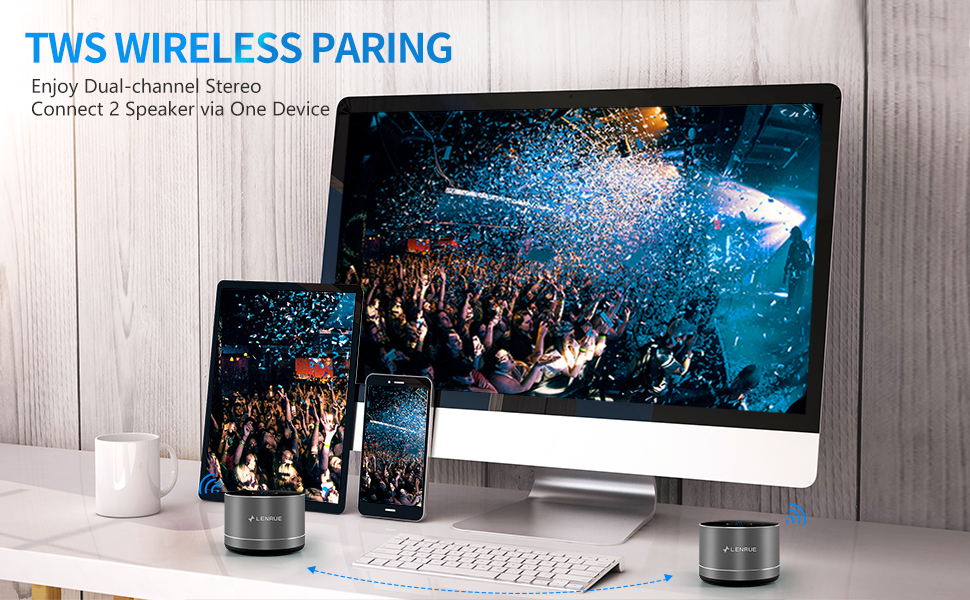
Figure 5: Speaker with its protective hard EVA travel case.
6. 문제 해결
| 문제 | 가능한 원인 | 해결책 |
|---|---|---|
| 스피커가 켜지지 않습니다. | 배터리가 부족합니다. 전원 버튼을 제대로 누르지 않았습니다. | 스피커를 완전히 충전한 후 전원 버튼을 몇 초간 길게 누르세요. |
| Bluetooth 장치와 페어링할 수 없습니다. | 스피커가 페어링 모드가 아닙니다. 기기의 Bluetooth가 꺼져 있습니다. 스피커가 이미 다른 기기에 연결되어 있습니다. | Ensure speaker is in pairing mode (flashing blue light); Turn on Bluetooth on your device; Disconnect from other devices and try again. |
| Poor sound quality / Muffled sound. | Speaker placement; Obstructions; Low volume. | Ensure the speaker is placed on a flat, open surface, ideally not directly on its bottom where the speaker grille is located. Try placing it on its side for clearer sound. Remove any obstructions; Adjust volume on both speaker and device. |
| TWS 페어링이 실패합니다. | 스피커가 이미 기기에 페어링되어 있습니다. 페어링 절차가 잘못되었습니다. | Ensure both speakers are disconnected from any Bluetooth devices before initiating TWS pairing. Follow the TWS pairing steps precisely. |
| 소리가 나지 않습니다. | Volume too low; Paused playback; Device not connected. | Increase volume on both speaker and device; Press play; Verify Bluetooth connection. |
7. 사양
| 특징 | 세부 사항 |
|---|---|
| 모델 번호 | F4 |
| 연결 기술 | 블루투스 5.0 |
| 스피커 최대 출력 전력 | 5 와트 |
| 전원 | 배터리 구동(리튬 이온 배터리 1개 포함) |
| 배터리 용량 | 1200mAh |
| 노는 시간 | 6~15시간 (2/3 용량으로) |
| 충전 시간 | 약 4시간 |
| 제어 방법 | 만지다 |
| 제품 치수 | 3.15 x 3.15 x 1.18 인치 |
| 품목 무게 | 9 온스 |
| 특징 | Portable, Hands-Free Calling, TWS Pairing |
8. 보증 및 지원
For warranty information and customer support, please refer to the documentation included with your purchase or contact LENRUE customer service directly. Contact details can typically be found on the official LENRUE web사이트나 소매업체를 통해 구매하세요.


