1. 서론
구매해주셔서 감사합니다asing the Audizio Monza DAB+ FM Radio with Bluetooth. This manual provides essential information for the safe and correct operation of your device. Please read it thoroughly before use and retain it for future reference.
The Audizio Monza is a versatile portable radio offering DAB+ digital radio, FM radio, and Bluetooth connectivity for wireless audio streaming. It features a 2.4-inch full-color display, alarm functions, and a universal headphone output.
2. 안전 지침
- 감전 사고를 방지하기 위해 제품을 비나 습기에 노출시키지 마십시오.
- 본체를 열지 마십시오. 내부에는 사용자가 수리할 수 있는 부품이 없습니다.
- 제공된 전원 어댑터만 사용하십시오.
- 장치를 열원과 직사광선에서 멀리 두십시오.
- 장치 주변에 적절한 환기가 이루어지도록 하세요.
- 마른 천으로만 닦으십시오.
3. 패키지 내용
- Audizio Monza DAB+ FM Radio
- 전원 어댑터
- 사용 설명서 (본 문서)
4. 제품 오버view
4.1 전면 패널 컨트롤
The front panel features a 2.4-inch full-color display, control buttons, and a central rotary knob for navigation and volume control.

깨끗한 앞면 view of the Audizio Monza radio, showing the digital radio display tuned to 'NPO Radio 2' with current time and signal strength indicator. The control knobs and buttons are visible.
4.2 후면 패널 연결
The rear panel includes the power input and a headphone jack.

The back panel of the Audizio Monza radio, indicating the DC 9V power input and a 3.5mm headphone jack. This illustrates the universal headphone output feature, which mutes the speakers when headphones are connected.
5. 설정
5.1 전원 연결
- Connect the supplied power adapter to the DC 9V input on the rear of the radio.
- 전원 어댑터를 적합한 벽면 콘센트에 꽂으세요.
5.2 초기 전원 켜기 및 언어 선택
- 전원 버튼 (U라디오를 켜려면.
- The display will prompt you to select a language. Use the rotary knob to navigate and press OK 선택을 확인하세요.
5.3 안테나 조정
최적의 DAB+ 및 FM 라디오 수신을 위해 텔레스코픽 안테나를 완전히 펼치십시오. 최상의 신호 품질을 위해 안테나 위치를 조정하십시오.
6. 사용 설명서
6.1 모드 선택
를 누르세요 방법 button to switch between DAB+ Radio, FM Radio, and Bluetooth modes.
6.2 DAB+ 라디오 작동
- Select DAB+ Radio mode using the 방법 단추.
- The radio will automatically perform a full scan for available DAB+ stations upon first use or if no stations are found. To initiate a scan manually, press the 주사 단추.
- Use the rotary knob to browse through the list of available stations. Press OK 방송국을 선택합니다.
- 방송국을 사전 설정으로 저장하려면 다음을 길게 누릅니다. 사전 설정 버튼을 누르세요. 회전식 노브를 사용하여 미리 설정된 숫자(1-10)를 선택하고 누르세요. OK 확인합니다.
- 저장된 방송국을 불러오려면 버튼을 짧게 누르세요. 사전 설정 button, then use the rotary knob to select the desired preset and press OK.
6.3 FM 라디오 작동
- FM 라디오 모드를 선택하세요 방법 단추.
- To automatically scan for the next available station, press the 주사 단추.
- To manually tune, rotate the rotary knob.
- Saving and recalling FM presets follows the same procedure as DAB+ presets (see 6.2).
6.4 블루투스 작동
- Bluetooth 모드를 선택하세요 방법 button. The display will show "Bluetooth Connected" or "Bluetooth Pairing".
- On your Bluetooth-enabled device (e.g., smartphone, MP3 player, laptop), enable Bluetooth and search for available devices.
- Select "Audizio Monza" from the list of devices.
- 페어링이 완료되면 기기에서 라디오로 오디오를 스트리밍할 수 있습니다.
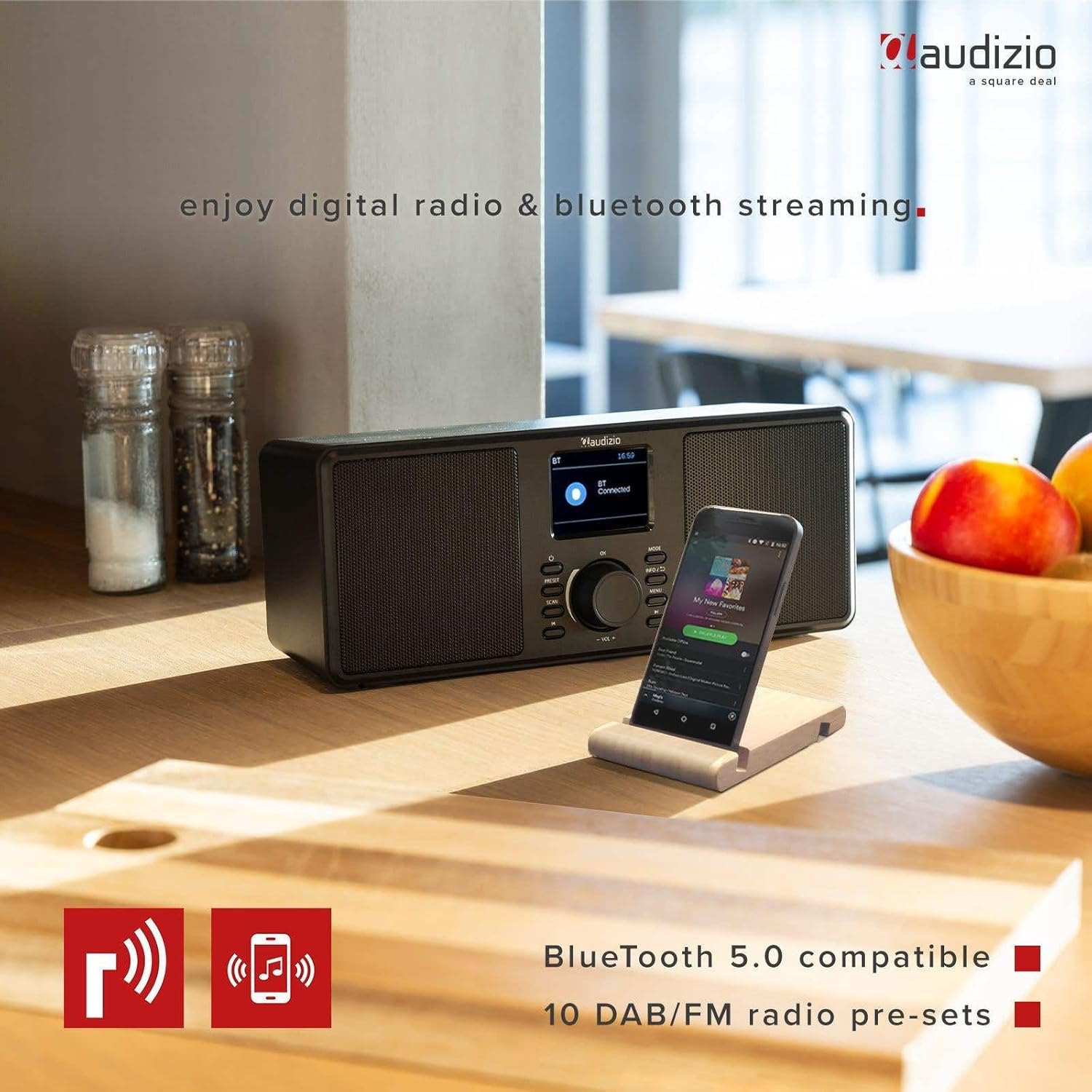
The Audizio Monza radio shown next to a smartphone, illustrating its Bluetooth streaming capability for playing music from mobile devices. The image highlights Bluetooth 5.0 compatibility and 10 DAB/FM radio pre-sets.
6.5 알람 및 스누즈 기능
The radio includes an alarm function with DAB/FM/buzzer wake-up options.

A close-up of the radio's screen displaying detailed alarm settings, including Alarm 2 status (Off), frequency (Daily), wake-up time (06:00), source (Digital Radio), preset (Last Listened), and duration (60 minutes).
- 를 누르세요 메뉴 button and navigate to the Alarm settings.
- Follow the on-screen prompts to set the alarm time, source (DAB, FM, or Buzzer), frequency (Daily, Weekdays, Weekends, Once), and duration.
- 알람이 울리면 버튼을 누르세요. 선잠 버튼(종종 다음과 통합됨) OK 버튼이나 전용 버튼을 눌러 일시적으로 소리를 끄세요.
- 알람을 끄려면 힘 단추.
6.6 헤드폰 사용
Connect 3.5mm headphones to the headphone jack on the rear panel. The radio's speakers will automatically mute when headphones are connected.
7. 유지관리
7.1 청소
Wipe the radio's surface with a soft, dry, lint-free cloth. Do not use abrasive cleaners, waxes, or solvents as they may damage the finish.
7.2 보관
If storing the radio for an extended period, disconnect it from the power outlet and store it in a cool, dry place away from direct sunlight and extreme temperatures.
8. 문제 해결
| 문제 | 가능한 원인 | 해결책 |
|---|---|---|
| 전원이 없습니다 | 전원 어댑터가 연결되지 않았거나 결함이 있습니다. | 전원 어댑터가 라디오와 작동하는 전원 콘센트에 제대로 연결되어 있는지 확인하십시오. |
| No radio reception / Poor sound quality | Antenna not extended or poorly positioned. Weak signal. | Fully extend and adjust the telescopic antenna. Try moving the radio to a different location. Perform a new station scan. |
| 블루투스가 연결되지 않습니다 | Radio not in Bluetooth mode. Device not in pairing mode or out of range. | Ensure the radio is in Bluetooth mode. Make sure your device's Bluetooth is on and in pairing mode. Move your device closer to the radio. |
| 스피커에서 소리가 나지 않음 | 볼륨이 너무 작습니다. 헤드폰이 연결되어 있습니다. | 볼륨을 높이세요. 사용하지 않을 때는 헤드폰을 분리하세요. |
| Radio presets not saving | 저장 절차가 잘못되었습니다. | 버튼을 길게 누르세요 사전 설정 button to save, and then press OK to confirm the preset number. |
9. 사양
| 특징 | 사양 |
|---|---|
| 상표 | 오디지오 |
| 모델 | Monza (102.420) |
| 치수(길이 x 너비 x 높이) | 36 x 14.5 x 15.5cm |
| 무게 | 1.4kg |
| 디스플레이 크기 | 2.4 인치 |
| 튜너 기술 | DAB+, FM |
| 지원되는 라디오 대역 | VHF II (87.5-108 MHz), VHF III (174-240 MHz) |
| 연결 기술 | 블루투스 |
| 하드웨어 인터페이스 | 3.5mm 오디오 |
| Speaker Output Power (Max) | 50 와트 |
| 전원 | Battery (external power adapter required) |
| 빈도 | 60Hz |
| 특징 | 가지고 다닐 수 있는 |
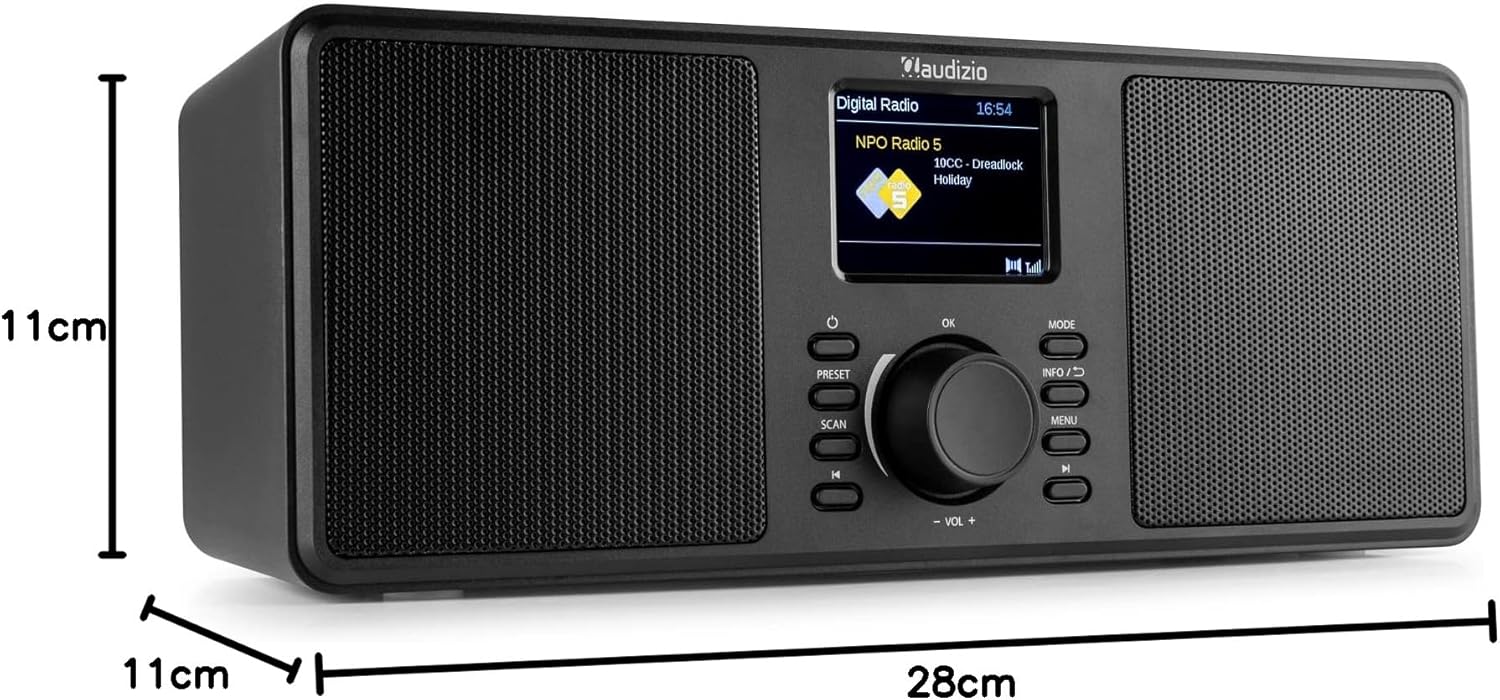
An image illustrating the physical dimensions of the Audizio Monza radio: 28cm width, 11cm height, and 11cm depth.
10. 보증 및 지원
10.1 보증 정보
Warranty terms and conditions are typically provided with your purchase documentation or can be found on the official Audizio web사이트. 보증 청구를 위해 구매 증빙 자료를 보관해 주세요.
10.2 고객 지원
For technical support or service inquiries, please refer to the contact information provided in your purchase documentation or visit the official Audizio web고객 서비스 관련 정보는 해당 웹사이트에서 확인하세요.


