1. 제품 오버view
The Apple iPhone 13 Pro Max, released in September 2021, is a high-performance smartphone designed for advanced users. This device combines a powerful processor with an exceptional camera system and a vibrant display, all encased in a durable design.
주요 특징:
- 표시하다: 6.7-inch Super Retina XDR display with ProMotion, offering superfast downloads and high-quality streaming.
- 프로세서: A15 Bionic chip with a new 6-core CPU (2 performance, 4 efficiency cores), new 5-core GPU, and new 16-core Neural Engine.
- 카메라 시스템: Advanced triple-camera system with Cinematic mode for professional video, Dolby Vision HDR video recording up to 4K at 60 fps, and 6X optical zoom range.
- 배터리: 최대 28시간 동안 비디오를 재생할 수 있습니다.
- 내구성: Ceramic Shield front cover and surgical-grade stainless steel frame, with IP68 water and dust resistance.
- 보안: Face ID for secure authentication.
물리적 설명:
The iPhone 13 Pro Max features a sleek design with flat edges and a textured matte glass back. The device weighs approximately 7 ounces (200 grams) and has dimensions of 5.78 x 2.81 x 0.3 inches. It is available in various colors, including Gold, Graphite, Silver, and Sierra Blue.
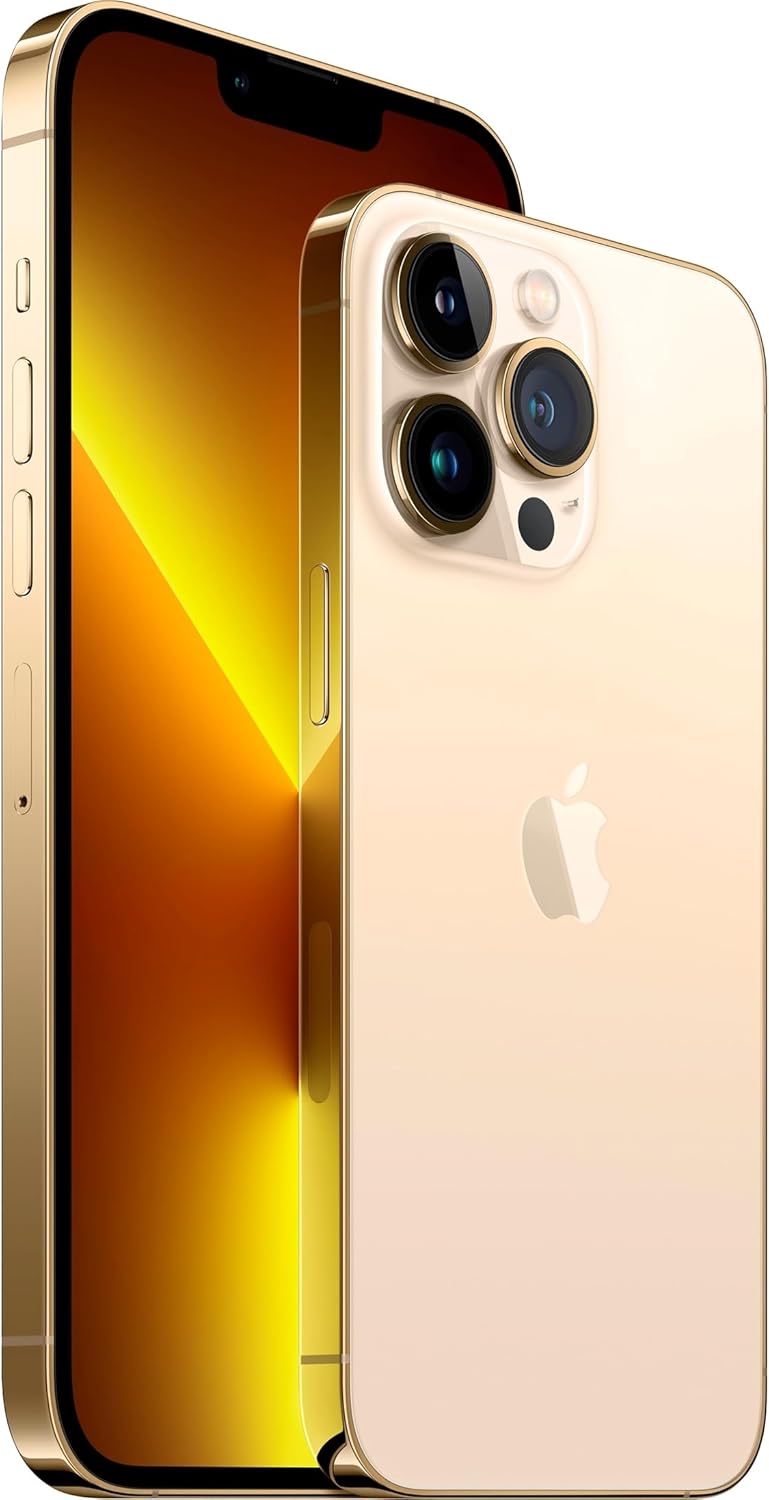
이미지: 앞면과 뒷면 view of the Apple iPhone 13 Pro Max in Gold, showcasing its triple camera system and display.
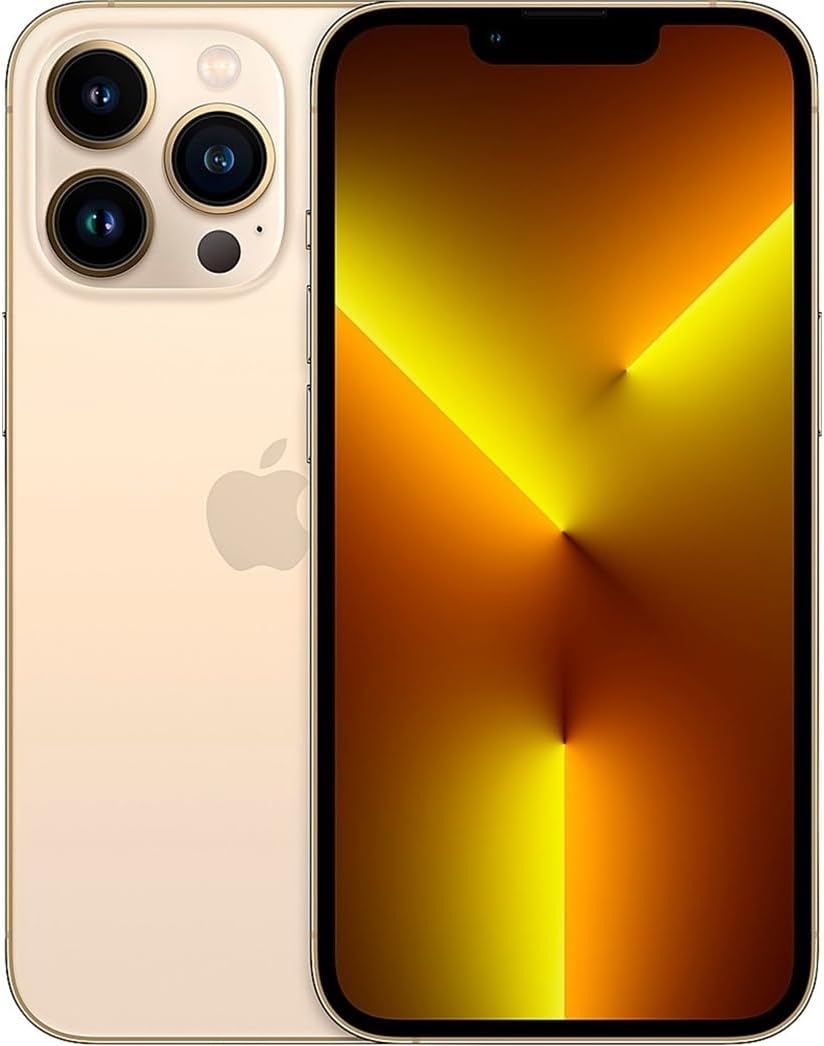
이미지: 앞면 view of the Apple iPhone 13 Pro Max in Gold, displaying the screen.
2. 상자 안에 무엇이 들어있나요?
Apple iPhone 13 Pro Max를 개봉하면 다음과 같은 구성품이 들어 있습니다.
- Apple iPhone 13 Pro Max device
- Charging Cable (USB-C to Lightning)
- SIM Removal Tool
Note: Power adapter and headphones are sold separately.
3. 설정 가이드
3.1 초기 전원 켜기
- 를 누르고 계세요 사이드 버튼 on the right side of the device until the Apple logo appears.
- 화면의 지시에 따라 언어와 지역을 선택하십시오.
3.2 SIM 카드 삽입
- Locate the SIM tray on the left side of the iPhone.
- Insert the SIM removal tool into the small hole on the SIM tray and press firmly until the tray ejects.
- 나노 SIM 카드를 금색 접점이 아래를 향하도록 트레이에 놓으세요.
- Carefully reinsert the SIM tray into the iPhone.
3.3 기본 설정
After inserting the SIM card, continue with the on-screen setup process:
- Wi-Fi 네트워크에 연결합니다.
- Set up Face ID (facial recognition) for secure unlocking and purchases.
- Create a passcode for additional security.
- Restore data from a previous iPhone backup (iCloud or computer) or set up as a new iPhone.
- Apple ID로 로그인하거나 새 Apple ID를 만드세요.
- Configure location services, Siri, and other settings as prompted.
4. 사용 설명서
4.1 탐색 및 제스처
- 홈 화면: 화면 하단에서 위로 스와이프하면 홈 화면으로 이동합니다.
- 앱 전환기: 화면 하단에서 위로 스와이프한 다음 화면 중앙에서 잠시 멈추세요. view open apps. Swipe left or right to switch between them, or swipe up on an app to close it.
- 제어 센터: 화면 오른쪽 상단에서 아래로 스와이프하면 Wi-Fi, 블루투스, 밝기, 볼륨과 같은 빠른 설정에 접근할 수 있습니다.
- 알림: 화면 상단 중앙에서 아래로 스와이프하세요. view 당신의 알림.
4.2 카메라 사용
The iPhone 13 Pro Max features a versatile camera system:
- 열기 카메라 앱.
- Swipe left or right to switch between modes (Photo, Video, Cinematic, Portrait, Pano, Slo-Mo, Time-Lapse).
- 탭하세요 셔터 버튼 to take a photo or start/stop video recording.
- Use the zoom options (0.5x, 1x, 3x) or pinch the screen to adjust zoom.
- For Cinematic mode, tap the icon to enable depth-of-field effects in videos.
4.3 배터리 관리
배터리 수명을 최적화하려면:
- 할 수 있게 하다 저전력 모드 via Control Center or Settings > Battery.
- Adjust screen brightness (lower brightness consumes less power).
- 사용하지 않을 때는 Wi-Fi 또는 블루투스를 꺼두세요.
- 확인하다 배터리 상태 in Settings > Battery > Battery Health & Charging.
5. 유지관리
5.1 아이폰 청소하기
- Unplug all cables and turn off your iPhone.
- Use a soft, lint-free cloth (e.g., a lens cloth) to gently wipe the screen and exterior.
- Avoid using abrasive materials, aerosols, solvents, or ammonia-based cleaners.
- Do not spray cleaners directly onto the iPhone.
5.2 소프트웨어 업데이트
Regularly update your iPhone's software to ensure optimal performance, security, and access to new features:
- 이동하다 설정 > 일반 > 소프트웨어 업데이트.
- If an update is available, tap 다운로드 및 설치. Ensure your iPhone is connected to Wi-Fi and has sufficient battery charge or is connected to power.
5.3 방수 및 방진
The iPhone 13 Pro Max is rated IP68, meaning it can withstand submersion in water up to 6 meters for up to 30 minutes. However, water and dust resistance are not permanent conditions and may decrease over time with normal wear. To prevent liquid damage:
- Avoid swimming or bathing with your iPhone.
- Avoid exposing your iPhone to pressurized water or high-velocity water.
- Avoid using your iPhone in a sauna or steam room.
- Avoid intentionally submerging your iPhone in water.
- If your iPhone gets wet, wipe it with a soft, lint-free cloth. Do not charge it until it is completely dry.
6. 문제 해결
6.1 일반적인 문제 및 해결 방법
- 장치가 응답하지 않음: Press and quickly release the Volume Up button. Press and quickly release the Volume Down button. Then, press and hold the Side button until you see the Apple logo.
- 배터리가 빠르게 소모됨: Check battery usage in Settings > Battery to identify apps consuming the most power. Enable Low Power Mode.
- Wi-Fi/블루투스 연결 문제: Try toggling Wi-Fi/Bluetooth off and on in Control Center or Settings. Restart your iPhone and/or your router.
- 앱 충돌: Ensure apps are updated to their latest versions. Restart the app or your iPhone.
6.2 공장 초기화
A factory reset erases all data and settings from your iPhone and restores it to its original state. This should be considered a last resort for persistent software issues.
- 이동하다 Settings > General > Transfer or Reset iPhone > Erase All Content and Settings.
- Follow the on-screen prompts. You may need to enter your Apple ID password.
7. 사양
| 특징 | 세부 사항 |
|---|---|
| 모델명 | 아이폰 13 프로 맥스 |
| 화면 크기 | 6.7 인치 |
| 메모리 저장 용량 | 128GB (XNUMX기가바이트) |
| 제품 치수 | 5.78 x 2.81 x 0.3 인치 |
| 품목 무게 | 7 온스 |
| 배터리 | 1개의 리튬 이온 배터리 필요(포함) |
| 무선 통신사 | 티모바일 |
| 셀룰러 기술 | 5G |
| 연결 기술 | Wi-Fi, CDMA, GSM, LTE |
| SIM card slot count | 듀얼 SIM |
| 색상 | 금 |
| 제조업체 | 애플 컴퓨터 |
| 첫 번째 이용 가능 날짜 | 11년 2021월 XNUMX일 |
8. 보증 및 지원
8.1 아마존 리뉴얼 보증
This Apple iPhone 13 Pro Max is an Amazon Renewed product. It comes with the Amazon Renewed Guarantee, which provides a replacement or refund within 90 days of receipt if the product does not work as expected.
8.2 Apple Support
For technical assistance, software issues, or further product information, you can visit the official Apple Support web사이트를 방문하거나 Apple 고객 서비스에 문의하세요.


