1. 서론
Welcome to the instruction manual for your Defunc True Basic Wireless Bluetooth 5.2 Earbuds. These earbuds are designed to provide a comfortable and seamless audio experience with powerful sound, touch controls, and robust water resistance. This manual will guide you through the setup, operation, maintenance, and troubleshooting of your new earbuds to ensure optimal performance and longevity.
2. 상자 안에 무엇이 들어있나요?
- Defunc True Basic Black Earbuds (Left and Right)
- 충전 케이스
- USB-C 충전 케이블
- Silicone Ear Tips with Wings (for stability and comfort)
3. 제품 오버view
The Defunc True Basic earbuds feature a sleek design and are built for superior sound and comfort. They incorporate a unique MultiTip design for optimal fit and sound delivery.
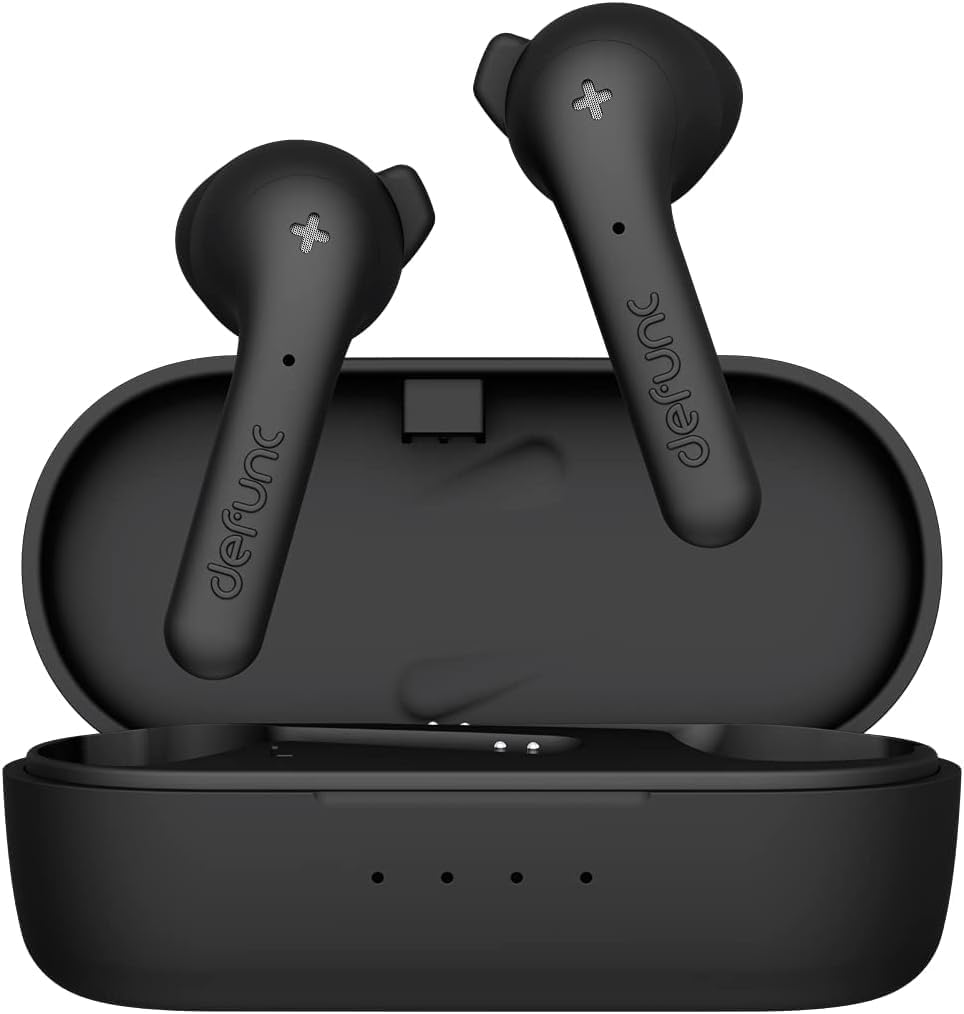
Figure 3.1: Defunc True Basic Earbuds in their charging case.

그림 3.2: 측면 view of the Defunc True Basic Earbuds, highlighting their ergonomic shape.
주요 특징:
- Superior Sound & Comfort: Designed for long-lasting comfortable listening and seamless sound.
- MultiTip Design: A hybrid earbud tip based on consumer insight for music, communication, and sports.
- IPX4 Water & Sweat Resistant: Protected from splashing water and dripping sweat from any direction.
- 연장된 플레이 시간: 충전 케이스를 사용하면 최대 22시간 동안 재생할 수 있습니다.
- 빠른 충전: Quick charging capabilities for minimal downtime.
- 블루투스 5.2 : Seamless and stable connection with Pure Voice Bone Conductor Technology and Environmental Noise Cancellation (ENC).
- 간편한 터치 컨트롤: Intuitive touch controls on both earbuds for calls, volume, and track control.
4. 설정
4.1 초기 충전
Before first use, fully charge your Defunc True Basic earbuds and charging case.
- 양쪽 이어버드를 충전 케이스에 넣습니다.
- Connect the USB-C charging cable to the port on the charging case and plug the other end into a compatible USB power source.
- The indicator lights on the case will show the charging status. The earbuds will fully charge in approximately 1.5 hours, and the case in 2 hours.
4.2 기기와 페어링
이어버드를 블루투스 지원 기기와 페어링하려면 다음 단계를 따르세요.
- Ensure earbuds are fully charged and placed in the charging case.
- 충전 케이스를 엽니다. 이어버드가 자동으로 페어링 모드로 진입하며, 표시등이 깜빡입니다.
- On your device (smartphone, tablet, etc.), go to Bluetooth settings and turn Bluetooth ON.
- 검색 "Defunc True Basic" in the list of available devices and select it to connect.
- 연결이 완료되면 이어버드 표시등이 깜빡임을 멈춥니다. 이제 이어버드를 사용할 준비가 되었습니다.
Note: The earbuds support Bluetooth 5.2 Dual Mode for a stable and efficient connection.
5. 사용 설명서
Your Defunc True Basic earbuds feature intuitive touch controls on both earbuds for easy management of your audio and calls.
5.1 터치 컨트롤
| 행동 | 제어 |
|---|---|
| 음악 재생/일시 정지 | 양쪽 이어버드를 한 번 탭하세요. |
| 다음 트랙 | 오른쪽 이어버드를 두 번 탭하세요 |
| 이전 트랙 | 왼쪽 이어버드 두 번 탭하기 |
| 전화 받기/종료하기 | 양쪽 이어버드를 한 번 탭하세요. |
| 전화 거부 | 한쪽 이어폰을 길게 누릅니다. |
| 음성 지원 활성화 | 양쪽 이어버드를 세 번 탭하세요 |
| 볼륨을 높이다 | 오른쪽 이어버드를 길게 누르세요 |
| 볼륨 낮추기 | 왼쪽 이어버드를 길게 누르세요 |
5.2 전원 켜기/끄기
- 전원 켜기: 이어버드는 충전 케이스에서 제거하면 자동으로 전원이 켜집니다.
- 전원 끄기 : 이어버드를 충전 케이스에 다시 넣고 뚜껑을 닫으세요. 자동으로 전원이 꺼지고 충전이 시작됩니다.
6. 유지관리
적절한 유지관리는 이어버드의 수명과 최적의 성능을 보장합니다.
- 청소: 부드럽고 마른 보풀 없는 천으로 이어버드와 충전 케이스를 정기적으로 닦으세요. 강한 화학 물질이나 연마재는 사용하지 마세요.
- 귀 팁: 실리콘 이어팁은 주기적으로 분리하여 물과 순한 비누로 세척하십시오. 다시 부착하기 전에 완전히 건조되었는지 확인하십시오.
- 방수(IPX4): The earbuds are IPX4 rated, meaning they are resistant to splashing water and sweat. Do not submerge them in water or expose them to strong jets of water. Dry them thoroughly if they get wet.
- 저장: 사용하지 않을 때는 이어버드를 충전 케이스에 보관하여 보호하고 충전 상태를 유지하세요.
7. 문제 해결
이어폰 사용 중 문제가 발생하면 다음 해결 방법을 시도해 보세요.
| 문제 | 해결책 |
|---|---|
| 이어폰이 페어링되지 않음 | Ensure earbuds are charged. Turn off and on your device's Bluetooth. Forget "Defunc True Basic" from your device's Bluetooth list and re-pair. |
| 하나의 이어폰만 작동 | Place both earbuds back in the case, close the lid, then open it again. Ensure both earbuds have sufficient charge. |
| 볼륨이 낮거나 음질이 좋지 않음 | Adjust volume on both earbuds and your device. Ensure ear tips are properly seated in your ears. Clean ear tips and earbud grilles. |
| 이어폰이 충전되지 않음 | Ensure the charging cable is securely connected. Try a different USB port or power adapter. Clean the charging contacts on both earbuds and the case. |
| 연결이 자주 끊김 | Ensure your device is within the Bluetooth range (10 meters). Avoid obstacles between your device and earbuds. Reduce interference from other wireless devices. |
8. 사양
| 특징 | 세부 사항 |
|---|---|
| 모델명 | 진정한 기본 |
| 모델 번호 | 디4271 |
| 연결 기술 | 무선(블루투스 5.2) |
| 소음 제어 | Passive Noise Cancellation, ENC (Environmental Noise Cancellation) |
| 방수 레벨 | IPX4(방수) |
| Active Playtime | 5시간 |
| 통화 시간 | 3시간 |
| 대기 시간 | 50시간 |
| 총 재생 시간(케이스 포함) | 22시간 |
| 이어버드 충전 시간 | 1.5시간 |
| 케이스 충전 시간 | 2시간 |
| 충전 포트 | USB-C |
| 제어 방법 | 만지다 |
| 스피커 치수 | 13 mm 25Ω +/- 15% |
| 주파수 범위 | 2402~2480MHz |
| 품목 무게 | 1.41온스(40그램) |
| 제품 치수 | 2.36 x 2.36 x 0.98 인치 |
9. 안전 정보
제품 손상이나 부상을 방지하기 위해 다음 안전 지침을 읽고 준수해 주십시오.
- Do not attempt to repair the earbud. A faulty repair may lead to fire, electronic breakdown, or a damaged product.
- Do not use the earbud in an environment where the temperature is below 32°F (0°C) or above 113°F (45°C).
- 어린이 및 동물의 눈 근처에서 장치 표시등을 사용하지 마십시오.
- 비정상적 이어버드 동작과 쇼크의 위험을 피하기 위해 천둥번개가 치는 날씨에는 이어버드를 사용하지 마십시오.
10. 보증 및 지원
For warranty information or technical support, please refer to the contact details provided on the product packaging or visit the official Defunc web사이트. 보증 청구를 위해 구매 증빙 자료를 보관하세요.