1. 서론
This manual provides comprehensive instructions for the setup, operation, maintenance, and troubleshooting of your BOMAKER Mini WiFi Projector 10''. Please read this manual thoroughly before using the projector to ensure proper operation and to maximize its lifespan. Keep this manual for future reference.
The BOMAKER Mini WiFi Projector 10'' is a portable 720P HD LCD projector designed for home cinema, gaming, and various multimedia applications. It features WiFi connectivity for smartphone mirroring, multiple input options including HDMI, USB, and AV, and supports projection sizes up to 300 inches.
2. 중요한 안전 정보
화재, 감전 또는 부상을 예방하기 위해 항상 다음 안전 수칙을 준수하십시오.
- 통풍구를 막지 마십시오. 프로젝터 주변에 적절한 공기 흐름이 유지되도록 하십시오.
- l을 사용할 때 프로젝터 렌즈를 직접 쳐다보지 마십시오.amp 켜져 있습니다. 밝은 빛은 눈에 손상을 줄 수 있습니다.
- 감전 사고를 방지하기 위해 프로젝터를 비나 습기에 노출시키지 마십시오.
- 프로젝터와 함께 제공된 전원 어댑터만 사용하세요.
- 프로젝터를 안정적이고 평평한 표면에 놓으세요.
- 천둥번개가 칠 때나 장기간 사용하지 않을 때는 프로젝터의 전원 플러그를 콘센트에서 뽑아 두십시오.
- 본 제품을 직접 수리하려고 시도하지 마십시오. 모든 서비스는 자격을 갖춘 서비스 담당자에게 맡기십시오.
3. 패키지 내용
아래 나열된 모든 품목이 패키지에 포함되어 있는지 확인하세요.
- 1 x BOMAKER Mini WiFi Projector
- 1 x 원격 제어
- 1 x 전원 어댑터
- 1 x HDMI 케이블
- 1 x AV 케이블
- 1 x 사용자 설명서
4. 제품 오버view
프로젝터의 다양한 부품과 연결 부분을 숙지하십시오.

그림 4.1: 앞쪽 view of the BOMAKER Mini WiFi Projector. This image shows the projector's lens, focus ring, and keystone correction dial, with a smartphone wirelessly connected and displaying content on its screen, illustrating the WiFi mirroring capability.
4.1. 입/출력 포트
The projector features a variety of ports for connecting different devices.

그림 4.2: 뒤쪽 view of the projector displaying its connectivity options. From left to right, the ports include AV, USB, Audio Out, VGA, HDMI, and Micro SD card slot, allowing for versatile device connections.
- AV 포트: Connect to older devices using the included AV cable.
- USB 포트: 미디어를 재생하기 위해 USB 드라이브를 연결하려면 files.
- 오디오 출력: 외부 스피커 또는 헤드폰을 연결하세요.
- VGA 포트: Connect to computers or laptops with a VGA output.
- HDMI 포트 : Connect to devices like laptops, gaming consoles (PS4), TV sticks, etc.
- 마이크로 SD 카드 슬롯: Insert a Micro SD card to play media files.
5. 설정
5.1. 배치
Choose a suitable location for your projector. For optimal viewing, place the projector on a flat, stable surface or mount it. The optimal projection distance is between 8.2 and 11.2 feet (2.5 to 3.4 meters) for a screen size of 30 to 300 inches.
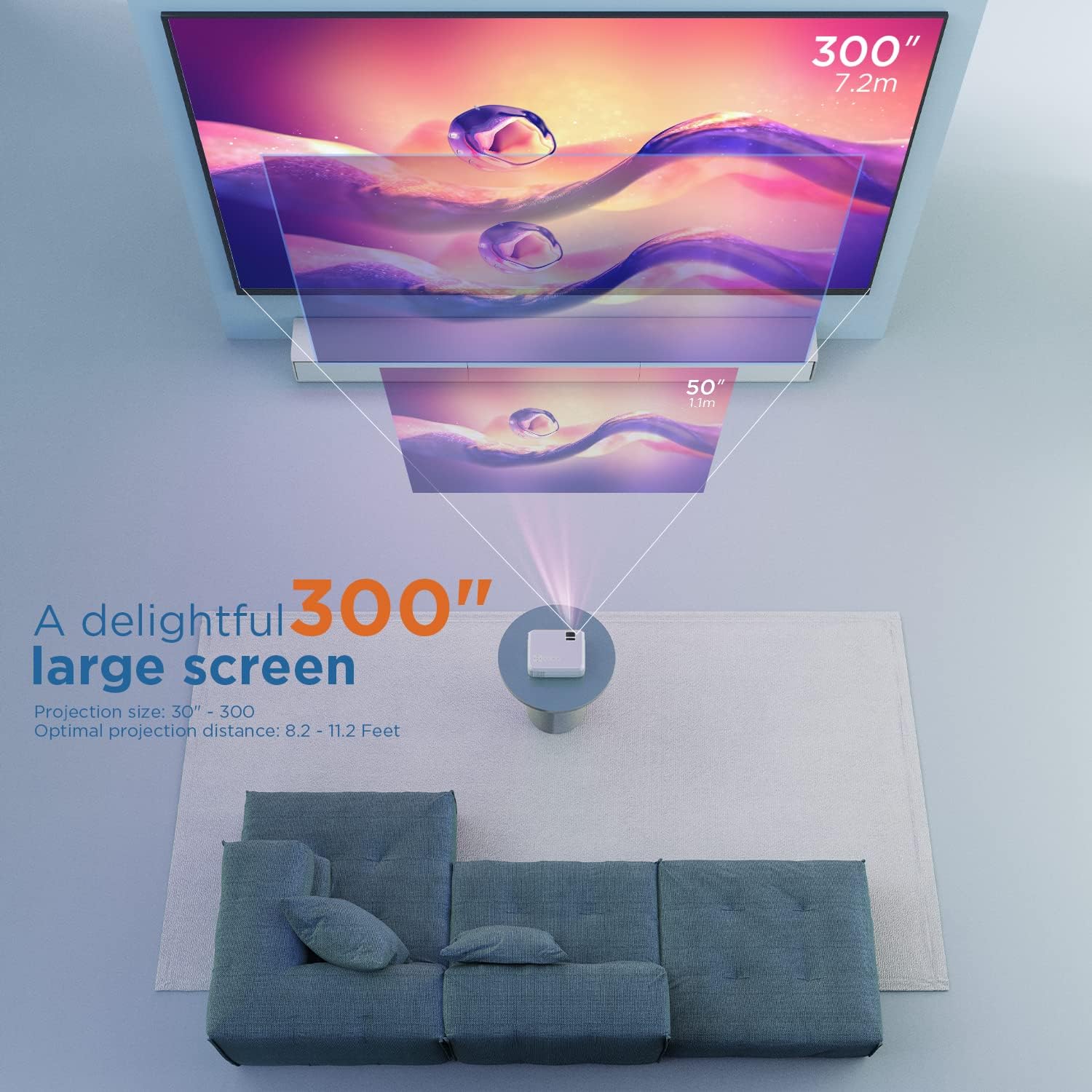
그림 5.1: Illustration of projection distances and corresponding screen sizes. The image demonstrates how varying the distance between the projector and the screen affects the projected image size, from 50 inches (1.1m) to 300 inches (7.2m).
5.2. 전원 연결
- 전원 어댑터를 프로젝터의 전원 입력 포트에 연결합니다.
- 전원 어댑터를 벽면 콘센트에 꽂으세요.
- 프로젝터나 리모컨의 전원 버튼을 눌러 전원을 켜세요.
5.3. 초점 및 핵심 수정
- 집중하다: 프로젝터 렌즈의 초점 링을 돌려 이미지가 선명하고 또렷해질 때까지 조정하십시오.
- 요지: If the projected image appears trapezoidal, adjust the keystone correction dial (usually located near the lens) until the image is rectangular.
6. 사용 설명서
6.1. 기본 동작
- 전원 켜기/끄기: 프로젝터나 리모컨의 전원 버튼을 누르세요.
- 입력 소스 선택: Use the "Source" button on the remote or projector to select the desired input (HDMI, AV, USB, Micro SD, WiFi).
- 볼륨 조절: 리모컨의 볼륨 버튼을 사용하세요.
6.2. 장치 연결
The projector supports various connection methods:
6.2.1. HDMI 연결
Connect your laptop, gaming console (PS4), TV stick (e.g., Roku, Fire TV), or other HDMI-enabled devices using an HDMI cable. Select "HDMI" as the input source.
6.2.2. USB/Micro SD Connection
Insert a USB drive or Micro SD card into the respective port. Select "USB" or "Micro SD" as the input source. The projector will display a menu to browse and play media files (photos, videos, music, text).
6.2.3. AV Connection
Use the included AV cable to connect to devices with AV output. Select "AV" as the input source.
6.2.4. WiFi Mirroring (Smartphone Connection)
The projector supports wireless screen mirroring from smartphones (iOS and Android).
- Select "WiFi" as the input source on the projector.
- Follow the on-screen instructions to connect your smartphone to the projector's WiFi network.
- Once connected, enable screen mirroring/casting feature on your smartphone (e.g., "Screen Mirroring" for iOS, "Smart View" or "Cast" for Android).
- 사용 가능한 장치 목록에서 프로젝터를 선택하십시오.
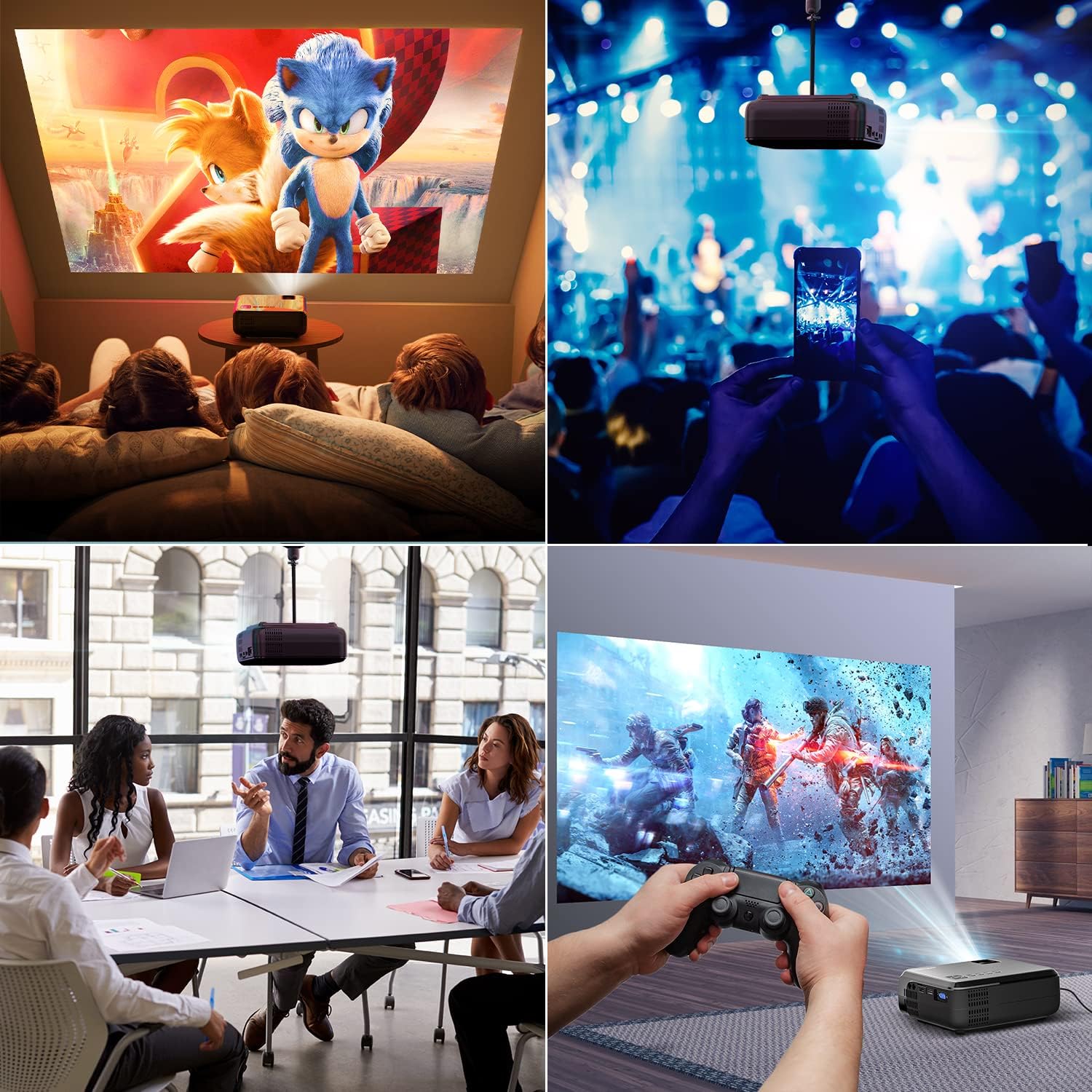
그림 6.1: This image displays a collage of the projector in different environments: a family watching a movie, a person using a smartphone to control the projector at a concert, a business meeting with a presentation, and a person playing video games. It highlights the versatility of the BOMAKER Mini WiFi Projector for entertainment and professional use.
6.3. Visual Experience
The projector delivers a native 720P HD resolution, ensuring clear and detailed images. It supports 1080P decoding and features a high brightness output for vibrant visuals.
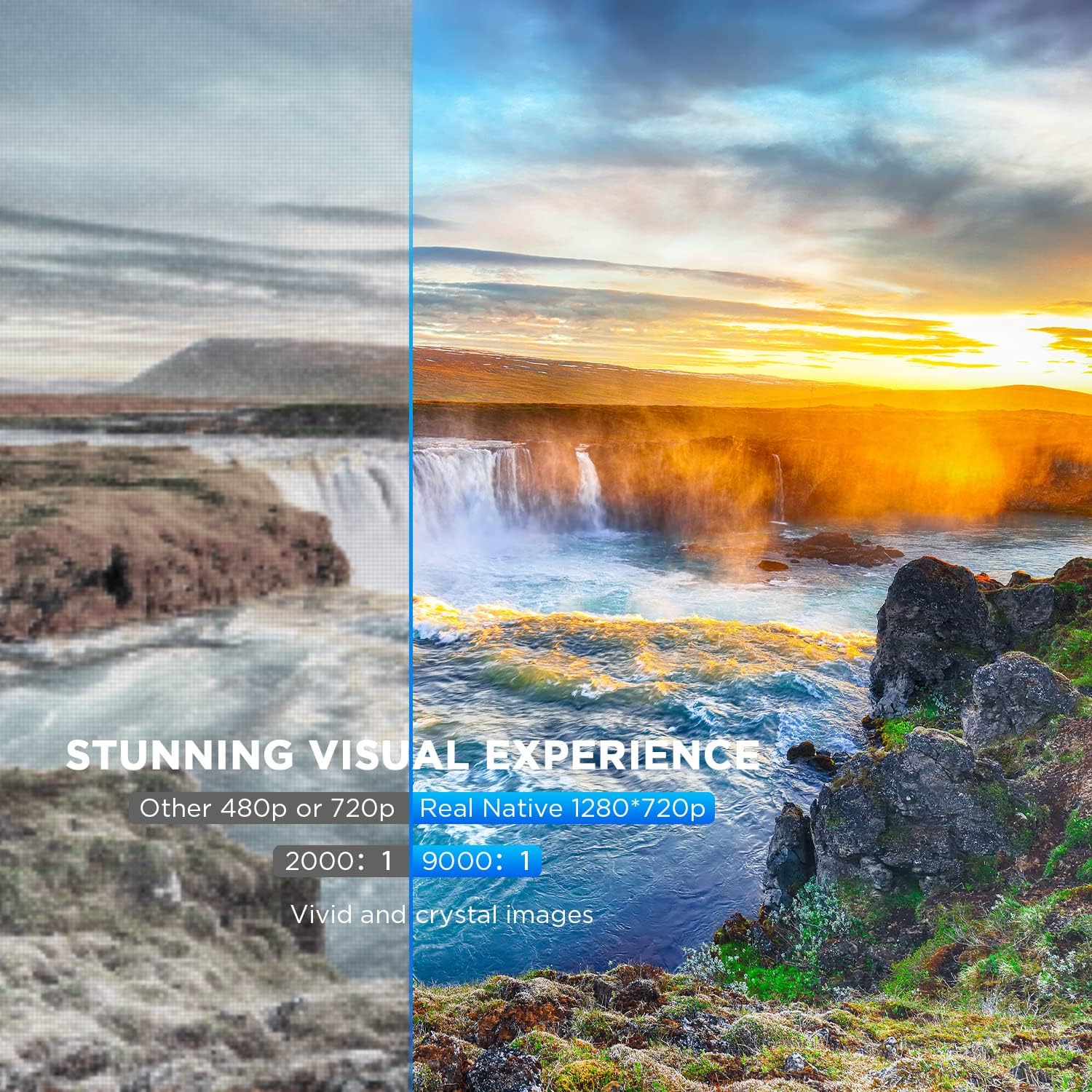
그림 6.2: A side-by-side comparison demonstrating the difference between standard 480p/720p projection and the projector's real native 1280x720p resolution. The native resolution side shows significantly sharper details and richer colors in a landscape image, emphasizing the "Stunning Visual Experience" and "Vivid and crystal images".

그림 6.3: This image illustrates the projector's "Crystal Clear Picture with Ultra-low Latency" feature, showing a vibrant, high-definition projection of a car racing scene on a large screen in a living room setting. The text highlights upgraded lens settings for a new visual experience with latency less than 30ms.
7. 유지관리
7.1. 렌즈 청소
Use a soft, lint-free cloth specifically designed for cleaning optical lenses. Do not use abrasive cleaners or solvents. Gently wipe the lens to remove dust or smudges.
7.2. 프로젝터 본체 청소
프로젝터 외부는 부드럽고 마른 천으로 닦으세요. 찌든 때는 가볍게amp 젖은 천으로 닦은 후 마른 천으로 다시 닦아주세요. 통풍구에 액체가 들어가지 않도록 주의하십시오.
7.3. 보관
When not in use, store the projector in a cool, dry place, away from direct sunlight and extreme temperatures. Cover the lens with its cap to protect it from dust.
8. 문제 해결
프로젝터에 문제가 발생하면 다음의 일반적인 문제와 해결 방법을 참조하세요.
| 문제 | 가능한 원인 | 해결책 |
|---|---|---|
| 화면에 이미지가 없습니다. | Power cable not connected; incorrect input source; device not powered on. | Check power connection; select correct input source; ensure connected device is on. |
| 이미지가 흐릿함 | 초점이 조정되지 않았습니다. 프로젝터가 화면에서 너무 가깝거나 멀리 떨어져 있습니다. | 초점 링을 조정하고 프로젝터의 위치를 변경하세요. |
| 이미지는 사다리꼴입니다 | Keystone correction not adjusted. | 키스톤 보정 다이얼을 조정하세요. |
| 소리가 나지 않습니다 | Volume too low; external speakers not connected; audio settings on source device. | Increase volume; connect external speakers if needed; check audio output settings on source device. |
| WiFi mirroring issues | Incorrect WiFi connection; smartphone mirroring feature not activated. | Ensure correct WiFi network is selected; activate screen mirroring on your smartphone. |
9. 사양
| 특징 | 세부 사항 |
|---|---|
| 상표 | 보메이커 |
| 모델 번호 | Mini WiFi Projector 10'' |
| 디스플레이 해상도 | Native 1280 x 720 (Supports 1080P decoding) |
| 디스플레이 유형 | 액정표시장치 |
| 연결 기술 | HDMI, 와이파이 |
| 호환 장치 | Smartphone, TV Stick, PS4, Laptop, USB Drive, Micro SD Card |
| 제품 치수 | 22L x 17l x 9H centimeters |
| 폼 팩터 | 가지고 다닐 수 있는 |
| 추천 용도 | 홈 시네마, 게임 |
| 색상 | 하얀색 |
10. 보증 및 지원
For warranty information or technical support, please refer to the documentation included with your purchase or contact BOMAKER customer service. Details regarding specific warranty periods and support channels are typically provided on the manufacturer's official web사이트 또는 제품 포장 내부에 있습니다.