소개
구매해주셔서 감사합니다asing the Core Innovations 150" LCD Home Theater Projector. This manual provides essential information for setting up, operating, and maintaining your projector to ensure optimal performance and longevity. Please read this manual thoroughly before use and retain it for future reference.
제품 끝view
The Core Innovations 150" LCD Home Theater Projector is designed to deliver an immersive viewing experience with its adjustable screen size and versatile connectivity options.

구성 요소 및 제어
Familiarize yourself with the projector's various ports and controls for seamless operation.

1. Headphone Jack (3.5mm)
2. AV 입력
3. 마이크로 SD 카드 슬롯
4. HDMI Inputs 1 & 2
5. USB 포트
6. DC IN (Power Input)

설치 가이드
- 짐 풀기: Carefully remove the projector and all accessories from the packaging. Ensure all included components are present: Power Cord, User Manual, HDMI Cable, Remote Control, Projector Lens Cover.
- 놓기: 프로젝터를 안정적이고 평평한 표면에 놓으십시오. 최적의 성능을 위해서는 viewing, position the projector directly in front of your projection surface (screen or wall). Ensure adequate ventilation around the projector.
- 전원 연결: Connect the included power cord to the DC IN port (6) on the projector and then plug it into a standard electrical outlet.
- 전원 켜기: 프로젝터나 리모컨의 전원 버튼을 눌러 장치를 켜세요.
- 초점 조정: Rotate the focus adjustment knob located near the lens until the projected image appears clear and sharp.
- 키스톤 보정: If the projected image appears trapezoidal (wider at the top or bottom), use the keystone correction feature to adjust it into a rectangular shape. This is typically done via a dial or digital setting on the projector or remote.

작동 지침
장치 연결
프로젝터는 다양한 입력 소스를 지원합니다.
- HDMI : Connect your laptop, gaming console (PS5), Roku, or other HDMI-enabled devices to either HDMI Input 1 or 2 (4).
- USB: Insert a USB flash drive (up to 1000GB) into the USB Port (5) to play media file직접적으로.
- 마이크로 SD 카드 : Insert a Micro SD card into the Micro SD Card Slot (3) to access stored media.
- 유명인 : Use the AV Input (2) for older devices with composite video and stereo audio outputs.
- VGA : Connect a computer via the VGA port for video output.


Adjusting Projection Size
The projector supports an adjustable screen size between 32 inches and 150 inches. Adjust the distance of the projector from the screen to achieve your desired projection size. Use the focus knob to maintain image clarity after adjusting the distance.

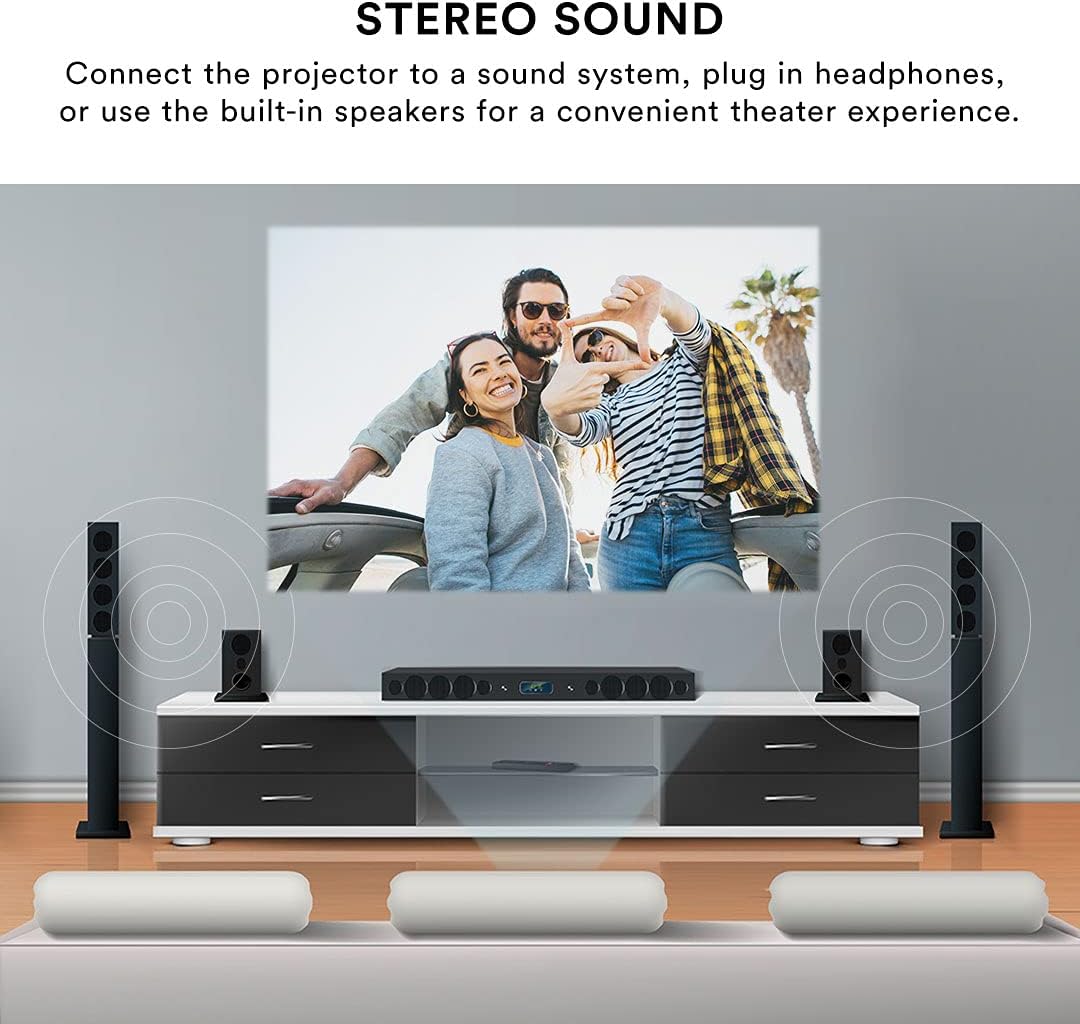
오디오 출력
The projector features built-in speakers for convenient audio playback. For enhanced sound quality, you can connect external speakers or headphones using the 3.5mm Headphone Jack (1).
원격 제어
The included remote control allows for effortless operation from a distance. Use it to power on/off, select input sources, navigate menus, adjust volume, and control playback.
유지
적절한 유지관리는 프로젝터의 수명과 성능을 보장합니다.
- 렌즈 세척: 광학 렌즈 전용으로 제작된 부드럽고 보풀 없는 천으로 프로젝터 렌즈를 살살 닦아주세요. 연마성 세척제나 과도한 힘을 사용하면 렌즈에 흠집이 생길 수 있으므로 피하십시오.
- 외부 청소: 프로젝터 외부는 부드럽고 마른 천으로 닦으세요. 잘 지워지지 않는 얼룩은 가볍게 두드리세요.amp 천을 사용할 수 있지만, 기기 내부로 액체가 들어가지 않도록 주의하십시오.
- 통풍: Ensure the projector's ventilation openings are clear and unobstructed. Do not place the projector on soft surfaces that may block airflow. Proper ventilation prevents overheating.
- 저장: When not in use for extended periods, store the projector in a cool, dry place, away from direct sunlight and extreme temperatures. Use the lens cover to protect the lens from dust.
문제 해결
프로젝터에 문제가 발생하면 다음의 일반적인 문제와 해결 방법을 참조하세요.
| 문제 | 가능한 원인 | 해결책 |
|---|---|---|
| 이미지가 투영되지 않았습니다 | 전원 케이블이 분리되었습니다. 잘못된 입력 소스가 선택되었습니다. 장치가 제대로 연결되지 않았습니다. | Check power connection; Select the correct input source (HDMI, USB, AV); Ensure source device is powered on and connected securely. |
| 이미지가 흐릿함 | Focus not adjusted; Projector too far/close to screen; Lens dirty. | Adjust the focus knob; Adjust projector distance; Clean the lens. |
| 이미지가 왜곡되었습니다(사다리꼴 모양). | 프로젝터가 화면에 수직이 아닙니다. | Use keystone correction to adjust the image. |
| 소리가 나지 않습니다 | 볼륨이 너무 작습니다. 외부 스피커가 연결되어 있지 않습니다. 소스 장치의 오디오 설정이 잘못되었습니다. | Increase projector volume; Ensure external speakers are connected and powered; Check audio output settings on your source device. |
| 리모컨이 작동하지 않습니다 | 배터리 부족/방전; 리모컨과 프로젝터 사이에 장애물이 있음; 리모컨 센서가 막힘. | Replace batteries; Remove any obstructions; Ensure remote is pointed at the projector's IR sensor. |
| Projector is overheating or fan is loud | Blocked ventilation; Prolonged use. | Ensure ventilation openings are clear; Allow the projector to cool down if used for extended periods. |
명세서
| 특징 | 세부 사항 |
|---|---|
| 상표 | 핵심 혁신 |
| 모델 번호 | CJR600BL |
| 제품 치수 | 8.1 x 3.4 x 6.1 인치 |
| 품목 무게 | 2파운드 |
| 투사 크기 | 32인치 - 150인치 |
| 대비율 | 300시 1분 |
| 디스플레이 해상도 | 1280 x 720 |
| 연결 기술 | HDMI (x2), USB, Micro SD, AV, VGA |
| 오디오 | 내장 스피커, 3.5mm 헤드폰 잭 |
| 폼 팩터 | 가지고 다닐 수 있는 |
| 포함된 구성 요소 | Power Cord, User Manual, HDMI Cable, Remote Control, Projector Lens Cover |
보증 및 지원
보증 정보
This Core Innovations projector comes with a 1년 한정 보증 from the date of purchase, covering 90 days for parts and labor. Please retain your proof of purchase for warranty claims.
고객 지원
기술 지원, 본 설명서에 나와 있지 않은 문제 해결 또는 보증 관련 문의는 Core Innovations 고객 지원팀에 문의하십시오. 제품 포장 또는 Core Innovations 공식 웹사이트에 제공된 연락처 정보를 참조하십시오. web대지.


