시간 설정
Use the time setting knob located on the back of the clock to adjust the hour and minute hands. Rotate the knob clockwise or counter-clockwise until the correct time is displayed.
Model: B09JKWDFTT | Brand: ROTH
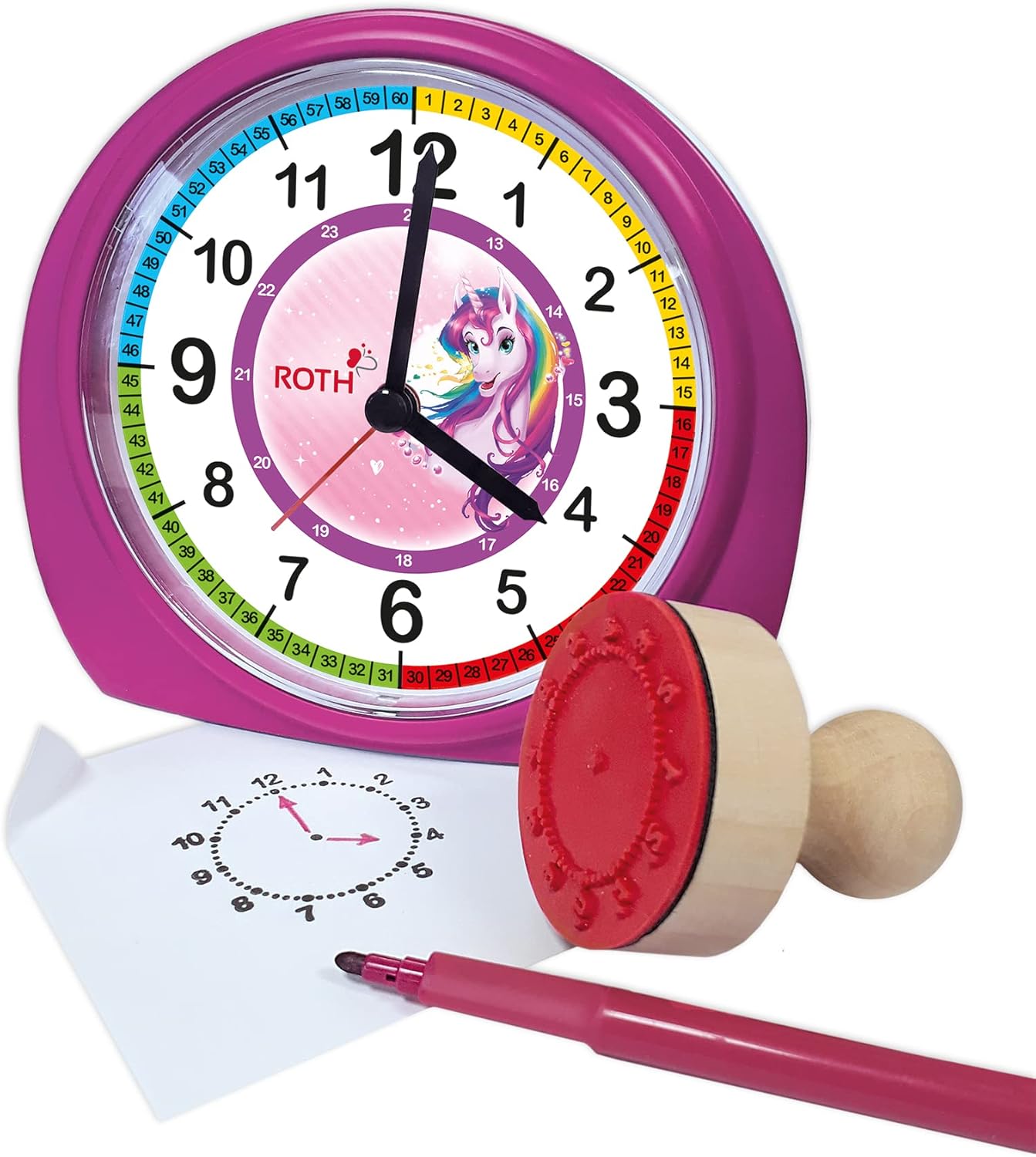
This manual provides comprehensive instructions for the ROTH Educational Alarm Clock and Stamp Set. Designed to assist children in learning to tell time, this set includes an alarm clock with various features and a complementary stamp set for practice. Please read this manual thoroughly before use to ensure proper operation and safety.

WARNING: CHOKING HAZARD – Small parts. Not suitable for children under 3 years.
모든 품목이 들어 있는지 확인하려면 패키지를 확인하세요.

The alarm clock requires 1x AA battery (not included).

Use the time setting knob located on the back of the clock to adjust the hour and minute hands. Rotate the knob clockwise or counter-clockwise until the correct time is displayed.
Use the alarm setting knob, also on the back, to set the desired alarm time. The alarm will sound a beep when the set time is reached. To activate or deactivate the alarm, use the ON/OFF switch located on the side of the clock.

When the alarm sounds, press the large button on the top of the clock to activate the snooze function. The alarm will temporarily stop and sound again after a short interval.
The clock features a backlight for visibility in low-light conditions. Press the backlight button, typically located on the top or side, to illuminate the clock face.
The included wooden stamp and ink pad are designed to help children practice telling time. The stamp creates a clock face outline on paper, allowing children to draw in the hands for various times.

| 문제 | 가능한 원인 | 해결책 |
|---|---|---|
| 시계가 작동하지 않음 | 배터리가 소진되었거나 잘못 삽입되었습니다. | Replace battery (1x AA) or check polarity. |
| 알람이 울리지 않음 | 알람이 활성화되지 않았거나 잘못 설정되었습니다. | Ensure alarm ON/OFF switch is in the 'ON' position and alarm time is set correctly. |
| 백라이트가 작동하지 않음 | Battery low or backlight button not pressed. | Replace battery or press the backlight button firmly. |
| Stamp not making clear impression | Ink pad is dry or stamp not evenly inked. | Ensure ink pad is moist; re-ink stamp evenly. Replace ink pad if necessary. |
| 특징 | 세부 사항 |
|---|---|
| 제품 크기(LxWxH) | 20 x 21.1 x 7.3cm |
| 품목 무게 | 350그램 |
| 특별 기능 | Snooze, Alarm, Backlight |
| 상표 | ROTH |
| 연령대 (설명) | 어린이들 |
| 재료 | Wood (Stamp), Plastic (Clock) |
| 색상 | 분홍색 |
| 전원 | 배터리 구동 |
| 배터리 유형 | 1x AA(포함되지 않음) |
This product comes with a standard manufacturer's warranty. For specific warranty details, including duration and coverage, please refer to the product packaging or contact ROTH customer support directly. If you encounter any issues or have questions not covered in this manual, please reach out to the retailer or manufacturer for assistance.
For further support, please visit the official ROTH web사이트 또는 고객 서비스 부서에 문의하십시오.
 |
Roth Touchline SL 밸브 모듈 빠른 설치 가이드: 설치 및 설정 '필요시 난방' 모드를 지원하는 Roth Touchline SL 밸브 모듈의 난방 시스템 설치 및 설정에 대한 간략한 안내서입니다. 연결 정보 및 인터페이스 설정 방법이 포함되어 있습니다. |
 |
Roth Touchline® SL 온도 조절기 설치 가이드 Roth Touchline® SL 실내 온도 조절기 및 바닥 난방 시스템에 대한 종합적인 설치 안내서입니다. 바닥 센서 및 컨트롤러와 온도 조절기를 페어링, 등록 및 구성하는 방법을 알아보세요. |
 |
Roth Touchline SL 온도 조절기 설치 가이드 Roth Touchline SL 및 SL Plus 온도 조절기에 대한 포괄적인 설치 및 설정 가이드입니다. 벽면 장착, 배선, 센서 연결, 컨트롤러 페어링, 바닥 센서 구성 및 고급 기능 등을 다룹니다. |
 |
Roth MultiPex® PEX 배관 시스템 설치 가이드 이 설치 안내서는 Roth MultiPex® PEX 배관 시스템에 대한 자세한 지침을 제공합니다. 파이프 절단, 굽힘, 고정 등 필수 단계와 용제 사용에 대한 경고를 다룹니다. 또한, 포괄적인 기술 데이터와 호환되는 액세서리 목록이 포함되어 있으며, 명확성을 위해 영어로 제공됩니다. 식수 및 중앙 난방 분야에 적합합니다. |
 |
Roth MultiPex® 설치 가이드: 파이프 및 부속품 Roth MultiPex® 파이프 시스템의 절단, 굽힘, 고정, 조립, 기술 사양 및 액세서리에 대한 종합적인 설치 가이드입니다. Roth 배관 솔루션을 안전하고 효율적으로 설치하는 방법을 알아보세요. |
 |
Roth Touchline® PL 실내 온도 조절기 설치 및 작동 가이드 이 가이드는 Roth Touchline® PL 무선 실내 온도 조절기의 설치 및 작동에 대한 포괄적인 지침을 제공합니다. 설정, 컨트롤러와의 페어링, 그리고 온도 조절기의 기능 및 설정에 대한 자세한 설명을 다룹니다. |