1. 서론
This manual provides detailed instructions for the setup, operation, and maintenance of your JLab Go Air Pop True Wireless Bluetooth Earbuds. Please read this guide thoroughly to ensure optimal performance and longevity of your device.
2. 포함 사항
- JLab Go Air Pop 진정한 무선 이어버드
- USB 충전 케이블이 통합된 충전 케이스
- 젤 이어팁 3세트(소형, 중형, 대형)
- JLab 2년 보증 정보

Image: Contents of the JLab Go Air Pop package, including earbuds, charging case, and various ear tip sizes.
3. 제품 오버view

Image: The JLab Go Air Pop earbuds and their charging case. The earbuds feature a compact design with touch-sensitive surfaces. The charging case is small and portable.

Image: The compact charging case fits easily in the palm of a hand, emphasizing its portability.
4. 설정
4.1 케이스 및 이어버드 충전
Before first use, fully charge the earbuds and charging case. The case features an integrated USB charging cable for convenience.
- Locate the integrated USB cable at the bottom of the charging case.
- Plug the USB cable into a USB-A power source (e.g., computer, wall adapter).
- The indicator light on the case will show charging status. A solid red light indicates charging, and a solid blue light indicates fully charged.
- 이어버드를 충전 케이스에 넣으세요. 이어버드가 자동으로 충전을 시작합니다.

Image: The charging case with its built-in USB cable, ready to be plugged into a power source. This design eliminates the need for a separate charging cable.
Video: This video demonstrates the charging process of the JLab Go Air Pop earbuds using the integrated USB cable and shows the earbuds being placed into the charging case.
4.2 블루투스 페어링
- Remove the earbuds from the charging case. They will automatically enter pairing mode (indicated by a flashing blue/white light on one earbud).
- Open your device's Bluetooth settings and select "JLab Go Air Pop" from the list of available devices.
- Once connected, you will hear a voice prompt "Bluetooth Connected" and the light on the earbud will turn solid blue.
Video: This video illustrates the pairing process and highlights the dual connect feature, allowing users to use either earbud independently.
4.3 이어버드 장착
For optimal sound quality and comfort, select the correct size of gel ear tips. Experiment with the three provided sizes (Small, Medium, Large) to find the best fit for your ears.
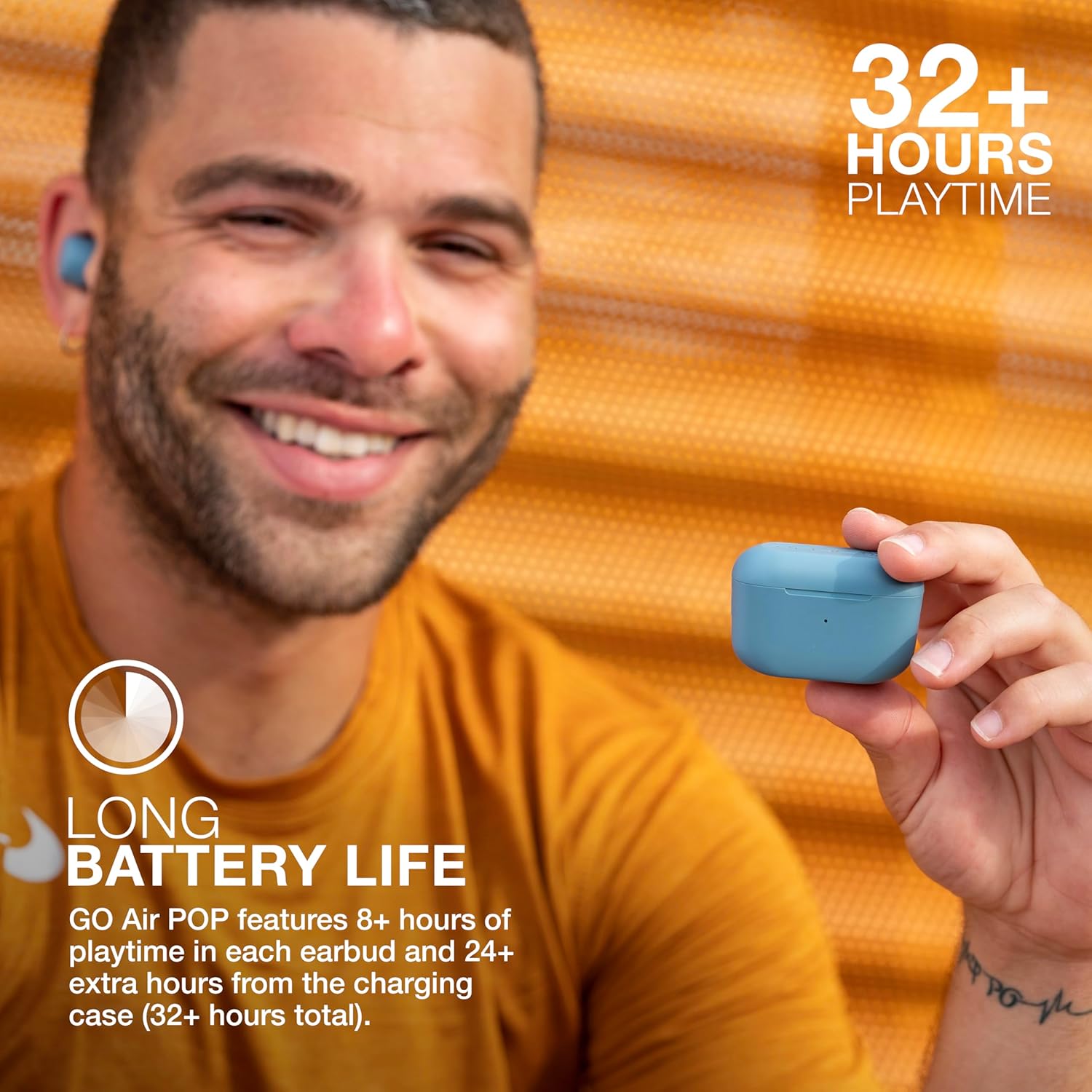
Image: A person wearing a JLab Go Air Pop earbud, demonstrating a proper fit. A snug fit is crucial for sound isolation and comfort.
5. 사용 설명서
5.1 터치 컨트롤
The JLab Go Air Pop earbuds feature intuitive touch controls on each earbud. A few taps allow you to manage audio playback, calls, and activate your smart assistant.
- 재생/일시 중지: 양쪽 이어버드를 한 번 탭하세요.
- 볼륨 업: 오른쪽 이어버드를 두 번 탭하세요.
- 볼륨 작게 : 왼쪽 이어버드를 두 번 탭합니다.
- 앞으로 추적: Tap and hold the right earbud for 1+ second.
- 뒤로 추적 : Tap and hold the left earbud for 1+ second.
- 전화 받기/끊기: 양쪽 이어버드를 한 번 탭하세요.
- 전화 거부: Tap and hold either earbud for 1+ second.
- Activate Smart Assistant: 양쪽 이어버드를 세 번 탭하세요.

Image: A hand interacting with the touch-sensitive surface of an earbud, demonstrating how to use the touch controls for various functions.
5.2 EQ3 사운드 모드
Customize your listening experience with three Equalizer (EQ3) sound modes: JLab Signature, Balanced, and Bass Boost. You can switch between these modes directly from the earbuds without needing an app.
- JLab 서명: Amp생생한 보컬과 베이스.
- 균형 잡힌: 팟캐스트와 클래식 음악에도 사운드가 적용됩니다.
- 베이스 부스트 : Ampliified 베이스와 서브 베이스.
To cycle through EQ3 settings, triple tap the right earbud.
5.3 듀얼 커넥트
The JLab Go Air Pop earbuds support Dual Connect technology, allowing you to use either earbud independently or both together. This is ideal for situations where you need to remain aware of your surroundings or extend battery life by using one earbud at a time.

Image: The earbuds in their charging case, illustrating the ability to use them individually or as a pair.
6. 유지관리
6.1 청소
정기적인 청소는 건전한 품질과 위생을 유지하는 데 도움이 됩니다.
- 부드럽고 마른 보푸라기 없는 천으로 이어버드와 충전 케이스를 조심스럽게 닦으세요.
- 이어팁을 제거하고 순한 비누와 물로 세척한 후 완전히 말린 후 다시 부착하세요.
- 마른 면봉을 사용하여 이어버드와 케이스 내부의 충전 접점을 조심스럽게 닦으세요.
6.2 보관
When not in use, store your earbuds in their charging case to protect them and keep them charged. Avoid exposing the earbuds or case to extreme temperatures, humidity, or liquids.
7. 문제 해결
- 이어버드가 페어링되지 않음: Ensure both earbuds are fully charged. Place them back in the case, close the lid, then open it and remove them to re-initiate pairing mode. Check your device's Bluetooth settings to forget previous connections and try pairing again.
- 이어폰 한쪽만 소리가 나옵니다. Place both earbuds back in the charging case. Remove them simultaneously. If the issue persists, perform a factory reset (refer to JLab's official support for specific steps).
- 충전 문제: Verify the integrated USB cable is securely connected to a working power source. Ensure the charging contacts on the earbuds and case are clean and free of debris.
- 볼륨이 낮거나 음질이 좋지 않음: Adjust the earbud fit and try different sized ear tips. Clean the ear tips and earbud nozzles. Cycle through the EQ3 sound modes to see if a different setting improves the audio.
8. 사양
| 특징 | 사양 |
|---|---|
| 모델명 | Go Air Pop |
| 연결 기술 | 블루투스, 무선 |
| 블루투스 버전 | 5.1 |
| 배터리 수명 | 32시간 (이어폰 사용 시 8시간 이상, 케이스 사용 시 24시간 이상) |
| 충전 시간 | 2시간 |
| 방수 레벨 | 방수 (IPX4) |
| 오디오 드라이버 크기 | 8 밀리미터 |
| 주파수 응답 | 20 kHz (XNUMX kHz) |
| 제어 유형 | Volume Control (Touch) |
| 특징 | 마이크 포함 |
| 품목 무게 | 0.3그램(이어폰) |
| 운반 케이스 무게 | 59그램 |
9. 보증 및 지원
Your JLab Go Air Pop True Wireless Bluetooth Earbuds come with a JLab Two Year Warranty. For detailed warranty information, product registration, or further support, please visit the official JLab web사이트를 참조하거나 패키지에 포함된 보증 카드를 참조하세요.
또한 방문할 수 있습니다 Amazon의 JLab 스토어 더 많은 제품과 지원 리소스를 확인하세요.


