1. 서론
This manual provides comprehensive instructions for the setup, operation, and maintenance of your VTech CS2001 DECT 2 Handset Cordless Telephone system. Please read this manual thoroughly before using your new telephone to ensure proper functionality and to familiarize yourself with all features.

Image: The VTech CS2001 DECT 2 Handset Cordless Telephone system, showing one handset on its main base unit and a second handset on its auxiliary charging cradle. Both handsets feature a digital display and a standard telephone keypad.
2. 설정
Follow these steps to set up your VTech CS2001 DECT Cordless Telephone system.
2.1 패키지 내용
모든 구성 요소가 있는지 확인하십시오.
- 1 기본 유닛
- AC 어댑터 2개
- 2 battery packs (NiMH)
- 무선 핸드셋 2 개
- 2 chargers (for auxiliary handset)
- 빠른 시작 가이드
- 전화선 코드
2.2 배터리 설치 및 충전
- 각 핸드셋 뒷면의 배터리 덮개를 엽니다.
- Connect the battery pack connector securely into the socket inside the compartment.
- 배터리 팩을 수납공간에 넣으세요.
- 배터리 덮개를 닫습니다.
- Place each handset onto its respective base unit or charger. Ensure the "Charge" indicator on the base/charger illuminates.
- 최적의 배터리 성능을 위해 처음 사용하기 전에 휴대폰을 최소 16시간 동안 충전하십시오.
2.3 기본 장치 연결
- 전화선 코드의 한쪽 끝을 기본 장치의 TEL LINE 잭에 연결합니다.
- 전화선 코드의 다른 쪽 끝을 전화 벽면 잭에 연결합니다.
- Connect the AC adaptor to the POWER jack on the base unit.
- AC 어댑터를 일반 전기 콘센트에 꽂으세요.
- For the auxiliary charger, connect its AC adaptor to the charger and then to an electrical outlet.
메모: Use only the supplied power adaptors and battery packs. Incorrect adaptors may damage the unit.
3. 사용 설명서
3.1 전화 걸기 및 받기
- 전화를 걸려면: 누르다 말하다, then dial the number. Alternatively, dial the number first and then press 말하다.
- 전화를 받으려면: 전화벨이 울리면 누르세요. 말하다.
- 통화를 종료하려면: 누르다 끝 또는 휴대폰을 다시 거치대/충전기에 올려놓으세요.
3.2 스피커폰 기능
The handsfree speakerphone allows you to converse without holding the handset.

Image: A VTech CS2001 handset is shown on a kitchen counter, with a person in the background engaged in an activity, illustrating the convenience of the handsfree speakerphone feature.
- 활성화하려면: 통화 중에 스피커폰 button (usually marked with a speaker icon).
- 비활성화하려면 : 를 누르세요 스피커폰 button again or lift the handset to switch back to normal mode.
3.3 인터콤 및 통화 전환
The two handsets can communicate with each other and transfer calls.
- 기내 통화 장치: 를 누르세요 국제 button on one handset to call the other.
- 통화 전환: 외부 통화 중에 누르세요 국제, select the other handset, and once connected, press 옮기다.
4. 주요 특징
4.1 DECT Technology and Long Range
The VTech CS2001 utilizes DECT (Digital Enhanced Cordless Telecommunications) technology, ensuring clear sound quality and secure communication. It offers a reliable long operating range of up to 300 meters outdoors.

Image: A woman is shown talking on a VTech cordless phone in a spacious, modern home environment, with graphic elements illustrating the phone's reliable long-range capability.
4.2 귀찮은 전화 차단기
This feature helps manage unwanted calls. You can block specific numbers or calls from unknown numbers. The system can store up to 30 blacklisted numbers. An option to block all calls during a programmable period is also available.
메모: This feature requires a Caller Display service subscription from your network provider, which may be chargeable.

Image: A man is depicted relaxing on a sofa, reading a book, with a VTech CS2001 handset on a table beside him. A graphic overlay signifies the call blocker feature, promoting peace of mind from unwanted calls.
4.3 전화번호부
Store up to 30 names and numbers in the phonebook directory. Entries added to one handset are automatically shared with the other.

Image: A VTech CS2001 handset is shown on its charging base, accompanied by a graphic representation of a phonebook list, highlighting the 30 name and number storage capacity.
4.4 발신자 번호 표시 및 통화 대기
The system records up to 20 names and numbers for Caller ID. It also supports Call Waiting functionality.
메모: These features require a Caller Display service subscription from your network provider, which may be chargeable.
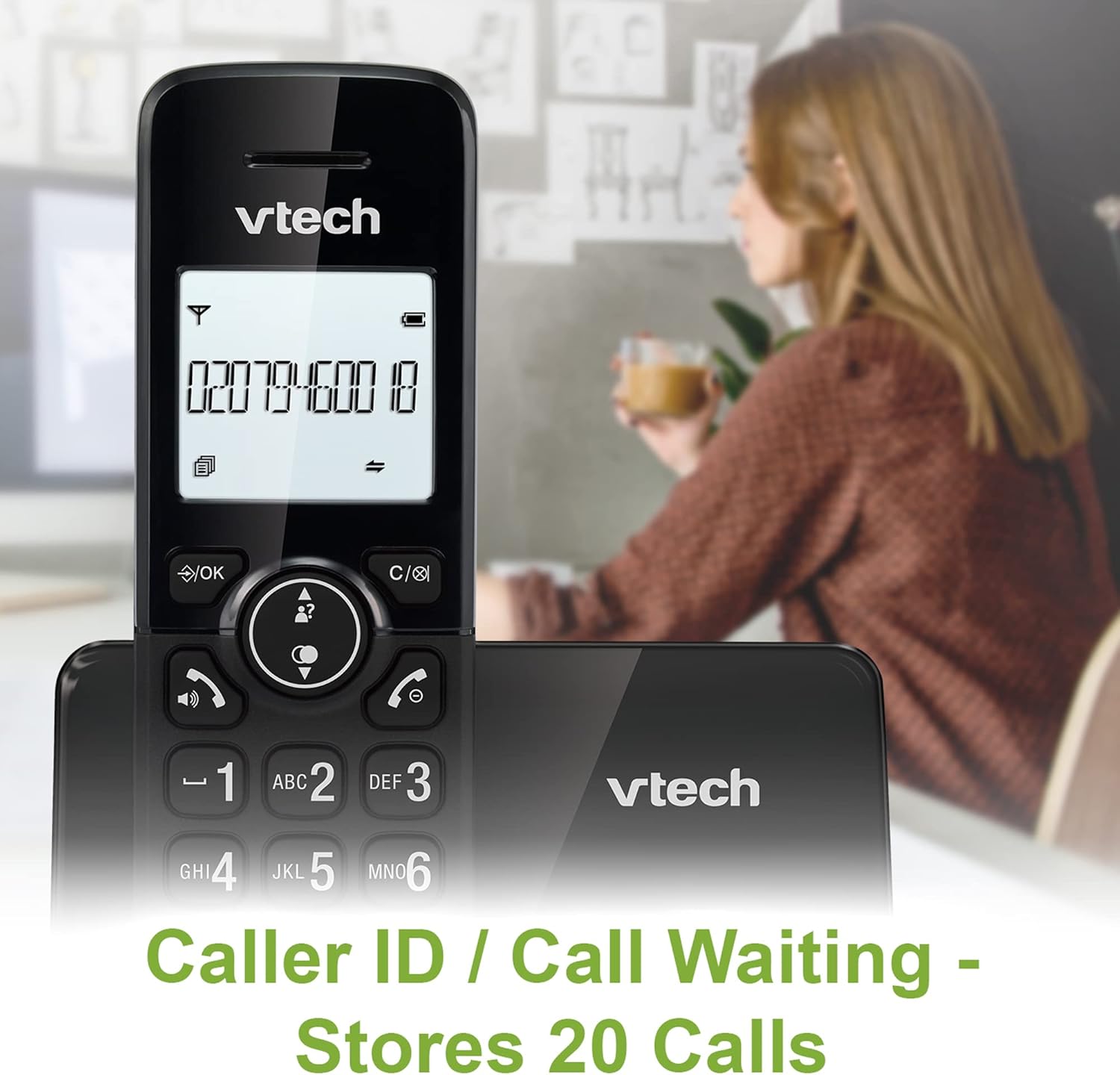
Image: A VTech CS2001 handset is positioned on its base, with its screen clearly displaying a phone number, illustrating the Caller ID feature. A person is visible in the blurred background.
4.5 1.8" Backlit Display
Each handset features a 1.8-inch backlit display, enhancing visibility and readability, especially in low-light conditions.

이미지: 클로즈업 view of the VTech CS2001 handset's 1.8-inch backlit display, clearly showing the text "HANDSET 1", demonstrating its enhanced visibility.
4.6 Adjustable Ring Volume and Melody
Customize your phone experience by adjusting the ring volume and selecting from various melodies.

Image: A VTech CS2001 handset rests on a wooden table, with a graphic overlay highlighting the adjustable ring volume and melody features, allowing for personalized sound settings.
4.7 에코 모드
The handset automatically adjusts the radio frequency strength based on its distance from the base station, optimizing power consumption.
4.8 알람 및 음소거 기능
The phone includes an alarm function and a mute feature for privacy during calls.

Image: A split image visually represents the alarm and mute functions. One side shows a woman exercising with an alarm clock icon, while the other shows a couple relaxing with a music note icon, symbolizing the phone's versatile features.
5. 유지관리
- 청소: 핸드셋과 베이스 유닛을 부드러운 천으로 닦으세요.amp 천을 사용하십시오. 세척 스프레이나 연마성 세제를 사용하지 마십시오.
- 배터리 관리 : Replace batteries when their performance significantly degrades. Use only NiMH battery packs specified for this model.
- 환경: Keep the telephone away from heat sources, direct sunlight, and moisture.
6. 문제 해결
If you experience issues with your VTech CS2001, refer to the following common problems and solutions:
| 문제 | 해결책 |
|---|---|
| 다이얼 톤이 없습니다 |
|
| 핸드셋이 충전되지 않습니다 |
|
| 음질이 좋지 않음 / 잡음 |
|
| 전화를 걸거나 받을 수 없습니다 |
|
7. 사양
| 특징 | 세부 사항 |
|---|---|
| 상표 | VTECH |
| 모델 | CS2001 |
| 전화 유형 | 무선(DECT) |
| 핸드셋 수 | 2 |
| 표시하다 | 1.8" Backlit |
| 전화번호부 용량 | 30개의 이름과 숫자 |
| 발신자 번호 기록 | 20개의 이름과 숫자 |
| 통화 차단 용량 | 최대 30개 숫자 |
| 마지막 번호 재 다이얼 | 10개의 기록 |
| 전원 | Battery Powered (AC adaptors for base/chargers) |
| 배터리 유형 | NiMH (2 AAA batteries per handset, included) |
| 지원되는 라디오 대역 | 1.9GHz(DECT) |
| 야외 활동 | 최대 300m |
| 품목 무게 | 680g |
| 색상 | 검은색 |
8. 보증 및 지원
보증 정보 및 기술 지원에 대해서는 제품에 포함된 설명서를 참조하거나 VTech 공식 웹사이트를 방문하십시오. web사이트. 구매 증빙 자료로 구매 영수증을 보관하세요.


