1. 제품 오버view
The NZXT Kraken Z73 RGB White is an all-in-one (AIO) liquid cooler designed for high-performance CPU cooling. It features a 360mm radiator, three Aer RGB 2 fans, and a pump with a customizable 2.36-inch LCD display. This cooler allows users to monitor system information, display custom images, or animated GIFs through the NZXT CAM software interface, providing both efficient cooling and aesthetic personalization.
주요 특징:
- Customizable LCD Display: A bright, 2.36-inch LCD screen on the pump allows for personalized display of 24-bit color images, GIFs, or system information.
- NZXT CAM 소프트웨어 통합: Fine-tune settings, manage performance, and customize the appearance of your Kraken cooler with an intuitive software interface.
- 뛰어난 냉각 성능: Equipped with a chamfered intake and fluid dynamic bearings, the Aer RGB 2 fans deliver quiet operation, long-term reliability, and powerful cooling.
- 간단한 설치: The pump's fully programmable display can be rotated to align with your motherboard's orientation without affecting the logo or image direction.
- 생생한 RGB 조명: Included Aer RGB 2 fans provide dramatic lighting effects to complement your system build.
2. 상자 안에 무엇이 들어있나요?
설치를 시작하기 전에 모든 구성 요소가 있는지 확인하세요.
- NZXT Kraken Z73 RGB Liquid Cooler (Pump and Radiator Assembly)
- 3x Aer RGB 2 120mm Fans
- Mounting Hardware for Intel (LGA 1700, 1200, 115X, 2011, 2066) and AMD (AM5, AM4, TR4) Sockets
- 팬 및 RGB 컨트롤러
- USB Cable for CAM Software Connectivity
- Power Cables and Fan Splitter Cables
- (콜드 플레이트에) 열전도 페이스트가 미리 도포되어 있습니다.
3. 설정 및 설치
Follow these general steps for installing your NZXT Kraken Z73 RGB liquid cooler. Refer to your motherboard and PC case manuals for specific mounting locations and clearances.
- 마더보드 준비: 사용 중인 CPU 소켓 유형(인텔 또는 AMD)에 맞는 백플레이트와 스탠드오프를 설치하십시오.
- 라디에이터 및 팬 장착: Attach the three Aer RGB 2 fans to the 360mm radiator using the provided screws. Ensure the fan orientation is correct for desired airflow (intake or exhaust). Mount the radiator assembly to an available fan mount in your PC case (typically top or front).
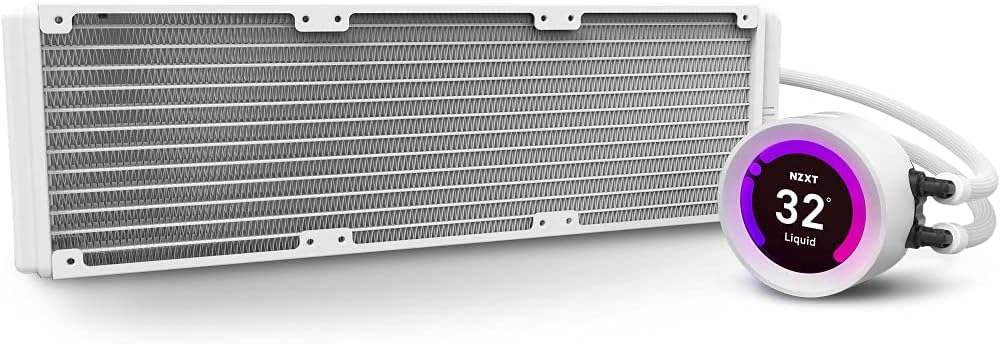
Image: The NZXT Kraken Z73 RGB White liquid cooler, showing the 360mm radiator and the pump with its LCD display.
- 펌프/냉각판 설치: Carefully place the pump/cold plate assembly onto your CPU, aligning it with the standoffs. The Kraken Z series pump features a rotatable display, allowing you to adjust its orientation after installation to ensure the logo or image is upright.

Image: The Kraken Z series pump head, illustrating its digitally rotatable display for easier installation and aesthetic alignment.
- 펌프 고정: Use the provided thumb screws or nuts to secure the pump to the motherboard, ensuring even pressure.
- 케이블 연결: Connect the pump's power cable, USB cable, and fan cables to the appropriate headers on your motherboard and the included fan/RGB controller. Ensure all connections are secure.
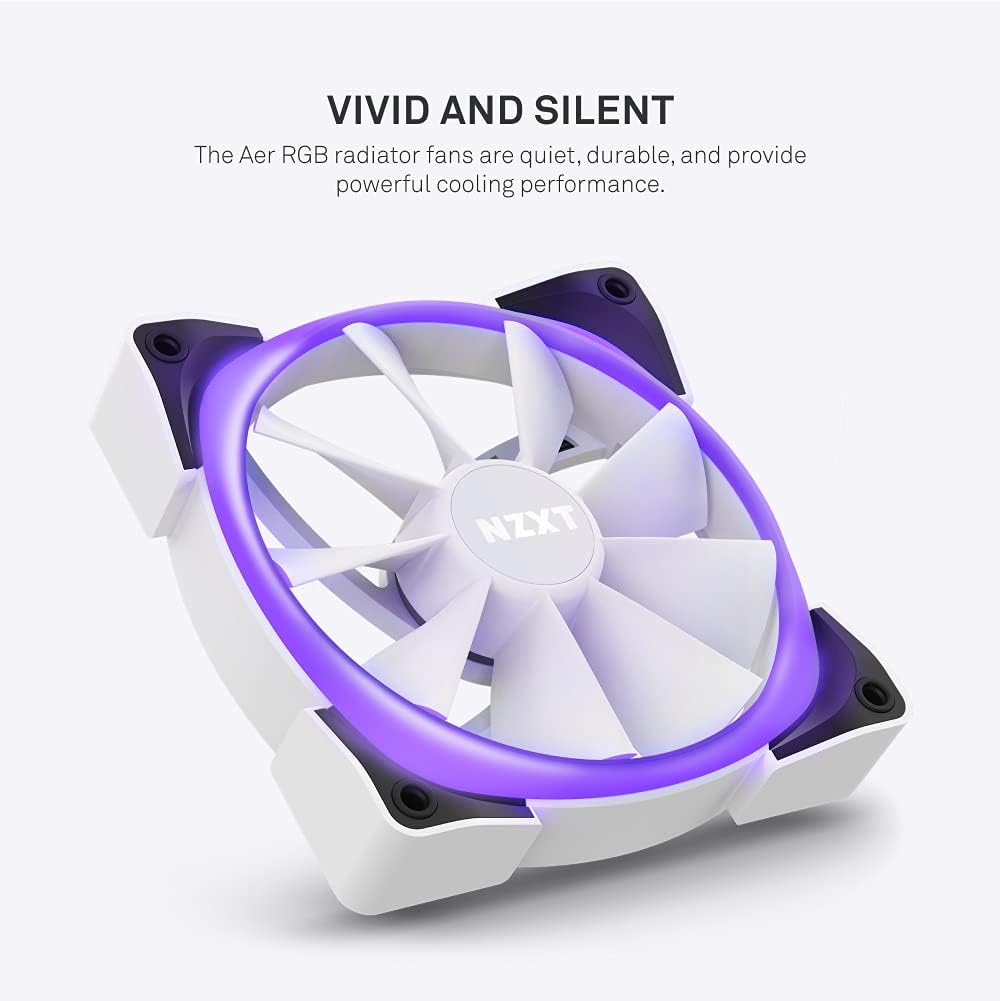
Image: An Aer RGB radiator fan, highlighting its quiet operation and powerful cooling performance with vivid lighting.
메모: No official seller videos demonstrating installation were available. Please refer to the written instructions and diagrams for guidance.
4. 쿨러 및 LCD 디스플레이 작동 방법
The NZXT Kraken Z73 RGB's full functionality is managed through the NZXT CAM software.
- Install NZXT CAM Software: Download and install the latest version of NZXT CAM from the official NZXT web사이트 (www.nzxt.com/cam).
- Connect to CAM: Ensure the cooler's USB cable is connected to an internal USB 2.0 header on your motherboard. Launch the CAM software. The Kraken Z73 RGB should be automatically detected.
- 모니터 성능: Use CAM to monitor CPU and liquid temperatures, pump speed, and fan speeds.
- LCD 디스플레이 사용자 지정: Navigate to the 'Cooling' or 'Lighting' section within CAM to customize the LCD display. You can choose from various presets, upload custom images (JPG, PNG) or animated GIFs, and display real-time system information like CPU temperature, GPU temperature, or pump speed.

이미지: 클로즈업 view of the NZXT Kraken Z73 RGB White's LCD display, showing the liquid temperature.
- Adjust Fan and Pump Curves: Create custom fan and pump profiles to optimize cooling performance and noise levels based on your preferences and system load.
- RGB 조명 제어: Adjust the RGB lighting effects and colors of the Aer RGB 2 fans through the CAM software.
5. 유지관리
정기적인 유지 관리는 액체 냉각기의 최적 성능과 수명 연장에 도움이 됩니다.
- 먼지 청소: 주기적으로 압축 공기를 사용하여 라디에이터 핀과 팬 블레이드의 먼지를 청소하십시오. 손상을 방지하기 위해 청소하는 동안 팬이 회전하지 않도록 하십시오.
- 연결 확인: Occasionally verify that all cables (power, USB, fan) are securely connected to prevent intermittent issues.
- 튜빙 검사: Check the liquid tubing for any signs of kinks, leaks, or damage.
- 소프트웨어 업데이트: Keep your NZXT CAM software updated to benefit from performance improvements, new features, and bug fixes.
6. 문제 해결
If you encounter issues with your Kraken Z73 RGB, consider the following common troubleshooting steps:
- Cooler Not Detected by CAM: Ensure the USB cable from the pump is securely connected to an internal USB 2.0 header on your motherboard. Try a different USB header if available. Reinstall NZXT CAM software.
- 높은 CPU 온도: Verify that the pump is properly seated and making good contact with the CPU. Check that the pump and fans are receiving power and spinning. Ensure thermal paste application was adequate. Check fan orientation for proper airflow.
- 팬이 회전하지 않음/RGB가 작동하지 않음: Check all fan and RGB cable connections to the fan/RGB controller and motherboard. Ensure the fan/RGB controller is receiving power. Verify settings in NZXT CAM software.
- 특이한 소음: A slight gurgling sound upon initial startup is normal as air bubbles settle. If persistent, ensure the pump is mounted lower than the highest point of the radiator to prevent air from accumulating in the pump.
- LCD 디스플레이 문제: Ensure the USB connection is stable. Restart NZXT CAM. Update graphics drivers.
7. 사양
| 특징 | 사양 |
|---|---|
| 제품 치수 | 18.66인치 길이 x 7.17인치 너비 x 5.75인치 높이 |
| 모델 번호 | RL-KRZ73-RW |
| 상표 | NZXT |
| 냉각 방식 | 물 |
| 호환 장치 | Radiator (CPU Sockets: Intel LGA 1700, 1200, 115X, 2011, 2066; AMD AM5, AM4, TR4) |
| 소음 수준 | 33데시벨(최대) |
| 재료 | Aluminum, Copper, Plastic, Rubber |
| 최대 회전 속도(팬) | 2000 RPM |
| 기류 용량 | 52.44 분당 입방피트(CFM) |
| 전원 커넥터 유형 | 4핀 |
| 권tage | 5 볼트 |
| 왓tage | 3.6 와트 |
| 품목 무게 | 5.06파운드 |
| 색상 | 하얀색 |
| 한국어: | 815671016669 |
8. 보증 및 지원
NZXT 제품은 최고 품질 기준에 따라 설계 및 제조됩니다. 자세한 보증 정보는 NZXT 공식 웹사이트를 참조하십시오. website or the warranty card included with your product. For technical support, troubleshooting assistance, or to contact customer service, visit the NZXT support page at support.nzxt.com.


